Hi everyone, I’m new to EndeavourOS.
I’m trying to connect to Wi-Fi, but I get the following error when I run the command: `nmcli dev wifi connect NAME_WIFI password PASSWORD`.
Error: You need your password or encryption key to access the wireless network ‘NAME_WIFI’.
I’ve tried the suggested solutions, but none of them work.
thanks
eso
2
@TristeTmp , welcome to the forum!
Have a look into https://wiki.archlinux.org/title/Laptop/Apple#MacBookPro12,1/11,4+_2015
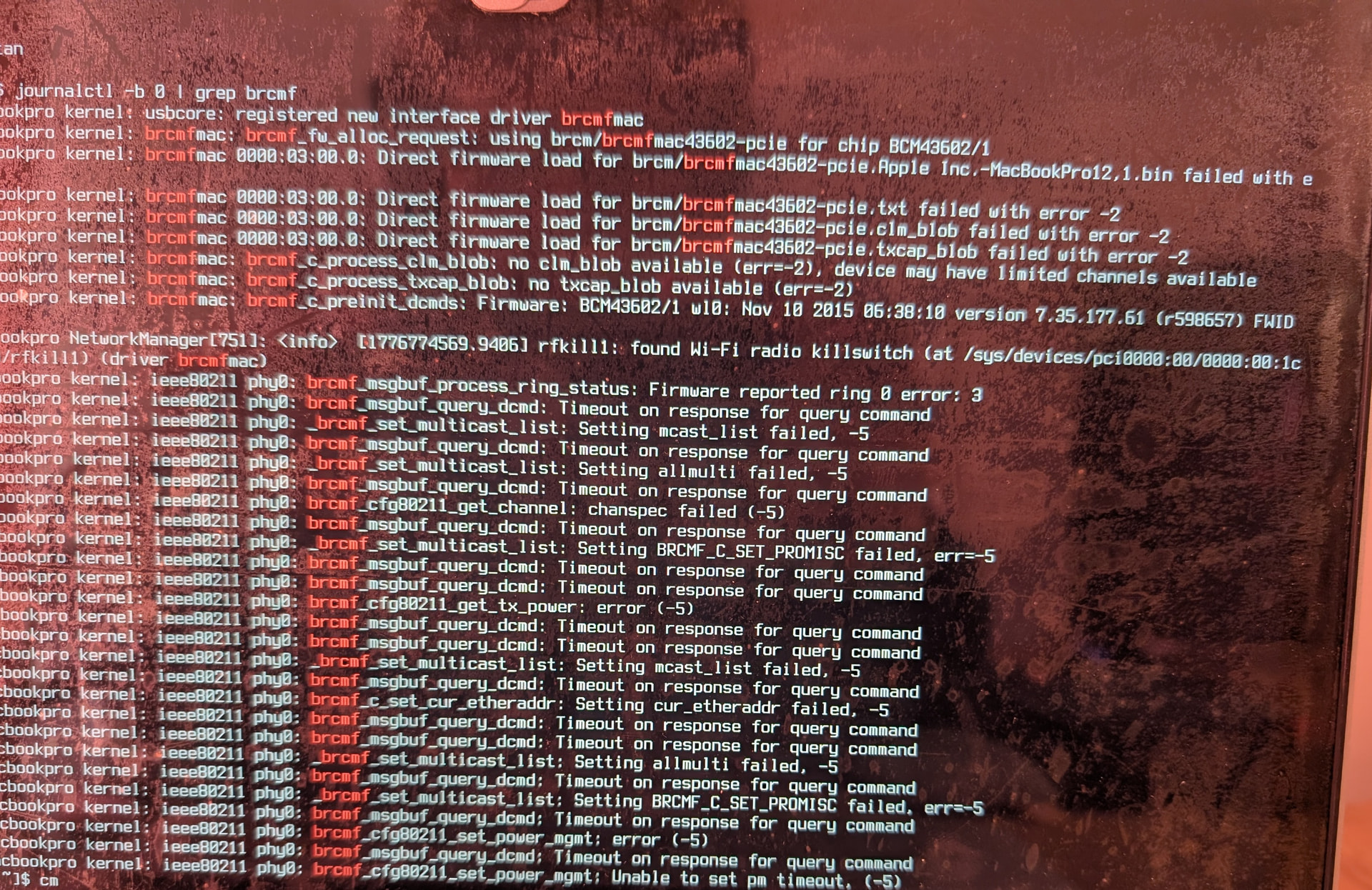
Show us the output of this command line pls:
journalctl -b 0 | grep brcmf
Hi @eso
I installed a new EndeavourOS.
I logged into my account.
Here is the result of your command.
Have you tried adding the kernel parameter brcmfmac.feature_disable=0x82000
eso
5
Side Note:I do not have such a Mac device
yay -S iwd
cat <<EOF | sudo tee /etc/NetworkManager/conf.d/wifi_backend.conf
[device]
wifi.backend=iwd
EOF
sudo systemctl restart NetworkManager
If problem persists read this https://bbs.archlinux.org/viewtopic.php?pid=2193096#p2193096
Yes, it works, thank you @ricklinux
And thx @eso
Troubleshooting steps:
-
Open the /etc/default/grub file with the command sudo nano /etc/default/grub (if you are using GRUB boot).
-
Add brcmfmac.feature_disable=0x82000 to the line GRUB_CMDLINE_LINUX_DEFAULT="…. brcmfmac.feature_disable=0x82000".
-
Regenerate the GRUB configuration with the command sudo grub-mkconfig -o /boot/grub/grub.cfg.
-
Then reboot. It should work  .
.