looks like it’s good, but I already have something that works, so not changing
Not exactly an application, (well, there is manga_ocr I suppose) but I have discovered a truly awesome use for LLMs.
Translation.
With the right LLM we can get quality comparable to deepl (better than google translate) for back and forth translation between a lot of languages.
And the seemingly best model for this currently is this:
Which is an uncensored version of this:
Because we don’t want our translator to pretend impolite text is polite lol (wtf is wrong with the morons censoring translation tools?)
It requires about 8GB VRAM to run purely on GPU (if you have less you can still run it but it will be slower)
Using a mix of ollama and bash I’ve worked out a nice way to integrate this into my terminal (I opted to put this stuff in my bash aliases instead of making it a script), I added some comments so that you can easily understand it.
# Start ollama server in the background
_run_ollama(){
  if [ "$(curl -s http://localhost:11434 )" != "Ollama is running" ]; then
  	export OLLAMA_KEEP_ALIVE=30 # Timer in seconds of inactivity before unloading LLM to free up VRAM
  	export OLLAMA_FLASH_ATTENTION=1
  	export OLLAMA_CONTEXT_LENGTH=32768 # 4 * this = max characters in prompt.
    ollama serve > /dev/null 2>&1 &
    sleep 1
    echo "$!"
  fi
}

# Translate text to English
translate-text() {
  local MODEL='hy-mt-c-7b-abl:Q8' # https://huggingface.co/mradermacher/Huihui-Hunyuan-MT-Chimera-7B-abliterated-GGUF
  local PROMPT="Translate the following text to English: $@"
  local OLLAMA=$(_run_ollama)
  ollama ps | awk -v exclude="$MODEL" 'NR>1 && $1 != exclude {print $1}' | xargs -I {} ollama stop {}
  ollama run "$MODEL" "$PROMPT"
}

# Translate text files, and save to a subdirectory under their original names
translate-file() {
  local OUTDIR='translated'
  local OLLAMA=$(_run_ollama)
  mkdir -p "$OUTDIR"
  for file in $@; do
    if [[ -f "$file" ]]; then
      echo "$file: $(cat "$file")"
      translate-text "$(cat "$file")" | tee "$OUTDIR/$file"
    fi
  done
}
Also I created 2 more handy functions, one to shoot a quick question at an ai from the terminal without all the usual fuss, and a more elaborate translation method
# Ask a local LLM something from the terminal
# The model I am using here requires 16+GB VRAM for palatable speed. But it is probably the absolute best general purpose model you can run on a 16GB GPU at time of writing.
query(){
  local MODEL='g3-27b-abl:Q4' # https://ollama.com/pidrilkin/gemma3_27b_abliterated
  local PROMPT="$@"
  local OLLAMA=$(_run_ollama)

  # Stop any other model to free up vram
  ollama ps | awk -v exclude="$MODEL" 'NR>1 && $1 != exclude {print $1}' | xargs -I {} ollama stop {}

  ollama run "$MODEL" "$PROMPT"
  echo $OLLAMA
}

# Compare translations from multiple models, maybe i'll add google translate and deepl as well later
translate-text-analyze(){
  local OLLAMA=$(_run_ollama)
  local MODELS=('hy-mt-c-7b-abl:Q8' 'floppa-g3-12b-unc:Q8' 'translategemma-12b-it:Q8' 'g3-27b-abl:Q4')
  local PROMPT="Translate the following text to English: $@"
  local PROMPT_ALT="Translate the following text to English, return only the translation and nothing else: $@"
  local PROMPT_ROMAJI="Convert this to romaji: $@"
  for model in "${MODELS[@]}"; do
    ollama ps | awk 'NR>1 {print $1}' | xargs -I {} ollama stop {}
    echo "$model:"
    if [[ "$model" == *"translategemma"* ]] || [[ "$model" == *"g3-27b-abl"* ]]; then
      ollama run "$model" "$PROMPT_ALT"
    else
      ollama run "$model" "$PROMPT"
    fi
  done
  if echo "$@" | perl -CSD -ne 'exit !/\p{Hiragana}|\p{Katakana}|\p{Han}/' 2>/dev/null; then
    echo "Romaji:"
    ollama run "${MODELS[-1]}" "$PROMPT_ROMAJI"
  fi
}
Lastly, I have also discovered manga_ocr which is an OCR specifically for grabbing japanese text, for this task it is way better than tesseract although it’s not perfect.
WIth this combination I have the beginnings of a process for translating stuff, in particular from japanese to english
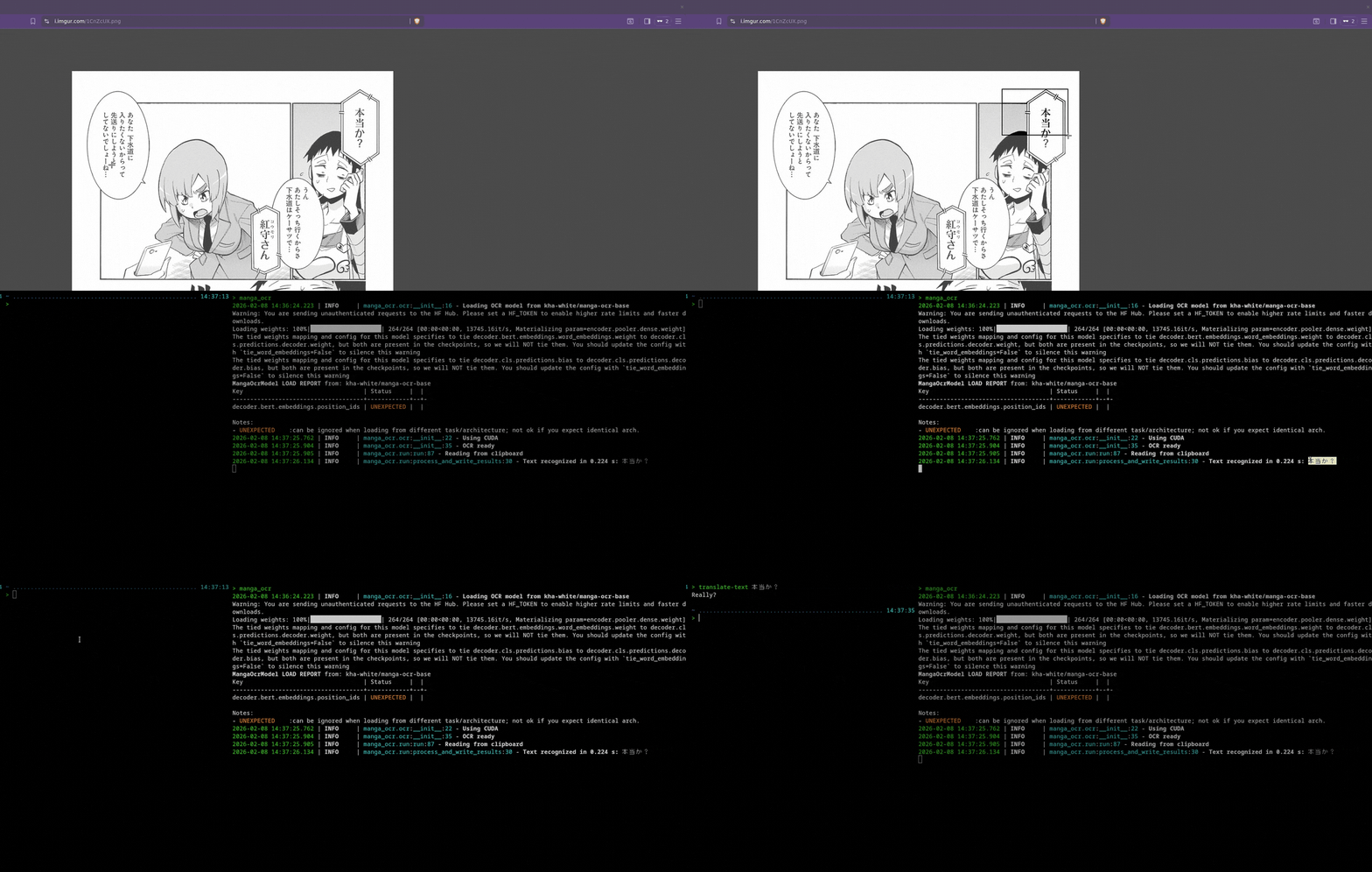
I am probably gonna refine it more though, manga_ocr is good at reading the screen, but it’s shit in every other way (i mean are you kidding me? you just run it in the background and it monitors your clipboard, I’m gonna have to tweak it so that I can just screenshot the manga and get the text straight to clipboard or something, but yeah)
Finally something the LLMs are indisputably good at. And doing this is generally gonna turn out better than using an official translation, because the LLM is just translating the text and not injecting it’s political opinions into it.
4 Likes
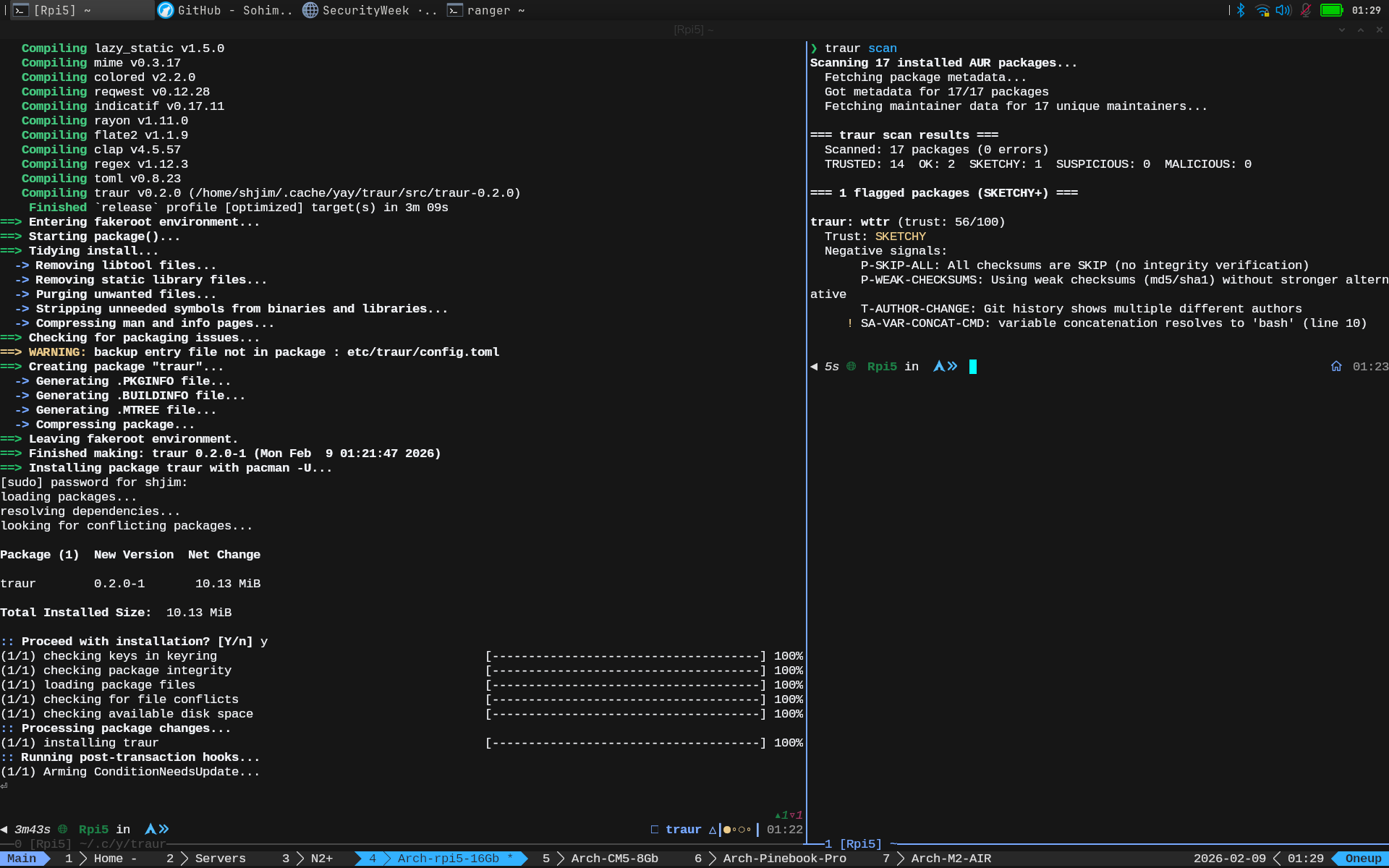
5 Likes
Bluetui
I usually don’t click on those AI slop youtube shorts, but I did the other day and it introduced me to this. I run a minimal DWM setup so bluetooth management for me is usually kind of annoying. The Blueman gui manager works, but it doesn’t play nicely with DWM for some reason, freezing and whatnot. Plus it’s kind of ugly. Bluetui however just works and looks really nice. I bound it to a key combo through DWM an it’s made bluetooth management a lot easier. It’s in the main repos too.
4 Likes
Heh, I’m on hyprland and i use nmtui to manage my wireless connections because I couldn’t be bothered to find and install a suitable GUI for it.
And it’s starting to grow on me. It’s really nice to have something that works even from tty.
1 Like
may be look at
i all so use Bluetui for long time
1 Like
Files, the shortcut to AOSP Files, which is less than 1 MB in size is my go to app for File Management on Android phones. So much better than the other bloatware.
About Simple Keyboard, does it harvest what we type like Gboard, i.e. Google Keyboard does?
Files, the shortcut to AOSP Files, which is less than 1 MB in size is my go to app for File Management on Android phones. So much better than the other bloatware.
For Files I’m using Material Files
No, it’s on F-Droid and no Anti-Features

5 Likes
Anyone ever heard of vidbee. Just came across it’sfoss. Looks promising. Gonna try it
EDIT: It wants electron as a dependency. It doesn’t look so promising anymore. Not for me.
6 Likes
Interesting, - I’ve always just used yt-dlp with flags via commandline, - it’s quick, easy, and with the command line window in Dolphin, about as integrated as I need it to be.
4 Likes
I have just started using KDE Ghostwriter for my notes, tips & Tricks, etc. It is light weight, saves files in Markdown, so in a crunch one can open kwrite or vi and then simply get the required info. It does not work on a client-server paradigm, so no need to have a service or daemon running in the background. Best of all it integrates seamlessly with KDE.
LibreOffice can read/write markdown files. But it is too heavy for simple note taking files.
The downside, Unlike ZIM or other notetaking applications it still does not support a hierarchical structure. So for example if I want it in a book with chapters, and each chapter being in its own file then it does not work. I will have to maintain the files in Dolphin. Also unlike other note taking applications its ability to export is limited.
Good for organizing thoughts, ideas, brainstorming and simply taking notes. Highly recommend it.
2 Likes
Is it that you see KWrite as too heavy as well?
Nope. kwrite is not heavy. But it simply does not have the features that are required for markdown. It is heavy compared to vi or vim.
IMHO kate is a bit too heavy. Like it for light programming and scripting, less heavy than KDevelop. kate lacks the features that come with KDevelop
1 Like
Apologies for necro-bumping. How does one go about fixing the Medium, Unsafe, Exposed and others?
Also from the output it seems that you are using iwd and not wpa_supplicant. Does doing so help in any way? I can see that the score of iwd.service is low in your output compared to what I get in wpa_supplicant, which is high.
The Fedora team is/was working on settings to add to the service to make it safer, see here :
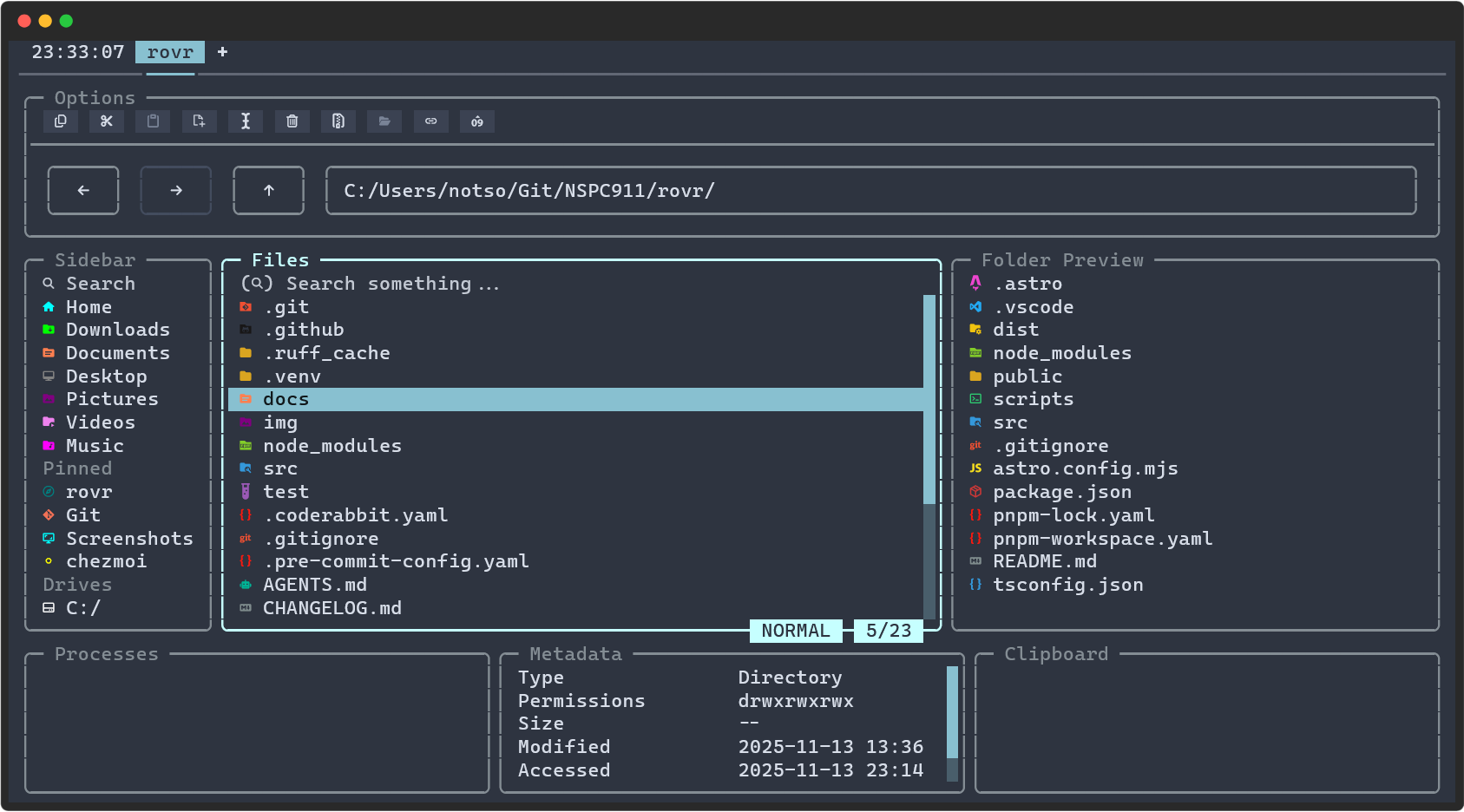
I shifted from Zim to Obsidian Notes, I can’t recommend it enough, it’s been absolutely game-changing for me.
3 Likes
Obsidian is what I have used for over a year. Works very well. Recommended to me by you ( @Canoe ) too.
2 Likes
What puts me off Obsidian is that it is a client-server architecture which has a server/daemon process running in the background. For note taking I do not a service running in the background.