Just found ncdu
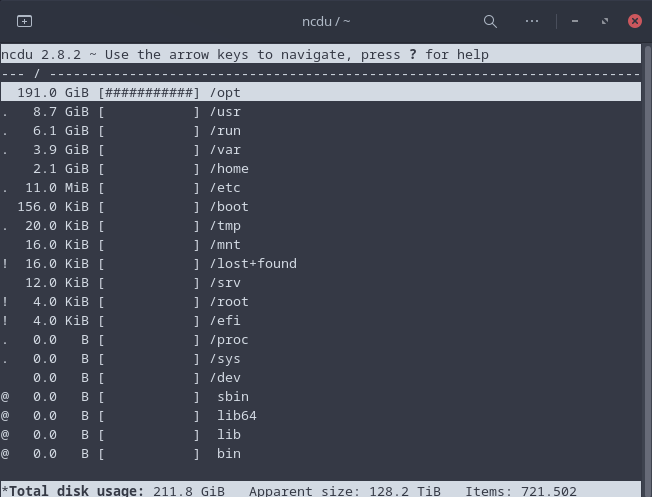
Shows disk usage with a navigable text based Interface.
Yep, ncdu is real useful and fast. Note if you have many mounted filesystems it might “reach out” to your NAS or other remote filesystems, which can take a long time, and give you results you didn’t expect (like 16 TB in use on a 512 GB SSD…).
In this case, force it to only look at the local (“same”, actually) filesystem using the -x or --one-file-system switch. I fell for this more than once. 
Also be aware that you can delete whole directory structures with just one keystroke in ncdu, so be extra careful.
ncdu is in extra, so you can just
sudo pacman -Syu ncdu
thanks for the info. so i didn’t touch the d key when ncdu is running 
google-chrome-stable, librewolf-fix-bin, firefox-patch-bin and zen-browser-patched-bin 
copy party guess we got an AUR package already. i did not personally check though. planning to install soon.
It seems very nice, I will spend some more time with it when said time is available.
Operese, an interesting tool for migrating from Windows to Linux.
eza is a modern alternative for the venerable file-listing command-line program ls
Interesting.
Will have to keep an eye on the developments. May be relevant for some people I know. Thanks.
alias ncdu=“/usr/bin/ncdu --disable-delete”
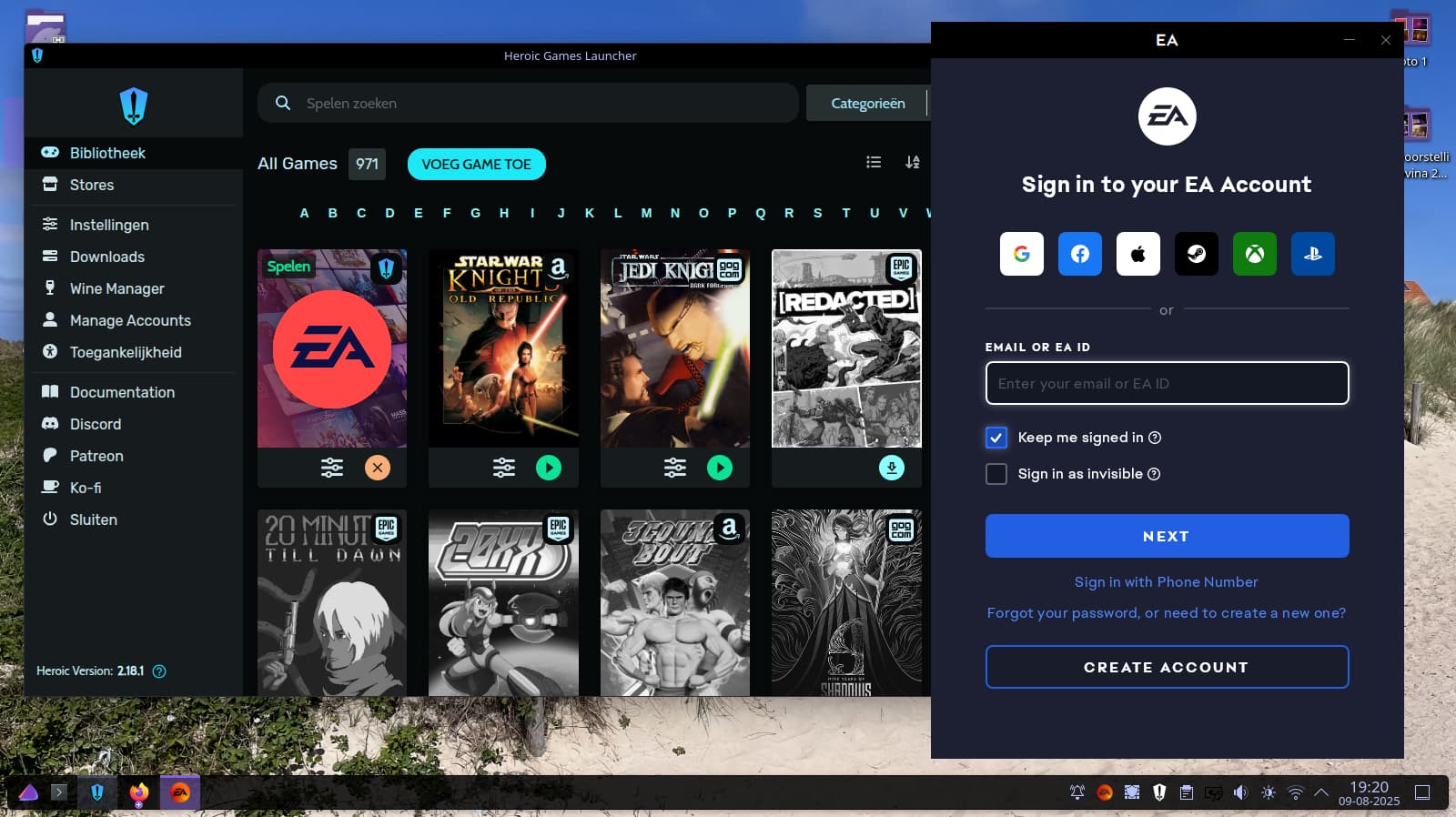
Heroic game launcher, i wanted to see if this would be better compared to lutris which in my point of view it did. My epic games, amazon prime games and gog games are now in one place. Hope EA App will be added too.
I tested 2 games with it on my 13 years old notebook, the first one is Star Wars Dark Forces II - Jedi Knight, this one worked fine under GE-Proton 10-10 BUT when i swap it to GE-Proton 9-27 or Proton 9 from steam the game freezes the system entirely at the loading screen, no TTY or anything (alt tab, xkill, nothing works). The game only works with GE-Proton 10, tried to replicate this on Lutris and the issue is also in there. Will try to replicate it on another notebook but for now i keep it at Proton 10. The other game works fine with proton 9 and 10. No idea why Dark Forces 2 refuses proton 9.x
The EA App works great with GE-Proton 9-27 but not with GE-Proton 10-10. I also tested this behavior in Steam and get the same results. Running it through Proton 9.0-4 and Proton 10.0-2 (Beta) works fine too.
Edit: To fix the Dark Forces 2 issue, simply use OpenJKDF2. It runs on all proton versions.
So is https://github.com/lsd-rs/lsd, which I use.
They seem pretty equivalent in terms of features and performance. Heh, more choice
Not an app, but a great and easy way to configure Hyprland. It starts with a very nice design. A lot of settings can be configured via Gui and all the configs are cleanly separated,so it is easy to make manual changes.
Oh, I love this kind of question — it’s always the tiny gems in Linux/FOSS that make you stop and go “wait, why didn’t I know about this earlier?” 
For me, one recent woooow discovery was fzf (fuzzy finder).
I had seen people mention it for years, but I only actually tried it recently, and it completely changed the way I interact with the terminal:
ctrl + r reverse search? Now I have fuzzy, interactive history search that is lightning fast.
Need to open a file buried deep in a project? fzf + vim $(fzf) is basically muscle memory now.
I even wired it up to git commands (e.g., fuzzy-choosing branches, stashes, commits).
It’s one of those tools where the more you use it, the more places you find it can slip into your workflow. Definitely feels like a game-changer.
Another honorable mention (if I may sneak in two): bat as a drop-in replacement for cat — syntax highlighting, git integration, and line numbers right in the terminal. Once I got used to it, plain cat feels painfully barebones.
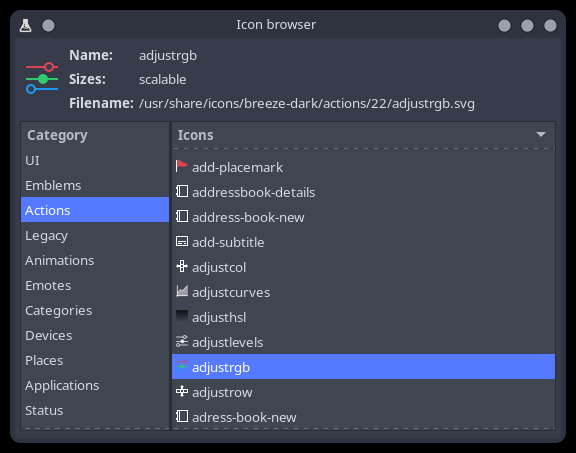
That application is part of plasma-sdk.
Which I thought was a dep of some things .. but does not really seem to be.
The plasma-sdk package provides a number of utilities that might be helpful in relation to Plasma development like lookandfeelexplorer.
Oops, my bad! I assumed it was part of the update. Thanks for pointing it out — I’ll go edit my post.
open source project and free service to help users manage, share and discover collections, reviews and ratings for culture products (e.g. books, movies, music, podcasts, games and performances) in Fediverse.
https://neodb.social/ | Community instances
I was never satisfied with the nano editor. I dont like it at all. I was using vi / vim all these years until I discovered the micro editor.
I use the micro editor since a couple of month now and it fully replaced vi / vim for me.