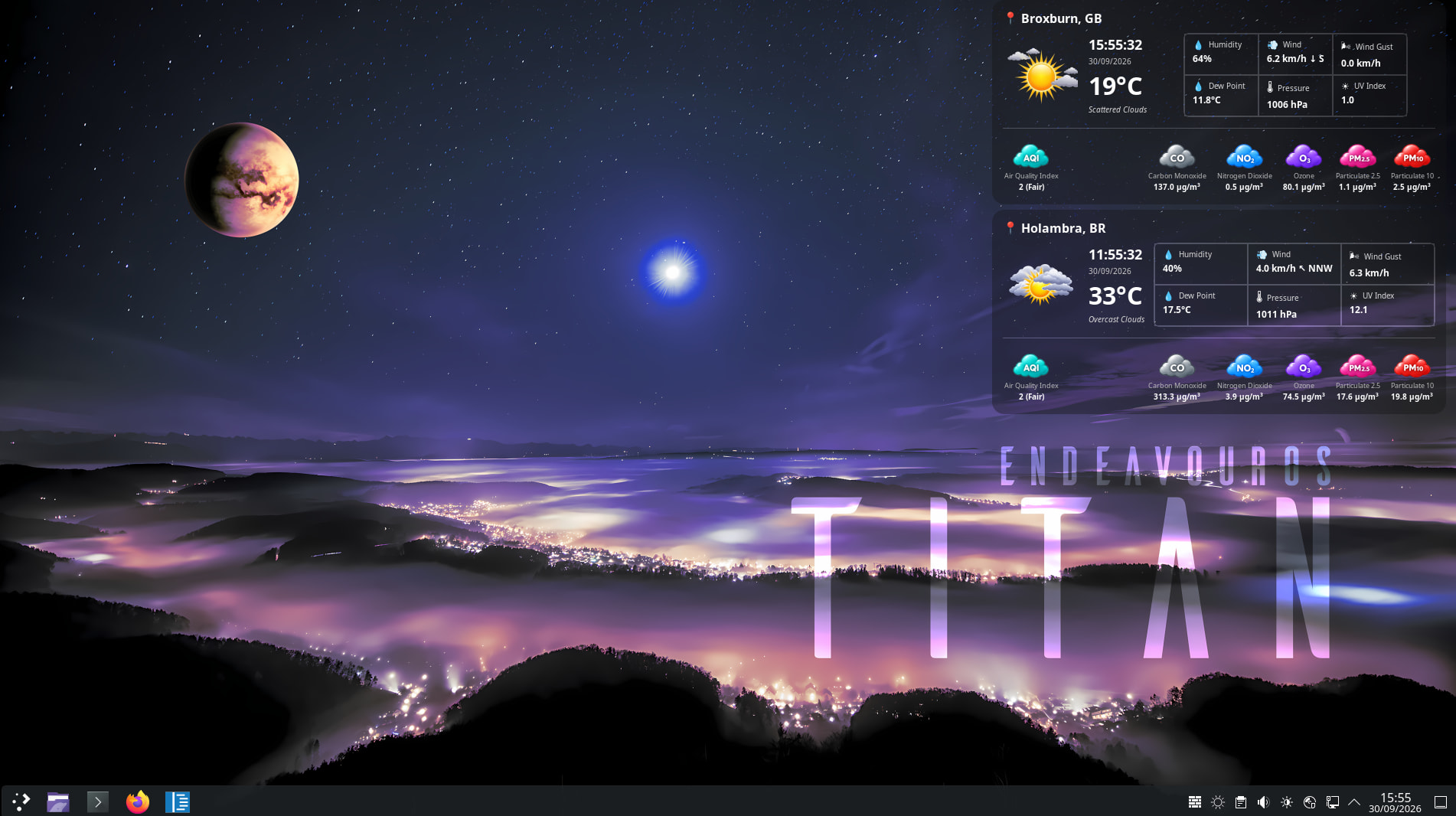
I have created the WeatherWidget this App will be an upgrade to your EndeavourOS desktop with WeatherWidget 

Get real-time global weather, world clocks, and vivid air quality telemetry right on your screen:
Global Time & Conditions: Multi-city temperatures, humidity, wind, and local clocks at a glance. 12 Languages all for Free and with Pro you also get Air Quality & Pollution: Sleek badges tracking AQI, PM2.5, PM10, Ozone, and CO.
Native GTK3: Lightweight, responsive, and styled to blend seamlessly into your Linux environment.
Fully Customizable: Modern or classic view modes, adjustable transparency, custom icon sets, and multi-language support.
Available for Download in Github 

That’s great, and thanks for sharing. But: This isn’t a widget; it’s an app. In Plasma, widgets are always located in the Plasma folder. So you should edit your headline first. And why should I install a weather app system-wide?
Thanks for the feedback! Just to clarify, WeatherWidget is the actual name of the standalone application rather than a native Plasma desktop widget/plasmoid.
I built it as an independent desktop app so it works consistently across multiple desktop environments, not just KDE Plasma. That naturally means it behaves like a regular app rather than a panel widget, which I understand might not be what everyone is looking for.
This release was exciting for me because it’s my first time packaging it for Arch/Pacman (tested on EndeavourOS). Appreciate you taking a look either way!
You’re welcome. Have fun with it. I’d still call it WeatherApplet, though. That’s very misleading.
Again another post by a new user doing this (bit over it, rule needs to be made I think), going to ask straight up was AI used in this?
Be like me just assume everything that comes out today is done by or at least assisted by A.I
Yes people have gotten so lazy instead of learning the stuff(not saying this Is"AI").
Soon we will have real AI if not going full on skynet right away going to do our jobs so we can lay in bed\sofa doing nothing.
This isn’t entirely true. While yes many are using it just like that there are many who are using it as the TOOL its meant to be. I understood all to well how to make the scripts I have had A.I assist with. However having A.I assist me saved me valuable time. I don’t have an issue with A.I being used I have an issue when its being used in a way you don’t really understand. Like I was to ask A.I to write a C program to calculate ones montly budget I would be over my head. I don’t know C language so I would be fully dependent on the machine. This I don’t allow myself to get into. I’ve always had the brain that ask “what makes it work” so I have to know.
Yes as long as one use it as a TOOL and is checking and understand the code then its fine.
Now Media(Pictures\Video) slop other hand is all… Well mostly bad.
And “AI” use should ALWAYS be disclosed!.
Hi Michael,
Totally understand the skepticism—the influx of low-effort AI spam lately is frustrating for everyone, so I don’t blame you for asking straight up.
To answer directly: the app itself is 100% hand-crafted from my own code. I’ve been a software, infrastructure, and DevOps engineer for over 30 years. Building this app came out of a genuine lifelong passion for weather, climate, and sustainability, and after being made redundant recently, I poured my time into releasing it independently across multiple platforms.
Where I did use AI was strictly as an assistant to help write the Arch Linux packaging scripts (PKGBUILD), since packaging for Arch was relatively new territory for me after recently switching over to EndeavourOS.
I’m always open to feedback on the package or the app itself if you spot anything that can be improved. (And apologies for the fresh account—lost access to the old email I originally used here years ago!)
Cheers,
Where does one get an API for their weather without having to pay for one? This app is not worth using IMHO . . you should have had the decency to say that paid API subscriptions are necessary to get your local weather. . . . Sorry this doesn’t meet my criteria as useable. . .
Rich 
you can try openweathermap if the OP’s app supports it.
Hello rich52,
As soon as you start the app where you have the get Pro API you can use the drop down and select the FREE API that opens and openweathermap where you can get a FREE API and use it in the app.
I hope that helps, also the online instruction linked in the about TAB will explain and help you set it up.
Let me know if you need help 
Sorry, I’m confused as to how to remove the 3 locations in the app that are in other parts of the world. And the ‘Free API’ from openweather doesn’t intergrate with the app for some reason without pointing you into the direction of a paid subscription. . . . sorry.
Rich
Hello,
Once the FREE openweathermap API is applied you can remove the other locations, they are there for demo purposes, you can view full manual support link in the ABOUT TAB that should hopefully answer all your questions 
Thanks. . . . I removed the snap package.
Rich