I haven’t had a single problem I wasn’t able to solve myself on endeavour in over two years now of using the operating system. this one has absolutely stumped me. sometime around a month or two, when the kernel updated from 6.18.7 to 6.18.9, the 6.18.7 kernel remained. same for the update to 7.0.3, and now 7.0.8. originally, this was a problem because I didn’t have enough space in /boot/efi, but I just increased it to ~6 GB, and solved that. however, I worry that the kernel versions will simply keep piling up. I haven’t seen this behaviour before, so I’m not sure why it’s happening. I think it could be due to some packages requiring older kernel modules, but that’s my uneducated guess. I recently installed vmware-workstation (aur), and at the end, DKMS reinstalled the modules for 6.18.7-7.0.3. (before the update to 7.0.8) this therefore reinstalled those kernels. I would really prefer not to end up with 32 boot entries in a month, so any help would be appreciated. This is my first forum post, so if you need more information, i can provide it, but please be kind. 
The kernel versions are deleted from the EFI partitions at the beginning of the update process. Pay special attention to that part of your update next time and see why it is failing.
I should just need to wait until the next kernel version, right? currently, I’m up to date, so updating does nothing, unless you want me to manually remove the older kernels again.
Yes, correct.
I suppose, if you don’t want to wait, you could downgrade, clean up your EFI partition manually and then update again but I would just wait and see.
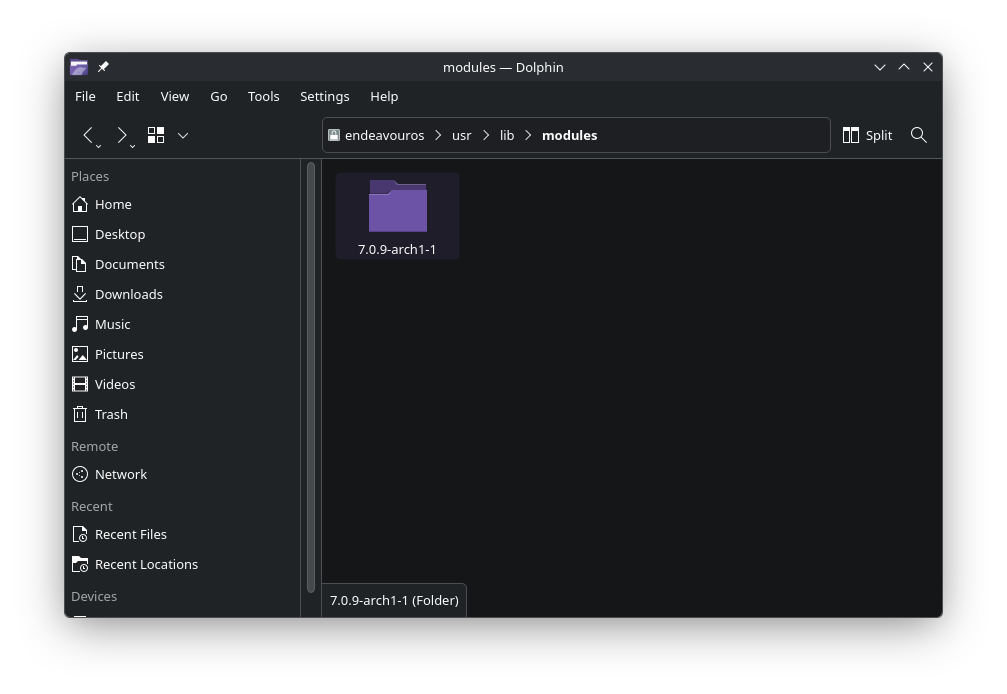
When I ran VMware in the past, I would sometimes get leftover kernel modules. What’s in /usr/lib/modules?
Typically when a Kernel is installed from Arch repos/AUR, it overwrites the old Kernels. So for example if you were on the mainline kernel version 7.0.1 and today you updated to 7.0.8 then only 7.0.8 should be there.
The behavior that you are describing, i.e.
however, I worry that the kernel versions will simply keep piling up. I haven’t seen this behaviour before,
this happens typically when either a release based distro, like Debian or its variants, are used.
This can also happen if a kernel is compiled manually or installed from multiple repos. Like for example having Arch repos, Manjaro, CachyOS Repos and others too.
What @dalto said is also relevant. Check what happens when you run yay -Syu or pacman -Syu in the terminal.
/usr/lib/modules has all of the kernel modules I mentioned (6.18.7, 6.18.9, 7.0.3, 7.0.8). also, this problem occurred a month ago before I even had to touch vmware-workstation.
well, I’m certainly not using a release based distro…
I also only use the official arch repo and occasionally the aur. nothing else.
as I mentioned to dalto, I probably won’t see a change until a kernel update, unless I force remove the older versions. I’ve done that before, and they just come back, so I plan on waiting until pacman actually has something to upgrade.
I also have other machines running EOS with mostly the same packages that don’t have the same issue, so it’s probably something elusive.
Interesting thread, got me wondering…
I just checked my usr/lib/modules folder and find a long list of directories named after a progression of kernel versions I’ve had in the past.
All but two now actively in use (i.e., current latest kernel and single lts) are mostly empty but for a single small file (typically dkms, but also a stray driver that got updated).
Any reason not to clean these up by deleting them? Or best to leave well enough alone? 
I would rename them, but it might not be enough. Back to my vmware-workstation example, I had to search for leftover DKMS files in /var to prevent VMware from trying to rebuild modules for removed kernels; can’t remember the exact directories, don’t use DKMS for anything now.
Alright, perhaps I’ll just pretend I never looked. They weren’t bothering me … much like the dust under the bedroom dresser. You can only reach so far back there.
I had this happen mostly with v16. v17 was better, but every once in a blue moon an old DKMS setting would not get removed on an update. I always wondered if this was a result of the AUR packaging, or the bundle installer itself.