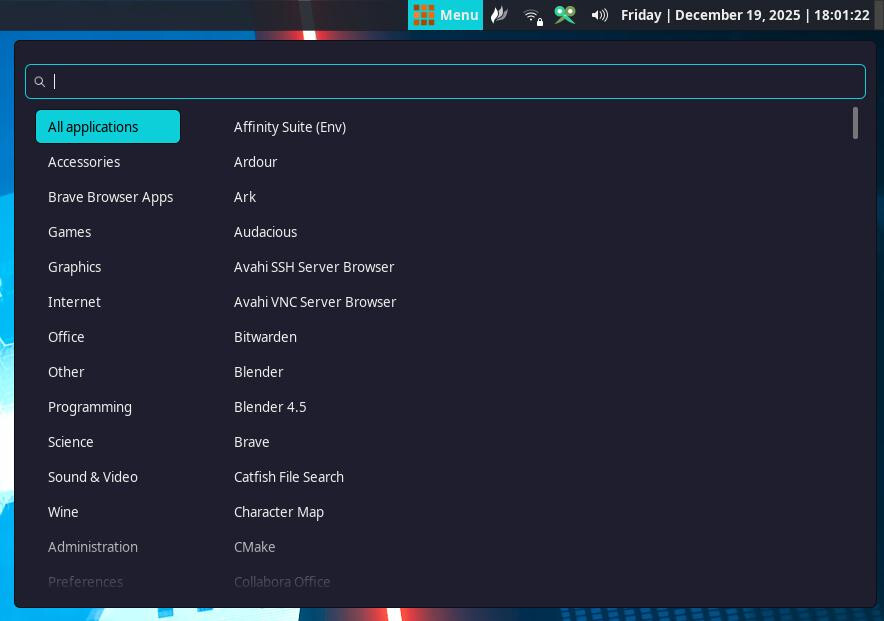
I updated to the latest cinnamon today, 6.6.2 i believe. I should’ve been more thorough but it seems that the update came with an unwanted feature. I prefer a clean interface, clean as in the “startmenu” not having icons - every link to a program is simply text. This goes for both categories and the individual programs within respective category. And so i have been using for some time.
Now the options to remove these unwanted icons is gone. I even went as far as to try and reinstall EndevourOS w/ Cinnamon incase there was an issue somewhere during the upgrade but the issue still persists. This is such a small issue really, but it’s annoying me in all manners as it feels excessively cluttered. Maybe it’s just my OCD, but i do think this was a somewhat larger thing to change in cinnamon.
Not sure what might be causing it, just had a look at the latest changes and none seemed to suggest anything similar however I did see that Nemo is used for the desktop backgrounds and wondering if an update to it may have done something. Just having a guess at the moment though.
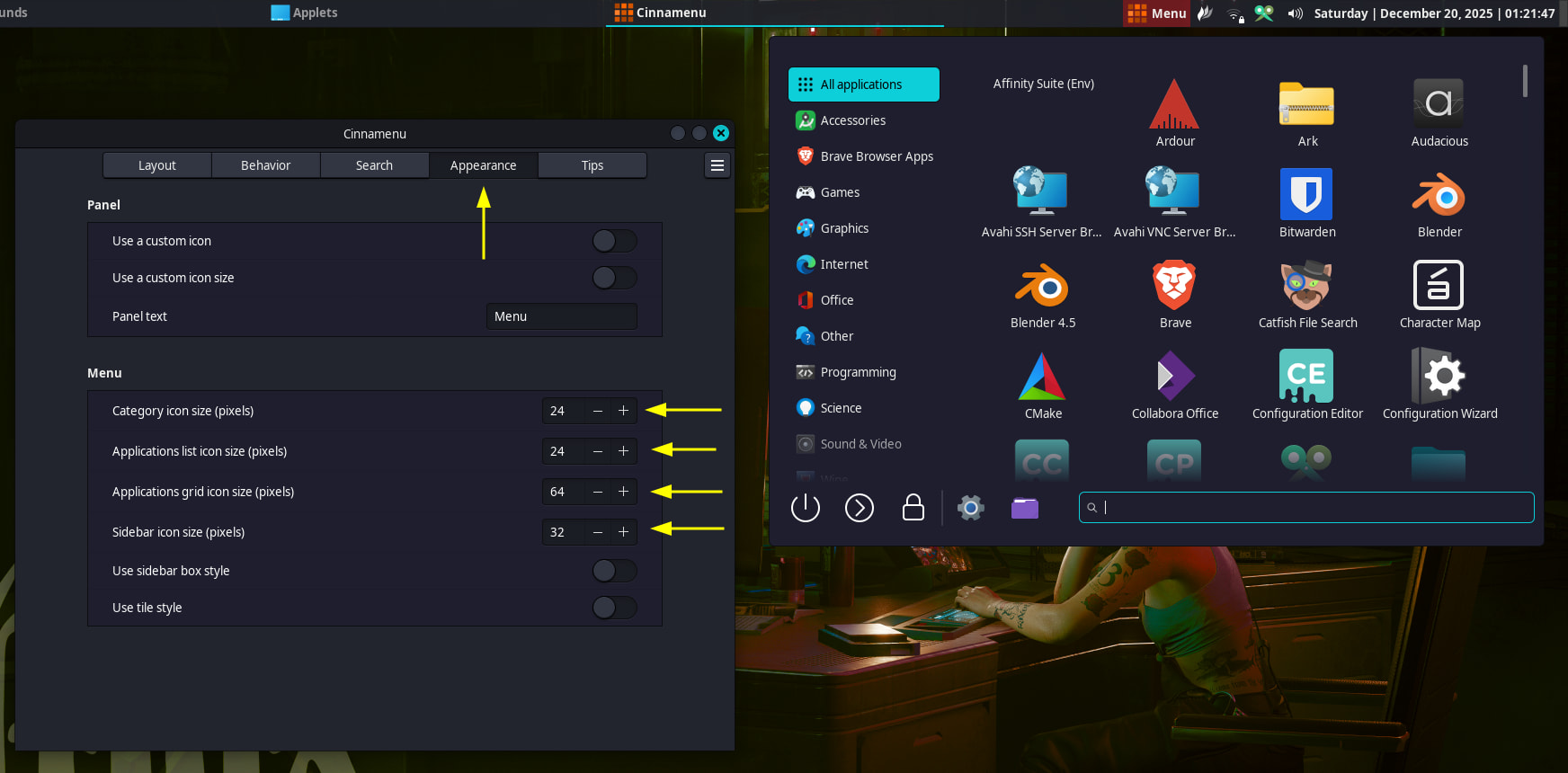
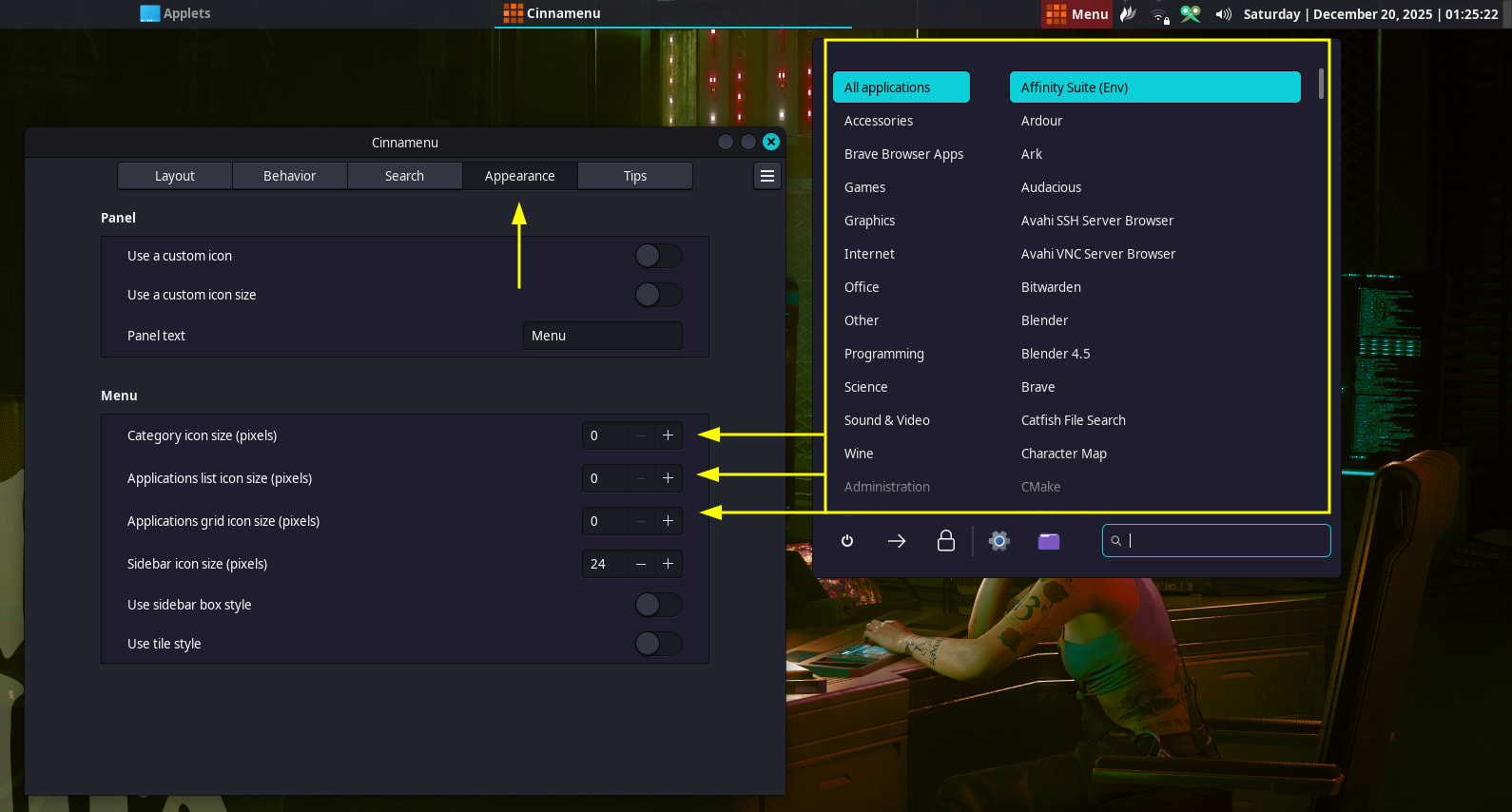
Not a big idea – Right-click on Menu / Configure / Appearance and set iconsizes to 8 (minimum)
Better than nothing.
Yep. @dnn has brought the solution with Cinnamenu.
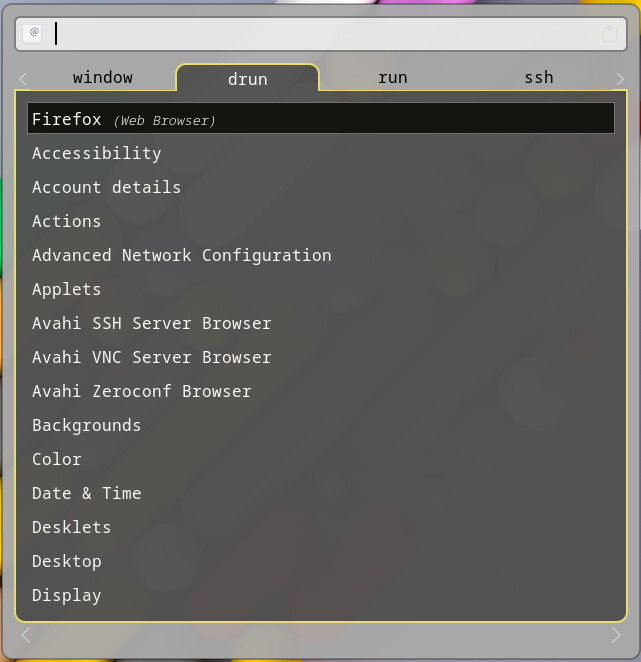
Edit: @Hellberg1985 In case you are in X11 consider using
rofi      # yay rofi
rofi-theme-selector
select a theme and make it permanent by Alt+A
create a custom shortcut like Super+z
commnad line: rofi -show drun
Linux Mint updated Cinnamon’s default “start” menu. Not sure if you noticed just how different it is. You may have to use one of the downloadable community-provided menus. You can install them directly in Cinnamon from the Settings Manager under Applets.
I believe you, but it doesn’t make sense. I have lost the entire option to hide icons even directly after a fresh install of EndeavourOS, without manual updating. I’m to new to understand how mint plays into this.
If you’re too new, it might also you mean you haven’t updated to the latest version of Cinnamon. After the Cinnamon 6.0 update, the issues you currently have were quickly noticed by others as well, including Linux Mint. Linux Mint are the developers of the Cinnamon desktop that you are using. They quickly fixed some of the issues with another minor update, and now we are able to right-click the desktop like usual and hide icons.
As for the “start” menu, they changed the default menu and the new one does not have the option to hide all the icons. As such, you will have to either use Cinnamenu, which is used by many Cinnamon users and has the option to hide icons, or get used to the new default menu.
To update your system fully, run the following command in a terminal:
sudo pacman -Syu
After this is complete, log out and log back in, or reboot your computer if you see a message/notification that recommends a reboot.
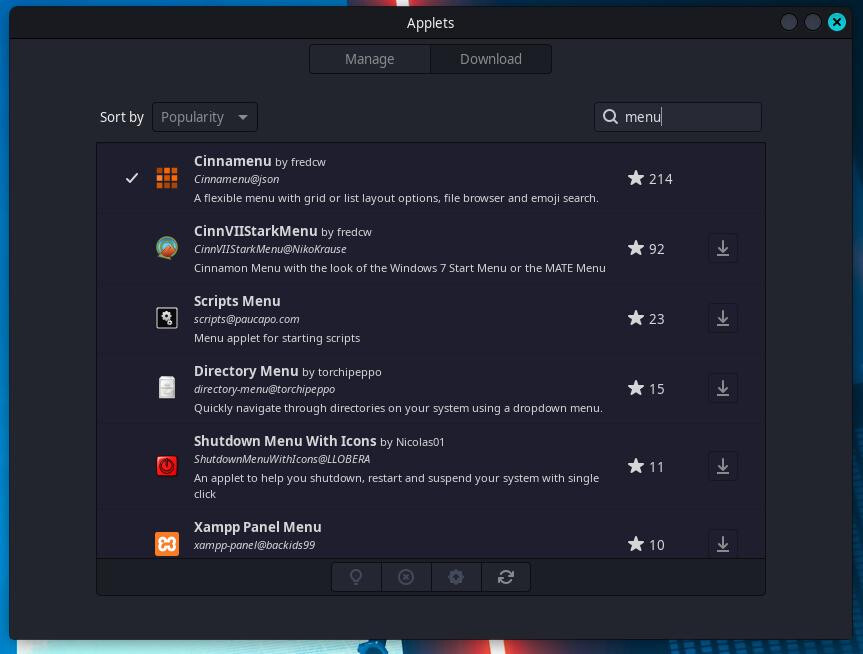
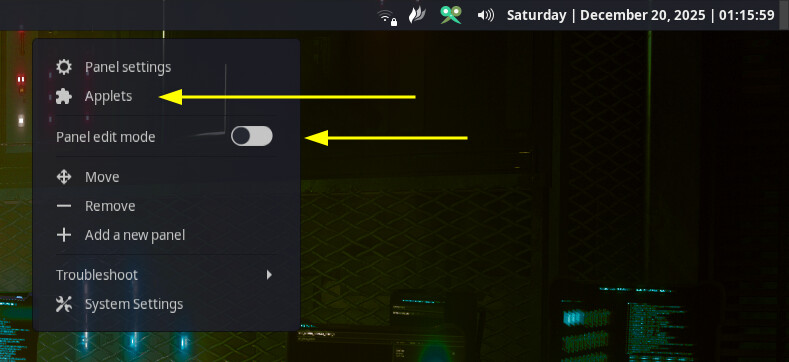
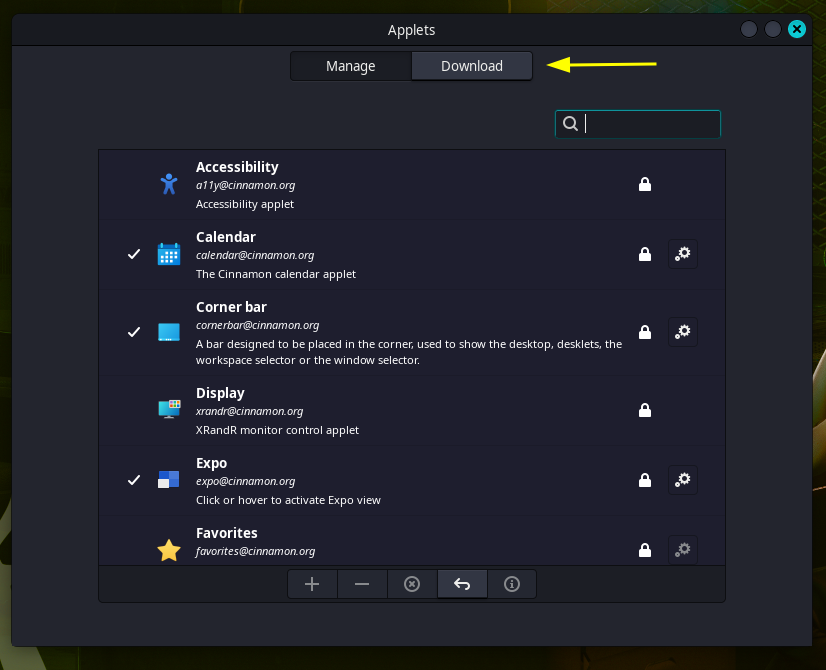
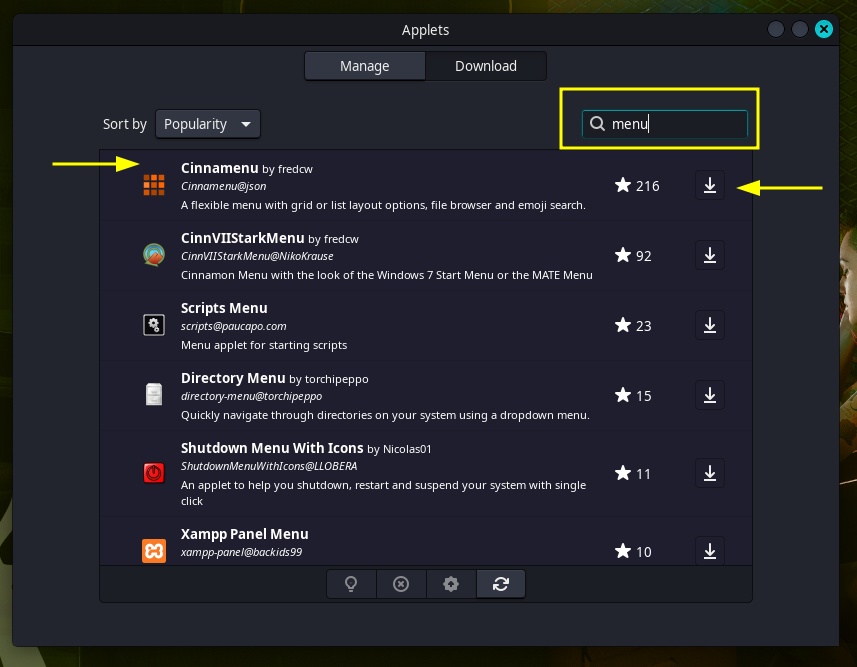
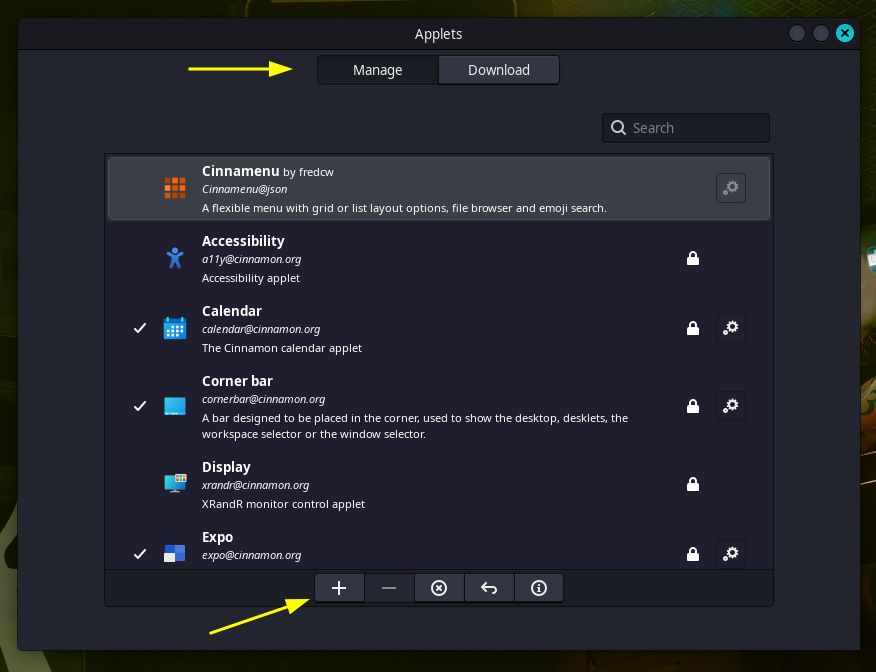
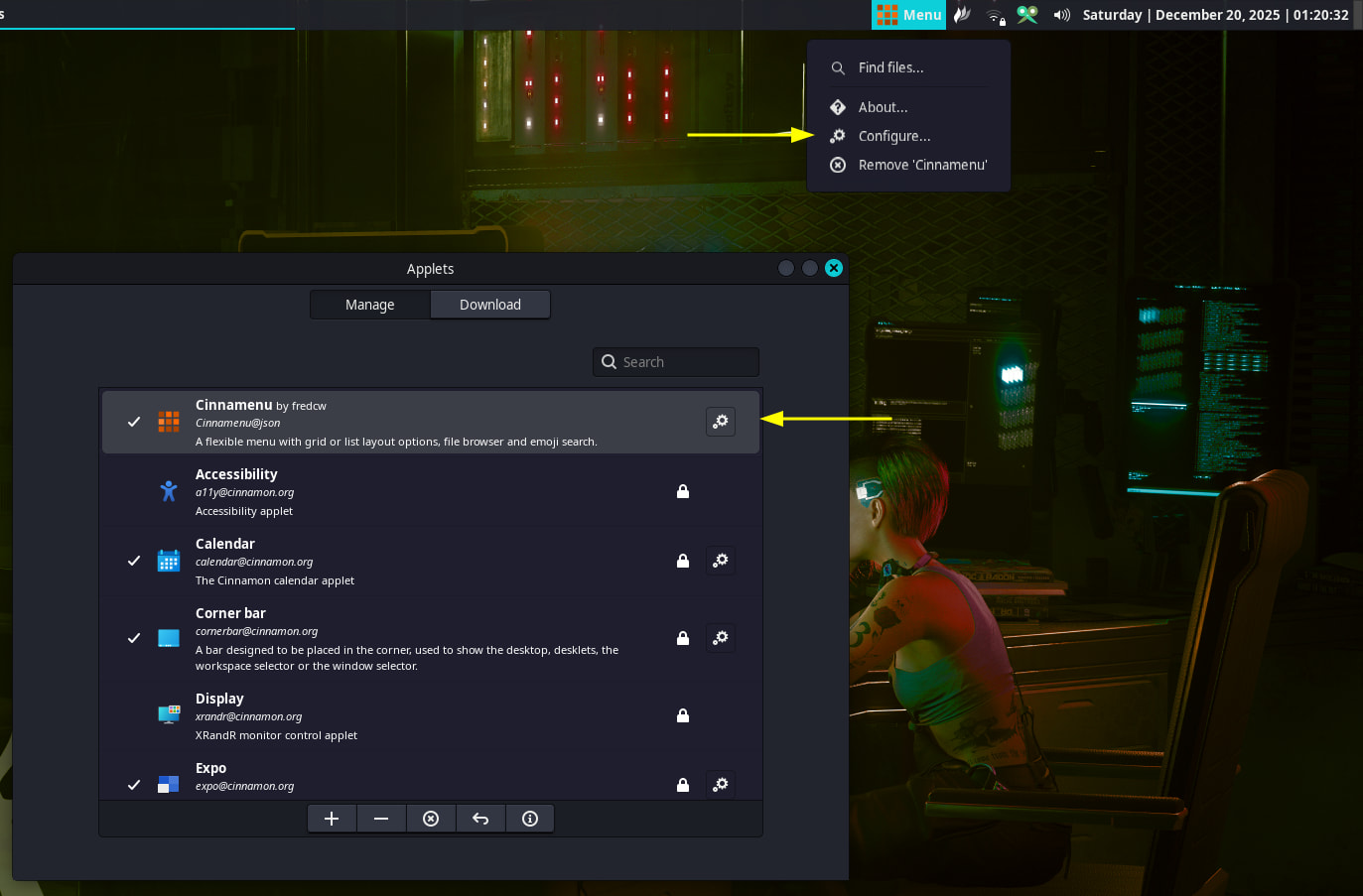
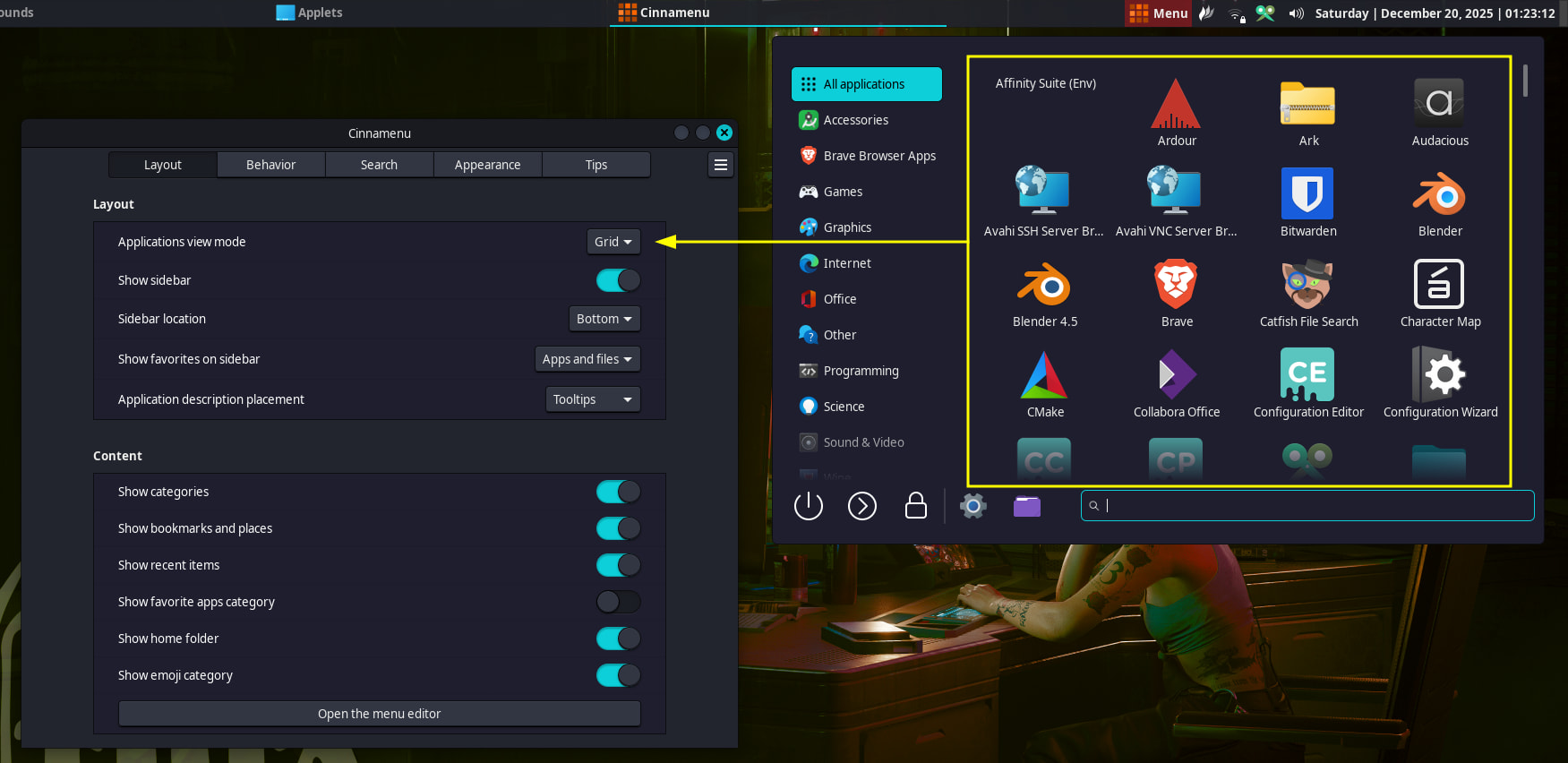
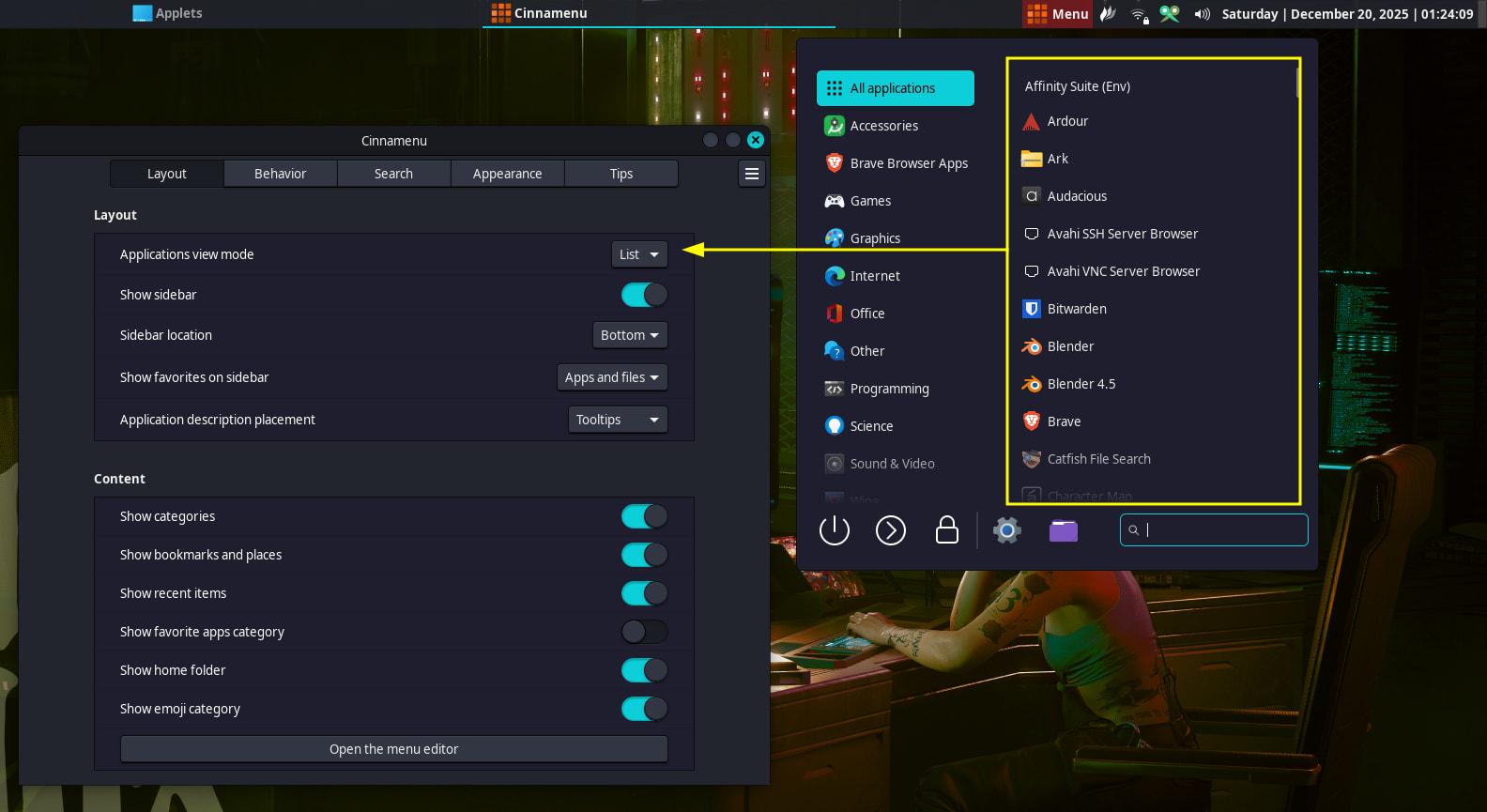
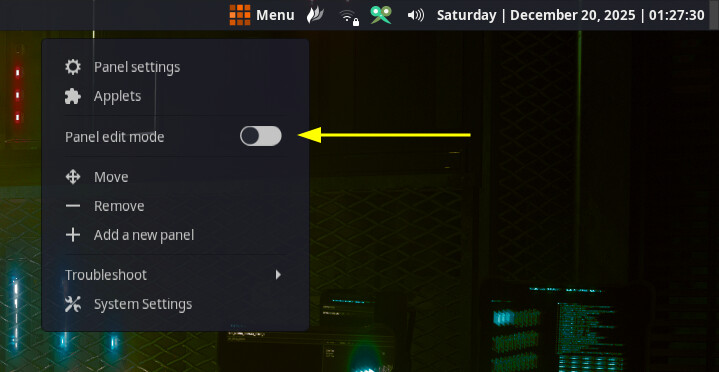
To install and use Cinnamenu, you can right-click in an empty area on the taskbar, then click on “Applets”, go to the “Download” tab, search for “menu” or “Cinnamenu” (it will be the first in the list no matter what), then install it, go back to the previous tab, add it to your taskbar, then customise it as you please. You will likely need to move it to where you prefer.
Here is a visual representation of the Cinnamenu instructions. Hopefully, you understand it.