So does this mean that you don’t need any plugins for music to work on vlc? Personally I still have vlc even though a few months back I switched to mpv on my desktop. I have vlc on the laptop that I use as a “radiohead” and want to know if I will need any of these plugins which is why I ask.
Thanks a lot. This solution works for me as well.
All I know is after the update, music played fine and video did not. Not sure what plugins were left after the update.
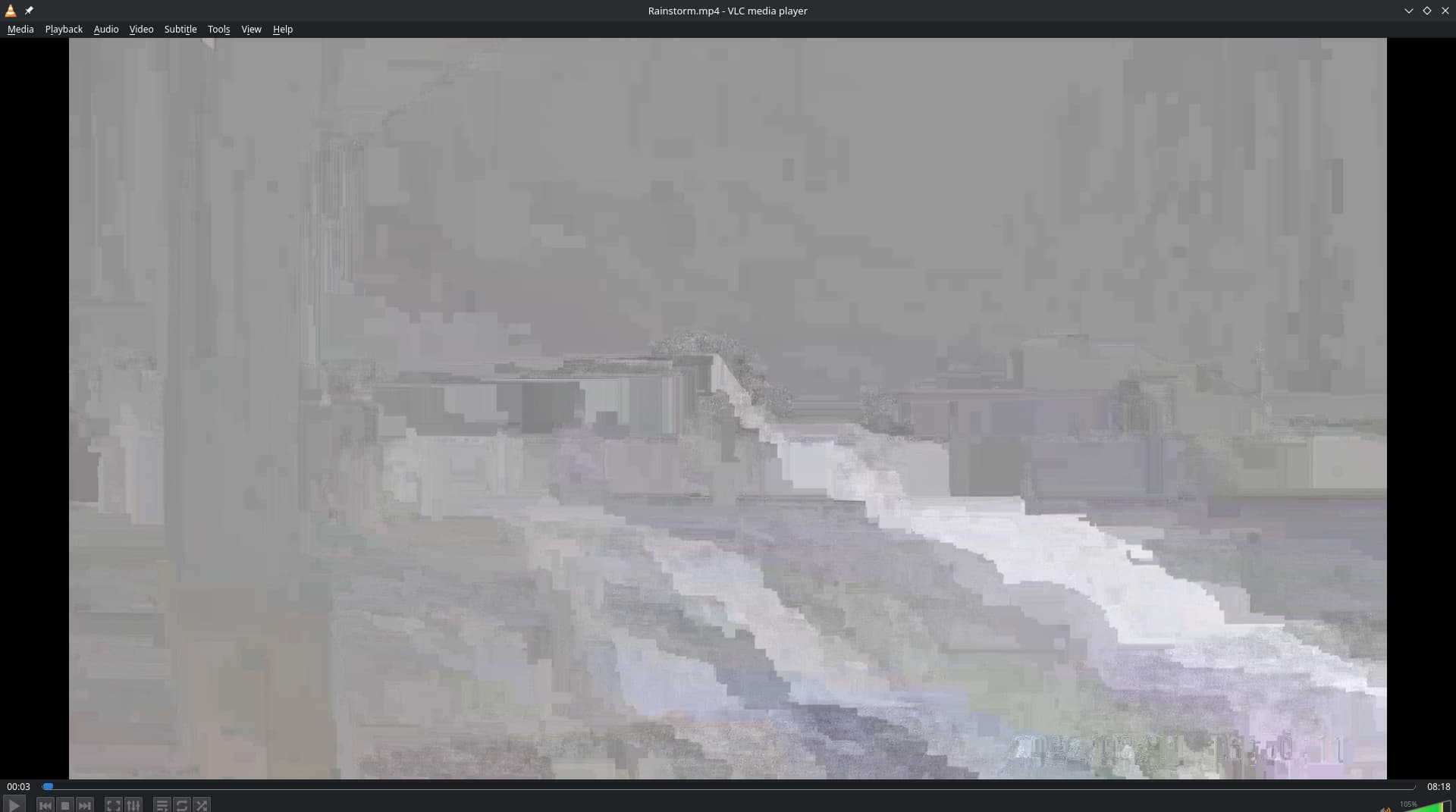
updated my laptop and had a ton of plugins get installed. (no i don’t know what and I didn’t really pay much attention) It plays my flac’s just fine so all good on my end for music anyways which is all i use vlc for anymore.
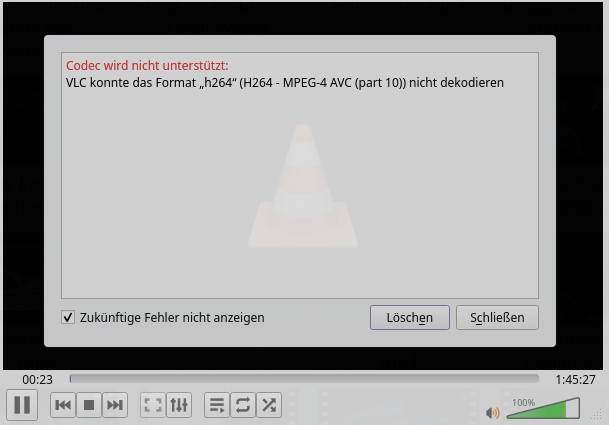
I haven’t used VLC for ages. Today’s update installed a bunch of dependencies for me. This is the output as soon as I want to play an h264 file.
─❯  pacman -Qi vlc
Name                     : vlc
Version                  : 3.0.21-26
Beschreibung             : Multi-platform MPEG, VCD/DVD, and DivX player
Architektur              : x86_64
URL                      : https://www.videolan.org/vlc/
Lizenzen                 : GPL-2.0-or-later  LGPL-2.1-or-later
Gruppen                  : Nichts
Stellt bereit            : Nichts
Hängt ab von             : bash  hicolor-icon-theme  vlc-gui-qt=3.0.21
Optionale Abhängigkeiten : vlc-gui-ncurses: for ncurses TUI
                           vlc-gui-skins2: for Skins2 GUI
                           vlc-plugins-all: for all plugins
                           vlc-plugins-extra: for extra plugins
                           vlc-plugins-visualization: for visualization plugins
                           vlc-plugin-aalib: for ASCII art video output support
                           vlc-plugin-aom: for AOM AV1 codec support
                           vlc-plugin-archive: for archive stream extractor support
                           vlc-plugin-aribb24: for ARIB STD-24 codec and demux support
                           vlc-plugin-aribb25: for ARIB STD-25 stream filter support
                           vlc-plugin-ass: for SSA/ASS subtitle codec support
                           vlc-plugin-avahi: for mDNS/DNS-SD services discovery support
                           vlc-plugin-bluray: for Blu-ray access support
                           vlc-plugin-caca: for color ASCII art video output support
                           vlc-plugin-cddb: for CDDB access support
                           vlc-plugin-chromecast: for Chromecast stream out support
                           vlc-plugin-dca: for DTS Coherent Acoustics codec support
                           vlc-plugin-dvb: for DVB access, mux and demux support
                           vlc-plugin-dvd: for DVD access support
                           vlc-plugin-ffmpeg: for FFMPEG based access, codec, demux, packetizer, VDPAU, video chroma and video filter support
                           vlc-plugin-firewire: for FireWire device access support
                           vlc-plugin-fluidsynth: for FluidSynth codec support
                           vlc-plugin-freetype: for Freetype2 text renderer support
                           vlc-plugin-gme: for Game Music Emulation demux support
                           vlc-plugin-gstreamer: for GStreamer codec support
                           vlc-plugin-jack: for JACK access and audio output support
                           vlc-plugin-kate: for kate karaoke codec support
                           vlc-plugin-kwallet: for kwallet keystore support
                           vlc-plugin-libsecret: for libsecret keystore support
                           vlc-plugin-lirc: for infrared remote control support
                           vlc-plugin-live555: for RTP/RTSP stream access support
                           vlc-plugin-mad: for MPEG Audio Decoder audio filter support
                           vlc-plugin-matroska: for Matroska demux support
                           vlc-plugin-mdns: for mDNS services discovery support
                           vlc-plugin-modplug: for MOD demux support
                           vlc-plugin-mpeg2: for MPEG2 codec support
                           vlc-plugin-mtp: for MTP device access and discovery support
                           vlc-plugin-musepack: for MusePack demux support
                           vlc-plugin-nfs: for NFS access support
                           vlc-plugin-notify: for notify support
                           vlc-plugin-ogg: for OGG mux and demux support
                           vlc-plugin-quicksync: for Intel QuickSync H264/H262 codec support
                           vlc-plugin-samplerate: for samplerate audio filter support
                           vlc-plugin-sdl: for SDL codec support
                           vlc-plugin-sftp: for SFTP access support
                           vlc-plugin-smb: for SMB access support
                           vlc-plugin-soxr: for SoX Resampler audio filter support
                           vlc-plugin-srt: for subtitle support
                           vlc-plugin-svg: for SVG codec and text renderer support
                           vlc-plugin-udev: for ALSA services discovery support using udev
                           vlc-plugin-upnp: for UPnP services discovery support
                           vlc-plugin-x264: for H264/AVC encoding support
                           vlc-plugin-x265: for H265/HEVC encoding support
                           vlc-plugin-zvbi: for VBI access (also over V4L2) and codec support
Benötigt von             : Nichts
Optional für             : mtplayer
In Konflikt mit          : vlc-plugin
Ersetzt                  : vlc-plugin
Installationsgröße       : 40,06 MiB
Packer                   : David Runge <dvzrv@archlinux.org>
Erstellt am              : So 06 Jul 2025 10:44:29 CEST
Installiert am           : Mi 09 Jul 2025 13:18:21 CEST
Installationsgrund       : Installiert als Abhängigkeit eines anderen Pakets
Installations-Skript     : Nein
Verifiziert durch        : Signatur
I got the same thing?
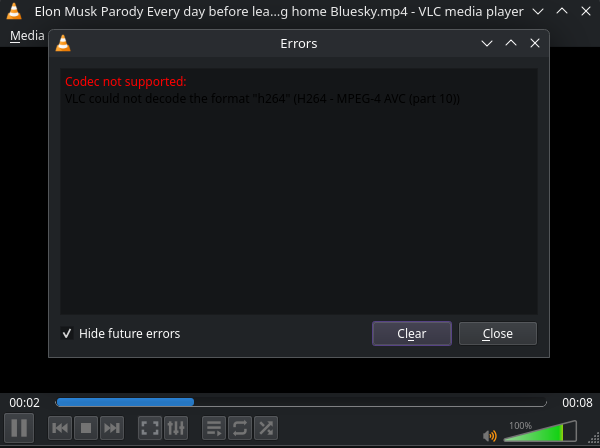
Edit: Installed all the plugins and now it works.
[ricklinux@rick-ms7c37 ~]$ pacman -Qi vlc
Name            : vlc
Version         : 3.0.21-26
Description     : Multi-platform MPEG, VCD/DVD, and DivX player
Architecture    : x86_64
URL             : https://www.videolan.org/vlc/
Licenses        : GPL-2.0-or-later  LGPL-2.1-or-later
Groups          : None
Provides        : None
Depends On      : bash  hicolor-icon-theme  vlc-gui-qt=3.0.21
Optional Deps   : vlc-gui-ncurses: for ncurses TUI
                  vlc-gui-skins2: for Skins2 GUI
                  vlc-plugins-all: for all plugins [installed]
                  vlc-plugins-extra: for extra plugins [installed]
                  vlc-plugins-visualization: for visualization plugins [installed]
                  vlc-plugin-aalib: for ASCII art video output support [installed]
                  vlc-plugin-aom: for AOM AV1 codec support [installed]
                  vlc-plugin-archive: for archive stream extractor support [installed]
                  vlc-plugin-aribb24: for ARIB STD-24 codec and demux support [installed]
                  vlc-plugin-aribb25: for ARIB STD-25 stream filter support [installed]
                  vlc-plugin-ass: for SSA/ASS subtitle codec support [installed]
                  vlc-plugin-avahi: for mDNS/DNS-SD services discovery support [installed]
                  vlc-plugin-bluray: for Blu-ray access support [installed]
                  vlc-plugin-caca: for color ASCII art video output support [installed]
                  vlc-plugin-cddb: for CDDB access support [installed]
                  vlc-plugin-chromecast: for Chromecast stream out support [installed]
                  vlc-plugin-dca: for DTS Coherent Acoustics codec support [installed]
                  vlc-plugin-dvb: for DVB access, mux and demux support [installed]
                  vlc-plugin-dvd: for DVD access support [installed]
                  vlc-plugin-ffmpeg: for FFMPEG based access, codec, demux, packetizer, VDPAU, video chroma
                  and video filter support [installed]
                  vlc-plugin-firewire: for FireWire device access support [installed]
                  vlc-plugin-fluidsynth: for FluidSynth codec support [installed]
                  vlc-plugin-freetype: for Freetype2 text renderer support [installed]
                  vlc-plugin-gme: for Game Music Emulation demux support [installed]
                  vlc-plugin-gstreamer: for GStreamer codec support [installed]
                  vlc-plugin-jack: for JACK access and audio output support [installed]
                  vlc-plugin-kate: for kate karaoke codec support [installed]
                  vlc-plugin-kwallet: for kwallet keystore support [installed]
                  vlc-plugin-libsecret: for libsecret keystore support [installed]
                  vlc-plugin-lirc: for infrared remote control support [installed]
                  vlc-plugin-live555: for RTP/RTSP stream access support [installed]
                  vlc-plugin-mad: for MPEG Audio Decoder audio filter support [installed]
                  vlc-plugin-matroska: for Matroska demux support [installed]
                  vlc-plugin-mdns: for mDNS services discovery support [installed]
                  vlc-plugin-modplug: for MOD demux support [installed]
                  vlc-plugin-mpeg2: for MPEG2 codec support [installed]
                  vlc-plugin-mtp: for MTP device access and discovery support [installed]
                  vlc-plugin-musepack: for MusePack demux support [installed]
                  vlc-plugin-nfs: for NFS access support [installed]
                  vlc-plugin-notify: for notify support [installed]
                  vlc-plugin-ogg: for OGG mux and demux support
                  vlc-plugin-quicksync: for Intel QuickSync H264/H262 codec support [installed]
                  vlc-plugin-samplerate: for samplerate audio filter support [installed]
                  vlc-plugin-sdl: for SDL codec support [installed]
                  vlc-plugin-sftp: for SFTP access support [installed]
                  vlc-plugin-smb: for SMB access support [installed]
                  vlc-plugin-soxr: for SoX Resampler audio filter support [installed]
                  vlc-plugin-srt: for subtitle support [installed]
                  vlc-plugin-svg: for SVG codec and text renderer support [installed]
                  vlc-plugin-udev: for ALSA services discovery support using udev [installed]
                  vlc-plugin-upnp: for UPnP services discovery support [installed]
                  vlc-plugin-x264: for H264/AVC encoding support [installed]
                  vlc-plugin-x265: for H265/HEVC encoding support [installed]
                  vlc-plugin-zvbi: for VBI access (also over V4L2) and codec support [installed]
Required By     : None
Optional For    : None
Conflicts With  : vlc-plugin
Replaces        : vlc-plugin
Installed Size  : 40.06 MiB
Packager        : David Runge <dvzrv@archlinux.org>
Build Date      : Sun 06 Jul 2025 04:44:29 AM
Install Date    : Wed 09 Jul 2025 08:20:51 AM
Install Reason  : Explicitly installed
Install Script  : No
Validated By    : Signature
I have now simply installed all the plugins. VLC plays 
If anyone is still having issues, I personally use Haruna player ever since I discovered it.
I know this isn’t a solution for VLC so I apologize, just giving out another possible recommendation.
Keep in mind however, I don’t use it to stream, cast or do anything over LAN/Wi-Fi and so on. I only use it to play the videos/movies, load the subtitles and that’s it.
If for any reason you need VLC specifically or you just simply like it better, then this wouldn’t be for you.
I did exactly the same thing, installed all the VLC plugins. Though it seems for those that use VLC regularly, this has turned into a cumbersome way to get VLC working for video. Considering it “just worked” out of the box previously just by running sudo pacman -S vlc.
❯ pacman -Qi vlc
Name            : vlc
Version         : 3.0.21-26
Description     : Multi-platform MPEG, VCD/DVD, and DivX player
Architecture    : x86_64
URL             : https://www.videolan.org/vlc/
Licenses        : GPL-2.0-or-later  LGPL-2.1-or-later
Groups          : None
Provides        : None
Depends On      : bash  hicolor-icon-theme  vlc-gui-qt=3.0.21
Optional Deps   : vlc-gui-ncurses: for ncurses TUI [installed]
                  vlc-gui-skins2: for Skins2 GUI [installed]
                  vlc-plugins-all: for all plugins [installed]
                  vlc-plugins-extra: for extra plugins [installed]
                  vlc-plugins-visualization: for visualization plugins [installed]
                  vlc-plugin-aalib: for ASCII art video output support [installed]
                  vlc-plugin-aom: for AOM AV1 codec support [installed]
                  vlc-plugin-archive: for archive stream extractor support [installed]
                  vlc-plugin-aribb24: for ARIB STD-24 codec and demux support [installed]
                  vlc-plugin-aribb25: for ARIB STD-25 stream filter support [installed]
                  vlc-plugin-ass: for SSA/ASS subtitle codec support [installed]
                  vlc-plugin-avahi: for mDNS/DNS-SD services discovery support [installed]
                  vlc-plugin-bluray: for Blu-ray access support [installed]
                  vlc-plugin-caca: for color ASCII art video output support [installed]
                  vlc-plugin-cddb: for CDDB access support [installed]
                  vlc-plugin-chromecast: for Chromecast stream out support [installed]
                  vlc-plugin-dca: for DTS Coherent Acoustics codec support [installed]
                  vlc-plugin-dvb: for DVB access, mux and demux support [installed]
                  vlc-plugin-dvd: for DVD access support [installed]
                  vlc-plugin-ffmpeg: for FFMPEG based access, codec, demux, packetizer, VDPAU, video chroma and video filter support [installed]
                  vlc-plugin-firewire: for FireWire device access support [installed]
                  vlc-plugin-fluidsynth: for FluidSynth codec support [installed]
                  vlc-plugin-freetype: for Freetype2 text renderer support [installed]
                  vlc-plugin-gme: for Game Music Emulation demux support [installed]
                  vlc-plugin-gstreamer: for GStreamer codec support [installed]
                  vlc-plugin-jack: for JACK access and audio output support [installed]
                  vlc-plugin-kate: for kate karaoke codec support [installed]
                  vlc-plugin-kwallet: for kwallet keystore support [installed]
                  vlc-plugin-libsecret: for libsecret keystore support [installed]
                  vlc-plugin-lirc: for infrared remote control support [installed]
                  vlc-plugin-live555: for RTP/RTSP stream access support [installed]
                  vlc-plugin-mad: for MPEG Audio Decoder audio filter support [installed]
                  vlc-plugin-matroska: for Matroska demux support [installed]
                  vlc-plugin-mdns: for mDNS services discovery support [installed]
                  vlc-plugin-modplug: for MOD demux support [installed]
                  vlc-plugin-mpeg2: for MPEG2 codec support [installed]
                  vlc-plugin-mtp: for MTP device access and discovery support [installed]
                  vlc-plugin-musepack: for MusePack demux support [installed]
                  vlc-plugin-nfs: for NFS access support [installed]
                  vlc-plugin-notify: for notify support [installed]
                  vlc-plugin-ogg: for OGG mux and demux support [installed]
                  vlc-plugin-quicksync: for Intel QuickSync H264/H262 codec support [installed]
                  vlc-plugin-samplerate: for samplerate audio filter support [installed]
                  vlc-plugin-sdl: for SDL codec support [installed]
                  vlc-plugin-sftp: for SFTP access support [installed]
                  vlc-plugin-smb: for SMB access support [installed]
                  vlc-plugin-soxr: for SoX Resampler audio filter support [installed]
                  vlc-plugin-srt: for subtitle support [installed]
                  vlc-plugin-svg: for SVG codec and text renderer support [installed]
                  vlc-plugin-udev: for ALSA services discovery support using udev [installed]
                  vlc-plugin-upnp: for UPnP services discovery support [installed]
                  vlc-plugin-x264: for H264/AVC encoding support [installed]
                  vlc-plugin-x265: for H265/HEVC encoding support [installed]
                  vlc-plugin-zvbi: for VBI access (also over V4L2) and codec support [installed]
Required By     : None
Optional For    : None
Conflicts With  : vlc-plugin
Replaces        : vlc-plugin
Installed Size  : 40.06 MiB
Packager        : David Runge <dvzrv@archlinux.org>
Build Date      : Sun 06 Jul 2025 03:44:29 AM CDT
Install Date    : Wed 09 Jul 2025 03:49:43 AM CDT
Install Reason  : Explicitly installed
Install Script  : No
Validated By    : Signature
❯
Kodi might be able to play video over LAN
Problem solved for me too, by installing vlc-plugins-all . Thanks everyone!
After going through all this, I noticed that VLC was now an orphan package (libtar too) so I had to mark as explicitly installed 
I just did a fresh install of KDE Plasma, and VLC is not installed by default in a new install.
If VLC is installed as follows:
sudo pacman -Syu vlc
it results in a broken VLC as described above.
To avoid this, there are two options.
#1
This installs vlc and a limited number of plugins that will work for most users.
sudo pacman -Syu vlc vlc-plugin-ffmpeg vlc-plugin-x264 vlc-plugin-x265 vlc-plugin-upnp
#2
This installs vlc and all possible plugins.
sudo pacman -Syu vlc vlc-plugins-all
resulting in a working VLC, but installs a lot of plugins the average user doesn’t need.
Pudge
You have triggered my OCD by wanting to go with option #1  .
.
I installed them all.  I’m not worried. At least anything i try to play with vlc should work then.
Yes, I did the same yesterday by installing all the plugins. It’s just my OCD gets triggered when I know I can nitpicking the one that I need. Anyway, laziness wins this round
I stopped using vlc a long time ago. Many of its tools just stopped working. MPV has been/is a good alternative.
Does this not just give you what you had when vlc included all the plugins before Arch packagers decided to split the plugins out into separate packages? Why is anyone fussing over this?
Well, initially, because users did not notice the package split.