I just updated using “Yay” and then after I rebooted my desktop and then I find my display’s screen and fonts messed up, with the resolution stuck at 4:3.
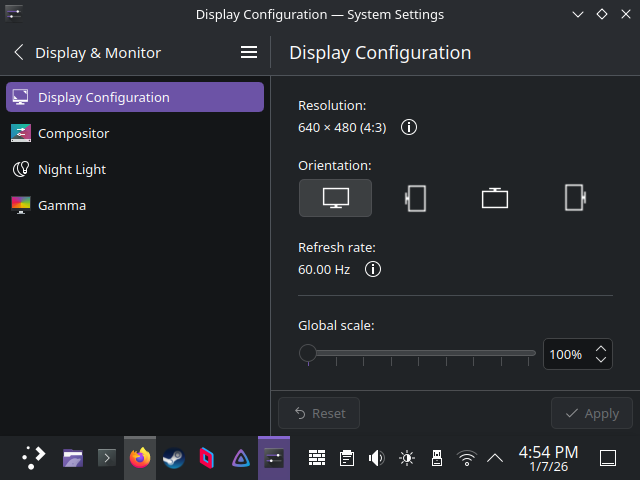
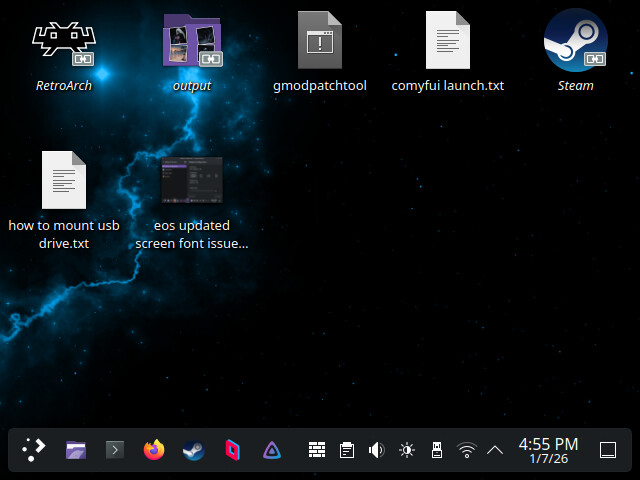
Can you share inxi -Ga
Graphics:
Device-1: NVIDIA GP106 [GeForce GTX 1060 6GB] vendor: ZOTAC driver: N/A
alternate: nouveau, nvidia_drm, nvidia non-free: 550-580.xx+
status: current (as of 2025-11; EOL~2026-12-xx) arch: Pascal
code: GP10x process: TSMC 16nm built: 2016-2021 pcie: gen: 1
speed: 2.5 GT/s lanes: 16 link-max: gen: 3 speed: 8 GT/s
bus-ID: 01:00.0 chip-ID: 10de:1c03 class-ID: 0300
Device-2: Logitech HD Pro Webcam C920 driver: snd-usb-audio,uvcvideo
type: USB rev: 2.0 speed: 480 Mb/s lanes: 1 mode: 2.0 bus-ID: 4-1.5:3
chip-ID: 046d:082d class-ID: 0102 serial: 9D588DEF
Display: x11 server: X.Org v: 21.1.21 with: Xwayland v: 24.1.9
compositor: kwin_x11 driver: X: loaded: modesetting
alternate: fbdev,nouveau,nv,vesa gpu: N/A display-ID: :0 screens: 1
Screen-1: 0 s-res: 640x480 s-dpi: 96 s-size: 169x127mm (6.65x5.00")
s-diag: 211mm (8.32")
Monitor-1: Unknown-1 mapped: None-1 res: mode: 640x480 hz: 60
scale: 100% (1) size: N/A modes: 640x480
API: EGL Message: No EGL data available.
API: OpenGL v: 4.5 vendor: mesa v: 25.3.3-arch1.1 glx-v: 1.4 es-v: 3.2
direct-render: yes renderer: llvmpipe (LLVM 21.1.6 256 bits)
device-ID: ffffffff:ffffffff memory: 15.21 GiB unified: yes
API: Vulkan Message: No Vulkan data available.
Info: Tools: api: clinfo, eglinfo, glxinfo, vulkaninfo
de: kscreen-console,kscreen-doctor gpu: nvidia-smi wl: wayland-info
x11: xdpyinfo, xprop, xrandr
It looks like you have no display driver at all.
I would bet that you updated to nvidia-open version 590. With the 590.x drivers, NVIDIA dropped support for your Maxwell(9xx) and Pascal(10xx) cards.. You need to install the 580xx drivers from AUR or switch to nouveau
I got this upon trying to install 580xx-dkms “:: nvidia-580xx-utils-580.119.02-2 and nvidia-utils-590.48.01-1 are in confl
ict (nvidia-libgl). Remove nvidia-utils? [y/N] y
:: nvidia-580xx-dkms-580.119.02-2 and nvidia-open-590.48.01-4 are in conflic
t (NVIDIA-MODULE). Remove nvidia-open? [y/N] y
error: failed to prepare transaction (could not satisfy dependencies)
:: removing nvidia-utils breaks dependency ‘nvidia-utils=590.48.01’ required
by lib32-nvidia-utils
==> WARNING: Failed to install built package(s).”
Try this:
sudo pacman -Rdd nvidia-settings nvidia-utils nvidia-open
yay -S nvidia-580xx-settings libxnvctrl-580xx lib32-opencl-nvidia-580xx lib32-nvidia-580xx-utils opencl-nvidia-580xx nvidia-580xx-utils nvidia-580xx-dkms
I actually got it working