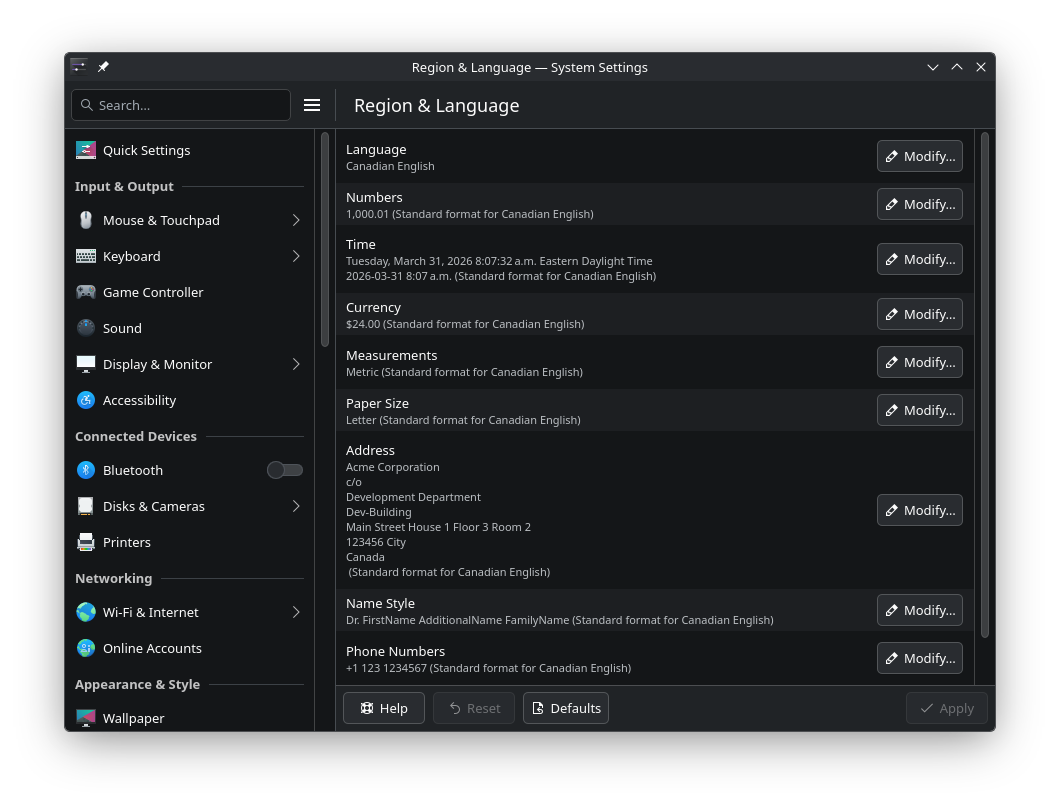
Unable to set locale to en_CA.UTF-8 no matter what I try

I am following the instructions found here: https://wiki.archlinux.org/title/Locale

➜ locale --all-locales
C
C.utf8
en_CA.utf8
en_GB.utf8
en_US.utf8
POSIX

~
➜ localedef --list-archive
en_CA.utf8
en_GB.utf8
en_US.utf8

~
➜ localectl list-locales
C.UTF-8
en_CA.UTF-8
en_GB.UTF-8
en_US.UTF-8

The system locale is already set

➜ cat /etc/locale.conf
LANG=en_CA.UTF-8
LC_ADDRESS=en_CA.UTF-8
LC_IDENTIFICATION=en_CA.UTF-8
LC_MEASUREMENT=en_CA.UTF-8
LC_MONETARY=en_CA.UTF-8
LC_NAME=en_CA.UTF-8
LC_NUMERIC=en_CA.UTF-8
LC_PAPER=en_CA.UTF-8
LC_TELEPHONE=en_CA.UTF-8
LC_TIME=en_CA.UTF-8

~/.config/locale.conf does not exist btw.

$LANG is always set to en_GB.UTF-8

➜ echo $LANG
en_GB.UTF-8

because of this I guess


but the problem is that I can’t Add More... Canadian English.

How to change language and region to en_CA.UTF-8?

Thanks!

I can’t get this to work either. I enabled the Canadian locale and generated it, but I can’t set it as LANG.

I suspect that although the timezone is built-in, the Canadian version of English isn’t, and a “Canadian language pack” download of some sort is needed to add it?

Unfortunately, I’ve so far only been able to find Firefox Browser Canadian language packs, but my search method might be lacking.

Strangely enough, I installed eos on my dad’s laptop about a year ago, and the lang is set correctly there. I compared all the files, /etc/locale..., etc., and there are no differences, but things just work there. :confused:

Did you already try this ?

KDE Plasma also allows to change the UI’s language through the system settings. If the desktop environment is still using the default language after the modification, deleting the file at ~/.config/plasma-localerc (previously: ~/.config/plasma-locale-settings.sh ) should resolve the issue.

2 Likes

This is what i have for Canadian English.

Edit:

[ricklinux@rick-ms7c91 ~]$ cat /etc/locale.conf
LANG=en_CA.UTF-8
LC_ADDRESS=en_CA.UTF-8
LC_IDENTIFICATION=en_CA.UTF-8
LC_MEASUREMENT=en_CA.UTF-8
LC_MONETARY=en_CA.UTF-8
LC_NAME=en_CA.UTF-8
LC_NUMERIC=en_CA.UTF-8
LC_PAPER=en_CA.UTF-8
LC_TELEPHONE=en_CA.UTF-8
LC_TIME=en_CA.UTF-8

Thanks!

I actually just copied over /etc/locale.conf entries to ~/.config/plasma-localerc. Fixed!

This topic was automatically closed 2 days after the last reply. New replies are no longer allowed.