I’m trying to save a file onto one of my network drives on RPi (running SMB) from OnlyOffice, but I cannot find any path to the network drive on the Save screen of OnlyOffice. Is there a solution for this?
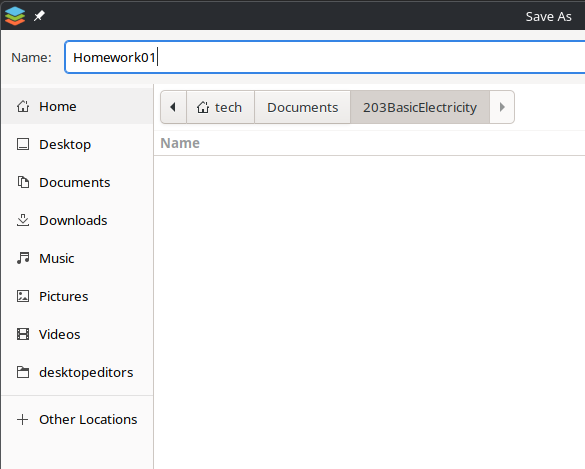
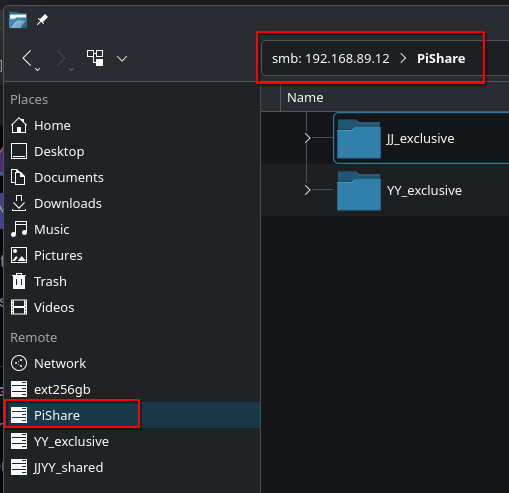
Usually it comes down to force the app to use the native plasma file picker, which offers all this integration/abstraction.
I don’t use OnlyOffice, but after a quick 5 second search maybe give this a try: https://github.com/ONLYOFFICE/DesktopEditors/issues/712#issuecomment-2913161988
1 Like
If those SMB shares are mounted to a local path, you should be able to access it as you normally would.
For example, you might create a directory under home (tech?) called PiShare and mount the SMB shares in there. Then the applications native file browser should be able to access it.
2 Likes
Not with Plasma, they just had to invent their own wheel with that KIO beeeeeeeeep.
1 Like
The system comes with kio-fuse pre-installed, wondering why that doesn’t solve this problem?
Because it gets triggered only if a non-KIO application is invoked from a KIO one to handle a file. For example, if you open a folder in Dolphin via “smb://” and double-click on some file.
Of course, KIO was there long before FUSE, but still, not migrating to FUSE once that became stable is IMO at least debatable [expletives self-censored].
Do I need to add a space before appending “–xdg-desktop-portal=default”? Canyou double check the whole command below? Thanks a lot!
run --branch=stable --arch=x86_64 --command=desktopeditors --file-forwarding org.onlyoffice.desktopeditors @@u %U @@–xdg-desktop-portal=default
You’ve got double dashes for every command except xdg-desktop. Sometimes auto-corrects can put (2) single dashes as one long one.
1 Like
What should I do? remove all the double dashes? or keep some and remove some? Thanks a lot!
Usually shorter commands use a single dash, while longer ones (those that are more descriptive) use double dashes. Definitely use doubles dashes on these.
1 Like
This topic was automatically closed 2 days after the last reply. New replies are no longer allowed.