Unable to create disk partition - USB live persistent - EndeavourOS

Issue:

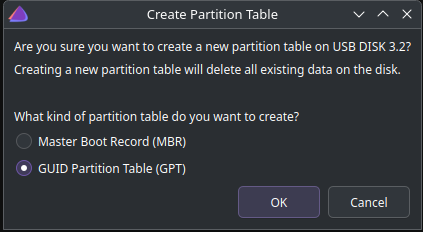
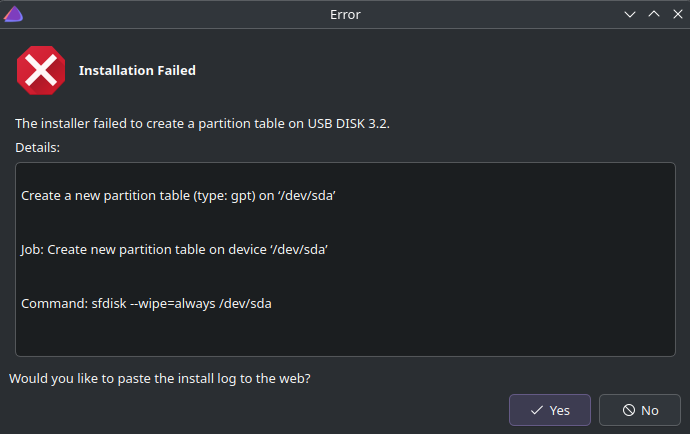
As the topic says, cannot create a disk partition. I have booted EndeavourOS on my flash drive and I keep getting that error at the end step of the installation. I am trying to fully install EndeavourOS on my flash drive but it is not working.

I know everybody has created one post about this but my answers are in nowehere. I spent hours reading through and still did not find my solution. I deleted and recreated the .iso file for EndeavourOS like 5 times now.

I am a complete beginner to Linux. This is my first ever time loading Linux ever in my entire life.

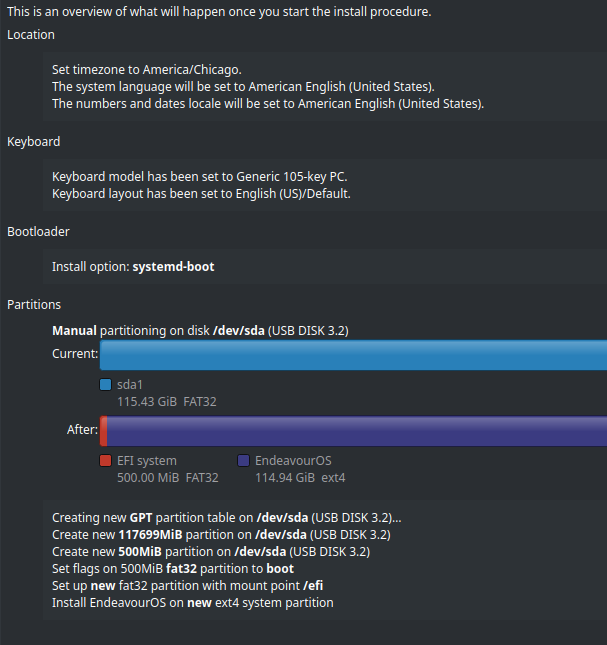
Here is what I did:

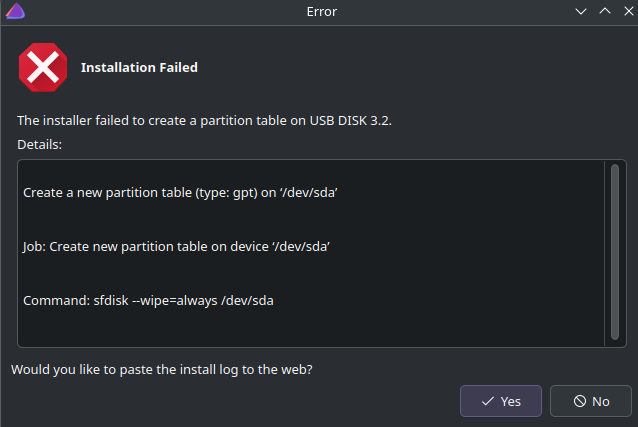
And NOW… when I click “Install”, this is what shows up EVERY SINGLE TIME:

I genuinely don’t know what to do at this point…

Here is the bin file: https://termbin.com/dwgj

First reboot off the ISO again.

Instead of using manual partitioning, use “Erase Disk” in the installer.

If you must use manual partitioning, make the EFI partition bigger than 500MB. At least 1GB.

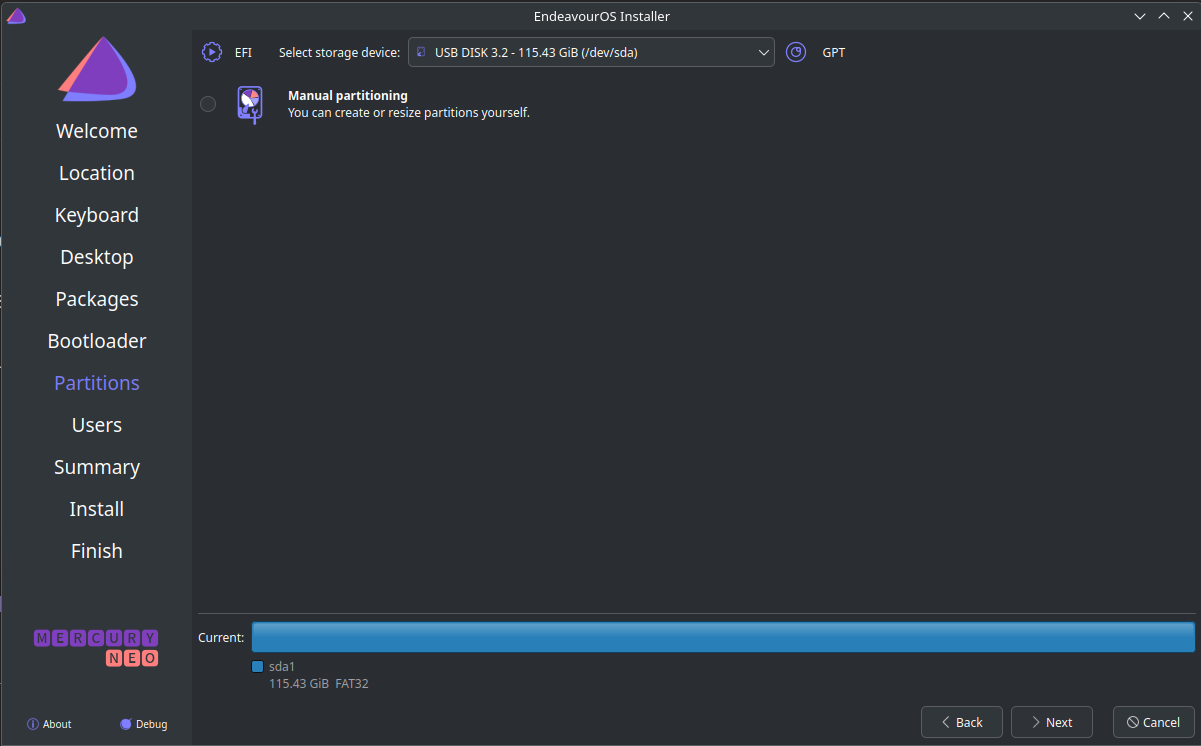
I, unfortunately, only have one option when I select my USB stick:

I have done that as per your request:

image

But, unfortunately, still the same result:

I think the issue here is that that you are trying to create this partition to same flash drive you are installing from.

Yes that is correct. I installed the .iso on that flash drive and I’m trying to fully install Linux on that same flash drive.

I think you are right. Is there a way around this though? Like having two USBs plugged in and installing from one USB to another?

Because I wanna keep my Endeavour on a USB because I just wanna learn the basics first.

I’d suggest installing into a virtual machine.
That way you don’t mess up your host operating system.
For example VirtualBox is an easy virtual machine manager.

Oh ok got it.

What are the trade offs here though? I feel like it’ll be slower than using a stick.

And will be it persistent? Moving my data don’t get wiped on reboot every time?

Yes there are some tradeoffs.
It is somewhat slower, especially in graphics intensive tasks. But for “normal” easy stuff it is quite good, You’ll see.

And you need to reserve enough RAM memory for the VM to make it smooth. I’d suggest 8 GB.

It preserves your data like a typical install. And compared to running in a stick I think a VM on an SSD is faster.

Hope this will get you started. If you are willing to learn new things, I believe it will be an enjoyable journey!

Thank you for the great suggestion. I will test that.

However, if I still need to full install on a stick, how can I go about doing that? I watched YouTube tutorials and they all created the .iso on the stick and full installed on the stick itself.

This is practically impossible as you have verified by own experience.

However it should be possible to install on a second USB stick. Depending on the rw speed of your usb stick and port, you may or may not get a smoothly running system.

If you have access to a SSD and an enclosure, I would suggest to use that.

In most cases it will be much faster to use a VM over a USB thumb drive. Running the OS off a thumb drive will be very slow do to the slow disk read/write of a thumb drive.

Yes, a VM is persistent.

I may be mistaken, but are you attempting to create a persistent live USB?
If yes, you might want to take a look at this page. I’m not certain whether EndeavourOS supports it.
https://www.ventoy.net/en/plugin_persistence.html

I tested Live session and surprisingly it runs pretty good. It is a 3.1 or 3.2 SSD stick thus a better experience.

As an experiment, I will try to use two USBs and see if I can get a live persistent session on one of the USBs.

But ignoring that, I will be testing on a VM because after your guys’ reply and reading VM vs Stick, I reckon VM will be much faster.


Yes, I was trying to do that. And yes, EndeavorOS isn’t mention in it either. But thank you for your help.

The live environment is special. The reason it performs OK is there a RAM based overlay sitting on top of the filesystem.

If you just deploy onto a thumb drive, performance will be much worse.

Got it. Thank you for the insight

So I am using a VM at the moment, Oracle VirtualBox, and it is painstakingly slow.
I have configured the RAM to be 8GB, Cores to 8 and Size to be 64GB.

VirtualBox is more or less the slowest option but it should be usable.

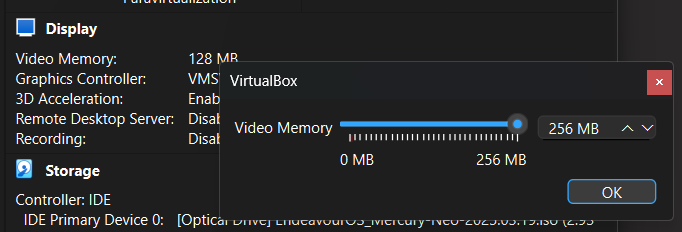
One thing I notice is that you probably need more VRAM assigned. 256GB is borderline.

What are you seeing is slow?

From the installation of Endeavour after turning on the VM to clicking on any button, and the app opening, etc. Even the items in the sytem tray take 1-2s to open.

Compared to this, my thumbstick was blazingly fast.

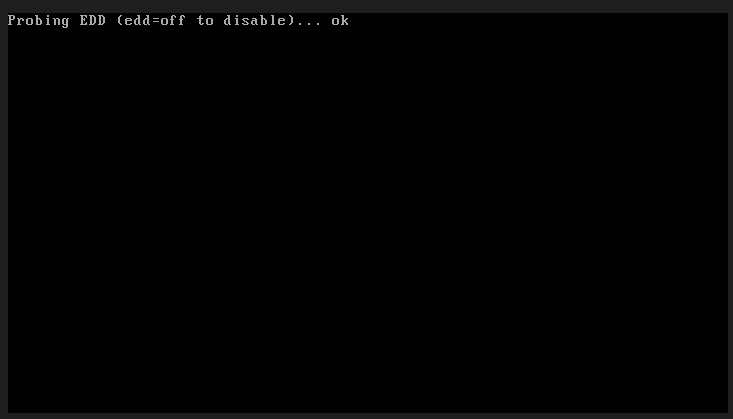
In addition, after booting up the VM, it is taking forever for this screen to shift to the actual running of Endeavour:

That isn’t normal. I run in VMs all the time and performance is very good. Unless I try to do something GPU intensive like playing a 3D game or rendering something, performance is near-native. If I bring the VM fullscreen, I wouldn’t know I was in a VM.

A couple of things:

  • Check you video memory
  • Ensure your host isn’t running out of memory causing swapping
  • Ensure you have the appropriate drivers and tools running in the guest

This is the max that I can assign:

I also updated the RAM from 8GB to 16GB and it seems to perform better.

Where can I check these metrics properly?

Also, when you load your VM, do you allocate all the RAM size that is on your PC or just a small amount?