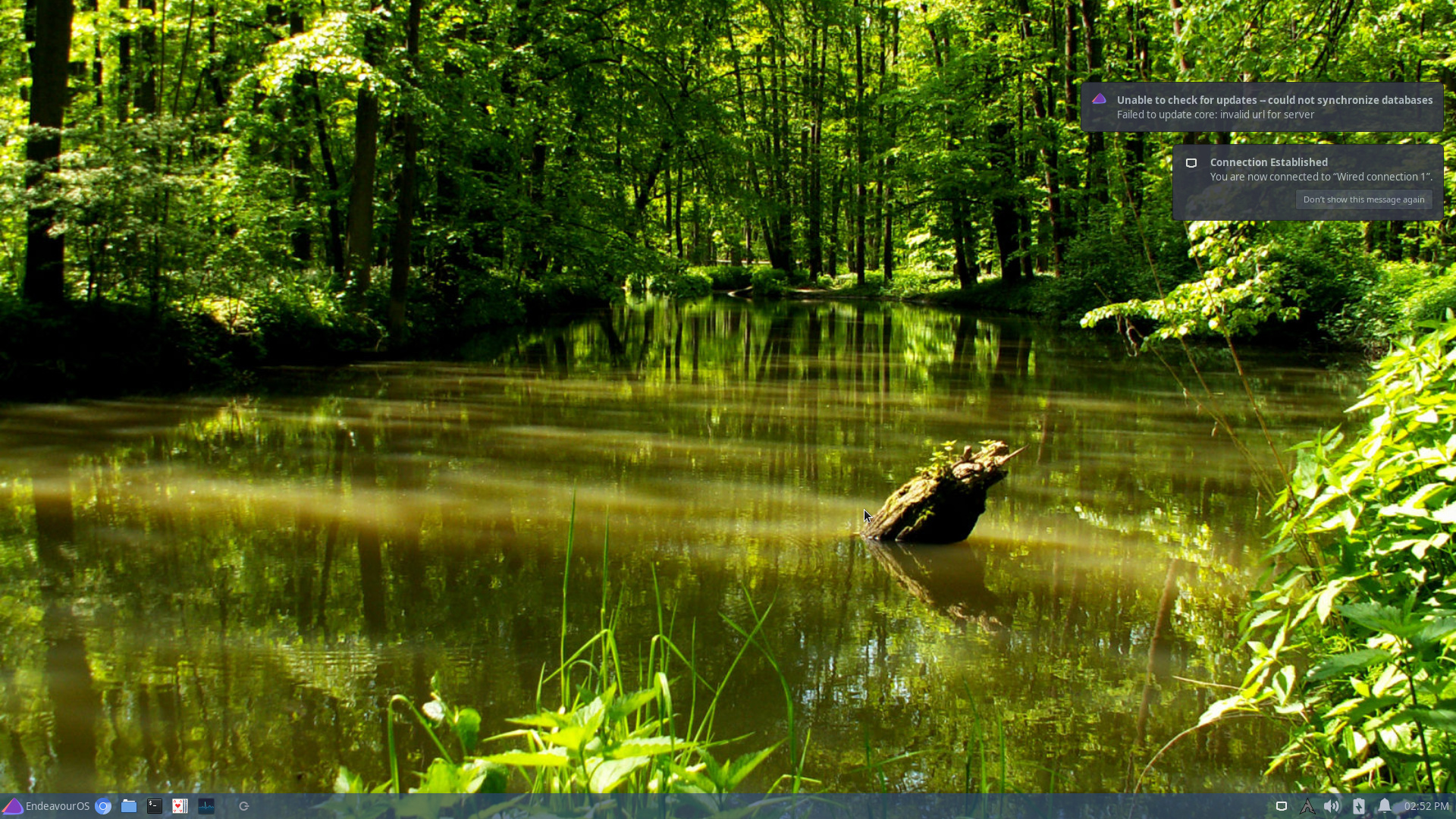
Might be the ”kalu” app trying to check updates before the internet connection is on. If so, then some settings for kalu might help. And if it is kalu, the issue is not dangerous.
Your right, in that its “kala” causing this. Removed from autostart and the message doesn’t appear.
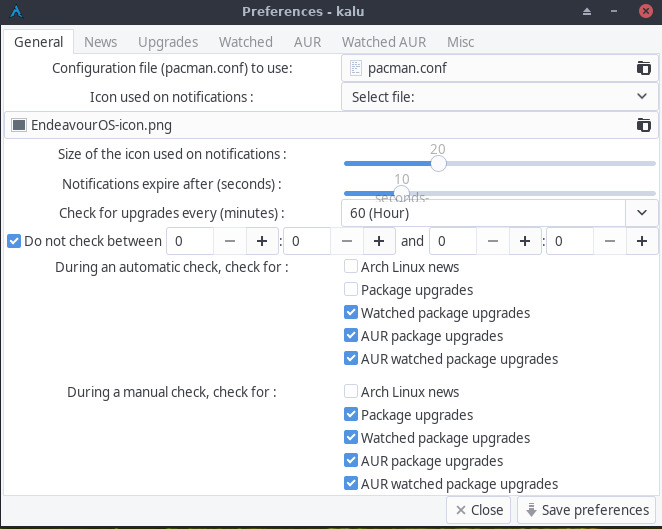
The problem is I can’t remove anymore than already removed. Here’s the shot of current. If I try to uncheck any thing more from “During an automatic check” it refused to save.
Some of us have seen it. I just didn’t know that your issue was Kalu until now after you posted the image and @manuel mentioned it might be Kalu. So if you follow what @manuel and @fernandomaroto have posted you can edit the startup of Kalu so it’s delayed until your connected. I have same issue on mine with wifi.
I found something interesting. If I remove the ‘sleep’ from kala autostart, the error message appears then kala starts afterwords. The “arch” icon is gray and nothing appears.
The updates never get issued.
But when I use the ‘sleep’ command, kala starts, the “arch” icon blinks for several seconds and then displays message X amount of updates available.
I put in a message at their Arch topic. I’ll see if I get a comment.