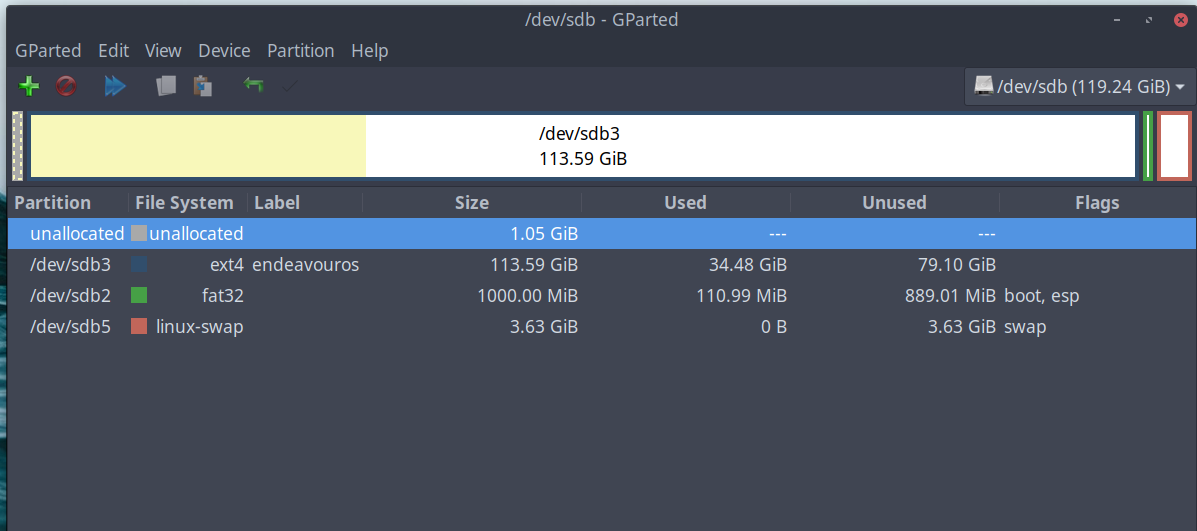
SHORT VERSION WITH TWO QUESTIONS AT END: So I’m routinely inspecting free space amount and clutter, a twice-a-month thang. I prefer to use the tool gparted for this. I see mouthy gparted telling me it’s not going to bother to fix an error-
so I type in search term, research, read 58 posts from the smartypants at superuser…
and they suggest dosfsck -v /dev/sda2 to fix this. So, believing everything I read on the internets, I do it-
$ sudo dosfsck -v /dev/sda2
[sudo] password for drunkenvicar:
fsck.fat 4.2 (2021-01-31)
Checking we can access the last sector of the filesystem
There are differences between boot sector and its backup.
This is mostly harmless. Differences: (offset:original/backup)
65:00/01

Copy original to backup

Copy backup to original

No action
[123?q]? 2
Boot sector contents:
System ID “MSWIN4.1”
Media byte 0xf8 (hard disk)
512 bytes per logical sector
4096 bytes per cluster
42 reserved sectors
First FAT starts at byte 21504 (sector 42)
2 FATs, 32 bit entries
1023488 bytes per FAT (= 1999 sectors)
Root directory start at cluster 2 (arbitrary size)
Data area starts at byte 2068480 (sector 4040)
255495 data clusters (1046507520 bytes)
63 sectors/track, 255 heads
240414720 hidden sectors
2048000 sectors total
Checking for unused clusters.
Dirty bit is set. Fs was not properly unmounted and some data may be corrupt.

Remove dirty bit

No action
[12?q]? 1
Checking free cluster summary.

*** Filesystem was changed ***
The changes have not yet been written, you can still choose to leave the
filesystem unmodified:

Write changes

Leave filesystem unchanged
[12?q]? 1
/dev/sda2: 18 files, 27909/255495 clusters
Expected behavior: this would fix my ‘harmless’ problem
Actual behavior: despite reboots I can run this command over and over with the same result. “dirty bit” doesn’t get fixed, nothing gets written, fsck in a loop. Gparted? Looks identical to picture every reboot.
–Before judging i installed I have no idea how this starts at 1 GB unallocated partition…I was sober for this so I never remember anything..
So I did some checking and when using KDE partitionmanager there was no message , and if I unmount the EFI partition when using Gparted the message was gone. Probably some bug in Gparted ?
Yes I did a check on it just like you did, with the same result, and you can only do that by unmounting the partition.
fsck.fat -a -w -v '/dev/nvme0n1p1'  00:00:00    ( GESLAAGD )

fsck.fat 4.2 (2021-01-31)
Checking we can access the last sector of the filesystem
Boot sector contents:
System ID "MSWIN4.1"
Media byte 0xf8 (hard disk)
512 bytes per logical sector
4096 bytes per cluster
40 reserved sectors
First FAT starts at byte 20480 (sector 40)
2 FATs, 32 bit entries
2095104 bytes per FAT (= 4092 sectors)
Root directory start at cluster 17 (arbitrary size)
Data area starts at byte 4210688 (sector 8224)
523260 data clusters (2143272960 bytes)
32 sectors/track, 64 heads
2048 hidden sectors
4194304 sectors total
Reclaiming unconnected clusters.
Checking free cluster summary.
/dev/nvme0n1p1: 350 files, 855/523260 clusters
bestandssysteem vergroten zodat het de partitie vult  00:00:01    ( GESLAAGD )

gebruik libparted
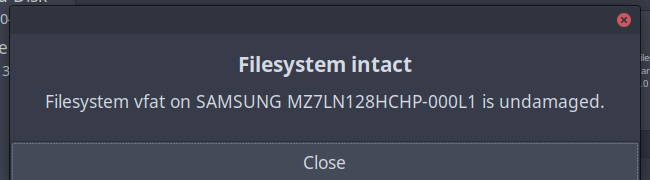
Well to be honest this was the result of the Gparted check that I ran, and afterwards saved the result to a folder (htm file). At the moment I am on siduction (debian unstable). And this was the result I got.
0x41: Dirty bit is set. Fs was not properly unmounted and some data may be corrupt.
 Automatically removing dirty bit.
This is a different efi partition than the EOS one on a different drive, very weird because nothing showed up in partitionmanager.
As far as I can see the EOS efi is not mounted, and then you don’t get the error message like I already tested.
and if I unmount the EFI partition when using Gparted the message was gone
To explain this a little bit further, at one point in time I had Solus installed and it uses its own (systemd) bootloader but you will not notice this because it is set to hiddden at boot, so there is no need to mount the EOS efi partition also see this page
From the top of my head, I remember that just using dosfsck -v /dev/something isn’t enough, you need to have dosfsck -v -w /dev/something (and the disk unmounted) for this to actually write something.
I know that the manual reads differently here, but I had a similar issue with a FAT fs and needed a flag more to fix it, as opposed to just show what the issues were.
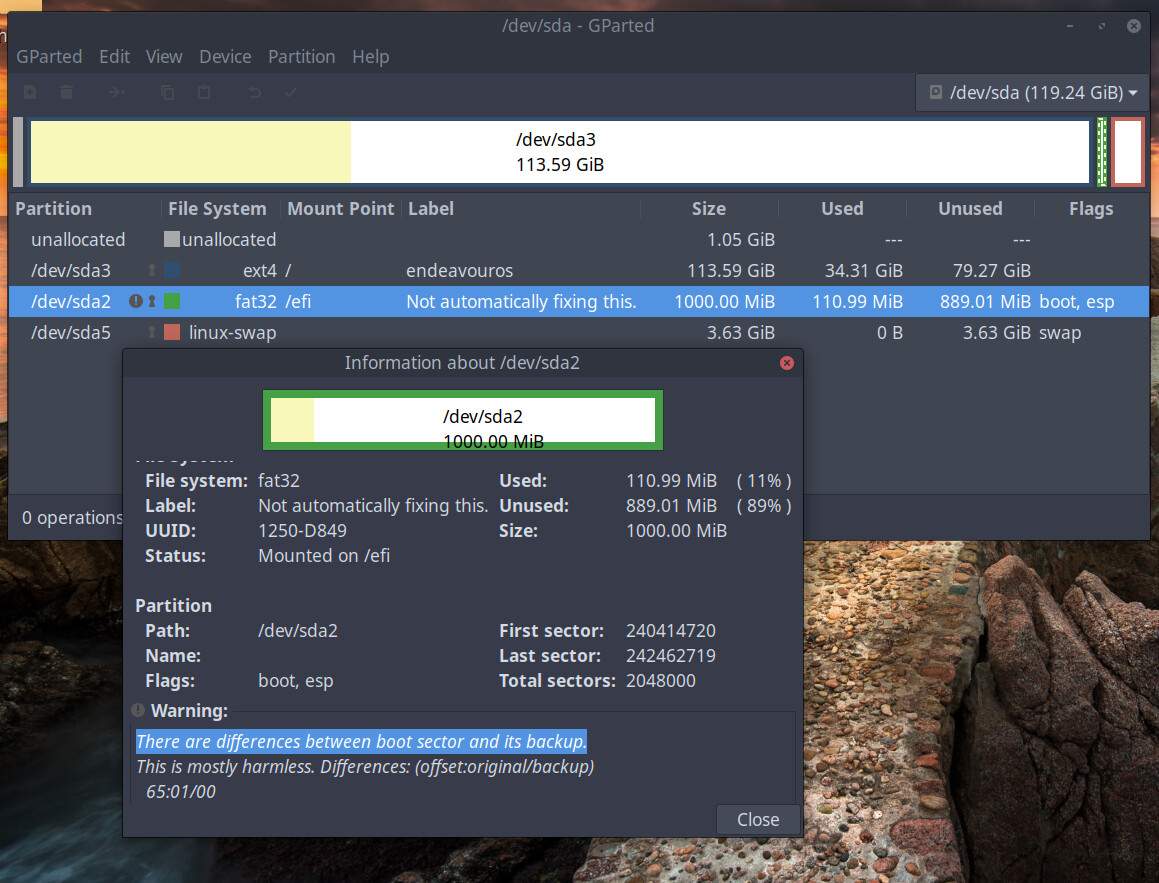
 . most of you are Mensa compare to me but it has been a long week, and its a Sunday nite and we are all tired.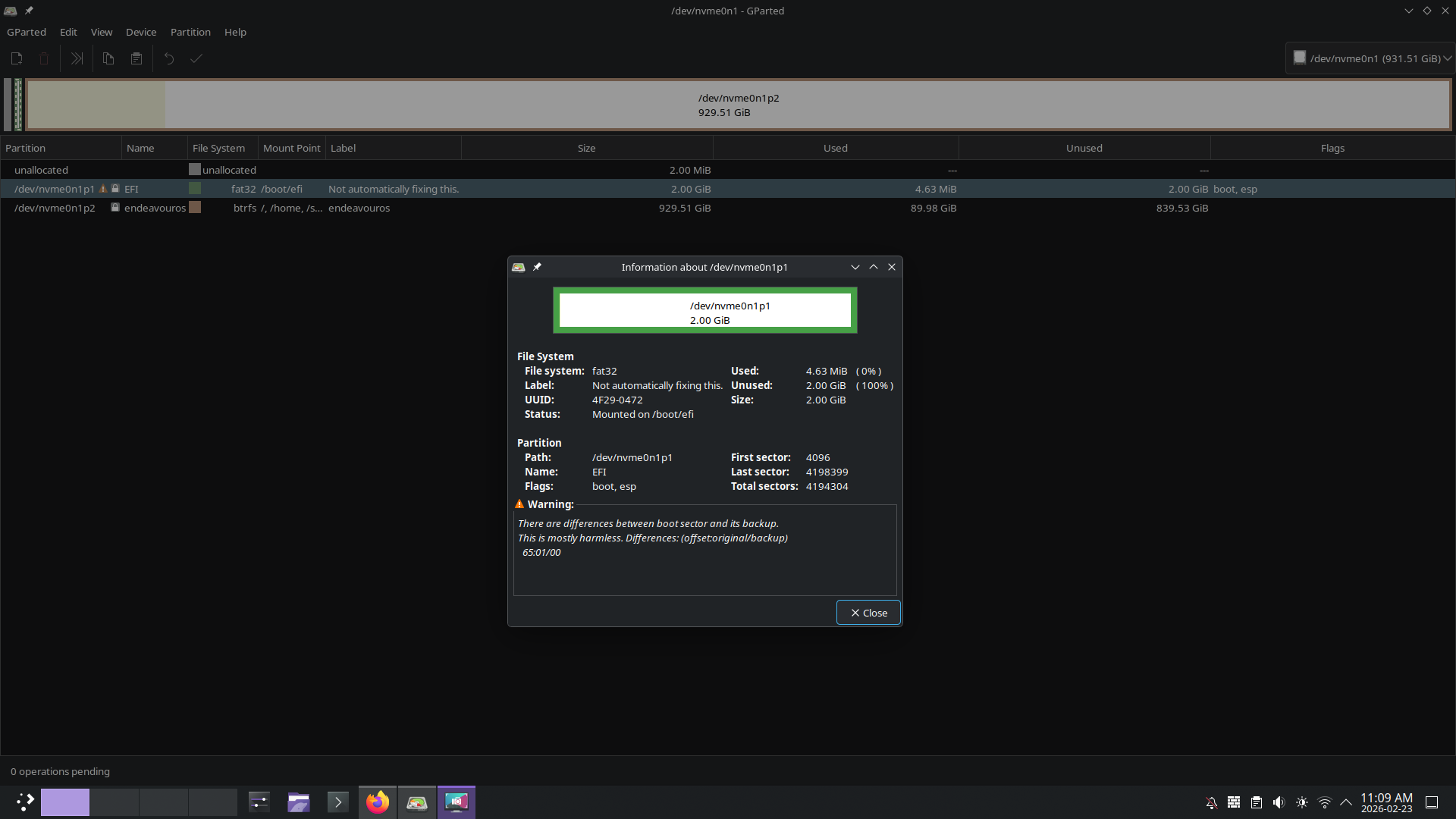

 .
.