Good morning,
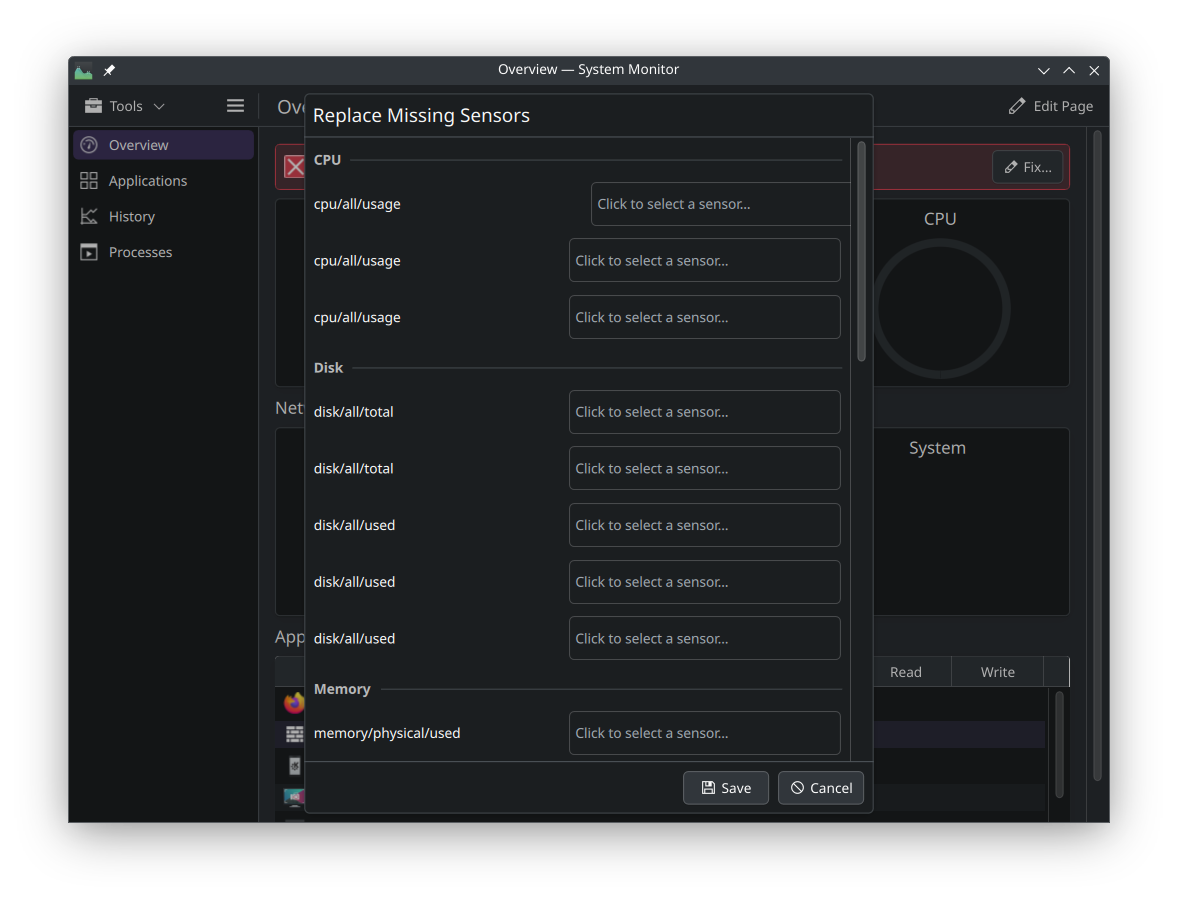
I’ve just installed EndeavourOS on a Raspberry Pi 5 (*) and the graphical parts of the system monitor are missing from the Overview and History tabs. Textual information is present. On the History tab I get a message This page is missing some sensors and will not display correctly. and a button Fix.... The Fix... button opens a dialog with empty entry fields for various sensors, but I don’t know how to proceed. (There is nothing to select and entering “memory” or “free -m” in the search box seems to find nothing.
A cursory search suggests installing libsensors but the lm-sensors package is installed and the sensors command works. And IAC, sensors has nothing to do with parameters like RAM or CPU usage. I suspect that some package is required but not a dependency and did not get installed. Any help identifying what I need would be most welcome. If there is a command to identify package dependencies feel free to point me to that.
Thanks!
Incidentally I’m having a go at EOS because I found a dual monitor setup running on RpiOS to be so bad as to be unusable. I’m pretty favorably impressed with OES so far.
The package for “System Monitor” looks like plasma-systemmonitorhttps://archlinuxarm.org/packages/aarch64/plasma-systemmonitor and the dependency that seems like it should be providing this information is ksystemstats. Or perhaps there is some library missing. Fat fingering all of the dependencies lists:
The x86_64 architecture https://archlinux.org/packages/extra/x86_64/plasma-systemmonitor/ lists one additional dependency extra-cmake-modules which I have just installed. Following that I reinstalled plasma-systemmonitor in case this was required to build something during installation and the behavior is not changed.
This screen shot demonstrates an example of what is missing (blank circle toward right) as well as the popup offering to replace missing sensors and which offers no options.
Perhaps this is something I should file a bug against. Should that be against Arch (EndeavourOS?) or KDE?
This application does work as desired on Debian Trixie (on ARM - CM4) but IIRC does not work properly on RpiOS. Since there is not upstream support for the Pi 5, I suspect that EndeavourOS is using parts of RpiOS to support the Pi 5 and that seems likely to be related to the issue. I’ll just repeat that KDE/Plasma is generally working well on EndeavourOS and was not usable on a dual monitor setup with RpiOS.