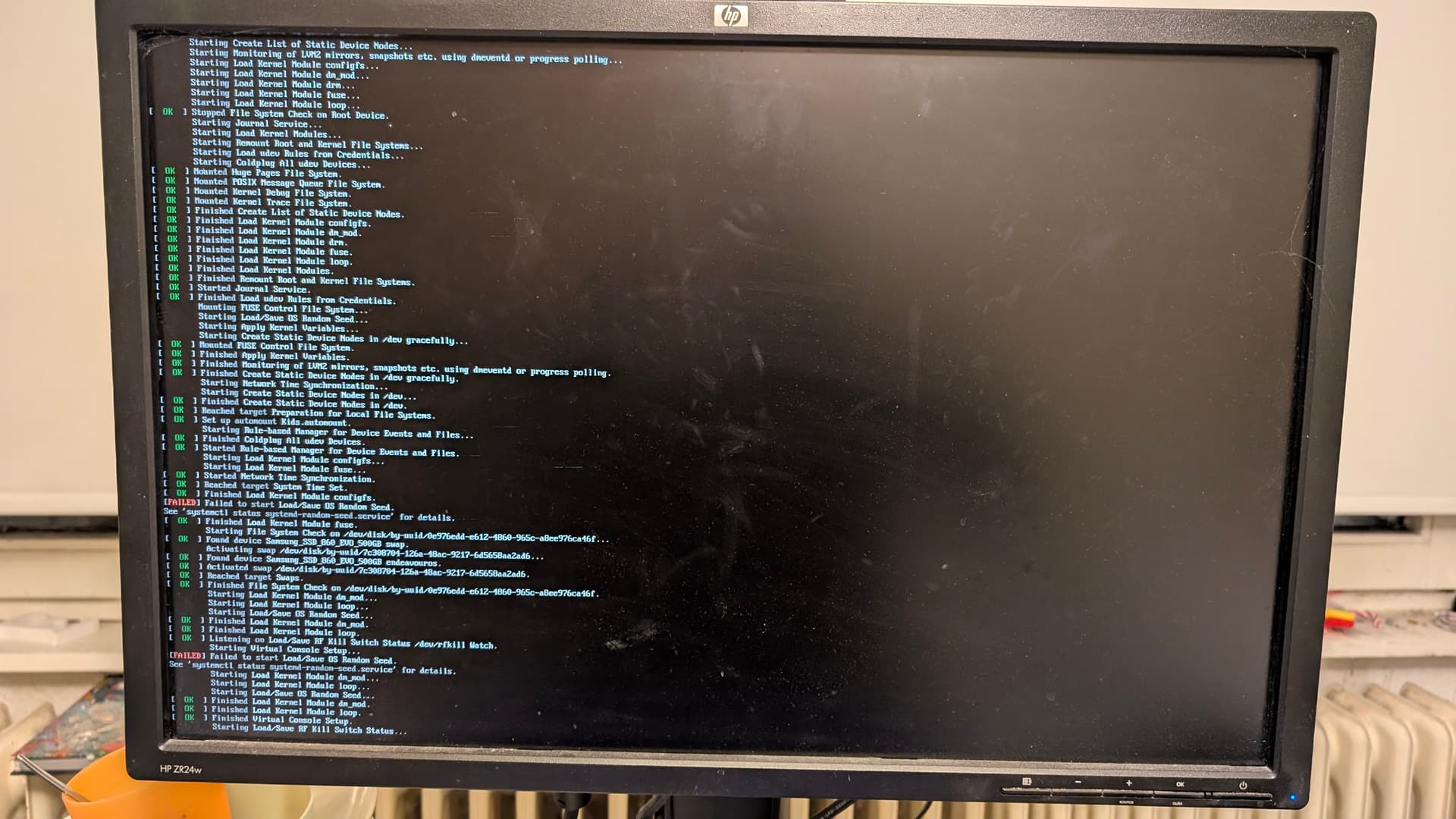
So my daughter just came into my bedroom, I was almost asleep. She was in tears. Her computer is not working, she said. I asked what she had done, she told me she wanted to start a game, it did not work, screen went black, so she shut it down via power button. She tried to boot again and now she can’t log in. So I went to her room and checked the situation, and it is really strange. during boot time I can see some errors, but it boots to quick to read something meaningfull, and then KDE comes up - specificially the login screen, but the keyboard is not responsive and every option is greyed out:
So I made some pictures during booting to get some help from the allmighty eos forums. The error I was not able to identify is something with random seed:
Sooo… any idea how to proceed? I asume I have to chroot into the machine and do an upgrade first, because system is quite old - at least some weeks. Not older than two months, though, because every other month I tell her how to update and do it then by myself… kids are strange.
But after that? Any further tips/ideas/anything? Daughter is desperate, and I will leave in the morrow for a business trip until friday, she is like… pissed. I must help her.
P.S.: Please don’t mind the dirt, she is a teen nerd and not interested in “cleaning” or similar tasks.
I would do the chroot and upgrade first if a problem is still present then we can see what could be happening from there. If you can get into a tty you may not need to chroot. Also if tty access is possible check the journal.
Cant get a second tty, unfortunately - this was what I tried as first step. Forgot to mention that. Keyboard completely unresponsive, so no Shift+Alt+F2…
then go forward with the chroot/upgrade option and lets keep our fingers crossed. (Remember if this hasn’t been updated in a while you will need to remove the linux-firmware package first then reinstall it with the upgrade.
Sooo. I found the issue. It is steam related, BTRFS related and hardware failure related.
In this machine were two hard drives, one only as secondary steam library disc. This disc failed without notice for my girl - she wondered why she had to download some games again, but did not think about it. Those downlaods where then included in the next monthly snapshot via BTRFS + snapd + BTRFS assistant. And well, that hit her like a truck because this snapshot tilted the drive from being almost full to “Sorry, I am 99,8% full, you are dead”. Did took me quite while to figure it out…
Anyway, deleting some cache, get the thingy bootable again, deleting snapshots, doing update, take a spare SDD out of my desk and replace the broken one with it, be annoyed by steam quite a bit (ultimately chose to purge her whole lib and built up from the ground) and I got a happy kid again.
Btw: The chroot part in Discovery is not good. It is just working for one specific scenario, but does not explain what to do to find out the scenario if not default, and does not explain the others at all. BTRFS, BIOS, grub, etc pp all left behind. I have my own set of commands which differ quite drastically from the “default” way.