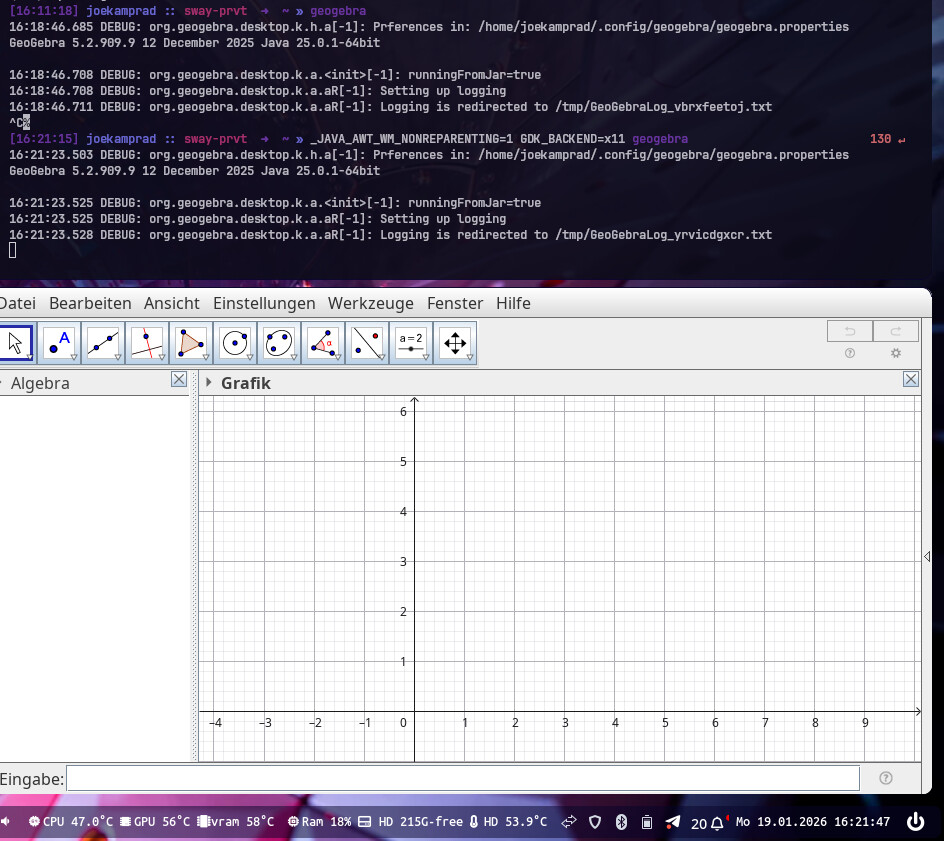
Basically title, I want to switch from i3 to Sway, but Geogebra (geogebra from Arch repos) launches to a white screen. It’s fine on i3, or Xfce, or Plasma…
What should I do to fix it?
I will update this post with a screenshot in a few hours when I am back home.
Thanks in advance.
A hint about where to file a bug report for this would also be appreciated.
Seems simply not running on xwayland by default you should try starting it from a terminal like so:
_JAVA_AWT_WM_NONREPARENTING=1 GDK_BACKEND=x11 geogebra
This forcing it to run X11 // xwayland
i see _JAVA_AWT_WM_NONREPARENTING=1 geogebra
works already the same.
With this you can add a environment variable or a custom starter and it would work from menu.
I will surely try when I get home.
A question, how do I make it launch by default with that env variable from the launcher?
I use the default EOS Sway launcher, I don’t remember what it’s called.
Yay, it works, but I don’t know how to make fuzzel launch Geogebra with this env variable by default. How to make it do it?
Edit: So I just added this environment variable to /etc/environment and nothing seems broken for now
fuzzel uses standard .desktop files. Just copy the geogebra file over to ~/.local/share/applications, edit the Exec= line.
Here’s and example I use for disabling Nvidia Explicit Sync:
Exec=env __NV_DISABLE_EXPLICIT_SYNC=1 /usr/bin/restic-browser %U
Adding env _JAVA_AWT_WM_NONREPARENTING=1 to the beginning of the geogebra command should do the trick.
For now, I’ve done the same thing (/etc/environment) with a Java program I run. Because it’s the only one, it won’t cause any other problems. It’s possible, however, that setting this globally could be an issue as Wayland matures.
exactly thats the easiest way to only have it applied for this application.
You can also add it to the env of your shell, like ~/.bash_profile
see this blog of a fellow EndeavourOS user:
But in general its a little messy still on sway.. some env are only working if you add them systemwide.
I can’t figure out how to add it to .desktop of .local/share/applications, as geogebra.desktop is not present there and I don’t know from where to copy it. I guess I will stay systemwide.
you can copy the default one from system to user:
cp /usr/share/applications/geogebra.desktop ~/ .local/share/applications/
and edit it to your needs:
kate ~/ .local/share/applications/geogebra.desktop
‘’
sorry for late reply..