Is there a consensus on the question, swap, no swap, or swap so file? Is it as simple as personal preference? Is it more a question of one’s RAM size or hardware configuration? I’ve seen so many opinions on this, I’m curious as to what EndeavourOS users here think.
I think if memory is adequate for the tasks asked, then swap is non-essential and maybe even non-useful.
That was my initial thought. Seems like if you have 16GB, 32GB, or 64GB of RAM, it may not be all that useful.
I think it depends very much on the use case.
For example I have 32GB RAM on my system and have never used any swap on it, and have been using it to everything for years. All this without problems.
But if a user runs several apps each consuming lots of RAM, I think some form of swap may be necessary. Then I’d prefer swap file because it is easy to modify when the requirements of the user change.
Some say a swap thingy is always a good idea, but so far I’ve never needed it.
I always have a swap file of 8 GB on a 16 GB of RAM. Usually, between 0.1 and 1.2 GB is swapped out.
As you already mentioned, there’s a lot of information here on the forum. For me and my decision, the article by baeldung was the most influential.
No, like many other things Linux 
However, one thing is certain, though I am not certain that other thinks the same about its certainty, that some amount of a swap device is good to have for a healthy and sane memory management no matter the size of your RAM.
There are a few options out there.
Eyeopener article 
Since swapfiles became a thing, I have always preferred them over a more traditional swap partition.
Easy to configure and adjust according to need.
I do use a swapfile on one of my test laptops because RAM is only 8GB.
Mind you, I am not a heavy user and have rarely seen swap being used anyway.
This topic has already been discussed here:
Having a swap file or swap partition on a laptop is a good thing if you want to do hibernation. Hibernation simply does not work without physical swap space.
Thanks, @mbod. I don’t know how I missed that thread.
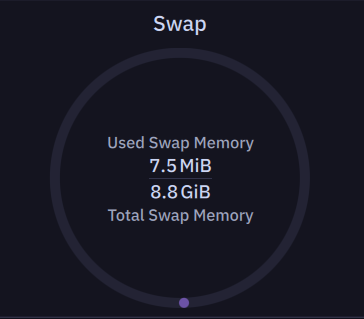
I have 64GB of DDR5. I still have a swap file. From what I understand, some programs still expect a swap file to exist, even if they don’t actively use it, and tend to behave weirdly if it isn’t there. Looking at my current swap, there’s still a tiny amount of usage, which indicates it’s needed in some fashion.
It’s very unlikely that I’d end up with a process that kills off all actual commit charge, but I’d like to think that at least with some level of swap, I can recover from that gracefully.
I always use an 8GiB swap partition. Its been so many years that I have not had to worry about 8GiB of hard drive space allotted to swap to even question my decision. The “In Defense of Swap” article is a great explanation of swap and virtual memory management. I really cannot see how one who knows far less about the inner workings of the Linux kernel can argue with an expert when it comes to swap space. It does not matter if that swap space is a file or a partition.
I use a swapfile. I have 40 gig in my daily I have 32 in my “Work Laptop” (not Job) and 16 Gig in my “Media Laptop” (music,podcast) all have a small swap file. If I need more I can always adjust it then
I primarily use zram. But when I have to use swap anyhow, Its a swapfile, simply because of the flexibility.
That being said, I rarely ever need to use swapfile because my day to day isn’t all that demanding.
I can be something of a ‘power user’ on occasion but not a gamer.
Creating a good old swap partition upon installation has never done me wrong in 10 years…so I’m unlikely to change this method.
2 cents
I would disagree. If the work requires compilation, for example downloading and installing Linux LTS 6.12/6.6/6.1 kernels then it would be recommended to use swap.
If the work requires working with large data sets, then yes swap would be recommended.
If hibernate is being used, then yes Swap is required.
If work requires working with media files/audio files/video/games/etc SWAP is recommended.
In case of a dedicated SWAP partition that has some of its benefits. Namely we can restrict its size, it can be zeroed out.
In case of swap file, we have the flexibility for swap to grow, provided there is disk space available in root partition. If we are using LVM then root partition can grow and along with it the swap file size. There is one less boot failure option, as the swap partition entry is not there in /etc/fstab file.
The advantages of NOSWAP is that there is less risk of credentials and cyphers being written to the disk where they can be compromised. Having said that a malicious actor might force a core dump and get that info from the memory itself, without the swap. But with SWAP it makes life much more easier for the malicious actor.
Another advantage of NOSWAP is that disk thrashing, even in the era of high performance SSDs, is avoided.
There ought to be a flowchart for this.
That’s true! One has the option of using an encrypted-SWAP to help mitigate that issue though.
It’s the sort of thing I’d be considering for systems using full disk encryption.
Having a swapfile on a LUKS encrypted partition eliminates that risk.