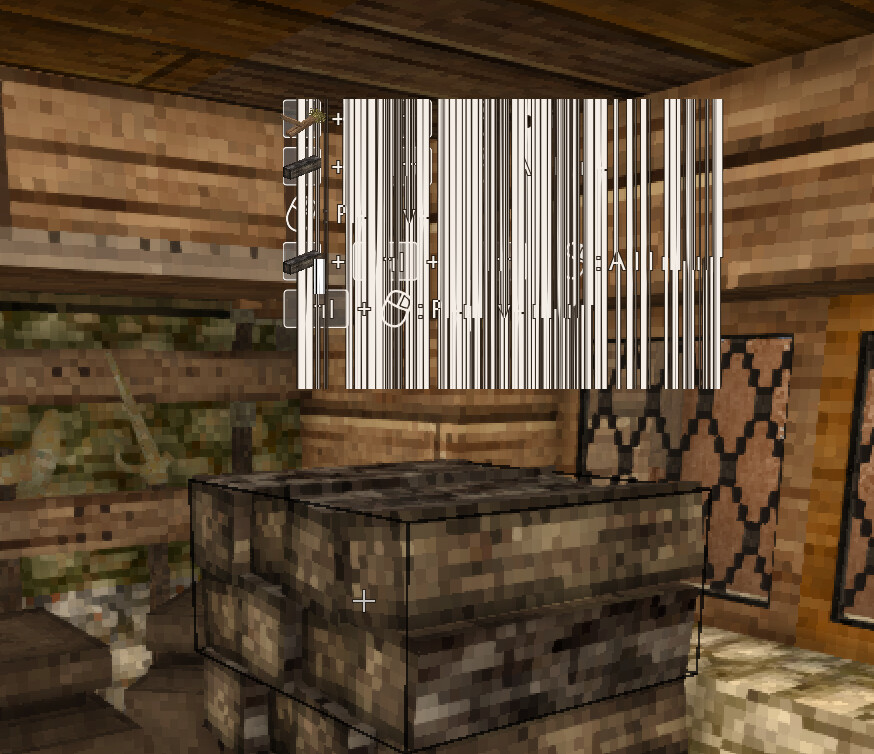
after recent updates, not sure what ones, some games (non native) are failing to run under steam. Resonite for example. no logs are being generated by the game, so its not even running it. Tiny Glade ran fine. think that may be native, unsure. i tried also Vintage Story under Bottles, and that has a weird glitch now where labels look like a barcode. (Pic bellow:)
this happened within the last week. possible one or 2 updates were ran before reboot, so unsure what update could be responsible. no compatdata is being generated by steam when running the failing games either.
Did you disable Cloud Sync globally, or at least for the game you’re trying? For some reason, my Cloud Sync settings were reset to enabled on a couple of games (playing Last Epoch, mostly). Once I disabled that again and restarted Steam, LE was not having any syncing issues.
Have you tried to run steam via the terminal? This will put any errors in the terminal for you to view and not all of it gets logged in journalctl logs.
ETA: you can even run the commands for the games from terminal to see if it logs anything
anthing dealing with your system components such as your gpu is logged by the system not steam. I just logged into Steam on my AMD setup, just updated today, with no problems appearing. In all honesty you might have a failing GPU.
that was my next plan, but being ill got in the way XD linux native stuff seems to work fine btw, just wine/proton things seem effected. will get back wen i can roll back the mesa drivers (not gonna attempt anything with a fever) :v
Been busy RL so only just got back to this. rolling back mesa made plasma not even load. ended up with blank screen instead of desktop. not even the plasma loading screen. so weather or not games would run is immaterial if the desktop doesn’t even load.
running steam via console and looking at the output it get stuff like:
wine: '/mnt/ssd/SteamLibrary/steamapps/compatdata/2519830/pfx' is not owned by you
and
ERROR: ld.so: object '/home/bongmaster/.local/share/Steam/ubuntu12_32/gameoverlayrenderer.so' from LD_PRELOAD cannot be preloaded (wrong ELF class: ELFCLASS32): ignored. ERROR: ld.so: object '/home/bongmaster/.local/share/Steam/ubuntu12_64/gameoverlayrenderer.so' from LD_PRELOAD cannot be preloaded (wrong ELF class: ELFCLASS64): ignored. ERROR: ld.so: object '/home/bongmaster/.local/share/Steam/ubuntu12_32/gameoverlayrenderer.so' from LD_PRELOAD cannot be preloaded (wrong ELF class: ELFCLASS32): ignored. ERROR: ld.so: object '/home/bongmaster/.local/share/Steam/ubuntu12_32/gameoverlayrenderer.so' from LD_PRELOAD cannot be preloaded (wrong ELF class: ELFCLASS32): ignored.
tried to chown the relevant file and folders to me, but its still showing the same

 any help is help