I updated my system earlier today and now Spectacle doesn’t work, pressing meta+shift+S gives me a popup saying: “could not activate remote peer ‘org.kde.spectacle’: startup job failed” and trying to open it through the terminal returns: spectacle: error while loading shared libraries: libx265.so.215: cannot open shared object file: No such file or directory
I tried reinstalling the x265 package, but that did nothing
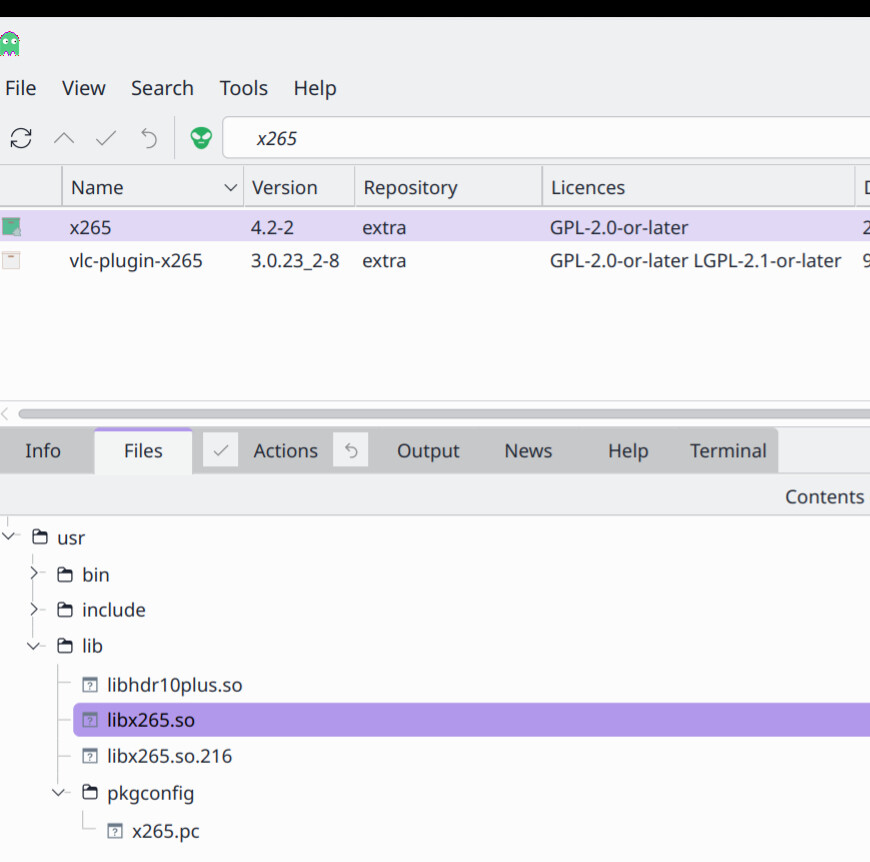
The file libx265.so belongs to the package x265. The file libx265.so resides in the directory /usr/lib/libx265.so. Please see the screenshot given below for more details.
Please check if you have x265 package installed. If not please install it.
Recently there were some changes made into Spectacle, which allowed for extraction of text from screenshots. This introduced a bunch of dependencies that were not there previously. Maybe in one of your updates those dependencies were missed out.
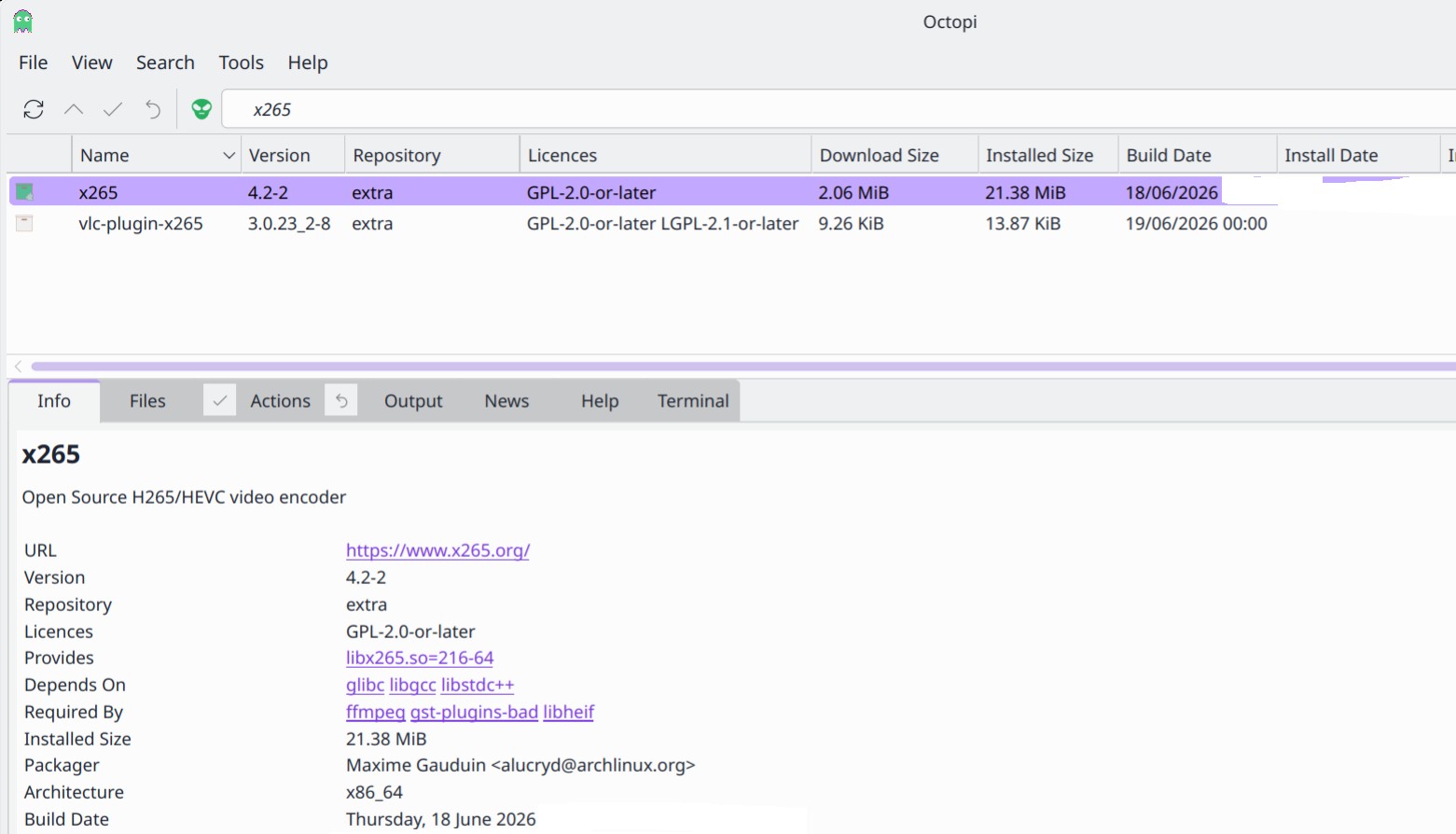
It definitely looks like I have it at least and reinstalling them was the first step I took to try and fix it. (should probably have mentioned that in the original post huh..)
Spectacle complains about libx265.so.215 though, which points to spectacle being out of date. As was already suggested update mirrors and try a full system update.
done that about 3 times now so from sudo pacman -Syyu I just get:
:: Synchronizing package databases.:: endeavouros 14,6 KiB 2,26 KiB/s 00:06 [----------------------------------------------------------] 100% core 126,3 KiB 20,4 KiB/s 00:06 [----------------------------------------------------------] 100% extra 8,3 MiB 165 KiB/s 00:51 [----------------------------------------------------------] 100% multilib 127,5 KiB 16,9 KiB/s 00:08 [----------------------------------------------------------] 100% :: Starting full system upgrade... there is nothing to do
also here’s the mirror list from reflector:
################################################################################
################# Arch Linux mirrorlist generated by Reflector #################
################################################################################

With:       reflector --verbose -c EE --protocol https --protocol http --sort age --latest 20 --download-timeout 5

When:       2026-06-26 09:58:10 UTC

From:       https://archlinux.org/mirrors/status/json/

Retrieved:  2026-06-26 09:58:04 UTC

Last Check: 2026-06-26 09:15:44 UTC

Estonia

Server = http://repo.br.ee/arch/$repo/os/$arch

Estonia

Server = https://repo.br.ee/arch/$repo/os/$arch

Estonia

Server = http://mirrors.xtom.ee/archlinux/$repo/os/$arch

Estonia

Server = https://mirrors.xtom.ee/archlinux/$repo/os/$arch

Estonia

Server = http://mirror.cspacehostings.com/archlinux/$repo/os/$arch

Estonia

Server = https://mirror.cspacehostings.com/archlinux/$repo/os/$arch

Worldwide

Server = https://fastly.mirror.pkgbuild.com/$repo/os/$arch
Server = https://geo.mirror.pkgbuild.com/$repo/os/$arch
Server = https://ftpmirror.infania.net/mirror/archlinux/$repo/os/$arch
Server = http://mirror.rackspace.com/archlinux/$repo/os/$arch
Server = https://mirror.rackspace.com/archlinux/$repo/os/$arch
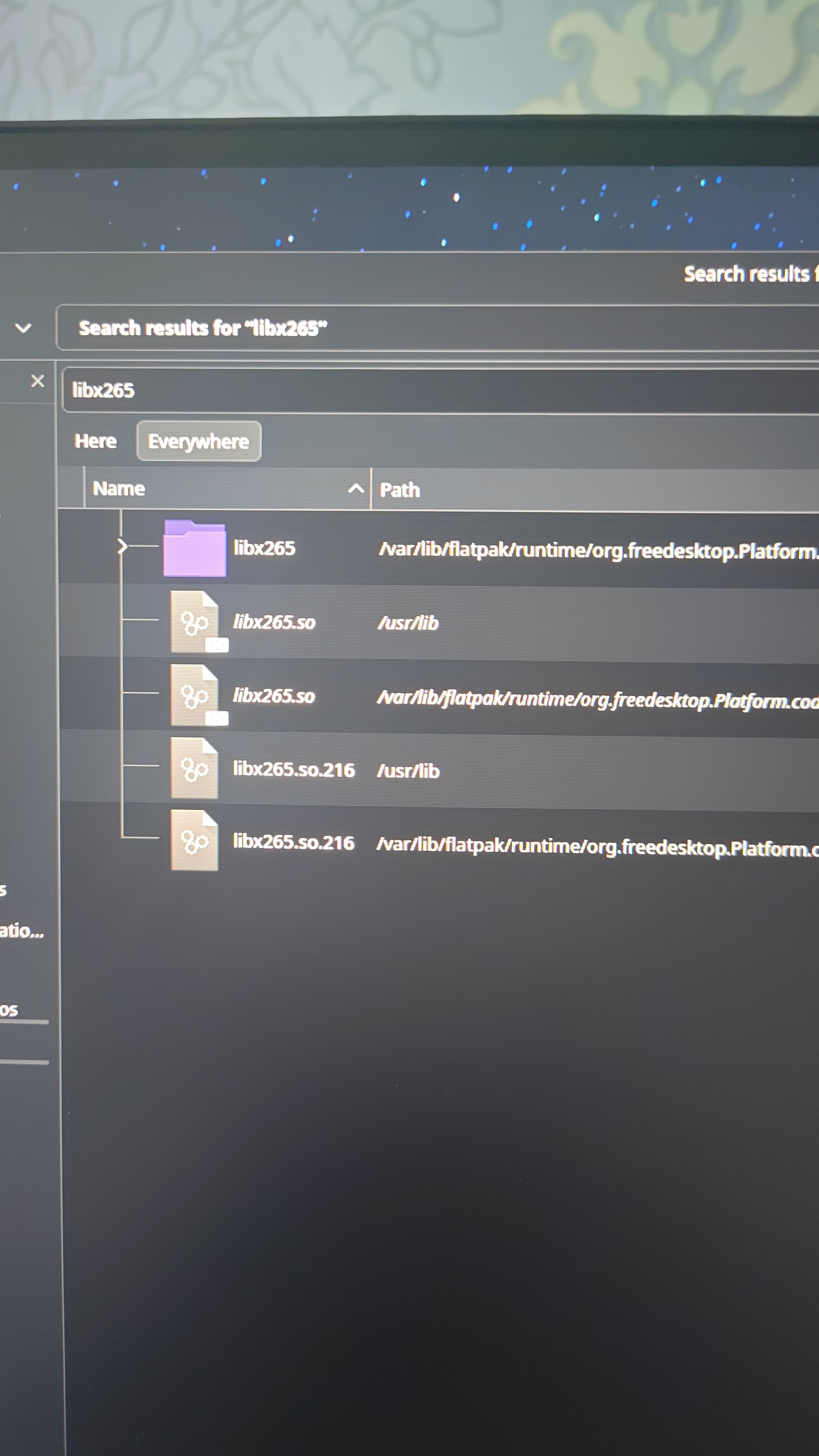
Spectacle still seems to be looking for the outdated package for some reason, but idk how to point it to the correct one, ldd /usr/bin/spectacle | grep libx265 gives me libx265.so.215 => not found is there a way I can manually point it to the 216 version of the file?
 )
)