This issue seems to be app-specific. Megasync, in particular…
System Tray Icons Replacer ENABLED:

System Tray Icons Replacer DISABLED:

Anyone have an idea as to why Megasync doesn’t change?
This issue seems to be app-specific. Megasync, in particular…
System Tray Icons Replacer ENABLED:
System Tray Icons Replacer DISABLED:
Anyone have an idea as to why Megasync doesn’t change?
Are you running mega as an AppImage? I have the same issue with Tuta client as an AppImage.
Alright…then I’m out. Sorry 
@UncleSpellbinder mind to share the screenshot of your Panel Colorizer system tray icons replacer settings?
Have you tried journalctl -f to check the current SHA1/title/name use by the systray and see whether it’s still the same as before?
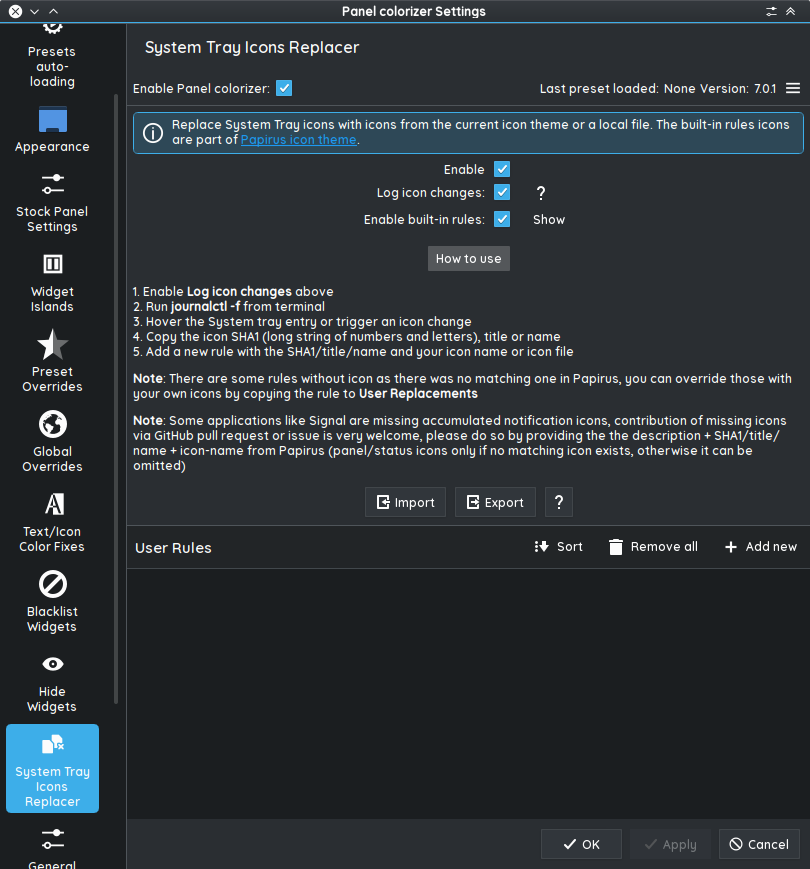
Not much to show in settings. I’ve just ticked “enable,” and it’s always worked.
─❯ journalctl -f
Apr 17 10:56:44 endeavourmsi plasmashell[1407]: file:///usr/share/plasma/plasmoids/luisbocanegra.panel.colorizer/contents/ui/configTrayIconsReplacer.qml: Setting initial properties failed: ScrollViewKCM does not have a property called cfg_pythonExecutableDefault
Apr 17 10:56:44 endeavourmsi plasmashell[1407]: file:///usr/share/plasma/plasmoids/luisbocanegra.panel.colorizer/contents/ui/configTrayIconsReplacer.qml: Setting initial properties failed: ScrollViewKCM does not have a property called cfg_switchPresets
Apr 17 10:56:44 endeavourmsi plasmashell[1407]: file:///usr/share/plasma/plasmoids/luisbocanegra.panel.colorizer/contents/ui/configTrayIconsReplacer.qml: Setting initial properties failed: ScrollViewKCM does not have a property called cfg_switchPresetsDefault
Apr 17 10:56:44 endeavourmsi plasmashell[1407]: file:///usr/share/plasma/plasmoids/luisbocanegra.panel.colorizer/contents/ui/configTrayIconsReplacer.qml: Setting initial properties failed: ScrollViewKCM does not have a property called cfg_switchPresetsIndex
Apr 17 10:56:44 endeavourmsi plasmashell[1407]: file:///usr/share/plasma/plasmoids/luisbocanegra.panel.colorizer/contents/ui/configTrayIconsReplacer.qml: Setting initial properties failed: ScrollViewKCM does not have a property called cfg_switchPresetsIndexDefault
Apr 17 10:56:44 endeavourmsi plasmashell[1407]: file:///usr/share/plasma/plasmoids/luisbocanegra.panel.colorizer/contents/ui/configTrayIconsReplacer.qml: Setting initial properties failed: ScrollViewKCM does not have a property called cfg_systemTrayIconBuiltinReplacementsEnabledDefault
Apr 17 10:56:44 endeavourmsi plasmashell[1407]: file:///usr/share/plasma/plasmoids/luisbocanegra.panel.colorizer/contents/ui/configTrayIconsReplacer.qml: Setting initial properties failed: ScrollViewKCM does not have a property called cfg_systemTrayIconUserReplacementsDefault
Apr 17 10:56:44 endeavourmsi plasmashell[1407]: file:///usr/share/plasma/plasmoids/luisbocanegra.panel.colorizer/contents/ui/configTrayIconsReplacer.qml: Setting initial properties failed: ScrollViewKCM does not have a property called cfg_systemTrayIconsReplacementEnabledDefault
Apr 17 10:56:44 endeavourmsi plasmashell[1407]: file:///usr/share/plasma/plasmoids/luisbocanegra.panel.colorizer/contents/ui/configTrayIconsReplacer.qml: Setting initial properties failed: ScrollViewKCM does not have a property called cfg_widgetClickMode
Apr 17 10:56:44 endeavourmsi plasmashell[1407]: file:///usr/share/plasma/plasmoids/luisbocanegra.panel.colorizer/contents/ui/configTrayIconsReplacer.qml: Setting initial properties failed: ScrollViewKCM does not have a property called cfg_widgetClickModeDefault
@dirn, POST HAS BEEN EDITED
Weird, I don’t see any user rule set for Megasync.
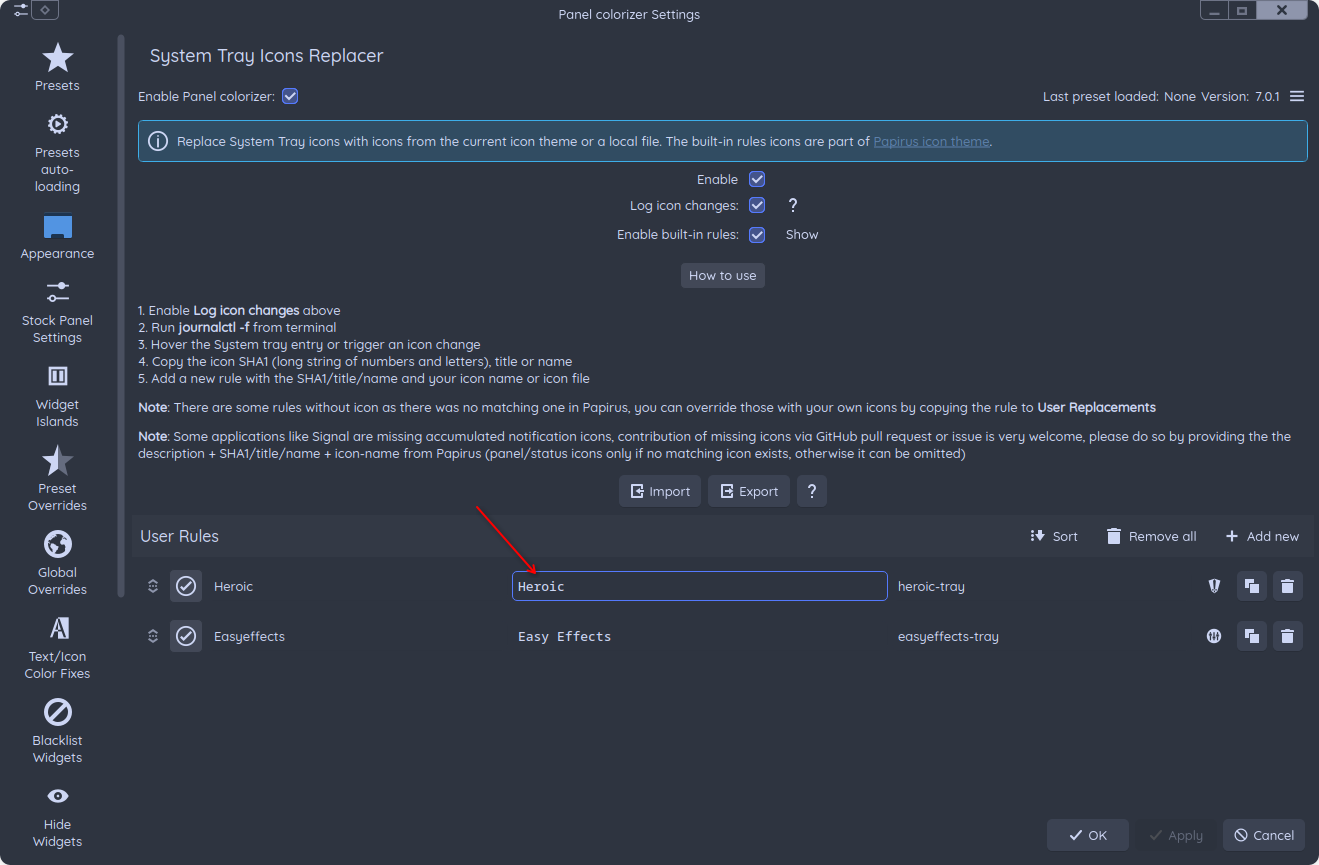
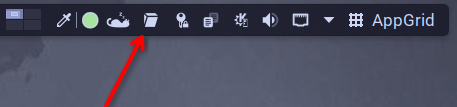
I do face the same issue with my Heroic launcher systray. It use the embedded icon instead of my adaptive one. So I need to set the rule for it.
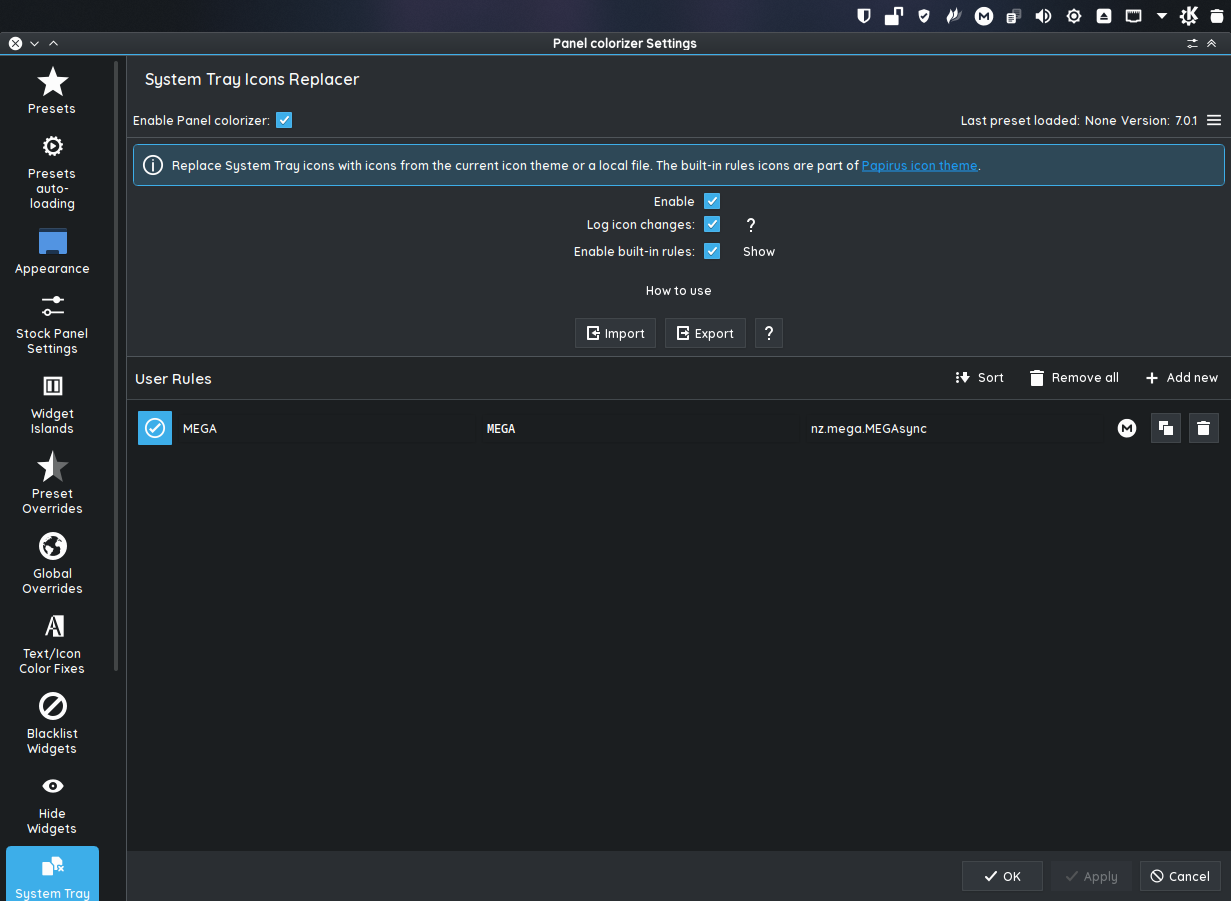
This is my settings. I use app title to bind it to my preferred icon.
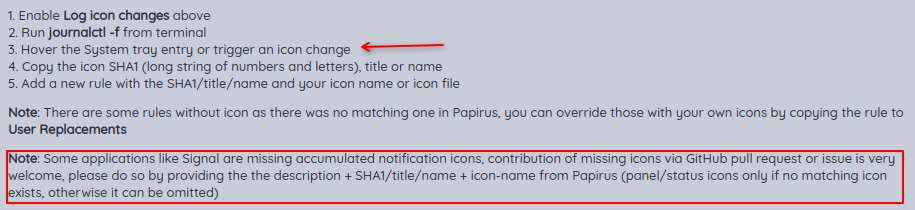
Btw, after you execute journalctl -f in konsole, move over your mouse to the targeted (megasync) systray icon. It’ll show the app SHA1/title/name inside the terminal.
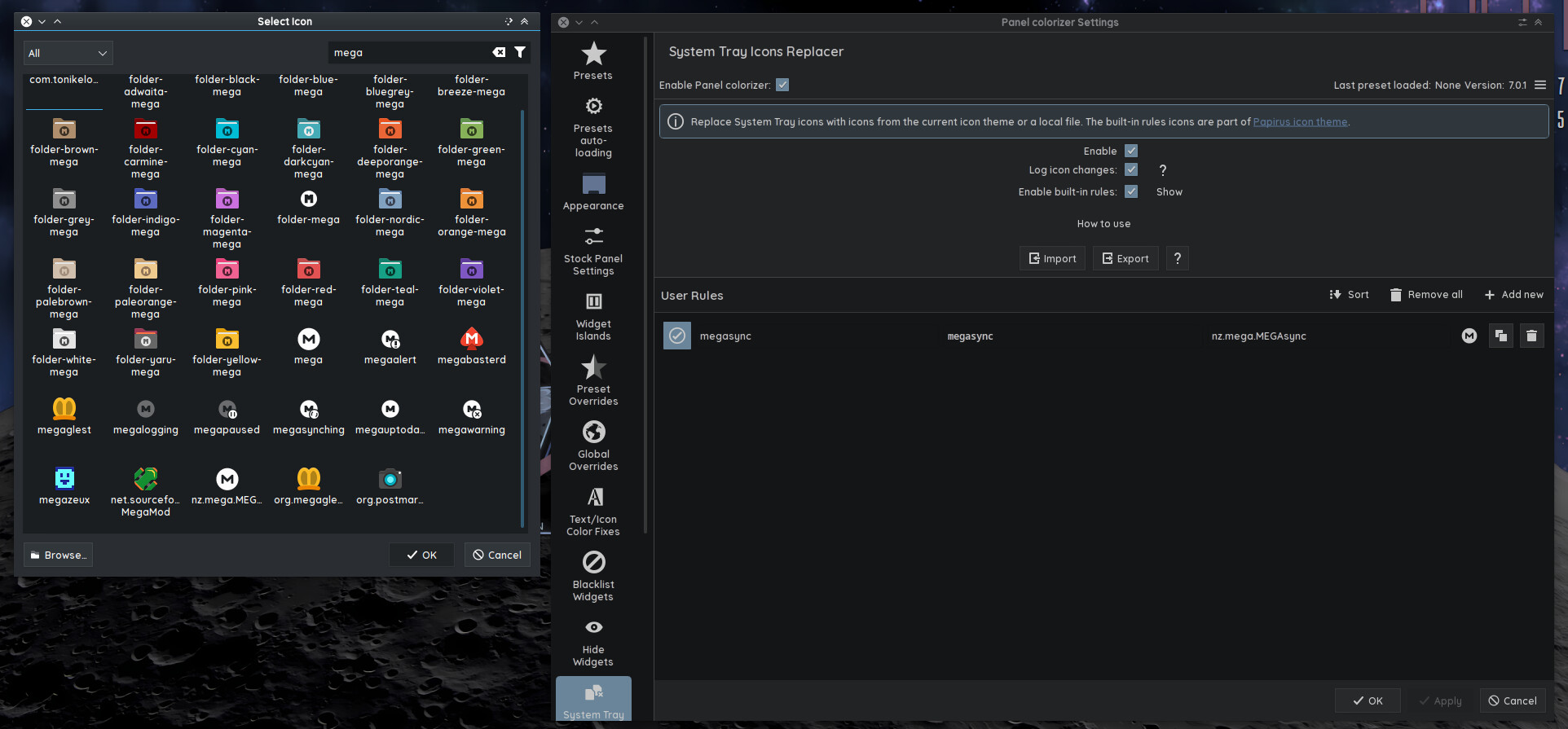
After that try add the rule for the megasync and replace it with you megasync prefered icon available in icon pack status folder.
That did it! I had to use the short name in all-caps. Thanks so much, @dirn!
You’re welcome 
Nice. Works for tutasystray as well. Problem solved. @dirn , do you remember we thought about tutasystray appimage and how it works?
Yes! I remember. That’s why I really love panel colorizer now specifically due to this feature. It solve the systray stubborn icon issue 
I hadn’t had Panel Colorizer enabled for a while. I thought I’d take a look at it now that I’ve read about it here.
Problem solved, magically 
Nothing happens in konsole when moving my mouse over all systray icons.
I want to change 1Password’s system tray icons. But there are two icons. One icon for a locked and one for an unlocked 1Password. 
I triggered a tray icon change, but there was no information in konsole. But it’s okay. Maybe I’ll contact the author of Panel Colorizer. Don’t know. Thanks, @dirn !