As far as I understand it’s meant to catch damaged files. It will also try to repair the file if there is an undamaged copy, but I think that only works with raid setups. So is there any reason to scrub on a non raid setup, if it’s automated and I don’t see if there are errors after the auto scrub?
I ran scrub a few times manually, had no errors in a year.
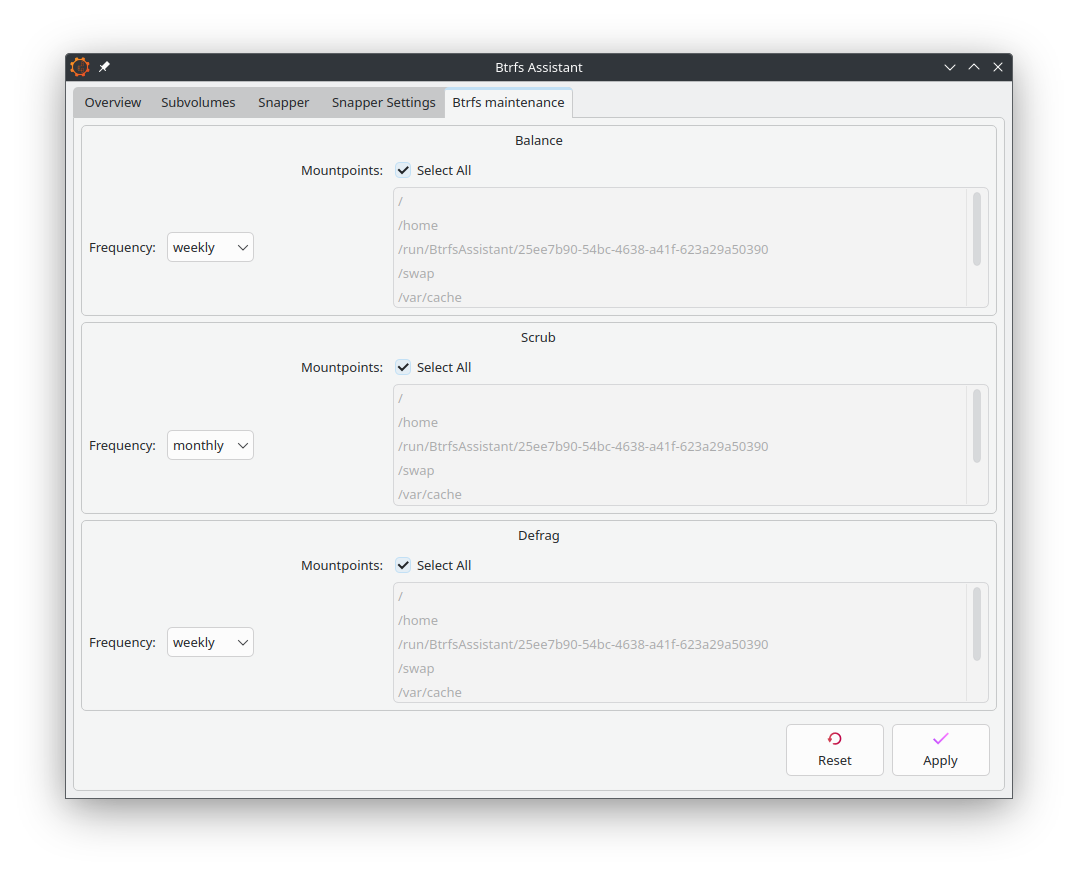
I would probably use btrfs assistant + btrfs-maintenance, is there a better tool that will alert me if there are errors?
A scrub will detect damaged data in any setup. But it can only repair damaged data in a redundant setup.
From my point of view, even with a single disc setup with no redundancy it is very useful to know if a file is corrupt. It gives you the opportunity to restore the file from backup before it is too late and you overwrite your backup with a corrupted file.
Have the script run the scrub command then output it to a file, then auto-check the file for specific strings related to corruption, then finally send a persistent notification if such a string is found to ensure the user sees it?
It should be easy enough to string together a script that scrubs regularly and throws some kind of notification if there was an error.
That said afaik btrfs always puts the file system into read only mode (during that mount session) if there was a detected read error, so it usually should be immediately noticed by the user and a reason for manual scrubbing.
Are you sure it goes into read-only mode? Also, is it that these checks would only be done at boot and never while the system is being used by the user? Can’t it be run concurrently?
Btrfs always checks the checksum on reading [1] - one of the great features of btrfs. It costs some performance of course, but it makes sure you read what you wrote.
Scrubbing is just initiating a “read and check the whole disk”.
I’m not really finding where it mentions that it becomes read-only or that the user cannot continue doing their work on other files in the meantime. But in any case, it does kind of make sense why it would do so.
I still think a bash script would be good. You could use a cron job to have it run periodically so that it can do its thing without interfering with your tasks. Maybe set it to run at shutdown once a month or something like that.
Of course, with the cron job method, you’d need to have maybe another script that checks the file and sends the notification, rather than having the same script check it.
I didn’t see the read only thing either. Also I don’t think that would be a good idea. Let’s say one of my documents is corrupted, I don’t understand why would it be good to lock down the system just for one file. Even if it’s something more important for the system like a config, you would know that something is wrong even without a scrub.
Somekind of notification would be enough, so I can restore it from somewhere.
I have found this https://github.com/ximion/btrfsd
Looks like it can schedule scrub/balance and send notification.
Did you guys try this before? I just found this almost accidentally on like the 3rd google page. Until now all I saw is btrfs-maintenance.
I don’t find anything in the official documentation either, but the file systems becomes read-only. I have seen it multiple times. I guess I have only a “trust me bro” on that one.
If a manual scrubbing fails the file system doesn’t become read only, it will only be visible as an error in the btrfs scrub status report.
If the OS actually wanted to read a block (file) during its “normal operation” as e.g. root drive and the reading fails then the file-system becomes read-only. Btrfs just says “nope, I wanted to read that, that checksum failed, I’m in a inconsistent state, I’m doing nothing more to that drive, figure it out”.
I was thinking it’s a good idea more along the lines of the operation running pre- or post-user login, rather than while logged in.
Kind of similar to how Timeshift works when using Rsync instead of BTRFS. If you try to restore, your computer gets fully taken over by the restoration operation, then reboots when complete.
All I can find is forum posts about hardware errors and full disks forcing it to read only. Also found a few posts about corrupted file system, which had to be solved with btrfs check. I don’t think if scrub finds a damaged file, that means a corrupted filesystem necessarily. I’m new to btrfs, would be good to know, to not to panic, when/if it happens.
@ricklinux yep, looks like someone has to. I tried once, but failed, don’t remember why… Maybe I will have time this weekend to dive into it again.
A corrupted file usually system means something went irreparably wrong storing the data, which can happen.
Personally I experienced hardware errors transferring data for example on the PCIe bus to an NVMe drive. So we had a bus error and btrfs complained about wrong data “that’s not what I expected”. Because it was a drive essential to the system it went read-only. A few kernel/BIOS tweaks later and everything was fine again on the PCIe bus and the btrfs drive. A scrub confirmed everything on the drive was OK too.
I also had the occasion that a scrub showed a file as damaged on a backup, so I had to replace that damaged file with a new version. The btrfs file system wasn’t corrupted, but something damaged that particular file on disk for whatever reason.
Imho the big takeaway is that btrfs has facilities to complain earlier about something being wrong. No reason to panic, it always depends on the circumstances. But these are edge cases of something failing, the exception, not the rule.