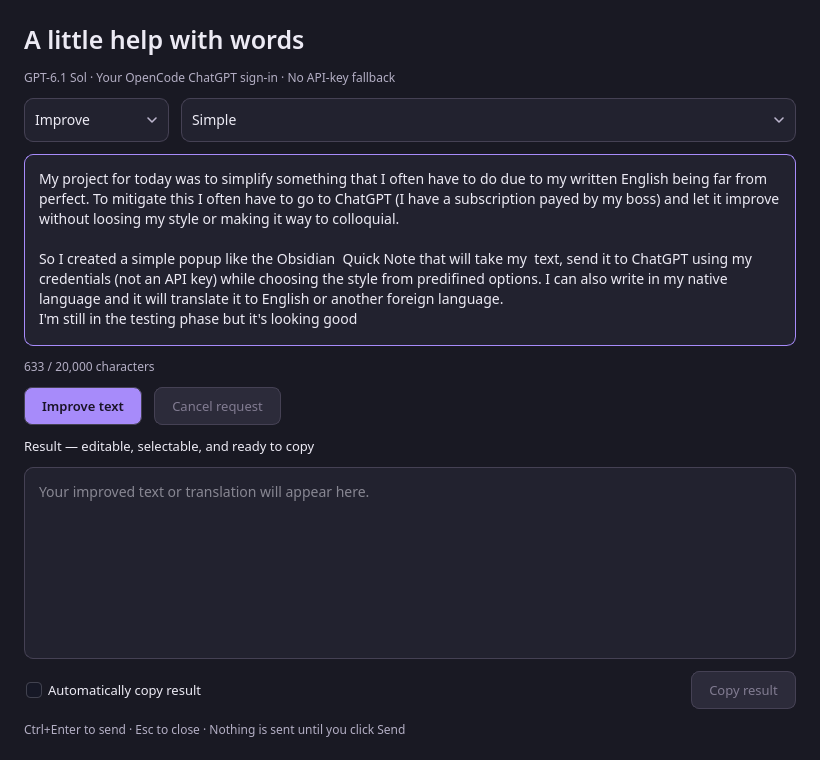
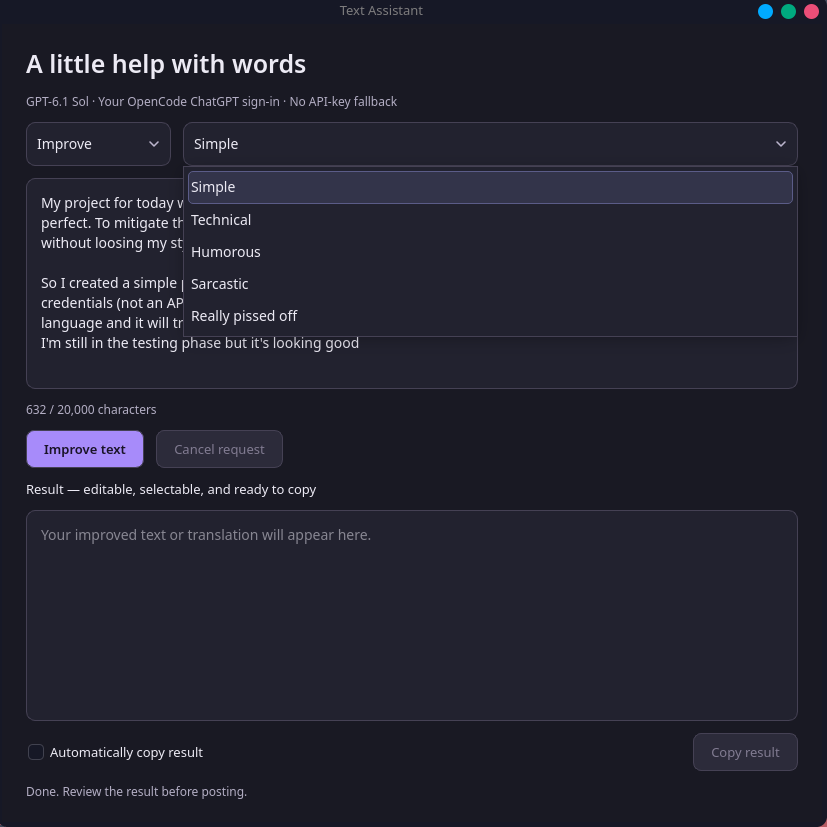
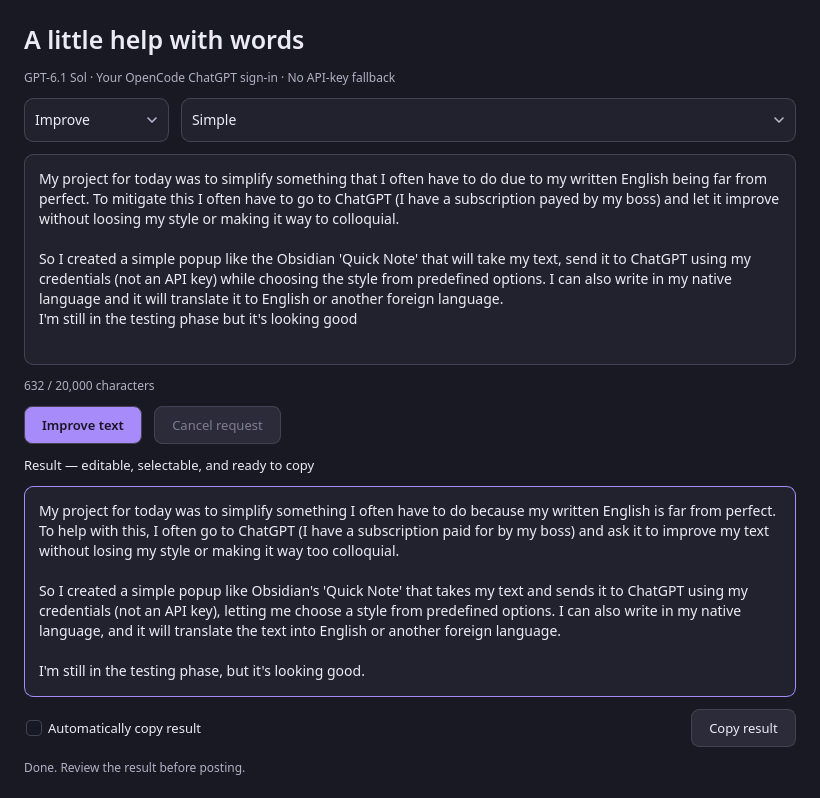
I know vibe coding is a somewhat sensitive topic, but for small home stuff it is just so much fun! Just from promts, and passing it back and forth between ChatGpt and Gemini,I got a good looking script (the colors are made for Kitty) that checks updates from the official repo, the aur, and flatpaks. It checks if you have yay or paru installed and tells if missing, and displays any unread Arch news in the list of 3 latest in pink. No matter any concerns, for small stuff home use I just love vibe coding. Took me about an hour!
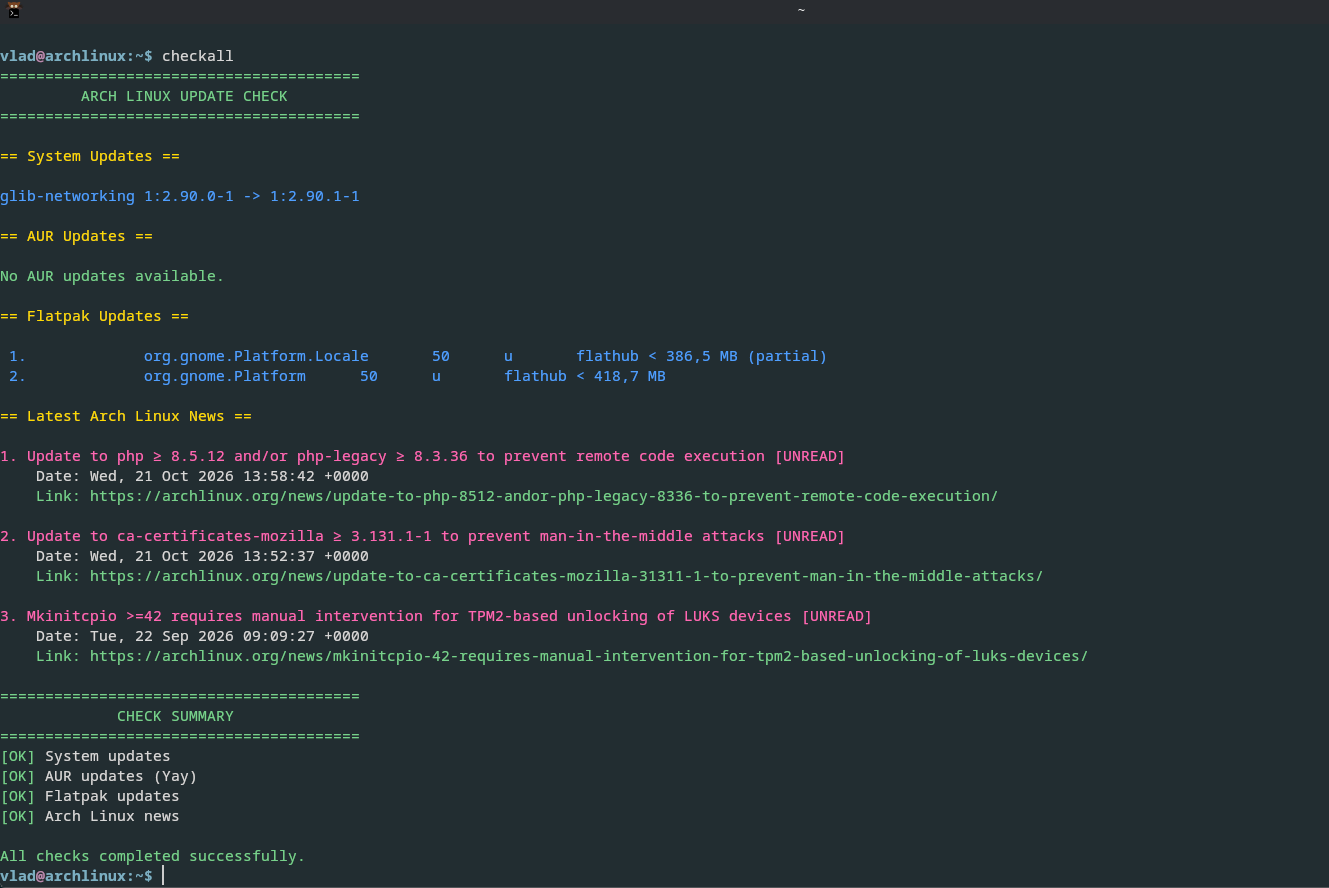
The Bash sript:
Summary
#!/usr/bin/env bash

checkall - Check Arch Linux, AUR, Flatpak updates and latest news

Colors (RGB truecolor for Kitty)

GREEN=$'\033[38;2;120;210;140m'
YELLOW=$'\033[38;2;255;220;0m'
BLUE=$'\033[38;2;80;160;255m'
RED=$'\033[38;2;255;100;100m'
CYAN=$'\033[38;2;0;220;220m'
PINK=$'\033[38;2;255;105;180m'
RESET=$'\033[0m'

Arch news read-state cache

NEWS_CACHE="$HOME/.cache/arch-news-read"

Track check results and failure reasons

updates_ok=false
aur_ok=skip
flatpak_ok=skip
news_ok=false

updates_reason=""
aur_reason=""
flatpak_reason=""
news_reason=""

Print a failure and its details consistently

print_failure() {
local label=$1
local reason=$2
local line

printf '%s[FAIL]%s %s\n' "$RED" "$RESET" "$label"

if [[ -n "$reason" ]]; then
    while IFS= read -r line; do
        printf '%s       %s%s\n' "$YELLOW" "$line" "$RESET"
    done <<< "$reason"
fi

}

Print non-empty output lines in blue

print_updates() {
local output=$1
local line

while IFS= read -r line; do
    [[ -n "$line" ]] &&
        printf '%s%s%s\n' "$BLUE" "$line" "$RESET"
done <<< "$output"

}

Header

printf '%s========================================\n' "$GREEN"
printf '         ARCH LINUX UPDATE CHECK\n'
printf '========================================%s\n' "$RESET"

--------------------------------------------------

Official Arch repository updates

--------------------------------------------------

printf '\n%s== System Updates ==%s\n\n' "$YELLOW" "$RESET"

if ! command -v checkupdates >/dev/null 2>&1; then
updates_reason="checkupdates is not installed.
Install with: sudo pacman -S pacman-contrib"

printf '%scheckupdates is not installed.%s\n' "$RED" "$RESET"
printf '%sInstall with: sudo pacman -S pacman-contrib%s\n' \
    "$CYAN" "$RESET"

else
updates=$(checkupdates 2>&1)
status=$?

case "$status" in
    0)
        updates_ok=true

        if [[ -n "$updates" ]]; then
            print_updates "$updates"
        else
            printf '%sNo updates available.%s\n' "$GREEN" "$RESET"
        fi
        ;;
    2)
        updates_ok=true
        printf '%sNo updates available.%s\n' "$GREEN" "$RESET"
        ;;
    *)
        updates_reason="checkupdates exited with code $status."

        if [[ -n "$updates" ]]; then
            updates_reason+=$'\n'"$updates"
        fi

        printf '%sUpdate check failed (exit code %s).%s\n' \
            "$RED" "$status" "$RESET"

        [[ -n "$updates" ]] && printf '%s\n' "$updates"
        ;;
esac

fi

--------------------------------------------------

AUR updates: prefer Yay, otherwise use Paru

--------------------------------------------------

printf '\n%s== AUR Updates ==%s\n\n' "$YELLOW" "$RESET"

aur_helper=""
aur_display=""

if command -v yay >/dev/null 2>&1; then
aur_helper="yay"
aur_display="Yay"
elif command -v paru >/dev/null 2>&1; then
aur_helper="paru"
aur_display="Paru"
fi

if [[ -z "$aur_helper" ]]; then
aur_ok=skip

printf '%sAUR updates not checked: neither Yay nor Paru is installed.%s\n' \
    "$CYAN" "$RESET"
printf '%sInstall Yay or Paru to enable AUR update checks.%s\n' \
    "$CYAN" "$RESET"

else
# Check AUR updates without displaying the helper name.
aur_updates=$("$aur_helper" -Qua 2>&1)
status=$?

if [[ $status -eq 0 ]]; then
    aur_ok=true

    if [[ -n "$aur_updates" ]]; then
        print_updates "$aur_updates"
    else
        printf '%sNo AUR updates available.%s\n' "$GREEN" "$RESET"
    fi
elif [[ $status -eq 1 ]] && [[ -z "$aur_updates" ]]; then
    # Empty output with exit code 1.
    aur_ok=true
    printf '%sNo AUR updates available.%s\n' "$GREEN" "$RESET"
else
    aur_ok=false
    aur_reason="$aur_display exited with code $status."

    if [[ -n "$aur_updates" ]]; then
        aur_reason+=$'\n'"$aur_updates"
    fi

    printf '%sAUR check failed (exit code %s).%s\n' \
        "$RED" "$status" "$RESET"

    [[ -n "$aur_updates" ]] && printf '%s\n' "$aur_updates"
fi

fi

--------------------------------------------------

Flatpak updates

--------------------------------------------------

printf '\n%s== Flatpak Updates ==%s\n\n' "$YELLOW" "$RESET"

if ! command -v flatpak >/dev/null 2>&1; then
flatpak_ok=skip

printf '%sFlatpak is not installed; update check unavailable.%s\n' \
    "$CYAN" "$RESET"
printf '%sInstall with: sudo pacman -S flatpak%s\n' \
    "$CYAN" "$RESET"

else
# Check for updates without installing them.
# Automatically decline the transaction.
flatpak_updates=$(printf 'n\n' | flatpak update 2>&1)
status=$?

if grep -Eqi 'Nothing to do|No updates' <<< "$flatpak_updates"; then
    flatpak_ok=true
    printf '%sNo Flatpak updates available.%s\n' "$GREEN" "$RESET"

elif grep -Eq '^[[:space:]]*[0-9]+\.[[:space:]]' \
    <<< "$flatpak_updates" &&
     grep -Fq 'Proceed with these changes' <<< "$flatpak_updates"; then

    # Updates were found and the transaction was declined.
    flatpak_ok=true

    # Hide progress and confirmation messages.
    # Display only the update entries in blue.
    flatpak_display=$(sed \
        -e '/Looking for updates/d' \
        -e '/Proceed with these changes/d' \
        <<< "$flatpak_updates")

    print_updates "$flatpak_display"

elif [[ $status -eq 0 ]]; then
    flatpak_ok=true

    # Suppress progress and confirmation messages in fallback output.
    flatpak_display=$(sed \
        -e '/Looking for updates/d' \
        -e '/Proceed with these changes/d' \
        <<< "$flatpak_updates")

    if [[ -n "${flatpak_display//[[:space:]]/}" ]]; then
        print_updates "$flatpak_display"
    else
        printf '%sNo Flatpak updates available.%s\n' "$GREEN" "$RESET"
    fi

else
    flatpak_ok=false
    flatpak_reason="flatpak update exited with code $status."

    if [[ -n "$flatpak_updates" ]]; then
        flatpak_reason+=$'\n'"$flatpak_updates"
    fi

    printf '%sFlatpak check failed (exit code %s).%s\n' \
        "$RED" "$status" "$RESET"

    [[ -n "$flatpak_updates" ]] && printf '%s\n' "$flatpak_updates"
fi

fi

--------------------------------------------------

Latest Arch Linux news

--------------------------------------------------

printf '\n%s== Latest Arch Linux News ==%s\n\n' "$YELLOW" "$RESET"

if ! command -v curl >/dev/null 2>&1; then
news_reason="curl is not installed.
Install with: sudo pacman -S curl"

printf '%scurl is not installed.%s\n' "$RED" "$RESET"
printf '%sInstall with: sudo pacman -S curl%s\n' \
    "$CYAN" "$RESET"

elif ! command -v python3 >/dev/null 2>&1; then
news_reason="Python 3 is not installed.
Install with: sudo pacman -S python"

printf '%sPython 3 is not installed.%s\n' "$RED" "$RESET"
printf '%sInstall with: sudo pacman -S python%s\n' \
    "$CYAN" "$RESET"

else
news=$(curl -fsSL
--connect-timeout 5
--max-time 15
https://archlinux.org/feeds/news/ 2>&1)
status=$?

if [[ $status -ne 0 ]]; then
    news_reason="Failed to download Arch Linux news (curl exit code $status)."

    if [[ -n "$news" ]]; then
        news_reason+=$'\n'"Details:"
        news_reason+=$'\n'"$news"
    fi

    printf '%sCould not download Arch Linux news.%s\n' \
        "$RED" "$RESET"

    [[ -n "$news" ]] && printf '%s\n' "$news"

elif ! mkdir -p "$HOME/.cache" ||
     ! touch "$NEWS_CACHE"; then

    news_reason="Could not create or access news cache: $NEWS_CACHE"

    printf '%sCould not access the Arch news cache.%s\n' \
        "$RED" "$RESET"

else
    # Pass RSS through an environment variable so the Python
    # heredoc remains available for the Python source code.
    parsed_news=$(NEWS_XML="$news" python3 - "$NEWS_CACHE" <<'PY'

import os
import re
import sys
import tempfile
import xml.etree.ElementTree as ET
from urllib.parse import urlparse

cache_path = sys.argv[1]

GREEN = "\033[38;2;120;210;140m"
BLUE = "\033[38;2;80;160;255m"
PINK = "\033[38;2;255;105;180m"
RESET = "\033[0m"

def clean_text(value):
return re.sub(r"[\x00-\x1f\x7f-\x9f]", "", value or "").strip()

def hyperlink(url, text):
return "\033]8;;" + url + "\033\" + text + "\033]8;;\033\"

def trusted_url(url):
try:
parsed = urlparse(url)
return (
parsed.scheme == "https"
and parsed.hostname == "archlinux.org"
and parsed.username is None
and parsed.password is None
and parsed.port in (None, 443)
)
except ValueError:
return False

try:
# Read previously displayed article URLs.
with open(cache_path, "r", encoding="utf-8") as f:
seen = {line.strip() for line in f if line.strip()}

# Parse the downloaded RSS XML.
root = ET.fromstring(os.environ["NEWS_XML"])
items = root.findall("./channel/item")[:3]

if not items:
    print(GREEN + "No news items found." + RESET)
    sys.exit(0)

articles = []

for item in items:
    title = clean_text(item.findtext("title")) or "Untitled"
    date = clean_text(item.findtext("pubDate"))
    link = clean_text(item.findtext("link"))

    valid_link = link if trusted_url(link) else ""
    is_new = bool(valid_link) and valid_link not in seen

    articles.append((title, date, valid_link, is_new))

# Display the latest three articles.
for i, (title, date, link, is_new) in enumerate(articles, 1):
    color = PINK if is_new else BLUE
    label = " [UNREAD]" if is_new else ""

    print(color + "{}. {}{}".format(i, title, label) + RESET)

    if date:
        print("    Date: " + date)

    if link:
        print(GREEN + "    Link: " + hyperlink(link, link) + RESET)
    else:
        print("    Link omitted (URL is not a trusted Arch Linux HTTPS link).")

    print()

# Remember the displayed articles for the next run.
new_urls = {
    link for _, _, link, is_new in articles
    if link and is_new
}

if new_urls:
    updated = seen | new_urls
    cache_dir = os.path.dirname(os.path.abspath(cache_path))

    # Write to a temporary file before replacing the cache.
    fd, temp_path = tempfile.mkstemp(
        prefix=".arch-news-read.",
        dir=cache_dir,
        text=True
    )

    try:
        with os.fdopen(fd, "w", encoding="utf-8") as f:
            for url in sorted(updated):
                f.write(url + "\n")

        os.replace(temp_path, cache_path)

    except BaseException:
        try:
            os.unlink(temp_path)
        except OSError:
            pass
        raise

except Exception as error:
print("RSS parsing or cache error: " + str(error), file=sys.stderr)
sys.exit(1)
PY
)
status=$?

    if [[ $status -eq 0 ]]; then
        news_ok=true
        printf '%s\n' "$parsed_news"
    else
        news_reason="Failed to parse Arch Linux news or update its cache."

        if [[ -n "$parsed_news" ]]; then
            news_reason+=$'\n'"Details:"
            news_reason+=$'\n'"$parsed_news"
        fi

        printf '%sUnable to process Arch Linux news.%s\n' \
            "$RED" "$RESET"
        printf '%s\n' "$parsed_news"
    fi
fi

fi

--------------------------------------------------

Final summary

--------------------------------------------------

printf '\n%s========================================\n' "$GREEN"
printf '             CHECK SUMMARY\n'
printf '========================================%s\n' "$RESET"

failed_count=0
skipped_count=0

Official repository result

if [[ "$updates_ok" == true ]]; then
printf '%s[OK]%s System updates\n' "$GREEN" "$RESET"
else
print_failure "System updates" "$updates_reason"
((failed_count += 1))
fi

AUR result

if [[ "$aur_ok" == true ]]; then
printf '%s[OK]%s AUR updates (%s)\n'
"$GREEN" "$RESET" "$aur_display"
elif [[ "$aur_ok" == skip ]]; then
printf '%s[SKIP]%s AUR updates (Yay or Paru unavailable).\n'
"$CYAN" "$RESET"
((skipped_count += 1))
else
print_failure "AUR updates" "$aur_reason"
((failed_count += 1))
fi

Flatpak result

if [[ "$flatpak_ok" == true ]]; then
printf '%s[OK]%s Flatpak updates\n' "$GREEN" "$RESET"
elif [[ "$flatpak_ok" == skip ]]; then
printf '%s[SKIP]%s Flatpak updates (Flatpak unavailable).\n'
"$CYAN" "$RESET"
((skipped_count += 1))
else
print_failure "Flatpak updates" "$flatpak_reason"
((failed_count += 1))
fi

News result

if [[ "$news_ok" == true ]]; then
printf '%s[OK]%s Arch Linux news\n' "$GREEN" "$RESET"
else
print_failure "Arch Linux news" "$news_reason"
((failed_count += 1))
fi

Overall result and exit code

printf '\n'

if (( failed_count > 0 && skipped_count > 0 )); then
printf '%s%d checks failed; %d checks skipped.%s\n'
"$RED" "$failed_count" "$skipped_count" "$RESET"
exit 2
elif (( failed_count > 0 )); then
if (( failed_count == 1 )); then
printf '%s1 check failed.%s\n' "$RED" "$RESET"
else
printf '%s%d checks failed.%s\n' "$RED" "$failed_count" "$RESET"
fi
exit 1
elif (( skipped_count > 0 )); then
printf '%sChecks completed with %d skipped; no failures detected.%s\n'
"$YELLOW" "$skipped_count" "$RESET"
exit 0
else
printf '%sAll checks completed successfully.%s\n' "$GREEN" "$RESET"
exit 0
fi

 Personally I won’t comment on something I don’t care about but some people have fun bashing or bursting the bubble of some people. Anyway I really tend to go back to console when something is off (as bugging) most of the time. Yeah some people want gui that’s for sure.