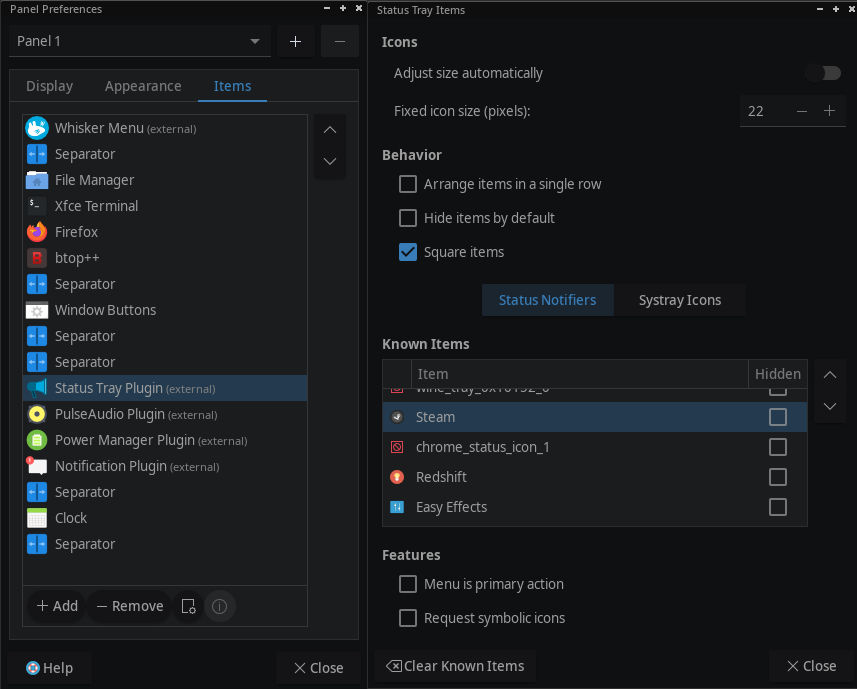
Arch: 6.18.9
XFCE: 4.20
Current theme: https://www.gnome-look.org/p/1316887
I wish to replace a tray icon, on my desktop panel, for a specific program. How is this done?
Arch: 6.18.9
XFCE: 4.20
Current theme: https://www.gnome-look.org/p/1316887
I wish to replace a tray icon, on my desktop panel, for a specific program. How is this done?
right click on the tray icon, choose properties.
Double click the launcher link (or click edit in the right column)
click on the icon and choose a different icon from the icon directory or provide your own
Right clicking the tray icon gives me the options of the program, not the panel settings.
You wish to replace a tray icon? that can be done the way i described. This is for a single program, just like you asked.
panel settings are not what you asked so i am confused?
If you want to replace a icon from a desktop launcher right click and choose edit launcher or properties. I don’t use desktop icons though
Perhaps I’m not using the correct terminology. I think it might be part of the Status Tray Plugin, which is added by default on Panel1
if you right click on the taskbar and choose panel/panel preferences.
Choose tab items at the top, you will see a list of launchers, if the launcher you want to change the icon is in the list double click it and precede as i described.
If not i am not sure what you are looking for
I am also not sure if you can change the icon of status tray plugin, i don’t use that either
status tray plugin is external, so i don’t know if you can change that icon. separator is also not possible for example