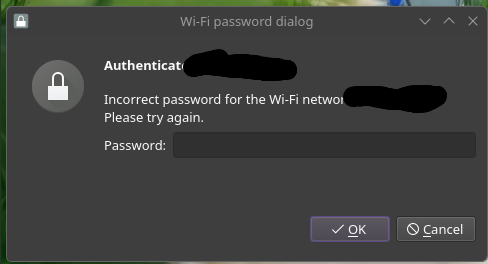
I’m a first time Linux user switching from Windows 10 just last month, maybe Endeavour isn’t the best starter distro but I was willing to challenge myself a little bit honestly, and a new problem that’s come up is that I will occasionally, a few times every day, be prompted to authenticate my Wi-Fi again and put the password back in. I’m confused because it’s never consistent when it decides it’s gonna happen, and the password hasn’t changed at all. And this wasn’t an issue at all on Windows.
I’ve looked up this problem a few times, and none of the results have been exactly what I’m struggling with. Usually when there’s proposed solutions I still try them out anyways just in case it’s the same root problem, but they usually don’t fix it or they’re things I’ve already done.
I’ve tried disabling powersave, I’ve tried disabling KWallet, I’ve tried reenabling KWallet, I’ve had my Wi-Fi password saved across all users and just myself (doesn’t matter because I’m the only one who uses this computer), I’ve tried restarting my router several times
The problem is I don’t even know how to check any kinds of logs relating to this or where they would be because of how new I am to all of this . _.
I don’t even know if any of what I’ve said is enough info at all to help me whatsoever but what I do know is that this is really annoying and I want any kind of solution
Do you still have windows 10 around and do you stil dual boot with it ( and go back and forth between windows and EOS ?
If that is the case you should disable an option called fast startup in windows (if you haven’t already that is).
There are many topics about the AX200 on this forum , and I am not sure you already went through those.
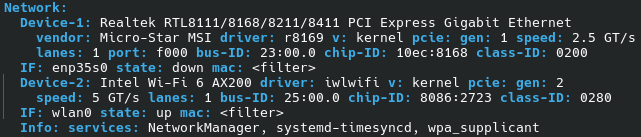
If you could give us some more information about the system you have someone might be able to help you out.
How to include systemlogs in your post?
by joekamprad (taken over from Antergos and expanding it)
In the majority of cases, simply describing your issue will not provide enough information for someone to identify its cause and advise you on how to resolve it. It is important to include any system logs that may be relevant to your issue to ensure that neither your time nor the other person’s time is wasted. The following is a list of the most common system logs and where/how to obtain them. The logs are listed in order of importance.
Essential: we need to be able to reproduce the issue, so exact steps are needed.
These two outputs from your system should be included in most cases if you want help on a specific system/hardware related issue:
Hardware information:
inxi -Fxxc0z | eos-sendlog
Using the “z” option filters out most of the privacy related stuff like IP serial numbers e.t.c :
-z, –filter Adds security filters for IP/MAC addresses, serial numbers,
location (-w), user home directory name, host name. Default on
for IRC clients.
I do not still have Windows 10, no. I did have fast startup disabled before I installed EOS but I don’t imagine that makes much of a difference now.
I skimmed through those posts just now, this one feels the most accurate to the issue I’m having, but it’s still not quite right. I am missing the VHT-NSS values mentioned in a comment and perhaps that’s one issue, I’m not sure though.
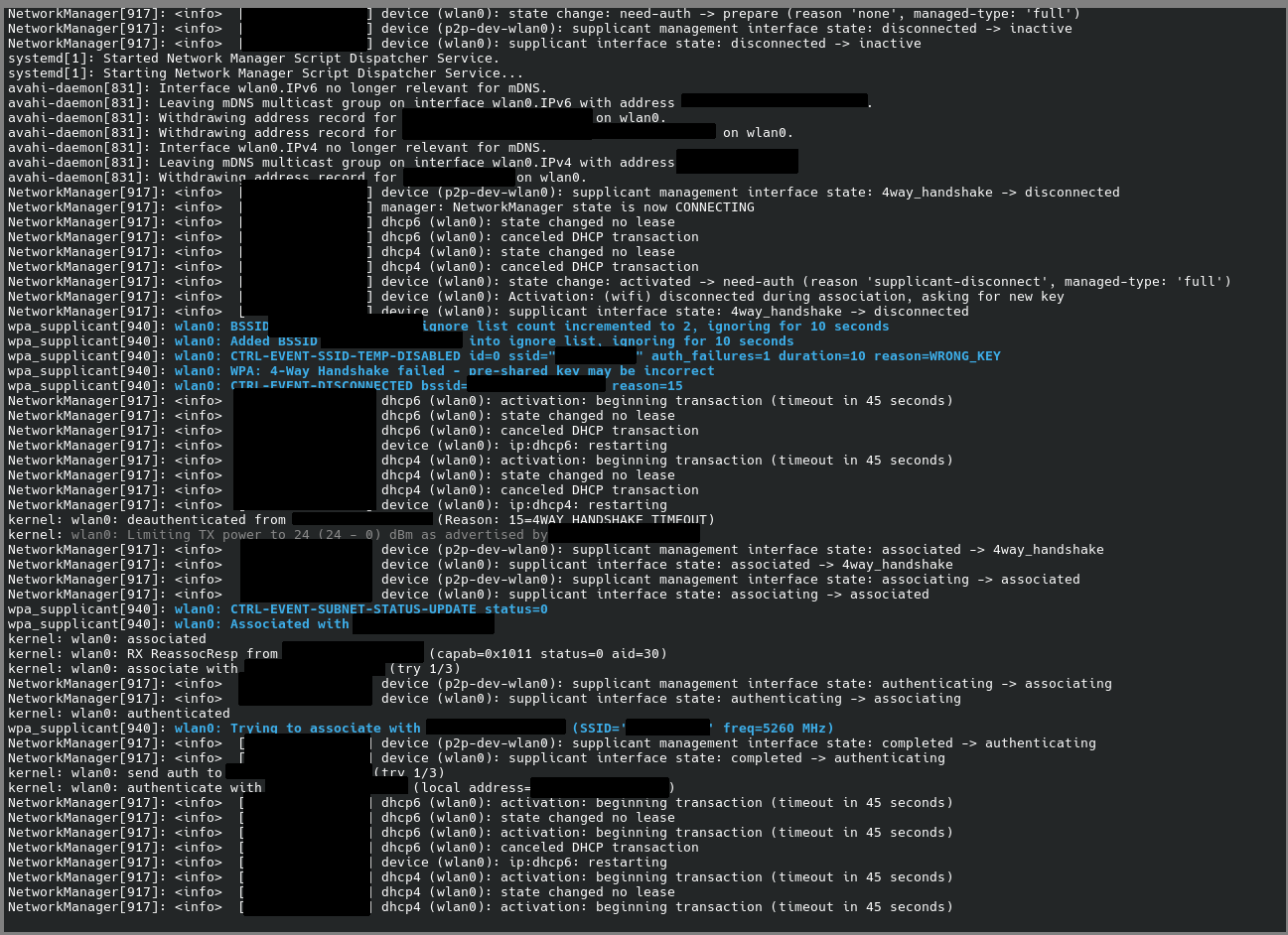
I did figure out journalctl -r and -f, and running those when the error happens. I’m not smart enough to know what any of this means, and I’m playing it extremely safe with covering up stuff that might be sensitive info.
It might be worth noting that I updated with “yay” on Friday and I haven’t really used my computer much since then, so it’s hard to say if that fixed the issue, I haven’t noticed the error happening again since though. I’m also noticing far less messages when I do journalctl -f?
I’m not gonna say anything for certain but the issue could have sorted itself out. Praying.