I am trying to install naps2, which is listed in the AUR. However, the installation fails as follows:
[petern@localhost ~]$ yay -S naps2 → No AUR package found for dotnet-sdk=10.0 (required by: naps2) → could not find all required packages: dotnet-sdk=10.0
[petern@localhost ~]$
However, snap is said to contain dotnet, but when trying to install dotnet-sdk=10.0 from snap, I get:
Small addition: the error comes from the AUR package, not from snap. The naps2 PKGBUILD lists dotnet-sdk=10.0 as a build dependency, and dotnet-sdk is in the official Arch repo (extra, currently 10.0.12), so there is no separate AUR package for it. A snap install of dotnet won’t satisfy that dependency for the AUR build, since it has to be present in pacman’s database.
So this should work: sudo pacman -S dotnet-sdk, then yay -S naps2 again.
I haven’t built naps2 myself. This is from reading the PKGBUILD and the repo listing, not from testing.
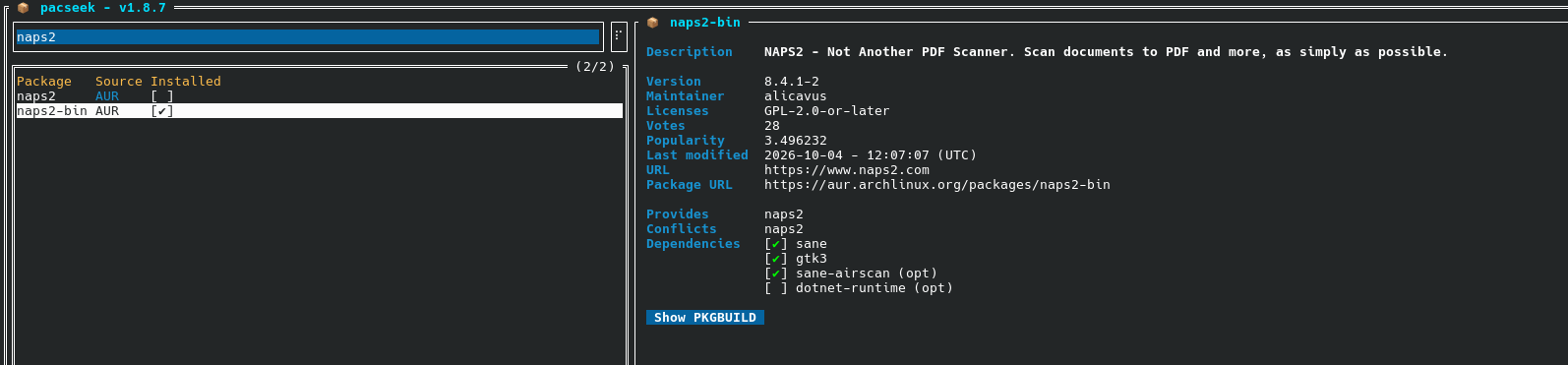
Well I would recommend to install the bin version of naps2 (will build, and update quicker), and you can do all that is mentioned above in one go like this.
yay -Syu naps2-bin
Edit: I adjusted the command because I did not notice the optional thingy, like mentioned below, before.
Thanks, keescase and shadow359 for your very helpful advice. I now have naps2 running, and having worked out how to extract the OCR’d text, it looks a very promising package.