Can’t confirm, no issues here.
Me either and I’ve been on plm for almost a year I think.
My problems with PlasmaLogin persist. If I follow the steps described above, PlasmaLogin works exactly once. After that, it stops working. There’s no error message. Nothing. And i only see the mouse pointer.
I’ve done some more detailed research and found this:
Mär 24 07:55:04 lin4ever systemd-coredump[1636]: [🡕] Process 1373 (plasma-login-gr) of user 955 dumped core.
Haven’t tested PLM as yet.
Does PLM now include an OSK that can be activated at login as SDDM has for a very long time?
I never use those things…but I would assume (like I said) it contains everything that sddm (dead) does.
When I next reboot or logoff, I’ll try to remember to test.
In the left bottom corner SDDM has a menu where the type of session and OSK can be selected.
In screenshots of PLM this feature seemed to be missing.
For those with physical disabilities or a keyboardless tablet this is a huge omission.
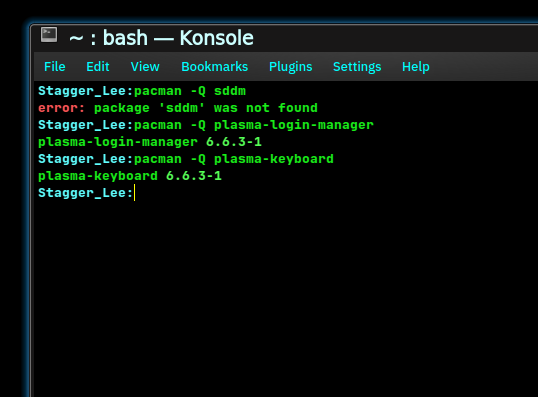
Yes, you can use plasma-keyboard with plasma-login-manager.
I just installed and enabled it in a VM:
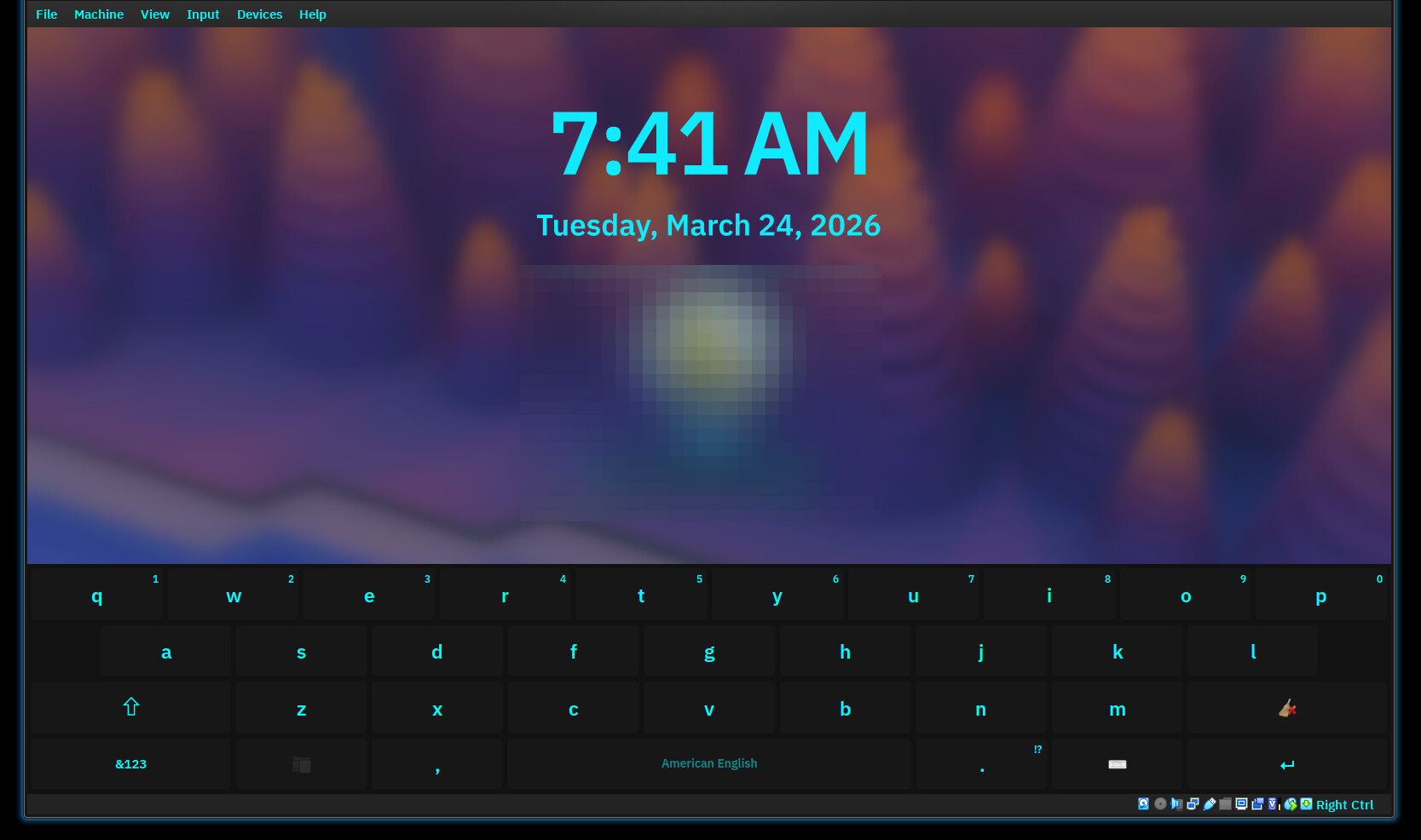
If not using a touch screen, you can force the OSK to show by exporting the environmental variable KWIN_IM_SHOW_ALWAYS=1.
3 Likes
Well that’s nice information to have. Thank you very much.
Unfortunately, the problem with that is that Plasma lacks any full featured OSK keyboard for Wayland. Maliiit keyboard and the Plasma keyboard are missing control, alt, shift, esc and the F-keys. Without a full featured keyboard alternative for Wayland it is next to impossible to do any terminal work on a tablet. Also setting up keyboard shortcuts is not happening either.
1 Like
Well, there’s at least a Shift key on plasma-keyboard, it’s the arrow beside the Z key.
I don’t use OSK on my computers, so I have no familiarity with them. There are probably other virtual keyboards that can be installed that are more full-featured. I’ve been up all night with insomnia so I’m not going to go down that rabbit hole right now, but a quick look at the Arch wiki’s List of applications/Utilities/On-screen keyboards suggests that wvkbd is a Wayland OSK, and its Github page shows at least Esc and Ctrl keys. It may handle FN and Alt, I haven’t read through the whole thing.
I’ll bet there have been discussions on the KDE forum and/or the bug tracker.
1 Like
Assuming you have reinstalled sddm:
sudo pacman -Rns plasma-login-manager
Backup your data from /home directory.
Create a new user account and log in with that account, then:
sudo rm /etc/plasmalogin.conf
sudo rm -r /usr/share/plasmalogin
sudo rm -r /var/lib/plasmalogin
rm ~/.local/share/plasmalogin
sudo pacman -S plasma-login-manager
sudo systemctl disable sddm
sudo systemctl enable plasmalogin
sudo pacman -R sddm-kcm sddm
reboot
If the problem no longer persists then delete the old user account.
How could I disable KDE Wallet? Remove it? 
If you’re using Plasma, you probably don’t want to. Keys are stored there..including your wifi credentials (yes you can change that, but is it worth it?)
1 Like
You’re right. Hopefully there will be a fix for Plasma Login Manager. 
None of that helped. But the bug has already been reported.
2 Likes
I have reasonable expectations that it will be fixed in the next release cycle then if it’s replicable and not tied to specific hardware.
Though given sometimes there are bugs that stick around open for cough 7 years cough
1 Like