Also no issues from my side with the new Login Manager.
Zero issues with PLM over several days now ;
KDE Plasma Version: 6.6.0
KDE Frameworks Version: 6.23.0
Qt Version: 6.10.2
Kernel Version: 6.18.9-arch1-2 (64-bit)
Graphics Platform: Wayland
Processors: 16 × AMD Ryzen 7 7800X3D 8-Core Processor
Memory: 64 GiB of RAM (62.4 GiB usable)
Graphics Processor: AMD Radeon RX 9070 XT
Motherboard Manufacturer: Gigabyte Technology Co., Ltd.
Product Name: X670 GAMING X AX
The problem with settings I reported in my previous message was fixed by a reinstall and restart. There is a suspicious bug report on the Kde bug tracker about bad directory traversal permissions created if settings are used right after installing without a restart in-between.
Same, no issues here 
Just installed as well without issues, did it as follows:
yay -S plasma-login-manager
sudo systemctl disable sddm.service
sudo systemctl enable plasmalogin.service
Restarted and worked without issues (still need to remove the SDDM user (userdel -r sddm), but didnt dare to do that command just yet).
I then I applied my desktop settings to the new login screen and that looks very nice now. I also noticed after logging in, there was no refresh rate switching, so finally my login screen has the exact settings as my desktop, even my portrait monitor was positioned properly!
Finally, that was so annoying that the portrait monitor was positioned wrong and at the default 60Hz refresh rate with SDDM (my monitors are 144Hz). I know it could be changed in a config file I believe, I did that at some point a long time ago, but it was annoying.
I love KDE man, always doing amazing work with their desktop.
Do not delete the user if you haven’t uninstalled SDDM; it doesn’t make sense and would leave SDDM in an inconsistent state if you decided to use it in the future.
In Plasma Login Manager is it possible to setup users within a certain range, like in SDDM, so that users like root, sddm, adm, etc are not listed. Basically all the users having a user id below 1000. In SDDM it is done using the key MinimumUid.
In Plasma Login manager is it possible to run KDE rootless? And using wayland only or X11 only as the Display Server? Or does it default to using X11 or XWayland?
I am still holding off updating EOS. Now for more than a week till the issues are settled.
That isn’t necessary, Plasma Login Manager requires manual intervention to install and activate on existing installations.
Whatever major feature you miss will probably take months until the next plasma release drops. Just keep using SDDM.
PLM is an active fork of the long-dead SDDM; it doesn’t make sense to keep SDDM.
sudo bash -c 'pacman -Syu plasma-login-manager systemctl disable sddm.service; systemctl enable plasmalogin.service; userdel -r sddm; pacman -Rns eos-breeze-sddm sddm-kcs sddm'
to have the switchover after the next reboot. Then you have all you need in one command.
This works only if you have no other login screen open (sddm user is not active), which should be true for 99.9% of users.
After the reboot, go to System Settings → Login Screen and use the button Apply Plasma Settings... to get your customized EOS settings back.
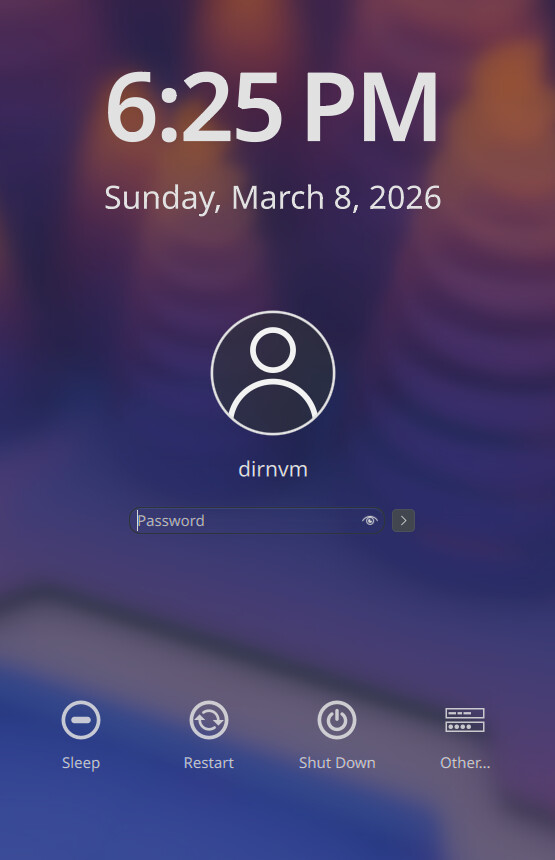
They fixed the font rendering for the large text on login screens now, - it’s so freaking smooth!
Oh! I’m not aware of this issue.
I have determined that PLM is incompatible with Plymouth on my particular build…
I had a rough time converting from sddm to PLM, so I completely removed sddm to login via TTY while I had the time to think about it some more
Booting with both PLM and Plymouth enabled results in a long boot to eventually a black screen, with an inconsistent ability to switch to TTY (Ctrl-Fn4) to login with startplasma-wayland. Ctrl-Alt-Del needed to attempt a reboot
After rebooting again to a black screen after yet another long Plymouth boot, I tried Ctrl-C which killed the process and went immediately to PLM, hooray!
So I rebooted again but this time edited out “splash” from the kernel parameters and was now able to reach PLM to login straight away
So now when I get a chance, I need to disable Plymouth permanently and then uninstall those packages and I am confident that PLM will load normally going forward 
Don’t know if this helps you, but on my Cachy load which has a plymouth image, plm has always worked fine.
Don’t use plymouth on Arch, but PLM on KDE-Linux work fine with plymouth too.
Maybe this requires a bug to be created in KDE bugs portal.
So is it a Arch thing? Is it because Plymouth uses KMS (Kernel Mode Setting). It will be fun to compare the various Kernel parameters in KDE-Linux and EOS/Arch.
Arch’s situation is fundamentally different by design. Because Arch is a DIY, user-centric distribution, it doesn’t really dictate a default stack the way Fedora does. The choice of display manager is entirely in your hands.
The most Arch maintainers might do is update the default selection in the archinstall script or adjust some optional dependencies in the plasma meta-packages.
Ultimately, Arch will do exactly what you tell it to; that’s the whole point of Arch. 
It works in Arch based Cachy, it works on Arch based KDE-Linux. There’s no evidence that more than one person is affected. It’s a kind of problem that if true you would read about it in many places.
So far my money is 10:1 on a local configuration issue.
PLM is working here with Plymouth…