I lost the ability to access Sleep, Hybernate, Reboot, etc directly from the Launcher button application. It’s hidden under a drop down menu. Anyone knows how to remove this extra annoying step? It was so much easier right there as soon as you clicked on the Launcher.
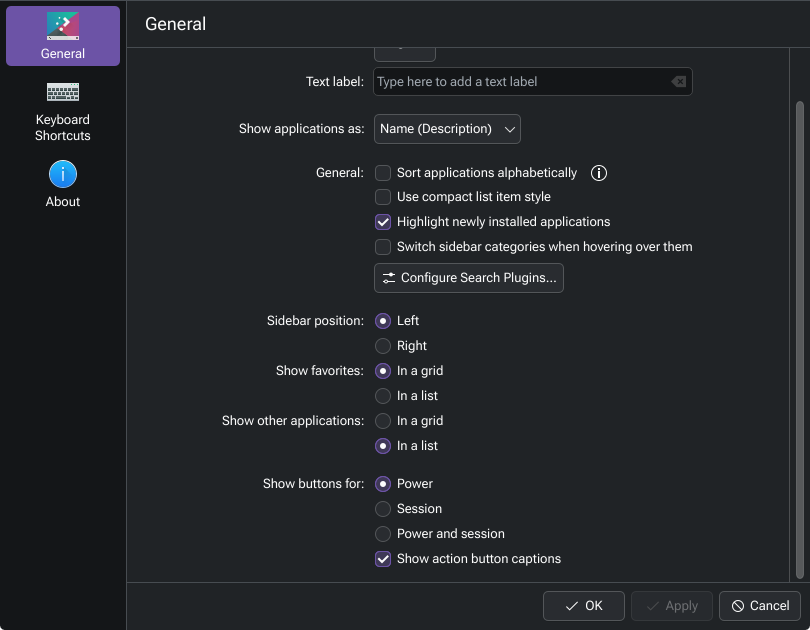
If you right click on the Plasma launcher button and go to Configure Application Launcher…, these are the settings I have, and those buttons are present:
Damn, you were right. It was the Show action button captions that disengages the icons I wanted from under the Session drop down menu. That is one hell of a weird way of naming that feature. Either that, or I am really not human after all…
Yeah I noticed that un-ticking that shrinks those buttons to small un-named icons instead. If some are comfortable using the icons only, and like the more compact look, I guess that’s ok.