How did you change plasma-login-manager to use wayland? Is it documented somewhere?
Lower left corner at login, select Wayland, and it will stay there until you change it again. Not sure why it’s defaulting to X11.
I maybe wrong but as far as I know plasma-login-manager will only work with wayland as KDE will only support wayland sometime soon.
It works fine on X11. Plasma Login Manager defaults to X11 on first use. It must be changed by the user to Wayland at login by selecting Wayland in the lower left corner.
I’m not facing this issue on my plasma-login. For betterblur-dx, I build the git version from AUR.
Btw, I notice that some widget did not respect text color in dark mode. Example: Window Title


I could not wait I installed plasma-login -manager rebooted and no issue’s here.
Likewise. There were no issues, no noticeable changes… it’s a 1:1 replacement for SDDM (at least for my use case).
I uninstalled the X11 session eons ago so I didn’t have to manually choose the graphics platform.
I think I did the same last time  .
.
sudo systemctl -f enable plasmalogin
will force overwrite so only one command needed to replace 
Seems also settings are fully working, it was crashing alot before:
You can apply the users Desktop settings or set a wallpaper:
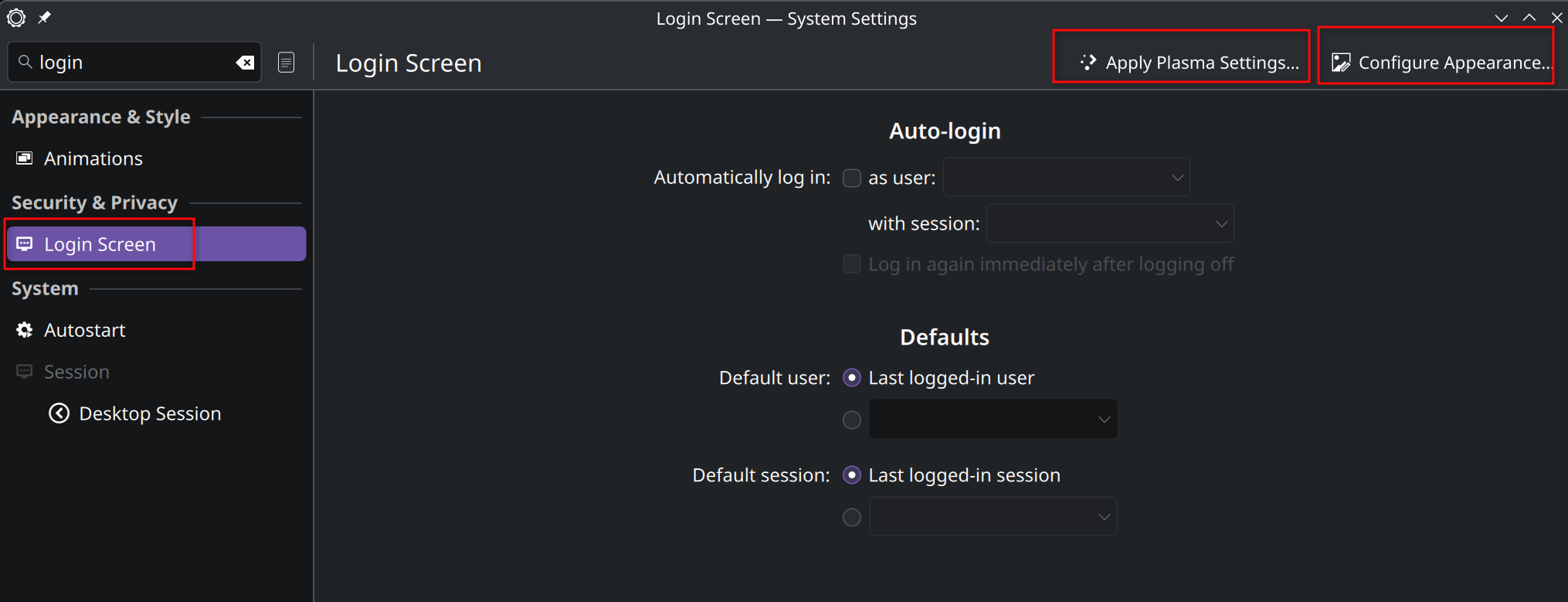
I switched to the plama login manager. It is working fine for me. That being said, I probably wouldn’t know if you didn’t tell me.
I believe that the plasma login manager only runs on Wayland. However, you can use it to login into an X11 session of plasma or whatever other DE/WM you choose.
Yep, removing sddm and enabling plasma login manager was seamless, no issues at all. Given plasma login manager was forked from SDDM, for now at least, they’re relatively similar, and for now at least minimally themeable.
I avoid this by not having SDDM or plasma login manager installed 
My system is set up to load straight to TTY, then I log in with my user and use an alias to run startplasma-wayland to load up KDE Plasma desktop.
Update finished without problems.
But i miss the old wallpaper (Orioniden). Now i only have Sub-Arctic as wallpaper and can’t find the old one 
You should find them all here Captain ; https://github.com/KDE/plasma-workspace-wallpapers
(https://github.com/KDE/plasma-workspace-wallpapers/tree/master/Orionids/contents/images)
perfect. thank you!
Same here! I had to arch-chroot back into my laptop to re-enable sddm in order to log in, no idea what I did wrong… I will need to re-read everything and try again later…
I only have installed the KDE Wayland session but surely that’s not what is causing the issue in 2026!


Oh, me too. Have to try if Plasma Login Manager works…
EDIT: Login Manager works as expected. 
Is anyone use the syncthing plasmoid? It doesn’t seem to be working for me with 6.6.