So I have this problem where I have my Sennheiser GAME ONE headset connected to my front IO, which is internally connected through USB.
My volume control recognized the headset as plugged in and when I select it I can see the sound bar moving, however I’m not hearing anything.
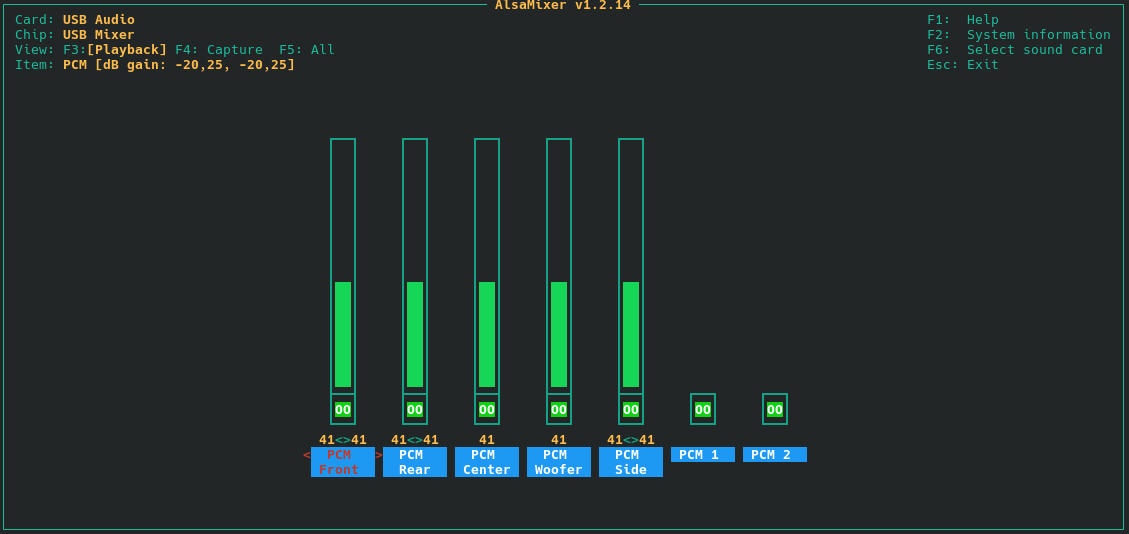
I’ve checked alsamixer and everything is unmuted.
In pavucontrol the configuration has been set to HiFi 2.0 channels profile.
I’m on KDE Plasma.
I’m really new to all of this and Linux in general so please do tell me which other info I need to provide.
(PS. I also have a Behringer UMC202HD DAC connected to my studio monitors, which is connected through back panel USB which does work but loses connection upon waking up from sleep)
I have not. My headset has a 2.5 jack and the Behringer needs 3.5 or XLR. I do expect it to work though if I do connect it through there.
I updated my mirrors yesterday and before that I had to mute and unmute my USB Front Headset (my headset) and it would work, however after the update that fix stopped working.
Long story short, the problem isn’t the headset itself, however I believe the problem to be somewhere within pipewire.
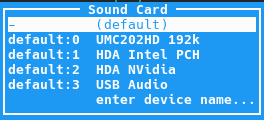
Have you cycled through the different devices within alsamixer so that it definitely has shown the correct controls ? Via F6 you should be able to select the Generic USB Audio driver.
Additionally, isn’t there any other headphone output on your machine ?
To me this looks like the different channels of an 5.1 / 7.1 surround setup, not an regular stereo channel.
It’s pretty much unclear to me which USB audio interface this actually is.
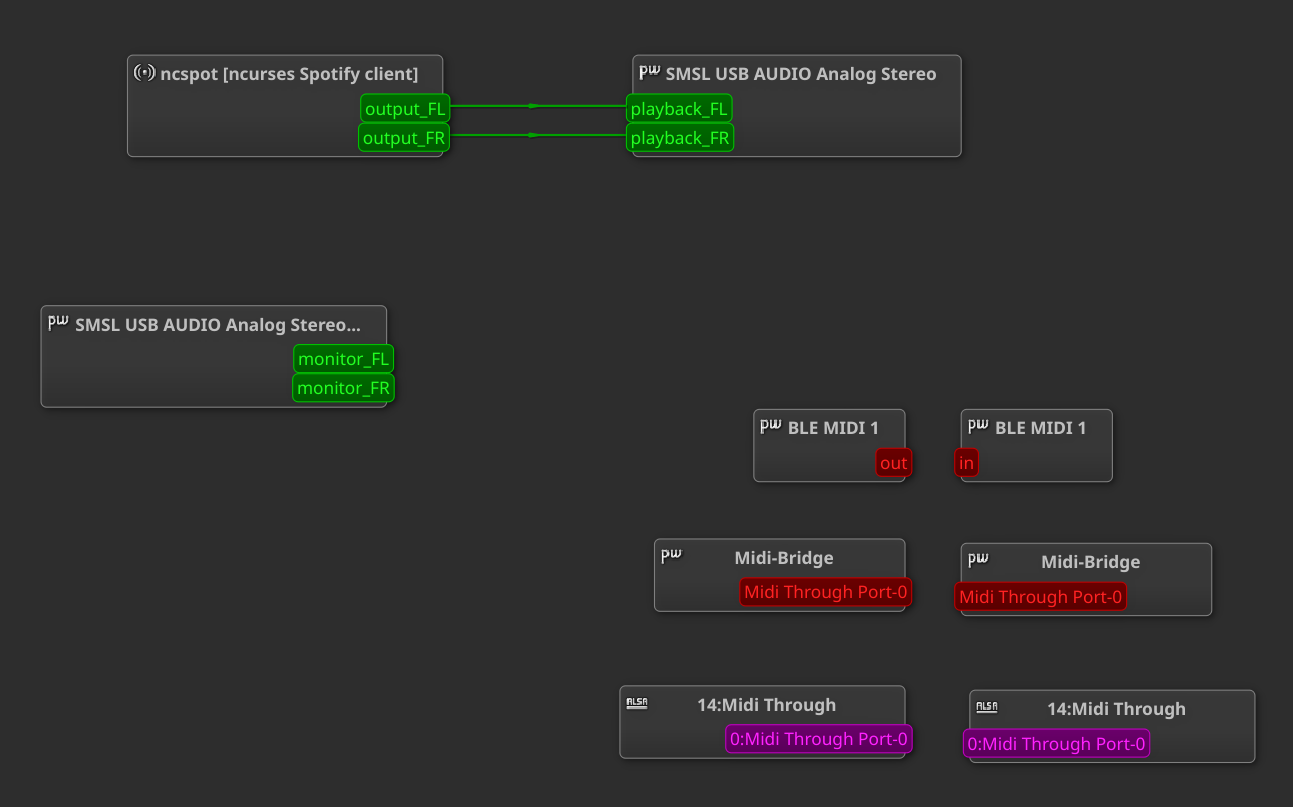
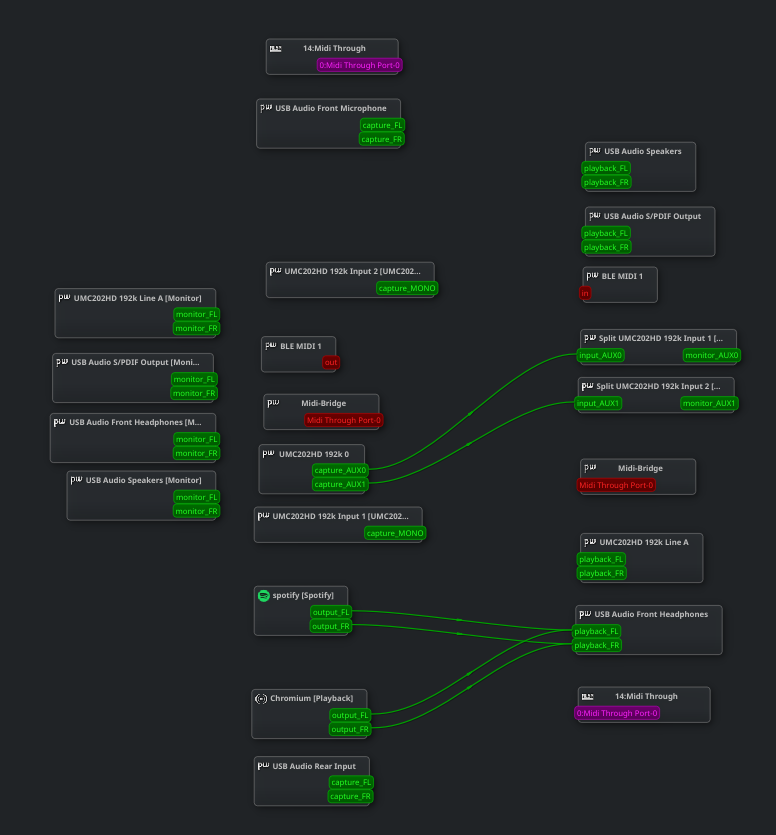
Anyway, via qpwgraph you should be able to route the audio. Coppwr-bin would work as well… and should provide a bit more information as it’s not only a wireplumber session manager.
Which kind of ports are present on that front IO panel you’re using ? My guess would be that it’s either PCM 1 or PCM 2 instead of the (Front/Left/Center/Woofer/Side) channels.
Edit: Additionally, don’t forget that plasma also has audio controls within it’s system settings. What definitely could be deactivated in there would be the HDA NVidia Audio Controller.
Just start some audio playback via the browser or so, then in qpwgraph a new audio source node will be created automatically that should have outputs on the right hand side of the node. In my case it’s output_FL and output_FR (for stereo. left and right channel respectively)
Suitable playback devices that are currently available will have their inputs on the left hand side of the node. And the output / playback note could be connected via drag & drop via the fields.
I currently have spotify and my browser as audio source which are both routed to the USB Audio Front Headphones. Spotify is playing sound however I still do not head it in the headphones.
Edit: In the Audio Volume panel I selected the USB Audio Front Headphones. I checked that when I switch to speakers the lines connect to the UMC202HD 192K Line A
I’m, almost certain that the capture_AUX0 and AUX1 of your Behringer UMC202HD are the XLR inputs in front of this audio interface, not the RCA connectors on the back side of the audio interface.
In case you connect spotify to the playback_FL and FR ports inputs of the UMC202HD 192K Line A, these should be the RCA outputs on the back of the device. You can definitely route the spotify playback to the other nodes, such as the USB Audio Speakers. I’ld just test each playback_FL playback_FR connection.
Anyway. on a different node, if you right click on KDE plasmas volume control in the system tray, have you enabled the option “show virtual devices” ?
Generally, what you also could do is to identify the that “generic” USB audio device via lsusb -t | grep audio
There should be at least two listings , revealing the bus port and device number (both three digits). With these identifiers and the command lsusb -s [bus]:[devnum] you should be able to identify the specific this USB device a bit more precisely.
Last but not least, the info about your hardware is a bit limited as I’ve only asked for the output of inxi -A. Please check the instructions how to include systemlogs, you could provide the link for the more sophisticated inxi command here.
 .
.