And having yay -Pw is handy for whole reading -Pww single w is enough lol
edit : yay -Wv vote and yay -Wu unvote is nice 
And having yay -Pw is handy for whole reading -Pww single w is enough lol
edit : yay -Wv vote and yay -Wu unvote is nice
Thank you for making this brilliant app!
v1.6.2 is out with “upgradable packages list”:
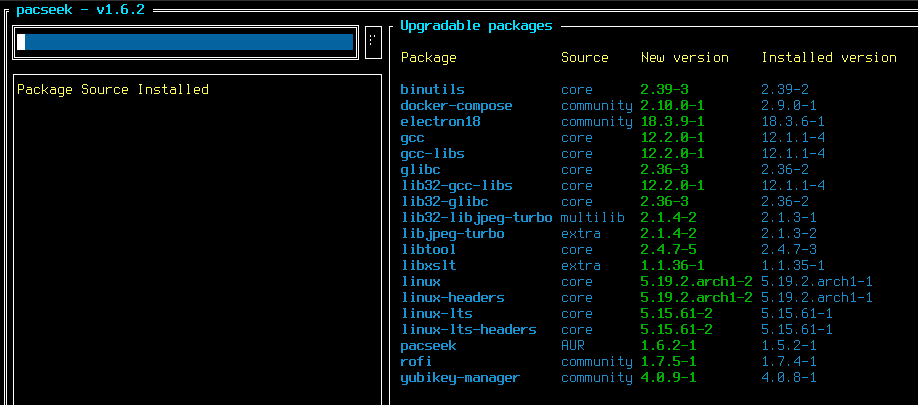
Press CTRL+G to search for upgradables (is that even a proper english word? The spellchecker warns me at least. lol)
Clicking on a package name will show details. Clicking on the (new) version shows the PKGBUILD file.
You can start pacseek with pacseek -u to show this list immediately after starting the app.
@npaladin2000 That should somewhat address the points in our previous conversation (I hope) 
Have fun…
Very awesome, thank you! This will make it so much easier to step through updates one by one too, in case i know a package or two are problematic.
Then you might like 1.6.3 as well.
It got buttons to rebuild specific AUR packages.

That’s fantastic. At this point the only time I’m ever going to use pamac is to go through my installed package list looking for things I don’t use anymore. ANd a lot of that I can just get from the application menu anyway.
Then you might like 1.6.4 as well.
It allows you to display a list of all installed packages
Hah, to heck with pamac, we got terminal centric pacseek!
It’s a GUI!

@moson did pacseek btw if you click on source you can focus all from community or other repo? Or if you click on packages it goed back to alfabet … just to see if you external repo you can group it…
Clicking on the column names sorts the list yeah.
I noticed this does not work for the “installed packages” listing. Will fix it soon.
Fixed with 1.6.5
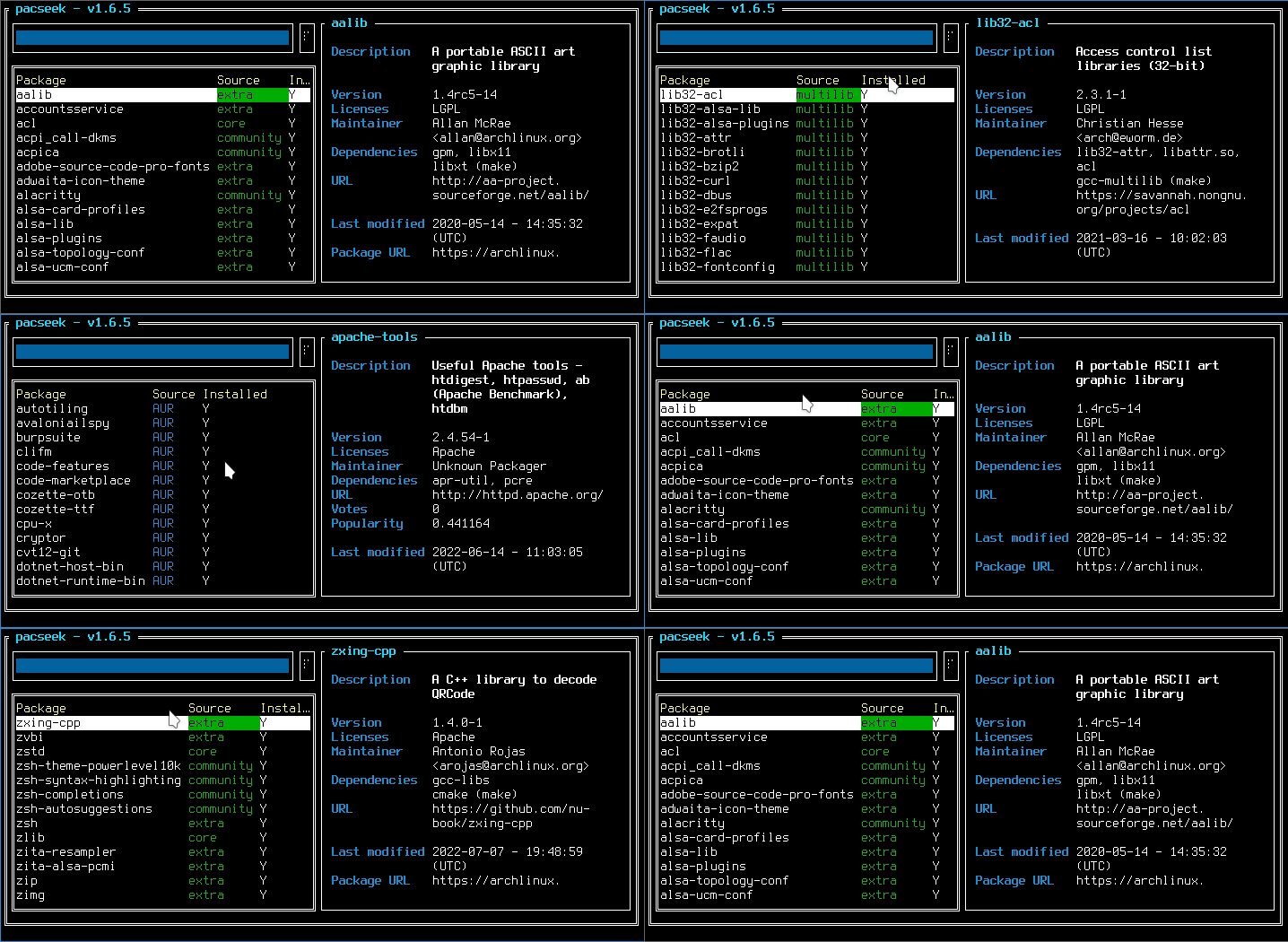
Any feedback, ideas, contributions are welcome:
Interesting challenge. What advantage would it bring over yay or paru though?
If you do (want to) use yay/paru: None.
I just want to have users having the choice:
If one doesn’t want to use an AUR helper (for whatever reason), they should still be able to use pacseek with makepkg.
btw. the default setting of using yay won’t change…
Could work. Then you’d get listed as an AUR helper on the Arch Wiki too.
I’m wondering something, and I’m not even sure it’s possible (and if it’s not, that’s fine). GNOME has a function where, when you do a search in the application launcher, it can also search your package manager for a matching package if it doesn’t find an installed one (it’ll use pamac or GNOME Software if either is present). Would that even be possible to implement with pacseek, through some kind of GNOME helper-app or something? I don’t know if other DEs offer something similar or if it would be possible there either. Just thinking that might be one of those “might never use but nice to have” things.
vpacman does use makepkg too. can be handy for who likes to use it
@moson
Really appreciate the work you have put into pacseek. I think it’s great.
I wanted to give it a shot for long time. This weekend I will try it, thanks for this!
Apparently it is already
Just to be clear: I never intended pacseek to be a package manager nor an AUR-helper actually.
It does not do package installation or dependency resolution and things like that, but simply delegates that to another tool (be it pacman directly or an AUR-helper)
That being said, I’m probably taking a dangerous route of adding a plain makepkg option. 
(like: users might expect it to solve dependency chains and stuff)
I guess in the end they all do. At least I haven’t come across anything that uses it’s own implementation of makepkg…
btw, pacseek got a manpage now 
There’s an icon for pacseek in the latest papirus-icon-theme update which should be hitting the Arch repos soon https://github.com/PapirusDevelopmentTeam/papirus-icon-theme/releases/tag/20220910
It’s not very different to the standard one… but I guess it’s a form of recognition of the success of pacseek.