Hello there,
I’m not here to report a problem (I guess?), but to tell a little story that made me think.
Today, I tried to install a WhatsApp terminal-based client named nchat, available on the AUR. Obviously, I simply run yay -S nchat in my terminal, and it started building everything. It had a total of 600+ steps, so we’re talking about a little time for a small utility weighting a bounch of MBs, but let it be. I have a widget on my desktop showing the amount of RAM and CPU used, and I could see that my processor was most of the time working at 100% (which is normal, since it was compiling things). But the strangeness came when I look at the RAM: I have a 16GB Lenovo PC, with no other program opened, and even like that RAM usage was nearly 90%.
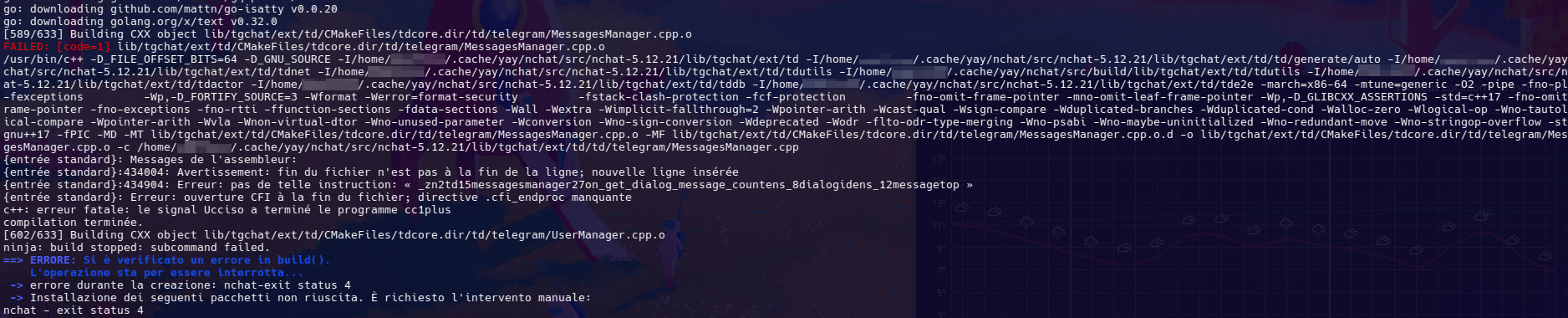
Then, at more or less step [590/630], the whole PC froze, RAM usage jumped to 100%, and finally the installation shown an error (that you can see in the screenshot above).
In a desperate try to overkill it, I set up a 16GB Swap file (bringing my total RAM to 32GB, “magically”), and this method finally allow the installation to finish. Even like this, I saw Swap file being used at more than 10%: this means that the simple yay -S nchat instruction took nearly 20GB to complete (we’re talking RAM) !
How is this possible? Did I do something wrong? Is it about my configuration, or some missing flag during the installation? Or, maybe, did I do the only reasonable choice (which I am skeptic about)?