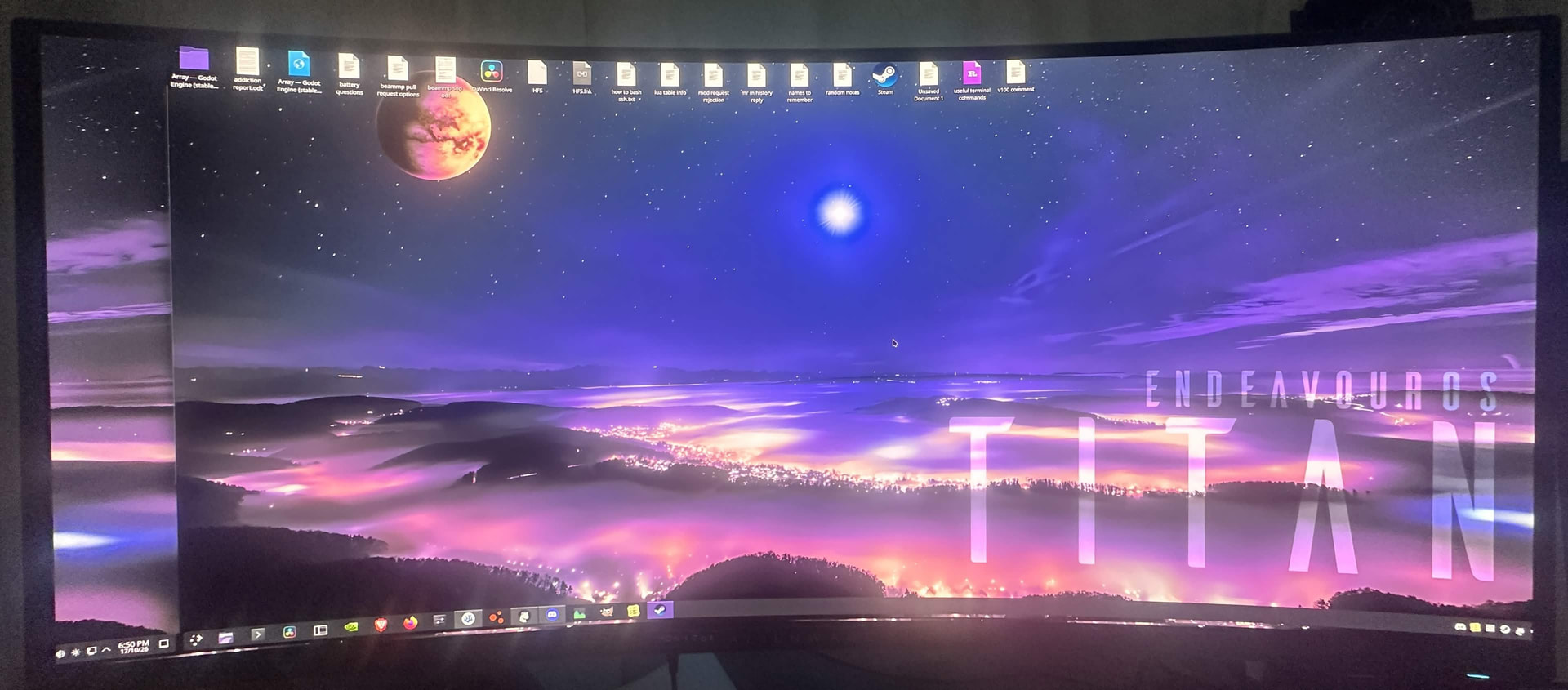
I have a capture card in between my gpu and monitor
Wayland has almost always had issues for me, regardless of the distro, but it sometimes would have good times. This offset screen bug went away recently, but after the latest update today, it’s back, and now I can’t just revert to x11 anymore. (I was successfully managing to run wayland for about 2 weeks)
I can’t find any support online for this particular bug, and asking elsewhere for help never gets answers. And I’m not keen on the idea of trying to spend a large amount of time and effort fixing it, just for it to probably break each update (I also don’t want the headache of the AUR, and all of its problems it brings). Plus, there’s more bugs than just this anyway.
Instead I’d just like advice on the easiest way to get back onto x11. Would switching DE fix this? (I’ve never switched DE before) Or is my only option that doesn’t cause me to eventually give up anyway, to just switch to a different OS that natively supports x11 still?
btw I sound whiny, but that’s because I want to get across that I need to stay relaxed, because I get stressed too easily, and I don’t handle it very well
Most DE’s are moving toward wayland that havent’ made the move yet. LXQT and XFCE I do believe still both support X11. LXQT comes with Openbox on EndeavourOS by default. XFCE I know is working on wayland but no idea where they are with it.
interesting, but I’ve been on depreciating software before, and eventually things stop working. So as long as something is officially supported by someone that’s upstream, I’ll take that option first, then windows second lol
(the windows thing isn’t a joke, I’d run one of those debloat versions. If I could find a result, on any search engine, for the official place to report wayland bugs, I’d be reporting this there instead. However, my attempts at searching has only turned up distro specific places, but this is distro agnostic)
My guess would be No. I think the plasma-login-magager is wayland specific. You would need to disable the service and then remove it. Then install a login manager that supports X11.
I guess it depends on your specific hardware. Because Wayland certainly IS ready, and has been for quite a while. I’ve been running KDE Plasma Wayland sessions on EndeavourOS for over three years on my Intel/Nvidia PC without any issues at all. My distro testing laptop (AMD Ryzen ThinkPad T14) has had no issues with KDE Plasma Wayland sessions using EndeavourOS, CachyOS, Artix, Garuda, KDE Linux, Fedora, Arch, and others.
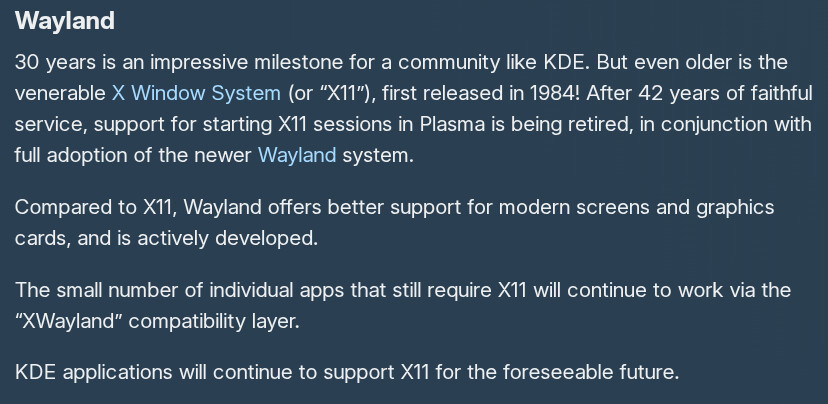
As for X11 and KDE… That is gone forever.
“KDE has officially retired native X11 session support with the release of KDE Plasma 6.8 on October 14, 2026, making Wayland the exclusive display protocol for Plasma.”
If you really love KDE in terms of features, not just looks, the closest DE to KDE is Cinnamon hands down. Everything else will feel like a chore. And similar to Xfce, Cinnamon plans to support X11 for the foreseeable future, so you should have a few years with it, while being able to check out their Cinnamon Wayland support as well.
That said, I am confident that after a few months, the issues that KDE Wayland currently has will be sorted out by the end of the year.
Its ether certainly ready or depends on specific hardware. Need to choose something one.
Not so confident here. There is also fix one brake two aspect to it. But in any case ppl need to use their PC now, and not in some bright future that definitely will come someday, or maybe not.
Unfortunately options for already affected go like this:
Rollback and hold plasma packages.
Change DE (SonicDE included because its totally not plug and play replacement)
Depending on what person see as more convenient approach.
He’s right. Wayland is ready. KDE Wayland is not.
I log into Hyprland with DMS and try to use OBS - no problem.
I log in to KDE Wayland and try to use OBS - 50/50.
In general, Wayland is, and has been, “ready” for a long time now. Sure there will be certain hardware scenarios where glitches pop up. NOTHING is 100% “ready”, ever.
If this was true, Wayland do not had a need to adopt new protocol extensions, or debate some for years, and no need for every single one compositor having their own. As everything that needs for desktop to work is already there and makes sense.
Its called Agile, when company sells not a product but process of developing.
Not a problem on my EndeavourOS install. OBS works as it should. Always has.
I just installed EndeavourOS Hyprland / DankMaterialShell on my ThinkPad a couple days ago. Familiarizing myself with it as I’ve never used Hyprland before. I’ll have to test OBS on Hyprland once I get it fully set up.
this “works on MY machine” talk really doesnt help OP here…
but yes, OP has all information now to take steps, either switching to x11 compatible DE/loginmanager, downgrading for a while and reporting the issues to kde and see how to proceed should it get fixed quickly, or not.
Should you @fillman86 need help, feel free to ask here