This is what i was going to suggest to change to https://google.com?
and what if google.com is … blocked in your country?
Well I wouldn’t know if it is until tried. I wouldn’t think it would be in Brazil but maybe?
Edit: I see it’s down here too.
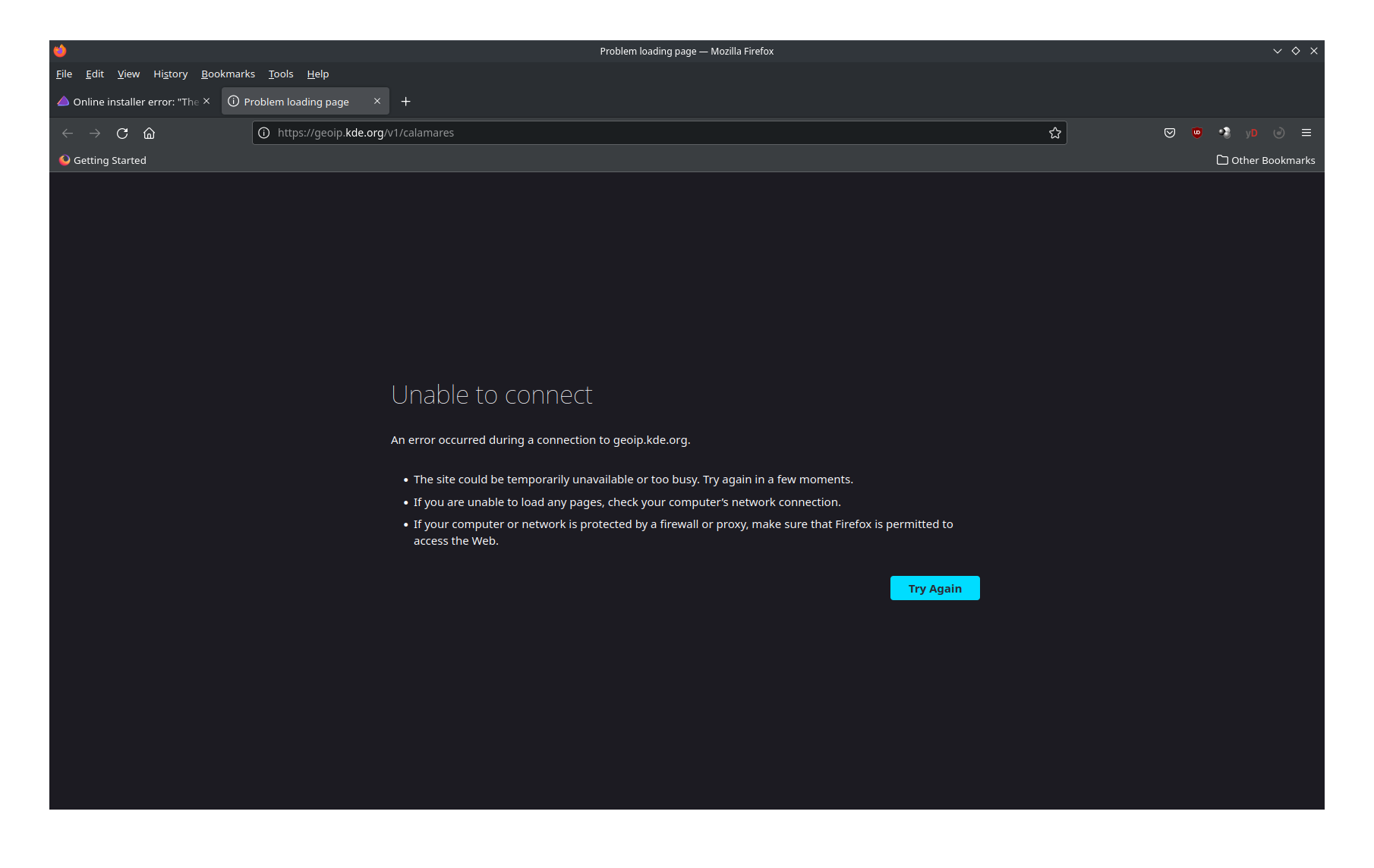
Edit: I just tried the live ISO in vm and I’m getting the same no internet so that’s not good. 
Some customization option with hints for the user in the installer would be very, very nice! Think what if we began living on Mars… and not only earth.com, but venus.com was blocked, too!
…or a scriptlet with some if-clauses, perhaps.
@ricklinux - @joekamprad already said the resource was down at the moment.
I know that I’m just reporting that i tried it too with the Live ISO even though i know it is because i tried the website. 
the best would be a test that is not build on only one single URL to check if internet is working… it should be able to understand that if one URL is not working it should try another one … or it could try downloading a file and checksum it e.t.c
It seems to be more than just an “you have internet connection” check though.
It’s some geoip service returning the location (and thus timezone) for the “location” screen in calamares I guess. ?
You might want to self-host that service maybe.
At least pretty safe to assume that client can reach endeavouros.com (assuming the majority of users went to that page for getting the download link to the iso)
IMHO the Calamares or other tests should be relevant to what job they are going to do.
Checking a geoip provider is only relevant to a job that wants to provide default location/locale and should not block in the case it is not found.
For an online installation, a relevant IP/URL is from the repo(s) that are going to be used for this online installation. This points to the mirrorlist(s) active servers.
 .
.