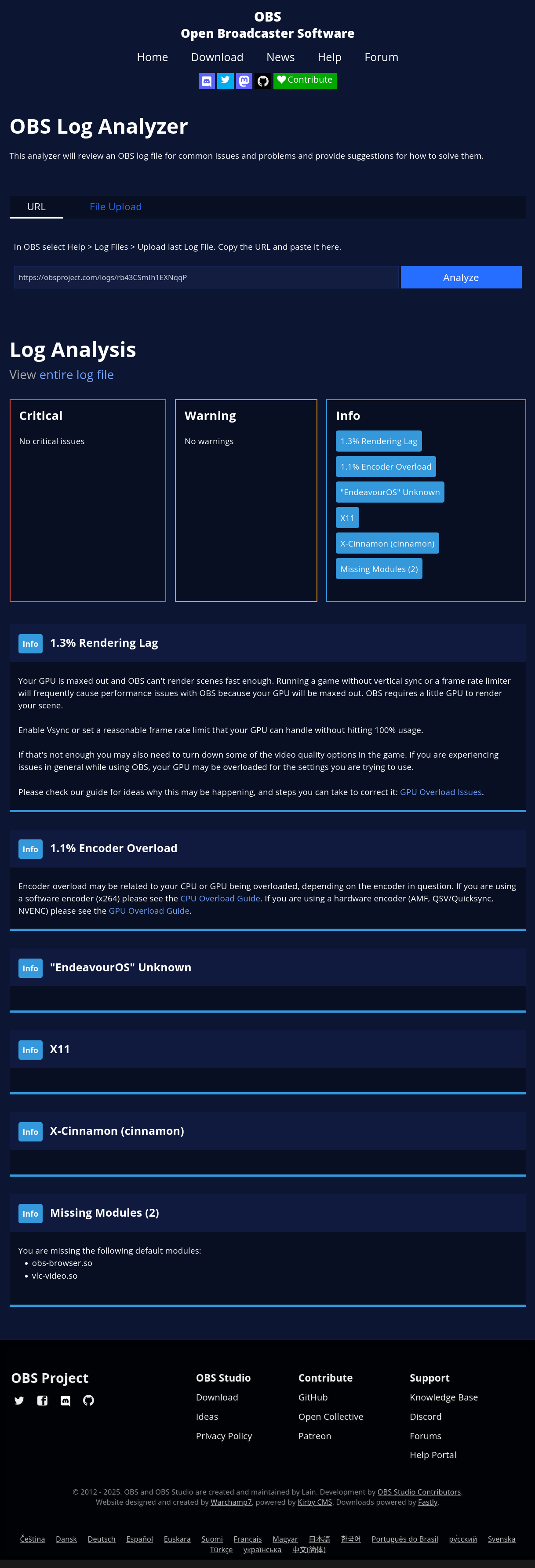
I just wanted to do a quick desktop recording, so I thought I’d install obs-studio 31.1.2-1. I’m on EOS/Cinnamon (X11) on a Thinkpad T14 Gen 1, and my VAAPI hardware acceleration usually works out ok.
Data:
inxi -Gaz
$ inxi -Gaz
Graphics:
  Device-1: Intel CometLake-U GT2 [UHD Graphics] vendor: Lenovo driver: i915
    v: kernel arch: Gen-9.5 process: Intel 14nm built: 2016-20 ports:
    active: HDMI-A-2,eDP-1 empty: DP-1,DP-2,HDMI-A-1 bus-ID: 00:02.0
    chip-ID: 8086:9b41 class-ID: 0300
  Device-2: Chicony Integrated Camera driver: uvcvideo type: USB rev: 2.0
    speed: 480 Mb/s lanes: 1 mode: 2.0 bus-ID: 1-8:8 chip-ID: 04f2:b6d0
    class-ID: fe01 serial: <filter>
  Display: x11 server: X.Org v: 21.1.18 with: Xwayland v: 24.1.8 driver: X:
    loaded: modesetting alternate: fbdev,intel,vesa dri: iris gpu: i915
    display-ID: :0 screens: 1
  Screen-1: 0 s-res: 3840x1080 s-dpi: 96 s-size: 1016x286mm (40.00x11.26")
    s-diag: 1055mm (41.55")
  Monitor-1: HDMI-A-2 mapped: HDMI-2 pos: right model: HDP-V104
    serial: <filter> built: 2018 res: N/A dpi: 123 gamma: 1.2
    size: 344x195mm (13.54x7.68") diag: 790mm (31.1") modes: max: 4096x2160
    min: 720x400
  Monitor-2: eDP-1 pos: primary,left model: BOE Display 0x07db built: 2018
    res: mode: 1920x1080 hz: 60 scale: 100% (1) dpi: 158 gamma: 1.2
    size: 309x174mm (12.17x6.85") diag: 355mm (14") ratio: 16:9
    modes: 1920x1080
  API: EGL v: 1.5 hw: drv: intel iris platforms: device: 0 drv: iris
    device: 1 drv: swrast gbm: drv: iris surfaceless: drv: iris x11: drv: iris
    inactive: wayland
  API: OpenGL v: 4.6 compat-v: 4.5 vendor: intel mesa v: 25.2.2-arch1.1
    glx-v: 1.4 direct-render: yes renderer: Mesa Intel UHD Graphics (CML GT2)
    device-ID: 8086:9b41 memory: 14.92 GiB unified: yes
  API: Vulkan v: 1.4.321 layers: N/A device: 0 type: integrated-gpu
    name: Intel UHD Graphics (CML GT2) driver: mesa intel v: 25.2.2-arch1.1
    device-ID: 8086:9b41 surfaces: N/A
  Info: Tools: api: eglinfo, glxinfo, vulkaninfo
    x11: xdpyinfo, xprop, xrandr
vainfo
$ vainfo
Trying display: wayland
Trying display: x11
vainfo: VA-API version: 1.22 (libva 2.22.0)
vainfo: Driver version: Intel iHD driver for Intel(R) Gen Graphics - 25.2.6 ()
vainfo: Supported profile and entrypoints
      VAProfileNone                   :	VAEntrypointVideoProc
      VAProfileNone                   :	VAEntrypointStats
      VAProfileMPEG2Simple            :	VAEntrypointVLD
      VAProfileMPEG2Simple            :	VAEntrypointEncSlice
      VAProfileMPEG2Main              :	VAEntrypointVLD
      VAProfileMPEG2Main              :	VAEntrypointEncSlice
      VAProfileH264Main               :	VAEntrypointVLD
      VAProfileH264Main               :	VAEntrypointEncSlice
      VAProfileH264Main               :	VAEntrypointFEI
      VAProfileH264Main               :	VAEntrypointEncSliceLP
      VAProfileH264High               :	VAEntrypointVLD
      VAProfileH264High               :	VAEntrypointEncSlice
      VAProfileH264High               :	VAEntrypointFEI
      VAProfileH264High               :	VAEntrypointEncSliceLP
      VAProfileVC1Simple              :	VAEntrypointVLD
      VAProfileVC1Main                :	VAEntrypointVLD
      VAProfileVC1Advanced            :	VAEntrypointVLD
      VAProfileJPEGBaseline           :	VAEntrypointVLD
      VAProfileJPEGBaseline           :	VAEntrypointEncPicture
      VAProfileH264ConstrainedBaseline:	VAEntrypointVLD
      VAProfileH264ConstrainedBaseline:	VAEntrypointEncSlice
      VAProfileH264ConstrainedBaseline:	VAEntrypointFEI
      VAProfileH264ConstrainedBaseline:	VAEntrypointEncSliceLP
      VAProfileVP8Version0_3          :	VAEntrypointVLD
      VAProfileVP8Version0_3          :	VAEntrypointEncSlice
      VAProfileHEVCMain               :	VAEntrypointVLD
      VAProfileHEVCMain               :	VAEntrypointEncSlice
      VAProfileHEVCMain               :	VAEntrypointFEI
      VAProfileHEVCMain10             :	VAEntrypointVLD
      VAProfileHEVCMain10             :	VAEntrypointEncSlice
      VAProfileVP9Profile0            :	VAEntrypointVLD
      VAProfileVP9Profile2            :	VAEntrypointVLD
pacman -Qs intel
$ pacman -Qs intel
local/ibus 1.5.32-1
    Intelligent input bus for Linux/Unix
local/intel-gmmlib 22.8.1-1
    Intel Graphics Memory Management Library
local/intel-media-driver 25.2.6-1
    Intel Media Driver for VAAPI — Broadwell+ iGPUs
local/intel-ucode 20250812-1
    Microcode update files for Intel CPUs
local/libva-intel-driver 2.4.1-5
    VA-API implementation for Intel G45 and HD Graphics family
local/libva-utils 2.22.0-1
    Intel VA-API Media Applications and Scripts for libva
local/libvpl 2.15.0-1
    Intel Video Processing Library
local/linux-firmware-intel 20250808-1
    Firmware files for Linux - Firmware for Intel devices
local/python-intelhex 2.3.0-8
    Python library for Intel HEX files manipulations
local/vulkan-intel 1:25.2.2-1
    Open-source Vulkan driver for Intel GPUs
Test recordings using ffmpeg work nicely:
H.264:
ffmpeg -vaapi_device /dev/dri/renderD128 -f x11grab -i :0.0 -vcodec h264_vaapi -vf 'format=nv12|vaapi,hwupload' test.mp4
H.265:
$ ffmpeg -vaapi_device /dev/dri/renderD128 -f x11grab -i :0.0 -vcodec hevc_vaapi -vf 'format=nv12|vaapi,hwupload' test2.mp4
5 hours later…
For the life of me, I can’t find out how to set parameters in OBS Studio correctly so it doesn’t crash or show errors in the log!
It shows the scene, but won’t record.
Tried a lot of settings, here’s one of them:

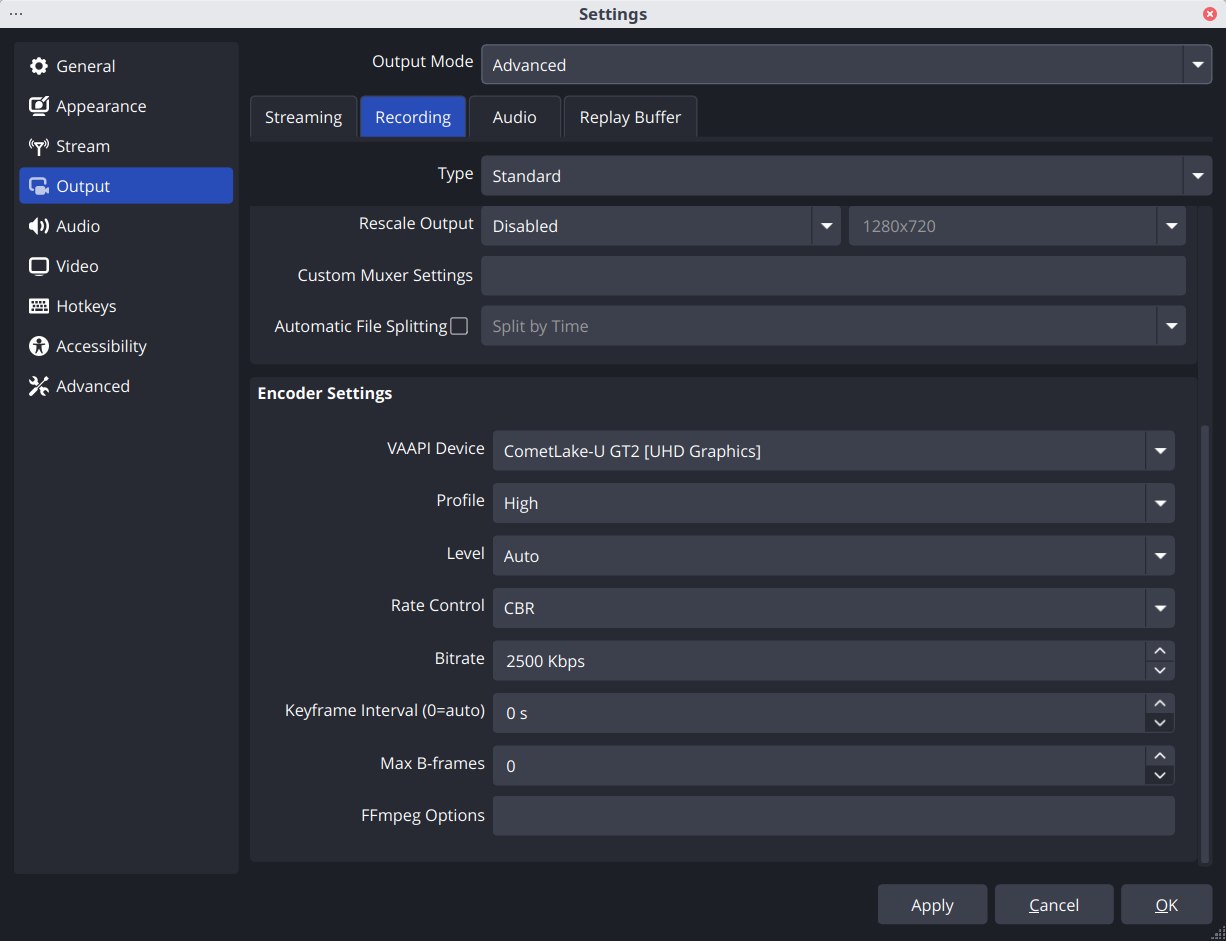
These are pretty much the default settings, I also experimented with other settings, but all errored out.
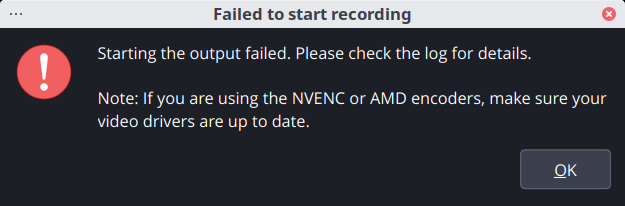
Results in:
OBS Log
00:13:14.637: ---------------------------------
00:13:14.637: [FFmpeg VAAPI encoder: 'advanced_video_recording'] settings:
00:13:14.637: 	device:       /dev/dri/by-path/pci-0000:00:02.0-render
00:13:14.637: 	rate_control: CBR
00:13:14.637: 	profile:      100
00:13:14.637: 	level:        -99
00:13:14.637: 	qp:           0
00:13:14.637: 	bitrate:      2500
00:13:14.637: 	maxrate:      2500
00:13:14.637: 	keyint:       120
00:13:14.637: 	width:        1920
00:13:14.637: 	height:       1080
00:13:14.637: 	b-frames:     0
00:13:14.637: 	ffmpeg opts:
00:13:14.637:
00:13:14.639: [FFmpeg VAAPI encoder: 'advanced_video_recording'] Failed to open VAAPI codec: Eingabe-/Ausgabefehler
00:14:25.270: Could not find accessible on path: "/org/a11y/atspi/accessible/2147484746"
00:14:25.272: Could not find accessible on path: "/org/a11y/atspi/accessible/2147484746"
00:14:25.272: Could not find accessible on path: "/org/a11y/atspi/accessible/2147484746"
00:14:25.272: Could not find accessible on path: "/org/a11y/atspi/accessible/2147484746"
00:14:25.272: Could not find accessible on path: "/org/a11y/atspi/accessible/2147484746"
00:14:25.273: Could not find accessible on path: "/org/a11y/atspi/accessible/2147484746"
Help?
Anyone here who has got OBS to work on a laptop with only Intel GPU?
I’m totally unsure where else to look. Is it an OBS problem or what… Maybe just some parameter wrong or missing?
I had an almost identical setting on my Linux Mint 21.3/Cinnamon desktop (older OBS version, though), and that just worked. So I didn’t really expect problems like these.