Yes I can swap from RST to AHCI and booting my EnOS.
Main Cassini installation step is done on RST mode, with systemd-boot and dracut will add kernel parameters. Unlucky on my weird hardware look conflicts between vmd and nvidia modules, I described on post above about lsmod differences.
This is interesting for me, also on my laptop on RST, powersave is weird.
This may explain the increased temperature on nvme and RST mode, I need to go deep on topic…
https://lore.kernel.org/lkml/98360545-DC08-44A9-B096-ACF6823EF85D@canonical.com/
I remember even on Windoze RST was never stable…Probably you’re just wasting your time 

keybreakDev ISO tester
I remember even on Windoze RST was never stable…Probably you’re just wasting your time
Probably yes, but I’m go crazy because on new hardware and Linux rely me to slow AHCI mode (just remember 1Gbit/s vs. 4 Gbits/s for file transfer I tested)
Quote for above link : Subject: Re: [PATCH 2/2] PCI: vmd: Enable ASPM for mobile platforms
- If we built with CONFIG_PCIEASPM_POWERSAVE=y, would that solve the
SoC power state problem?Yes.
I need to check on kernel config is present this option… 
1 Like
In my view reliability is much more important than speed.
1 Gbit / s is VERY fast, unless you copy 4 Tb+ of data everyday or big files (which is very bad idea anyway, because it will just faster kill any SSD) - i doubt you’ll notice any difference in any actual reality scenarios, meaning: loading programs, writing / reading realistic files, including big ones like movies, loading games etc.
btw it’s very weird, because modern quality SSD should do 3-4 Gbit / s on AHCI.
2 Likes
@Babiz
Did you check the temps on your drives using the nvme cli tool?
My nvme drive with heat sink runs pretty cool unstressed.
[ricklinux@eos-plasma ~]$ sudo nvme smart-log /dev/nvme0n1
[sudo] password for ricklinux:
Smart Log for NVME device:nvme0n1 namespace-id:ffffffff
critical_warning                        : 0
temperature                             : 48°C (321 Kelvin)
available_spare                         : 100%
available_spare_threshold               : 10%
percentage_used                         : 0%
endurance group critical warning summary: 0
Data Units Read                         : 2,621,007 (1.34 TB)
Data Units Written                      : 5,313,182 (2.72 TB)
host_read_commands                      : 34,152,977
host_write_commands                     : 29,301,556
controller_busy_time                    : 1
power_cycles                            : 3,011
power_on_hours                          : 8,890
unsafe_shutdowns                        : 175
media_errors                            : 0
num_err_log_entries                     : 0
Warning Temperature Time                : 0
Critical Composite Temperature Time     : 0
Thermal Management T1 Trans Count       : 0
Thermal Management T2 Trans Count       : 0
Thermal Management T1 Total Time        : 0
Thermal Management T2 Total Time        : 0
Edit: My other nvme is 38 C
Probably it’s caused by the scheduler under AHCI.
For nvme usually it’s best to disable those for speed under Linux try:
/etc/udev/rules.d/96-scheduler.rules
# NVMe SSD
ACTION=="add|change", KERNEL=="nvme0n[0-9]", ATTR{queue/rotational}=="0", ATTR{queue/scheduler}="none"
Then reboot, to make sure it’s applied run:
cat /sys/class/block/sd*/queue/scheduler
And try to measure speed again.
1 Like
Yes I look, the nvme-cli is very useful package, my nvme looks good on AHCI mode but slow:
This is new one Crucial P5 plus
https://0x0.st/HsDn.txt
This is one year old, stock Dell nvme, btw it working one year on RST mode and I’m happy, so now things changed and I’m less happy, ehehe…
https://0x0.st/HsDF.txt
Need to check ASPM interaction with vmd module and try to enable some power management…
Or…
Yeah I’m agree with you, the key would be tuning AHCI performance instead of RST dumb hottest driver.
Not easy to do immediately for me, need to learning much more things.
Transfer files (audio .flac 30~50 mbyte size) from example , go at 2 Gbps between nvme0 linked at 60 Gbps and nvme1 Linked at 32 Gbps … so really poor performance but yes, less heating=better safer.
Still 1 Gbit bandwidth from external SSD linked at 6 Gbps and I remember transfer rate of 4Gbps on this device when RST mode is active.
This showa current transfer rate for AHCI mode:
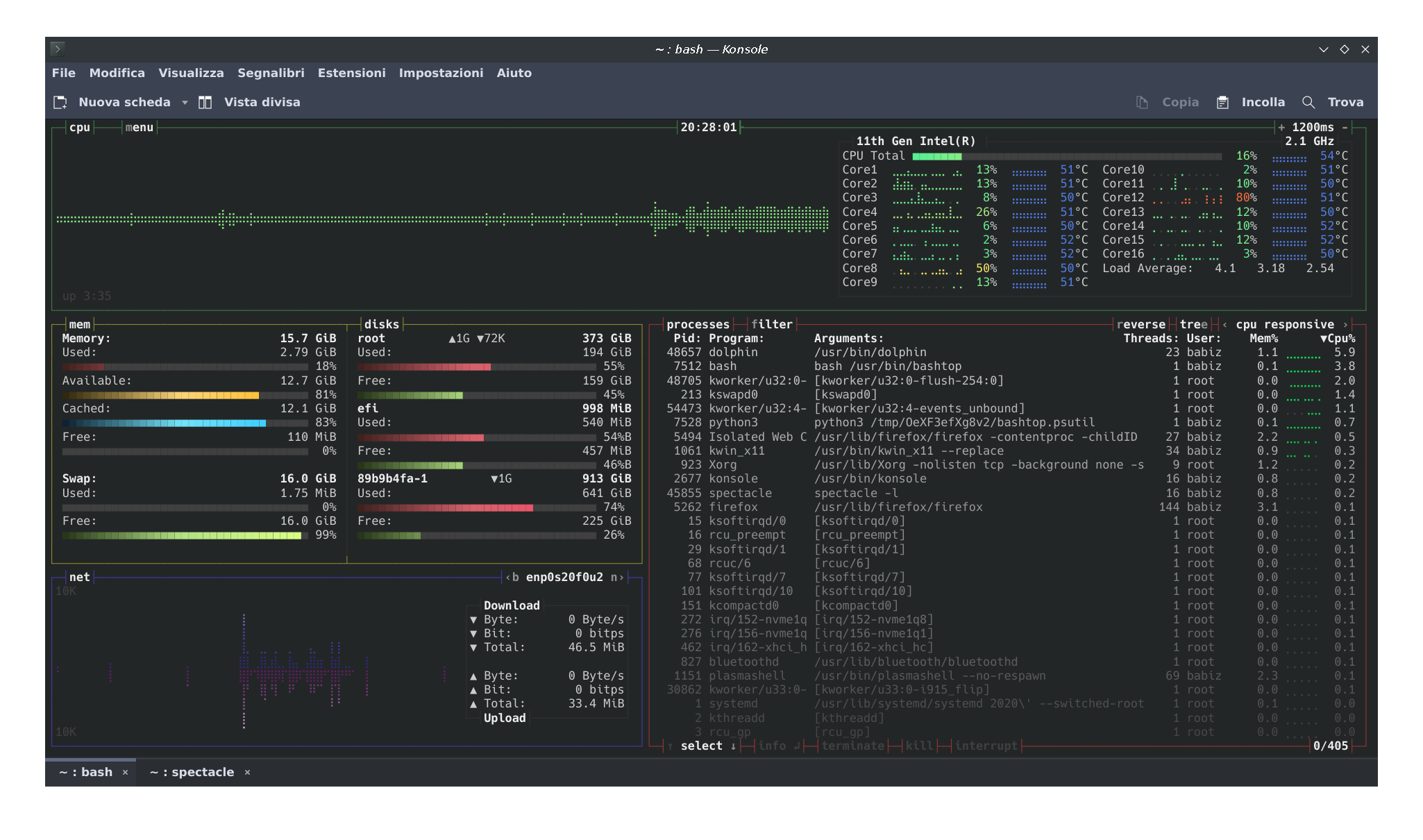
OOk now is much clear scenario, I’m do a look on kernel config for vmd way and evaluate all options, by other hand increasing AHCI performance also don’t think is a user-side allowable option, but I need reading about this.
EDIT: @keybreak good shot but uneffective, here nvme’s already set to scheduler [none]
$ cat /sys/class/block/nvme1n1/queue/scheduler
[none] mq-deadline kyber bfq
$ cat /sys/class/block/nvme0n1/queue/scheduler
[none] mq-deadline kyber bfq
1 Like
 quote=“keybreak, post:45, topic:37684”]
1 Gbit / s is VERY fast,
[/quote]
Indeed man, I’m struggled on this but I remember my oldpost time (where is RST activated)
And current query on time is: $ systemd-analyze
Startup finished in 13.716s (firmware) + 6.236s (loader) + 741ms (kernel) + 1.766s (initrd) + 2.791s (userspace) = 25.252s
graphical.target reached after 2.787s in userspace.
That’s same… lol because EnOS on 32 Gbps link I’m pull wrong feeling! 

I lose horsepower, isn’t actually true  this is wery so amazing hahaha…
 I mean pcie 3.0 same as 4.0 boot time looking glass!
Next I post 'buntu systemd-analyze in RST mode on pcie 4.0, yes I want.
I check my /proc/config.gz and I found CONFIG_PCIEASPM_DEFAULT=y so sweet! 
Now I assume more clear change it to “no” …set my kernel with this config change and try get RST vmd driver and so much more thinghs to do , pretty fun for me, sorry. 
Quote from Enable ASPM for mobile platforms
For case (1), the platform should be using ACPI_FADT_NO_ASPM or _OSC
to prevent the OS from enabling ASPM. Linux should pay attention to
that even when CONFIG_PCIEASPM_POWERSAVE=y.If the platform should use these mechanisms but doesn’t, the
solution is a quirk, not the folklore that “we can’t use
CONFIG_PCIEASPM_POWERSAVE=y because it breaks some systems.”
The platform in question doesn’t prevent OS from enabling ASPM.
For case (2), we should fix Linux so it configures ASPM correctly.
We cannot use the build-time CONFIG_PCIEASPM settings to avoid these
hangs. We need to fix the Linux run-time code so the system operates
correctly no matter what CONFIG_PCIEASPM setting is used.We have sysfs knobs to control ASPM (see 72ea91afbfb0 (“PCI/ASPM: Add
sysfs attributes for controlling ASPM link states”)). They can do the
same thing at run-time as CONFIG_PCIEASPM_POWERSAVE=y does at
build-time. If those knobs cause hangs on 1st Gen Ryzen systems, we
need to fix
Who is the winner here I don’t know
I’ll need to check ASPM control and I’m reading on usual ArchWiki for figure it out more info…

EDIT: My _OSC output from dmesg:
$ sudo dmesg|grep _OSC
[ 0.216284] ACPI: _SB_.PR00: _OSC native thermal LVT Acked
[ 0.391815] acpi PNP0A08:00: _OSC: OS supports [ExtendedConfig ASPM ClockPM Segments MSI EDR HPX-Type3]
[ 0.393554] acpi PNP0A08:00: _OSC: platform does not support [AER]
[ 0.397235] acpi PNP0A08:00: _OSC: OS now controls [PCIeHotplug SHPCHotplug PME PCIeCapability LTR DPC]
Not sure if this is the right one, but it allow OS
Hello folks! I’m back with some news.
On my laptop just installed another fresh Cassini_NEO on spare partition of my stock ssd current linked at PCIe 3.0 bus, 32 Gbps lane, and select Plasma+ Zen kernel
(I messed up my previous installation when it playng with dracut early boot options lol.)
By other hand we have Kubunthings 22 and half, on new Crucial P5 linked at PCIe 4.0 bus, 60 Gbps lane, Kde with kernel 5.15 somethings, so my statement follow for finding a way to optimize performance for EnOS users cause on 'buntu looks all pretty good, Ican report some key difference between distro, and I’m very sad cause unable to get same highi performance when are on EnOS.
Short description of behavior I’m look around this is very “simple” to understand.
- Kubuntu FAN control is so fine out of the box, module RST
vmd, andnvmeit’s work among at maximum performance allowed by the PCIe bus, the nvme’s ssd is pretty cold on standby or idle system temperature mark around 40 C°, will go higher under heavy I/O data transfers of course I get today 3Gbps transfer from PCIe 3 to PCIe 4 drive (it mean all 32Gbps bandwidth is allocated) and this is hopefully my goal to get on EnOS.
EnOS look pretty “careful” and FAN control is much different out of the box, than 'buntu is much louder, the fans still running, and performance is so bad.
My key issue is for nvme’s temperature go to around 50/55 C° on standby or idle status.
I cannot stay on EnOS if this end to bad performance of my weird Dell laptop… so I’m under searching for fix/patch everything related to vmd , nvme and ahci kernel module.
I learn something about module management on arch wiki, so I mark substantial diff’s between K’buntu and EnOS, take a note and post some report below;
Module drivers loading and details for K’buntu:
modprobe -c https://0x0.st/Hzoi.txt
lsmod https://0x0.st/Hzoo.txt
systool -v -m nvme https://0x0.st/HzoK.txt
systool -v -m vmd https://0x0.st/HzoZ.txt
systool -v -m ahci https://0x0.st/Hzoc.txt
This above differs from other ones found on EnOS I’ll post EnOs modules infos later…
My lspci tree on K’buntu is
lspci -tvPq https://0x0.st/Hzom.txt
additional module info (current pci device kernel module running:
lspci -vbkQ https://0x0.st/HzoM.txt
After this I recam some key differences, but enough for now, I’m learned how to mod kernel module OPTIONS for Arch just by add some foo.conf files under /etc/modprobe.d folder, is really amazing and allow users to tweak something, unlucky vmd have no options to tweak, only nvme allow to pass some, and this some is different between Distro, look Arch get more options than 'buntu. I mean drivers is different so I need to swap module drivers for Arch. I can try to “force” according to modprobe man but forcing other Distro modules on arch isn’t immediatly done cause different compression and encryption style, I’m still learning about modules handling.
And I think to emailing the mantainer for arch nvme module for asking question about performance/heating so this post is useful for me.
See you again tomorrow!
@keybreak just inform you about 'buntu performance boot time:
$ systemd-analyze
Startup finished in 7.808s (firmware) + 7.657s (loader) + 2.646s (kernel) + 5.696s (userspace) = 23.809s
graphical.target reached after 5.685s in userspace
This is for reference cause weird EnOS update change my laptop performance from “awesome” to “sad” on one of previous rolling update (More than two month ago installed Cassini and no issue on nvme temps, I can try to pick up an older ISO and start live system for another test…
What has always helped me are TLP and MBPFAN, but I have to say that EnOS can be quite heavy on older machines, which I still use. So disregard this, if it doesn’t suit your situation.
Looks like you are using a MacBook Pro, so…
Just sayin’…
1 Like
Yeah is fun for me.
This is an “performance” example, look close to 70C° for transfer rate of you see clear here:
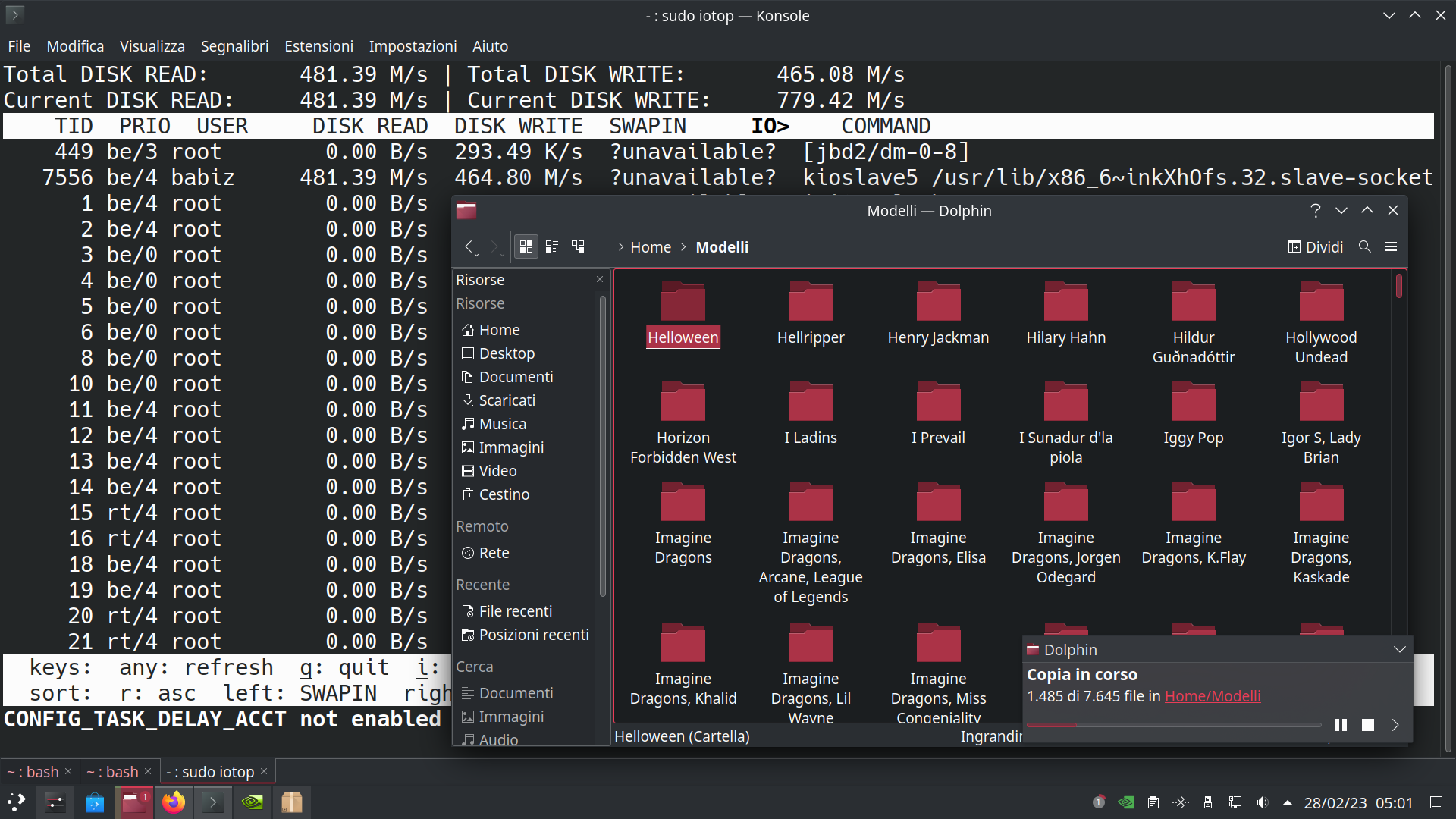
Transfer rate in Megabyte/s from
iotop
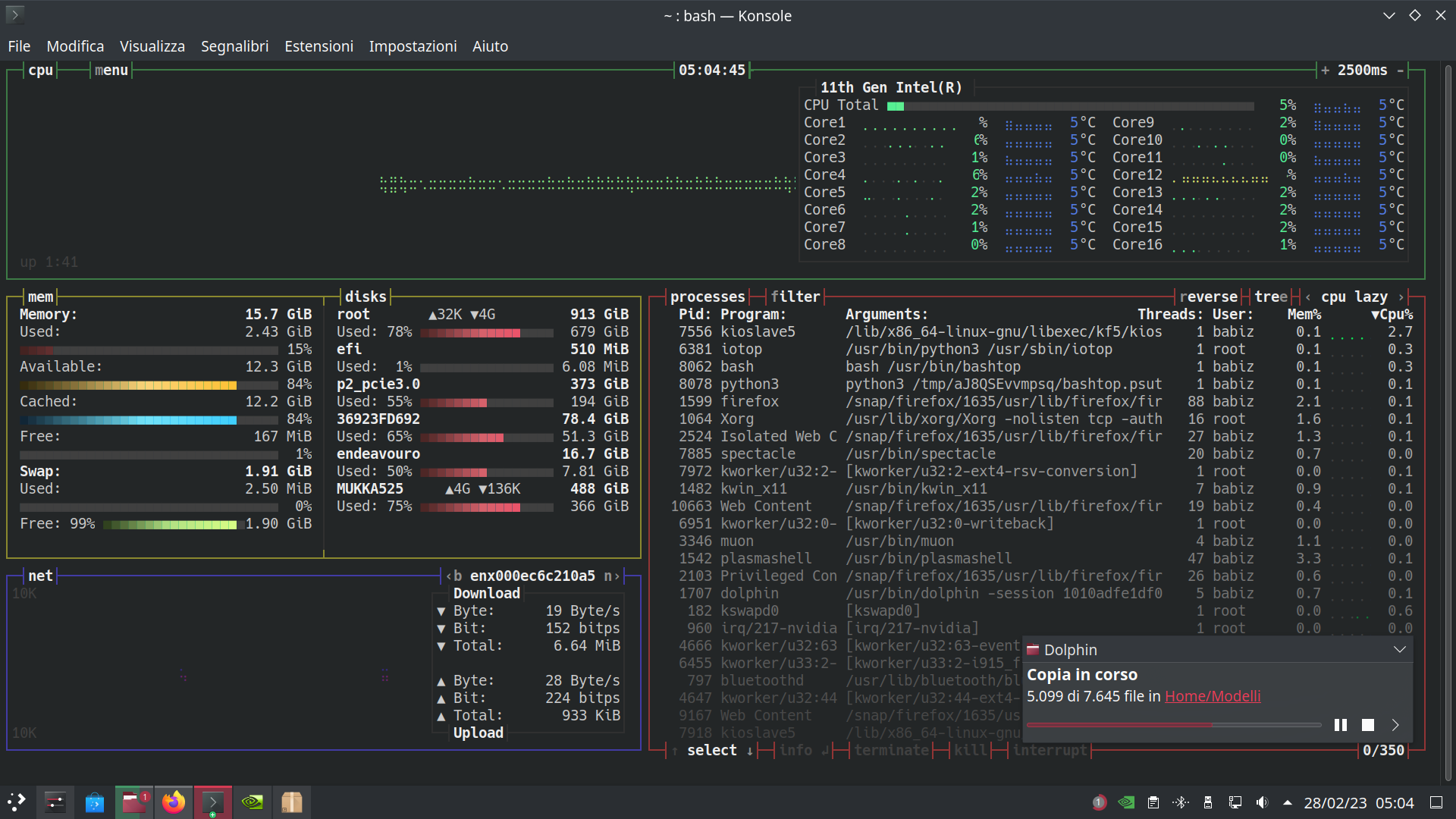
And here is bashtop show transfer rate in Gigabit/s (parallel measured)
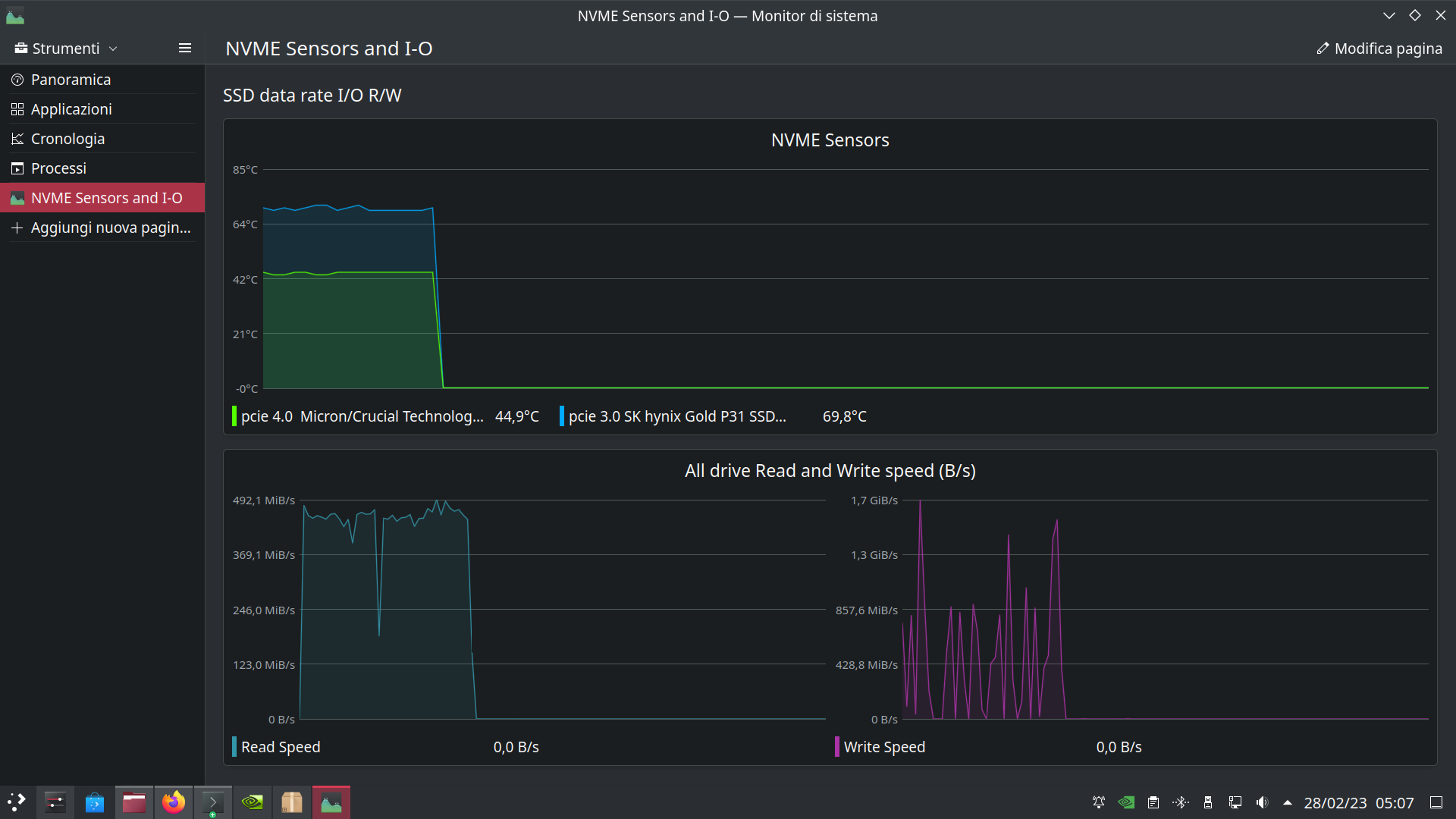
This is now on K’bunt example, the fans is fine, now after a while cooling time fans go slow, slower and stop.
I need more fan control update ahaha  I’m just waiting for heat-sink (actually a copper plate) from Amzn and hope in the best!


Hello guys! Today I’m post my AHCI transfer rate mark on K’buntu and same test condition for Intel RST
Both look pretty equals, AHCI go little slower than RST at this point we can look below:
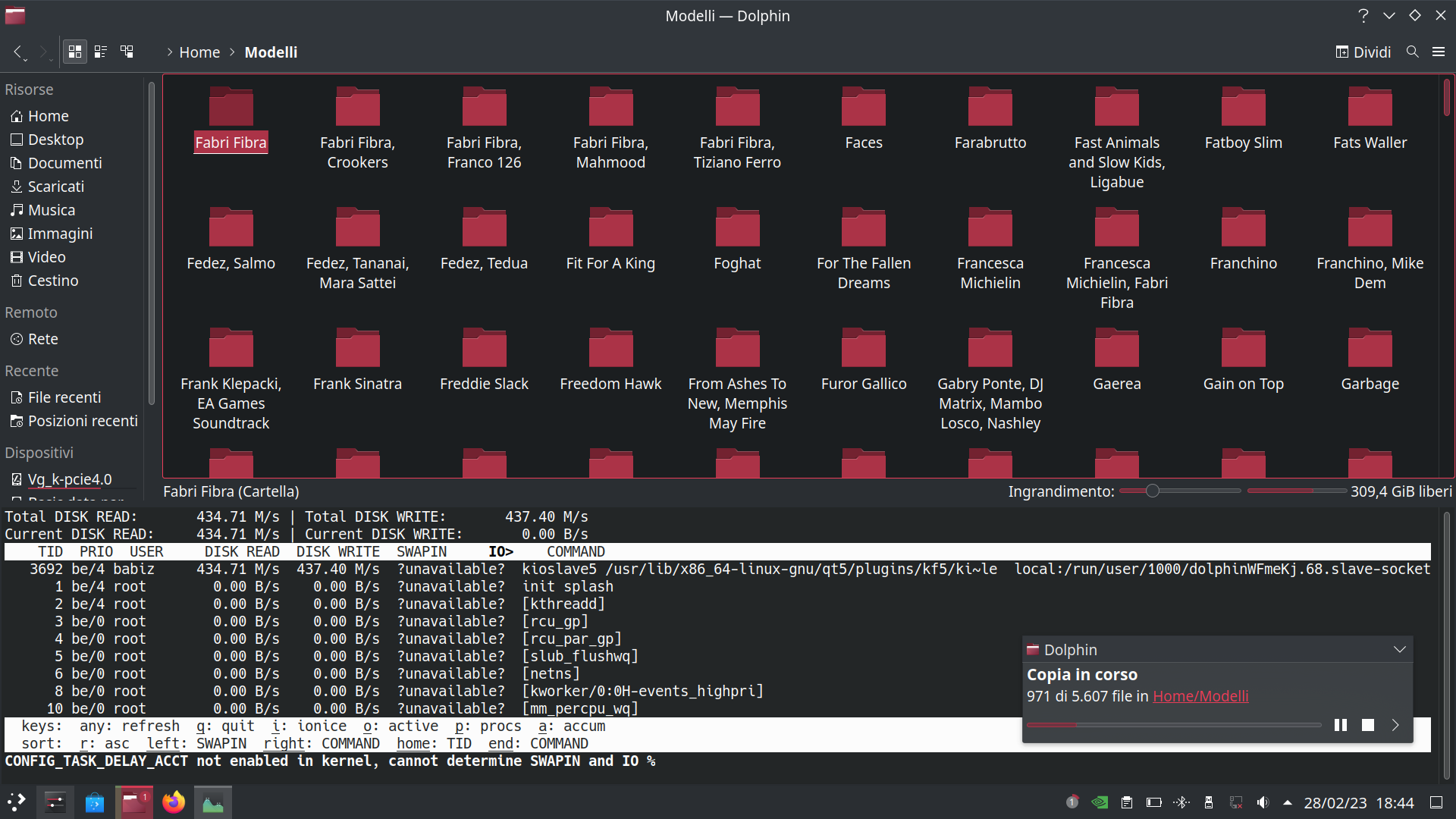
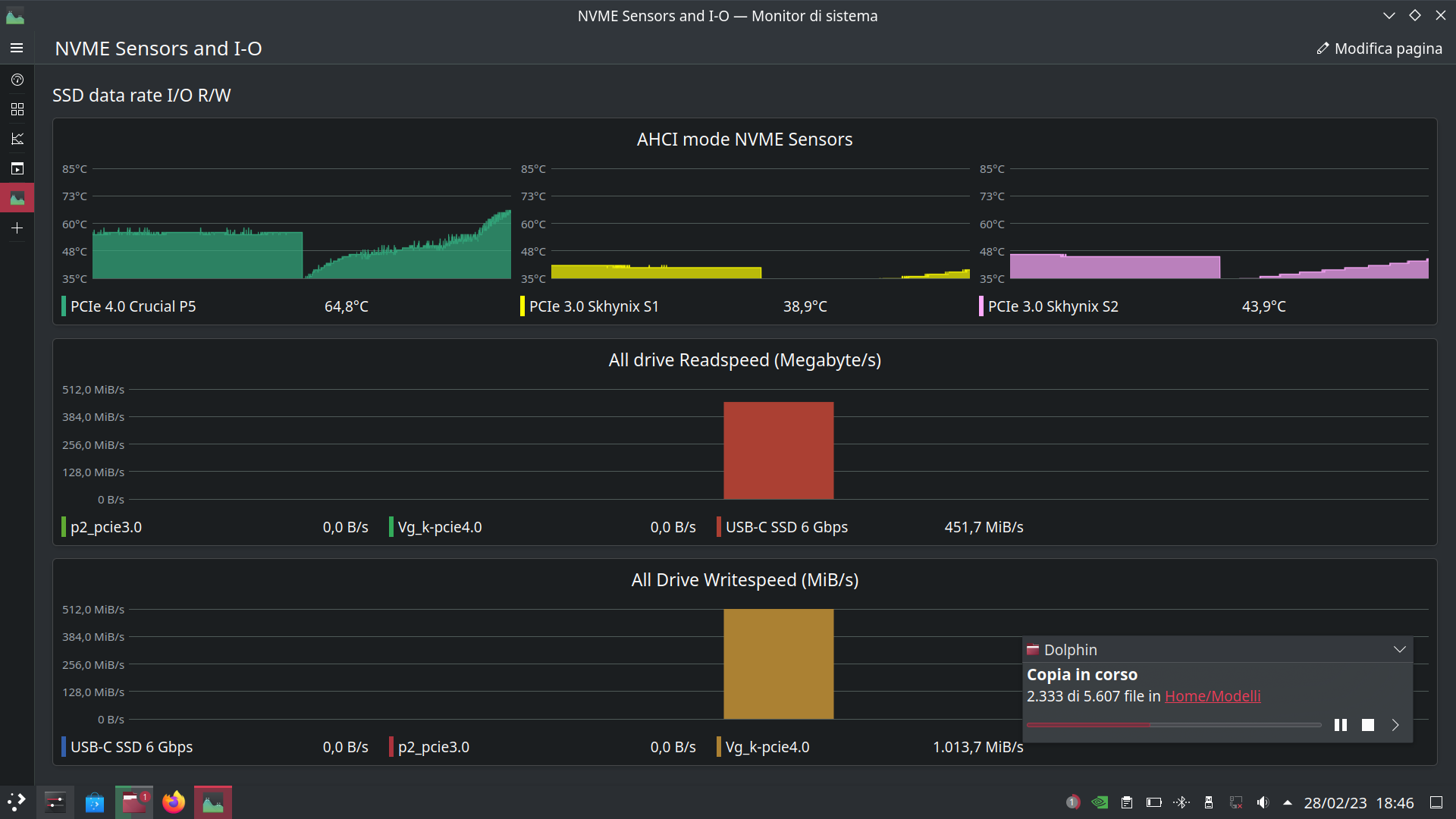
Yes Sir! Performance on 'buntu is fine. Need to repeat on my EnOS_NEO testing slice, maybe tomorrow.
News about my  (on a fresh test slice)
Today boot on AHCI mode… I’m done with some test after write this post.
So, the fans look better “intelligent” ahah lol, It’s is quiet but always on with this temps below (idle-listen music at time to write here)

This would be fine after my all useless test something happen.
Keep it simple = Keep in AHCI mmode 
Maybe power management auto tune will work now. What exactly mean this I don’t know!
I see there is a package called power-profiles-daemon default installed and it binary report this when launched:
$ powerprofilesctl
performance:
Driver: intel_pstate
Degraded: nobalanced:
Driver: intel_pstate
- power-saver:
Driver: intel_pstate
I’m go to learn about intel_pstate driver and actually, is for sure one driver needed by this laptop for power management if I’m not wrong.
So I get a quick look on this:
$ modinfo intel_pstate
name: intel_pstate
filename: (builtin)
license: GPL
file: drivers/cpufreq/intel_pstate
description: ‘intel_pstate’ - P state driver Intel Core processors
author: Dirk Brandewie dirk.j.brandewie@intel.com
This mean no module OPTIONS is available to tweak, like ahci on are (builtin) in kernel
I think I’m go to no way here, but some reading will be useful for understand.
Quote from kernel.org
intel_pstateis a part of the CPU performance scaling subsystem in the Linux kernel (CPUFreq). It is a scaling driver for the Sandy Bridge and later generations of Intel processors. Note, however, that some of those processors may not be supported. [To understandintel_pstateit is necessary to know howCPUFreqworks in general, so this is the time to read CPU Performance Scaling if you have not done that yet.]
So now I think to take some efforts to reading CPU performance scaling, but my goal is always try to manipulate nvme and vmd module or at least only nvme to find a way to enable deep power saving if possible. Not really sure is good way cause Im statìrt to scratch equals large amount of waste time for me, but is fun lol.
And I’m still waiting for heat sink shipment to be done, my very hottest Crucial P5 drive needs.
Last but no least, I’m under learning initrd how work, cause system early boot process include nvme and vmd and so, initrd is big piece of Linux OS and is cool to do a look into it. (extreme hard work to manipulate it for dummies, also need to learning dracut of course)
Bye Bye 

1 Like
@Babiz
Honestly I can’t even follow what you are doing. 
Sweet dude, I know, follow me is hard,  I’m do many trials & errors and post here for don’t forget my badly mistake, of course I update this thread once found one plausible solution to control fans and keep nvme cold as possible (I think ASPM setting next to heatsink)when I’ll take a look on nvme performance too, but I’m really so disoriented and my fewer Linux basics dont’help to get immediate solution. I’m under step by step understanding.
Also I’m sorry for my basic skill to write in English, results to non linear hard understandable topics. Forgive me 
Hooo hellooo guys! Today after last update (apply two days ago) looks like something changes under the roof of and fans work pretty “similar” to K’buntuthing, this is really a kind of magic,I’m belive to magic of course 
Soo today my working plan is to install my new heatsink and will post some picts after.
Here below is some scrrens of temps and drive performance on sequential R/W AHCI mode on my spare testing take yesterday, looks same with k’buntu and this mean both OS will work good on performance side. (my guess) and no need to switch on Intel RST mode. This is only right choice for now, take in account a little performance degradation, I’m mesaured at startup time with systemd-analyze on past I post.
Thank you to all readings.
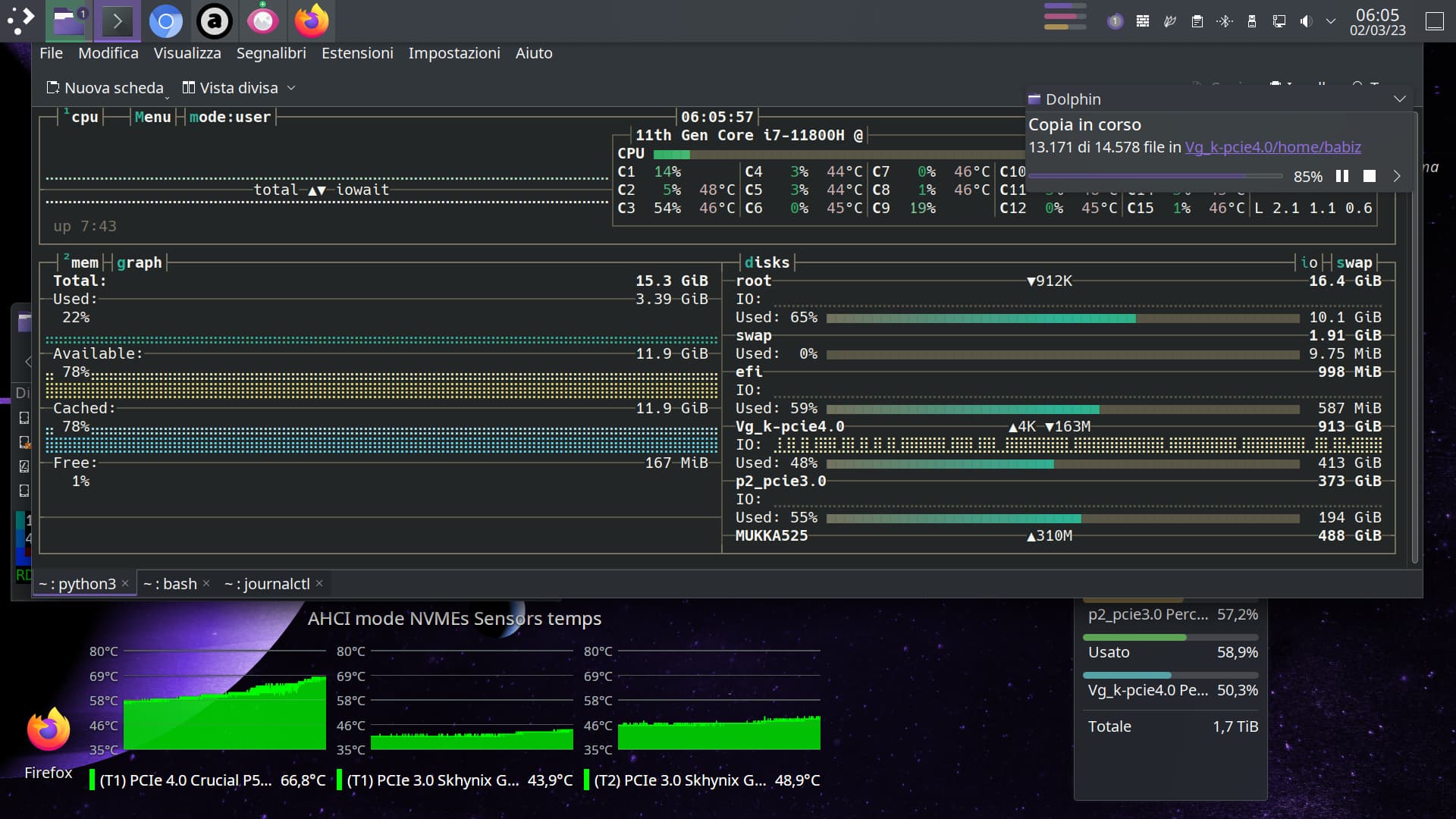
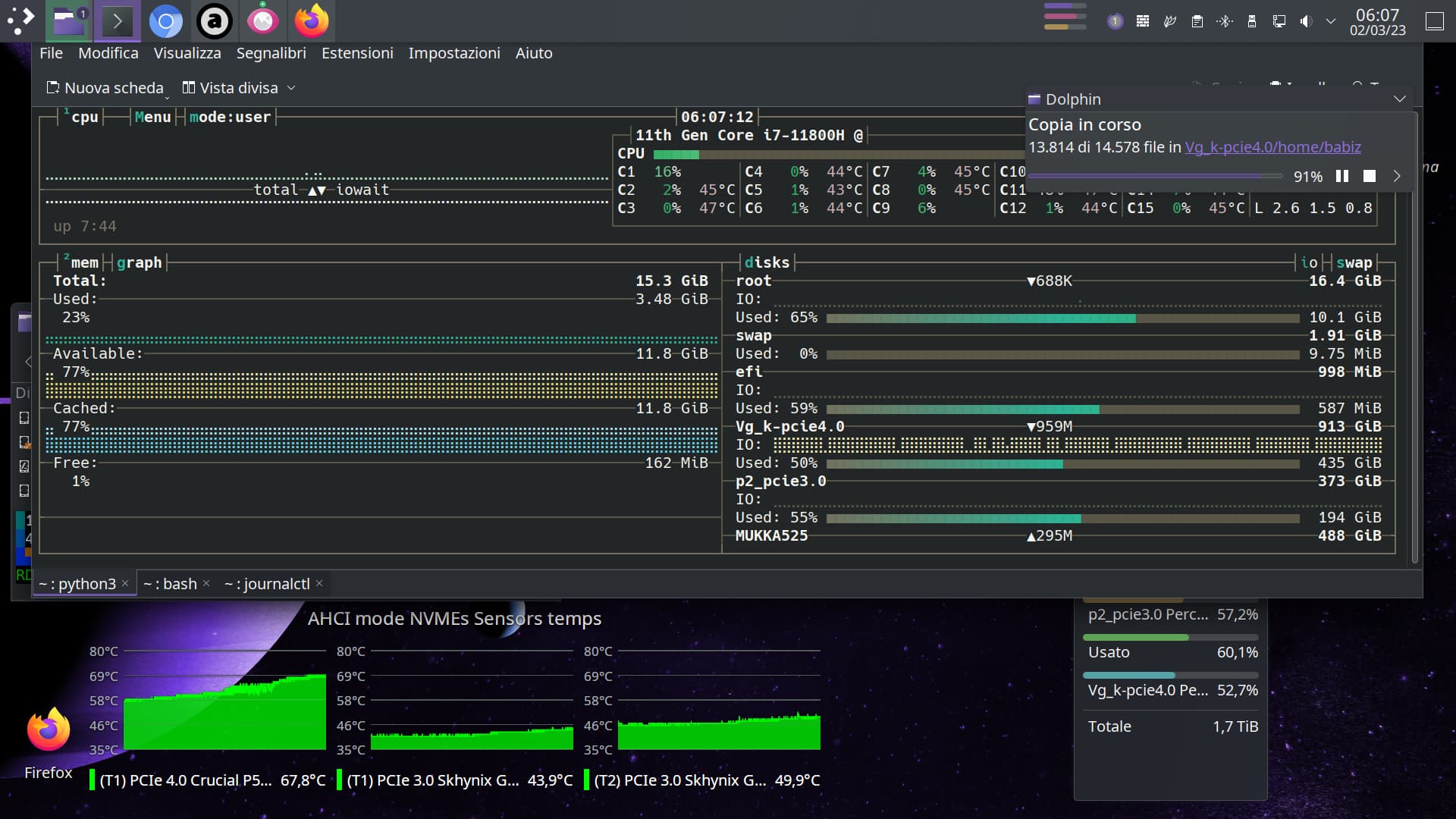
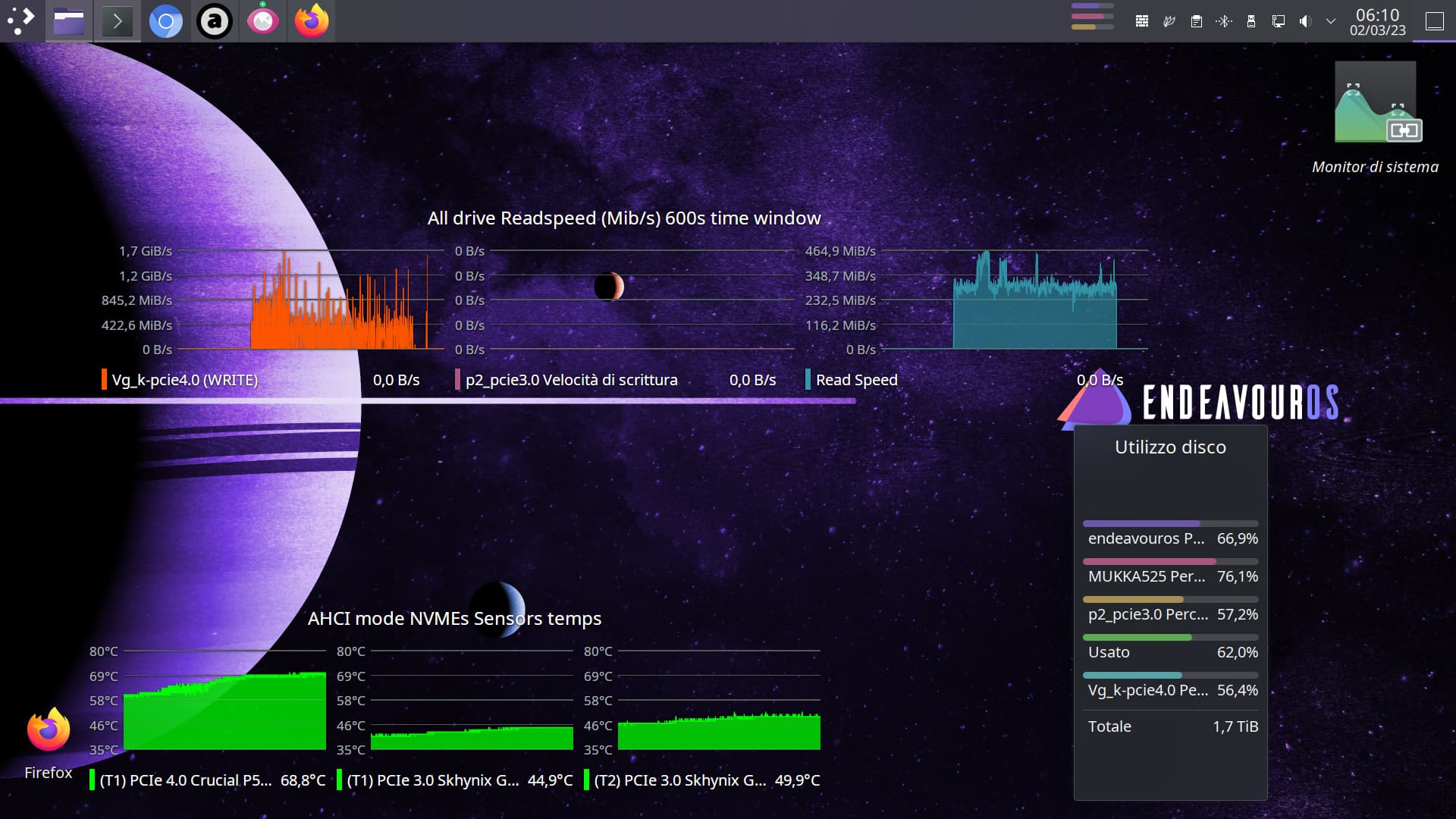
This below is test between nvme’s (sequential R/W from
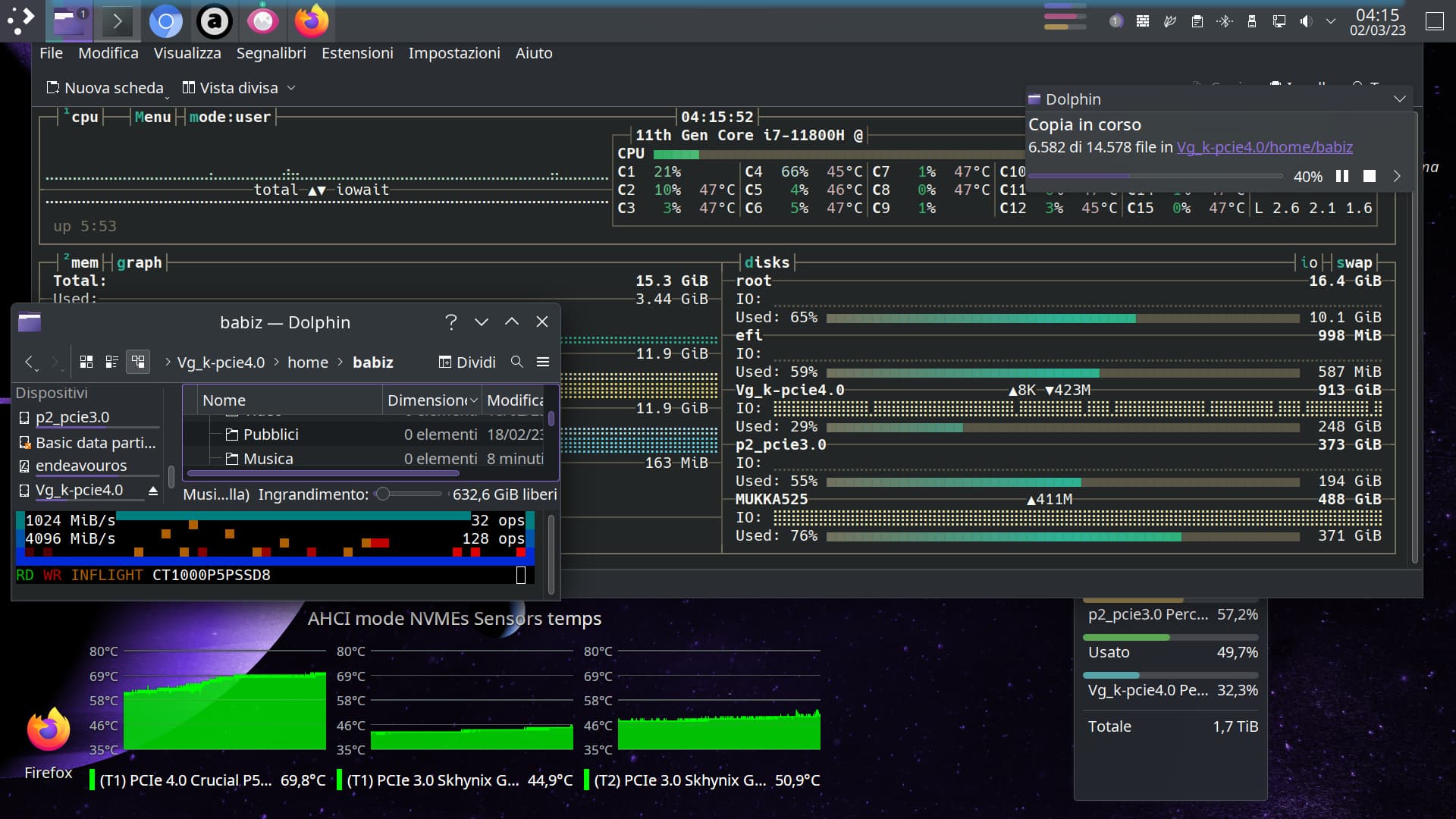
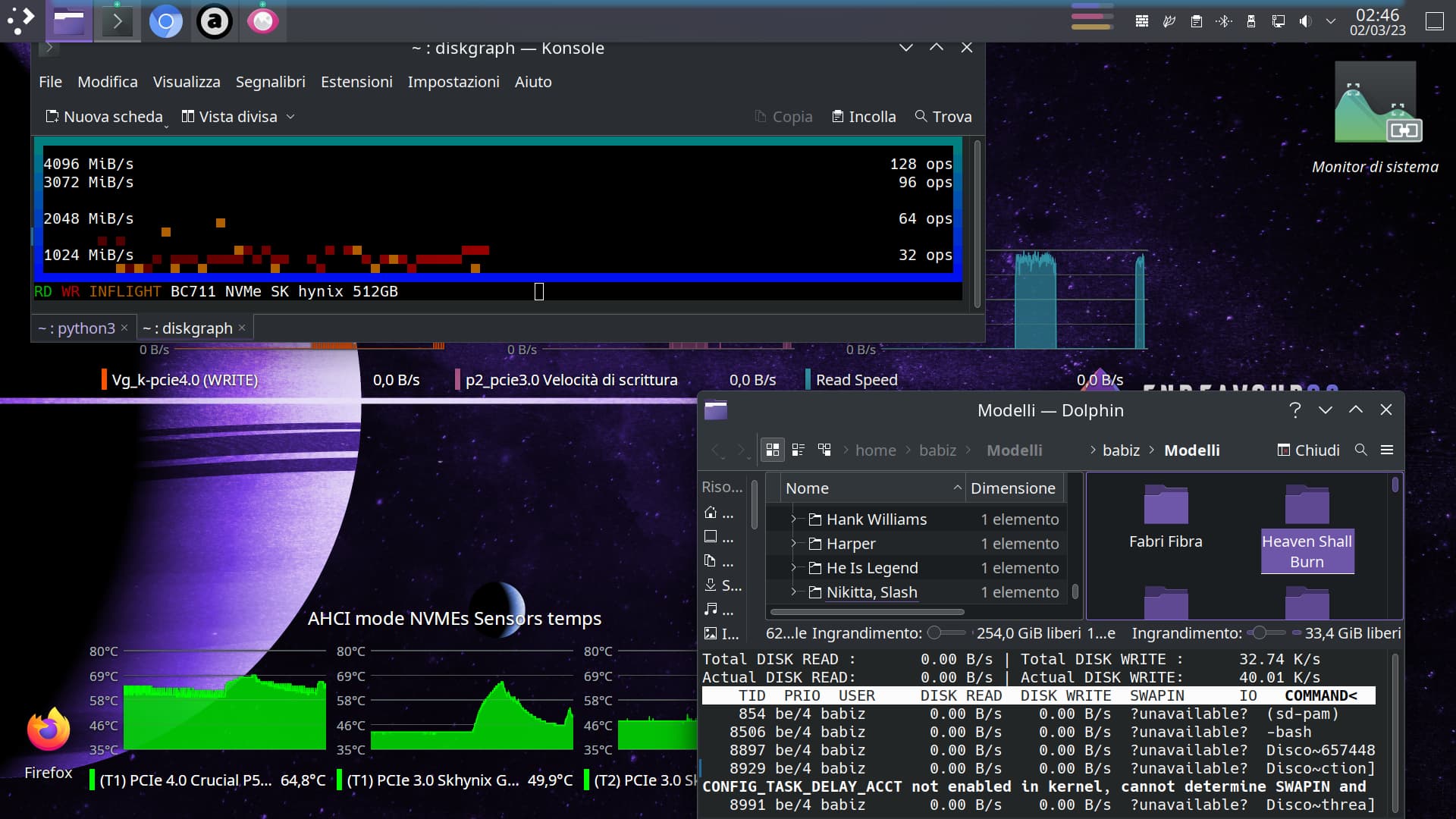
So what changed. I could have told you RST is no good on Linux. AHCI is the way to go! What changed that give you similar results on temps and transfer rates? Magic? 
1 Like
I’m afraid but fan control some days ago change from quieter to louder.
This trigger me to watch out temps and fan control issues. And I see on 'buntuthing some kind of immediate solution because on it fan control never go wrong. (on RST mode)
So after some days from start this thread, the too, adjust fan control automatically, and turn back to quiet good, for me it’s so magic!

Well finally I’m done with heatsink in place and make good cold! Everything looks fine for now (still under AHCI mode)
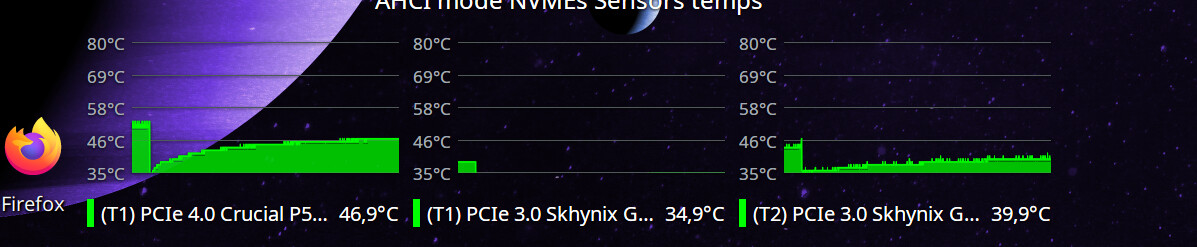
Add some pics later, bye bye.
Edit:
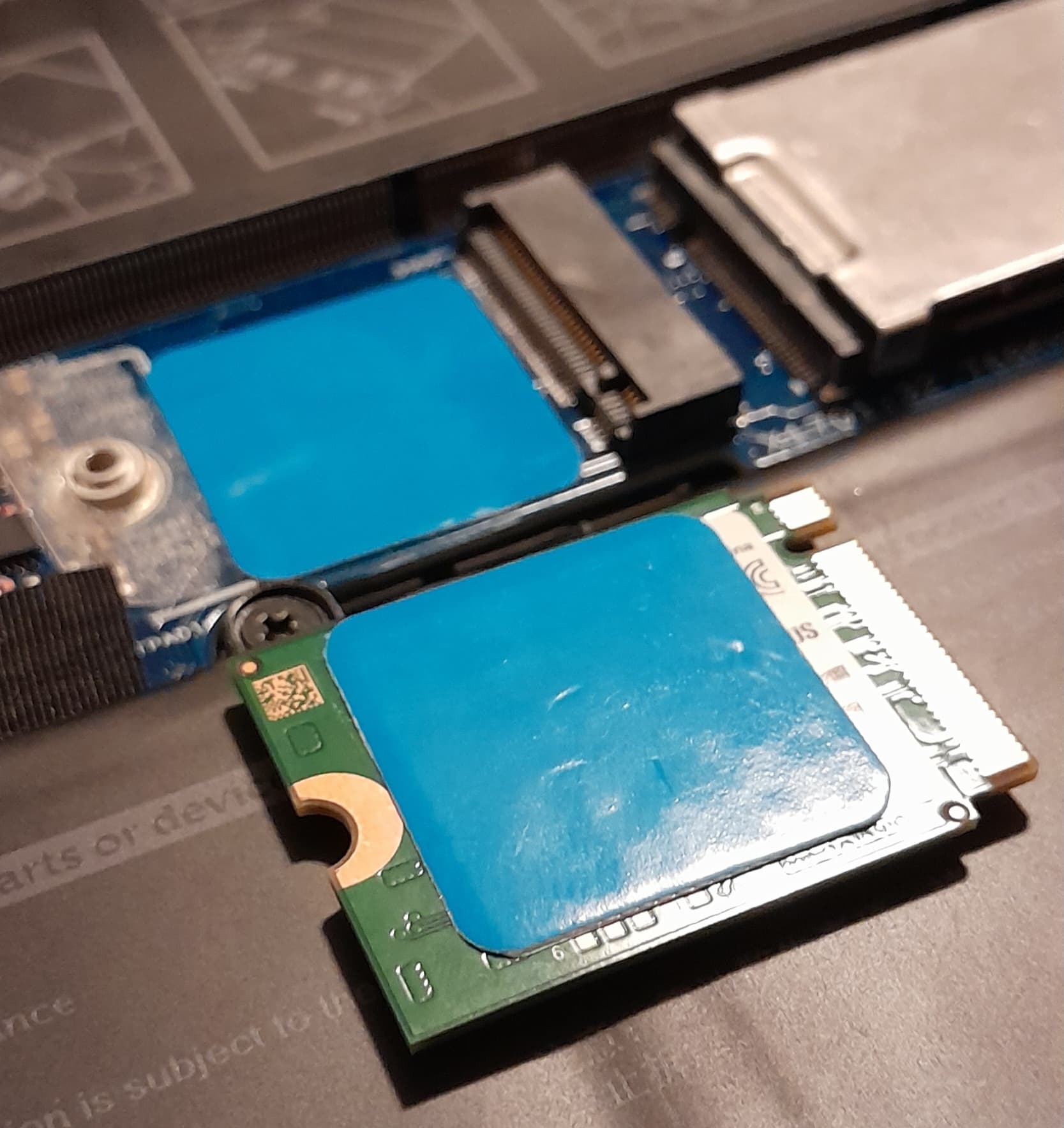
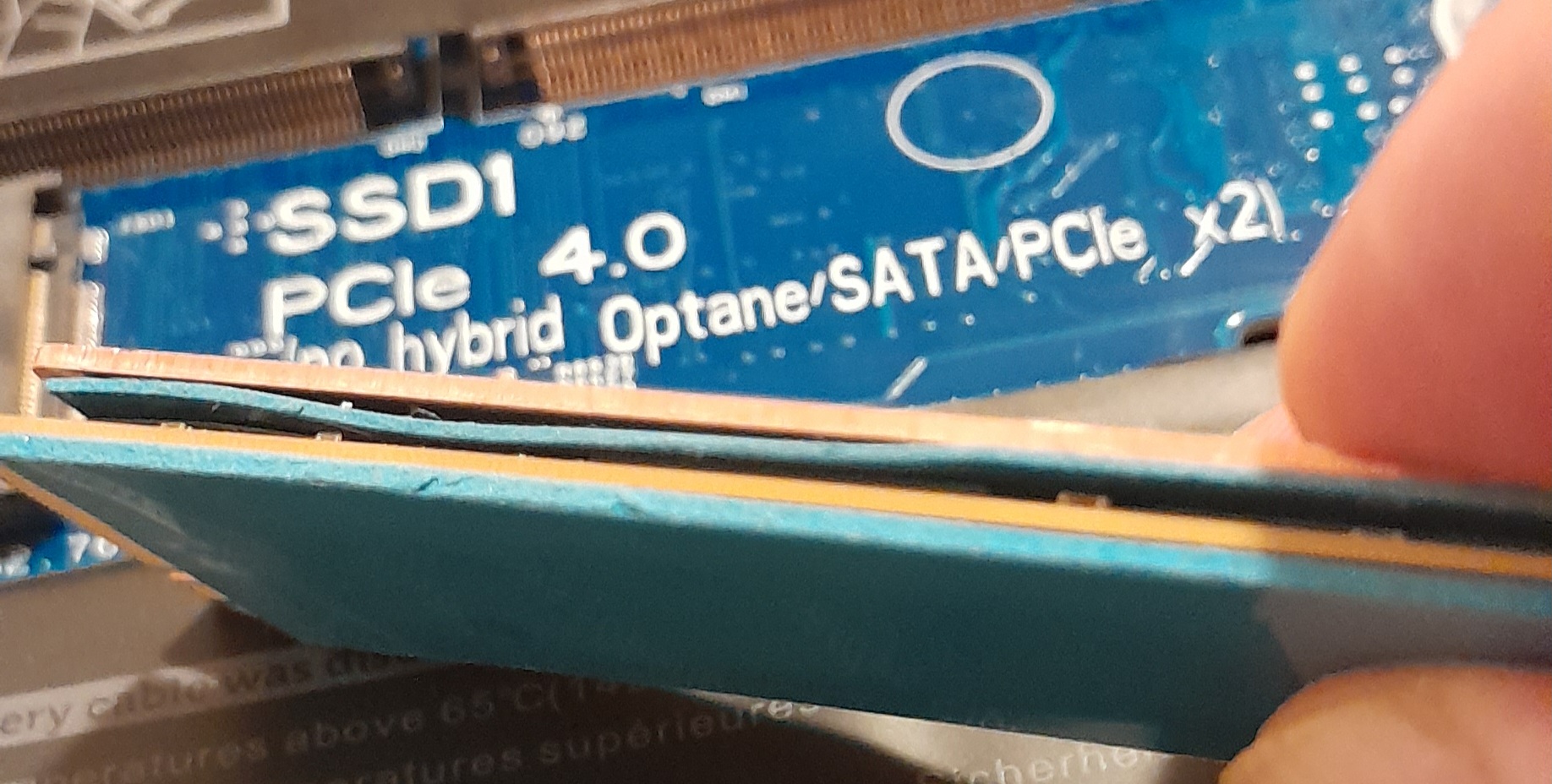
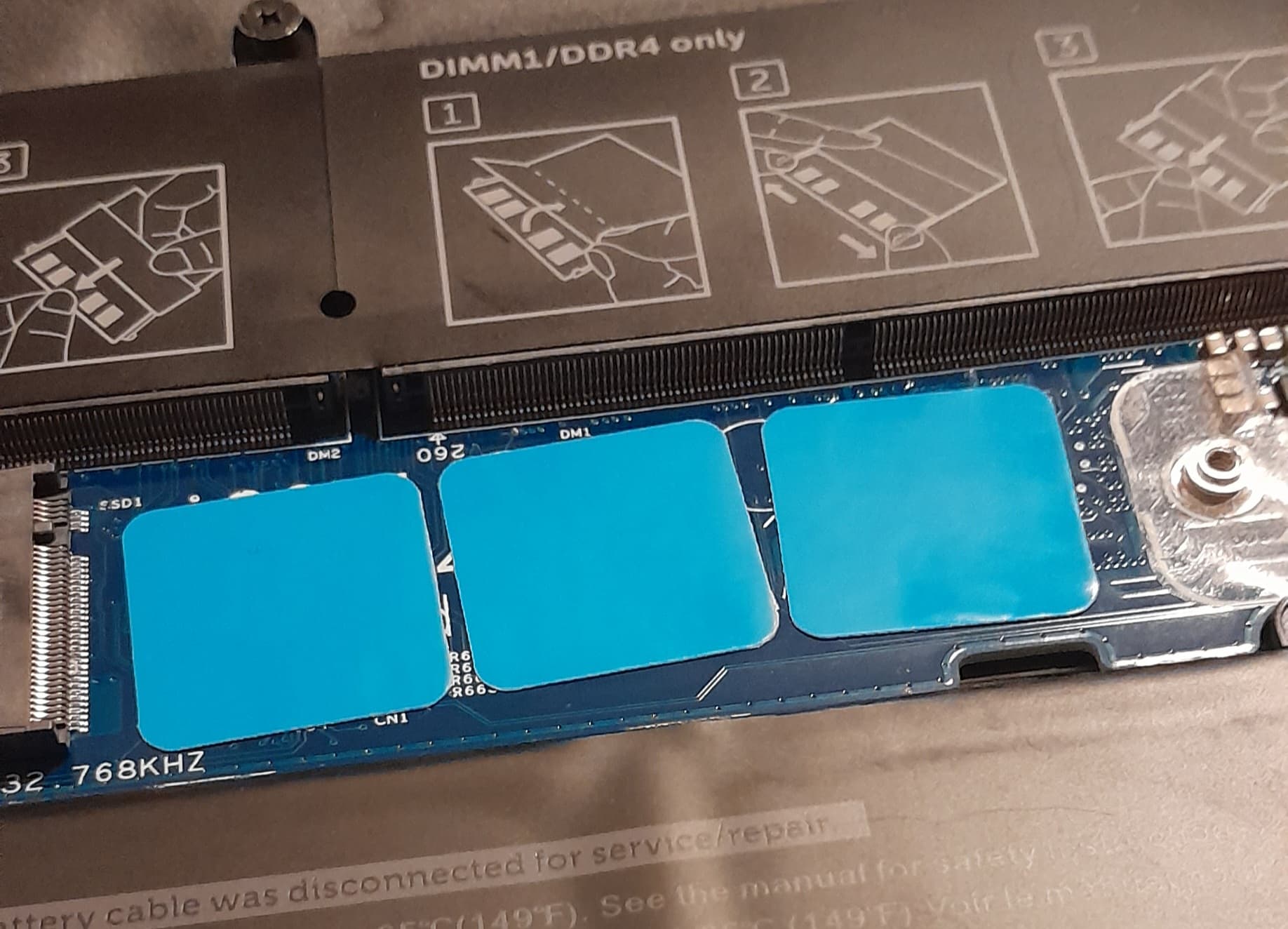
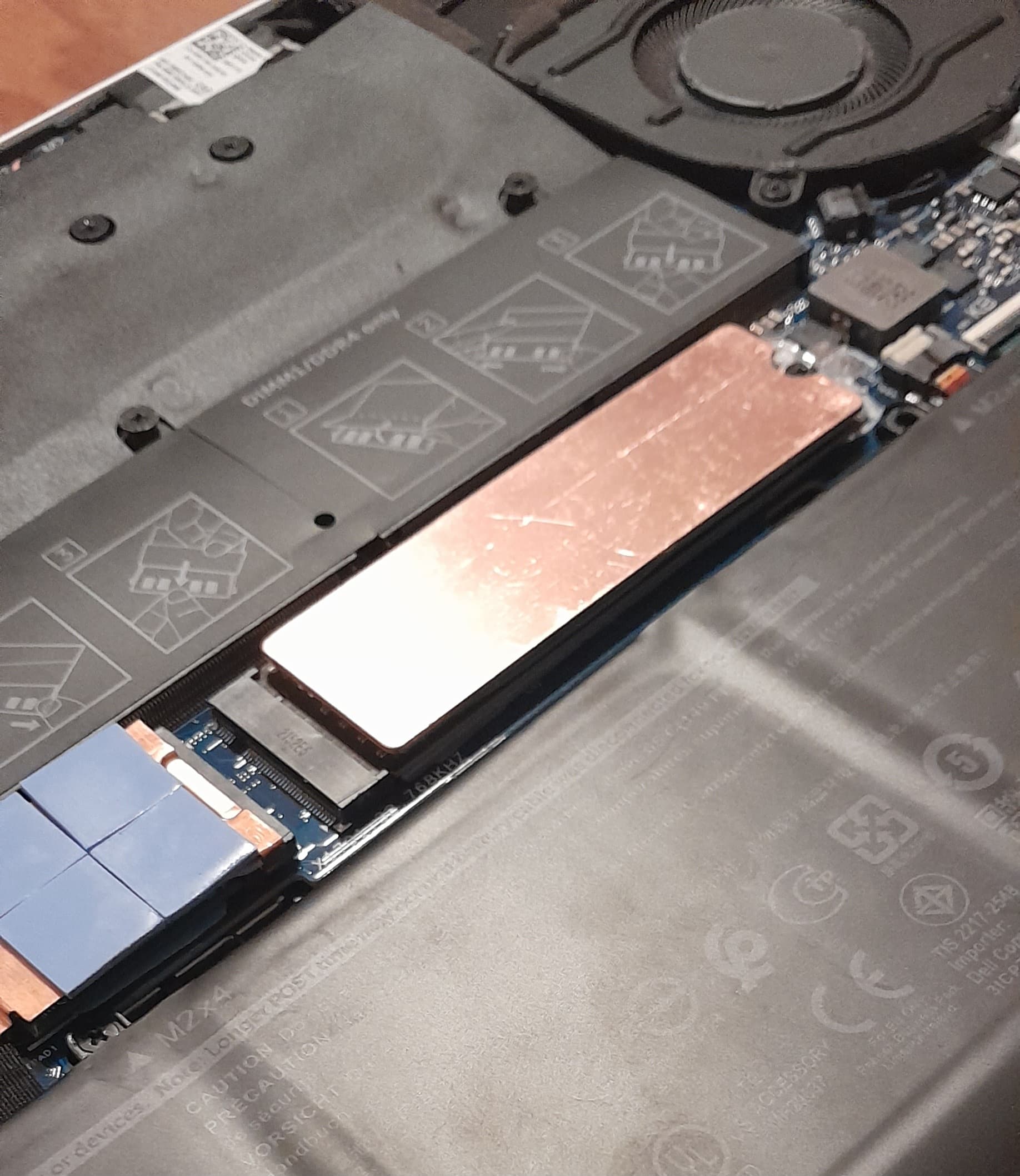
Eheh, no lefy space for original plate…
Found in kit many spare thermal padd, allow me to fine adjusting padding between bottom cover and nvme chip.
For instance, the four padd I apply, you see on the left angle, for 2230 m.2, this touch laptop back panel when I close bottom cover, I’m hear the sticky of these.
And 2280 m.2 is overall more height with this heat sink.
I think so fine man.
Also magic 
@keybreak @ricklinux guys, do you think of my install, are good? 

1 Like
You don’t have the copper heat sinks on both sides of the m.2 drive? I would have only put it on the outside. 
 :
: