Hello,
after a lot of efforts, i finally was able to install the nvidia drivers and making them work (i can now play steam games on dgpu) on wayland
But now the dGpu won’t ever shut down. As the arch wiki states, i have created the config files:
/etc/udev/rules.d/80-nvidia-pm.rules

# Enable runtime PM for NVIDIA VGA/3D controller devices on driver bind
ACTION=="bind", SUBSYSTEM=="pci", ATTR{vendor}=="0x10de", ATTR{class}=="0x030000", TEST=="power/control", ATTR{power/control}="auto"
ACTION=="bind", SUBSYSTEM=="pci", ATTR{vendor}=="0x10de", ATTR{class}=="0x030200", TEST=="power/control", ATTR{power/control}="auto"

# Disable runtime PM for NVIDIA VGA/3D controller devices on driver unbind
ACTION=="unbind", SUBSYSTEM=="pci", ATTR{vendor}=="0x10de", ATTR{class}=="0x030000", TEST=="power/control", ATTR{power/control}="on"
ACTION=="unbind", SUBSYSTEM=="pci", ATTR{vendor}=="0x10de", ATTR{class}=="0x030200", TEST=="power/control", ATTR{power/control}="on"/etc/udev/rules.d/80-nvidia-pm.rules
# Enable runtime PM for NVIDIA VGA/3D controller devices on driver bind
ACTION=="bind", SUBSYSTEM=="pci", ATTR{vendor}=="0x10de", ATTR{class}=="0x030000", TEST=="power/control", ATTR{power/control}="auto"
ACTION=="bind", SUBSYSTEM=="pci", ATTR{vendor}=="0x10de", ATTR{class}=="0x030200", TEST=="power/control", ATTR{power/control}="auto"

# Disable runtime PM for NVIDIA VGA/3D controller devices on driver unbind
ACTION=="unbind", SUBSYSTEM=="pci", ATTR{vendor}=="0x10de", ATTR{class}=="0x030000", TEST=="power/control", ATTR{power/control}="on"
ACTION=="unbind", SUBSYSTEM=="pci", ATTR{vendor}=="0x10de", ATTR{class}=="0x030200", TEST=="power/control", ATTR{power/control}="on"
/etc/modprobe.d/nvidia-pm.conf

options nvidia "NVreg_DynamicPowerManagement=0x02"
even though the wiki says it should work by default.
Anyway, this is the result of nvidia-smi when “nothing” is running on my dgpu:
+-----------------------------------------------------------------------------------------+
| NVIDIA-SMI 550.76                 Driver Version: 550.76         CUDA Version: 12.4     |
|-----------------------------------------+------------------------+----------------------+
| GPU  Name                 Persistence-M | Bus-Id          Disp.A | Volatile Uncorr. ECC |
| Fan  Temp   Perf          Pwr:Usage/Cap |           Memory-Usage | GPU-Util  Compute M. |
|                                         |                        |               MIG M. |
|=========================================+========================+======================|
|   0  NVIDIA GeForce GTX 1650 ...    On  |   00000000:01:00.0 Off |                  N/A |
| N/A   49C    P8              4W /   35W |       9MiB /   4096MiB |      0%      Default |
|                                         |                        |                  N/A |
+-----------------------------------------+------------------------+----------------------+

+-----------------------------------------------------------------------------------------+
| Processes:                                                                              |
|  GPU   GI   CI        PID   Type   Process name                              GPU Memory |
|        ID   ID                                                               Usage      |
|=========================================================================================|
|    0   N/A  N/A       863      G   /usr/lib/Xorg                                   4MiB |
|    0   N/A  N/A      1136      G   /usr/bin/ksmserver                              1MiB |
|    0   N/A  N/A      1363      G   /usr/bin/kaccess                                1MiB |
+-----------------------------------------------------------------------------------------+
These are the packages i have installed:
> sudo pacman -Q | grep nvidia
lib32-nvidia-utils 550.76-1
nvidia 550.76-3
nvidia-prime 1.0-4
nvidia-utils 550.76-3
Hardware information: https://0x0.st/XX1y.txt
Arch wiki suggests that something is polling the gpu asking for temperature, though i have no programs that i know about that are polling the gpu, and i don’t know how i should be able to check if something is doing this.
The three processes running on the gpu also look suspicious, maybe kde for some reason finds the video driver already loaded and offloads these processes to the gpu. Is it normal to have them there?
The power management works perfectly fine on windows, so this is not a hardware problem.
Another problem i am facing is that video decoding doesn’t seem to be working correctly.
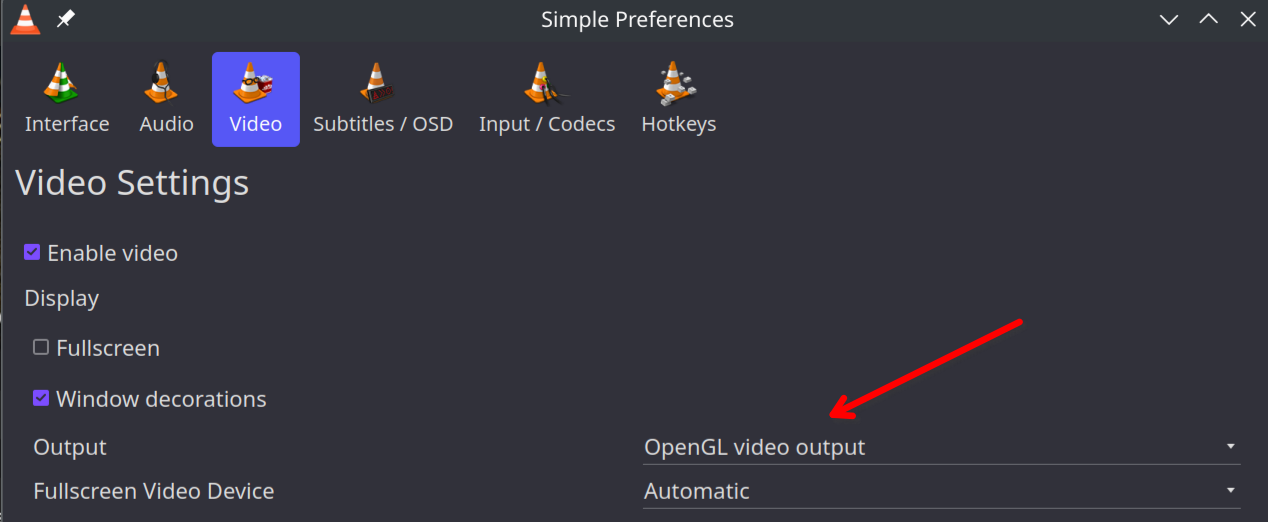
When i run vlc under dGpu there is heavy tearing and the video seems to be cut diagonally, and when i try to put a fullscren video on youtube, firefox crashes, to which the workaround was to disable hardware acceleration. For the stuttering problem, i have tried enabling and disabling vrr on kde settings, to no avail.