So I have a Steam game that I play with my friend regularly. I noticed he has unusually high ping in this game than any other game. I did a little researched on the issue and turns out it’s just a port issue. Now on Windows, firewall setup is as easy as adding the rule to the game exe. However, I can’t exactly figure out how to do this on Linux, specifically EndeavourOS that I’m using.
I’ve tried messing around a bit but haven’t got anything to work (mainly cause there’s barely any documentation about this last I searched and AI seems to give dodgy half-baked solution). I could open the ports permanently but obviously that requires setup and cleanup every time I want to run the game just to stay secure. I need a solution that only has the ports open for the Steam game, not the whole system, and make it inactive if the game isn’t on. Anyone got any ideas?
Yeah, that’s what I initially did try to mess with at first. But I can’t figure out how to make it process specific (likely impossible). That’s why it didn’t meet my requirements and decided to make a topic post here.
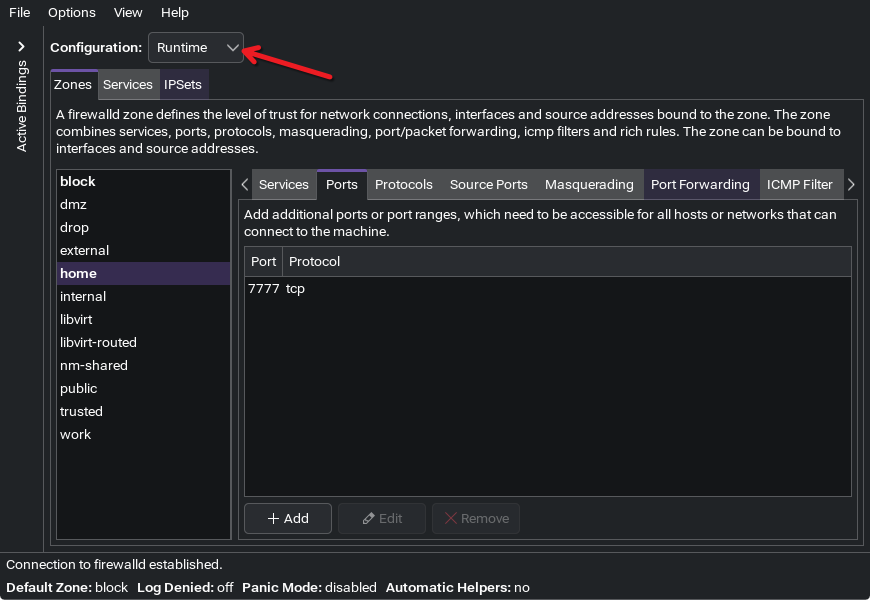
When I do this for games, I just ensure I’m applying any firewall rules to the runtime configuration, and not the permanent configuration. That ensures the next time I boot up, those changes are not retained.
You can also do a similar thing on the command line, if you’d like to make it a part of a script. For example, temporarily unblocking TCP port 7777 in the home zone, would look like this: