Mostly distro agnostic way to install Chrome without AUR

Mostly distro-agnostic way to install Chrome without AUR - Work In Progress. I’ve also read the recent news and nuked each and every AUR package I had -

sudo pacman -Qme
blueberry 1.4.8-2
brave-bin 1:1.90.128-1
google-chrome 148.0.7778.215-1
gtk2 2.24.33-5
masterpdfeditor-free 4.3.89-1
microsoft-edge-stable-bin 148.0.3967.83-1
onlyoffice-bin 9.4.0-1
splix 2.0.1-2
ttf-ms-fonts 2.0-12
visual-studio-code-bin 1.122.0-1
wkhtmltopdf-bin 0.12.6.1+3-1

Some of these apps are available as .appimage files, some like fonts can be installed manually as font files, but some like browsers and Visual Studio Code are just Electron apps and their .deb versions often are ready to be used after being simply unpacked.

So I decided to make a series of simple .sh scripts to do it. In future plans they’re supposed to be completely distro-agnostic, but the first one isn’t so much - it’s for us Arch/EndeavourOS users specifically but can be easily remade later.

Later today or next week I’m planning to add scripts for other apps, but for now Chrome comes first - https://github.com/MatveyM11/Distro-Agnostic-Electron-Apps-Installer/blob/main/Chrome/install-chrome-arch.sh

How to use the script:

  1. Download it

  2. Change this line to whatever place you’re going to download your .deb package from the official Chrome website

CHROME_DIR="${CHROME_DIR:-/home/USER/Downloads/Chrome}" 
chmod +x install-chrome.sh
./install-chrome-arch.sh

That’s it.

UPD

Added VS Code installer - https://github.com/MatveyM11/Distro-Agnostic-Electron-Apps-Installer/blob/main/VS%20Code/install-vscode-arch.sh


F.A.Q.

Q: Why not make it a packagebuild?

A: Because I plan to make it distro-agnostic for any Linux distro.

Q: Why not just grab a PKGBUILD for google-chrome from AUR?

A: Because I can, because I wanted to make it potentially distro-agnostic. And also to make it slightly more secure, as the AUR package relies on automatically downloading the .deb Chrome package via a link, which can potentially be compromised. My script ensures it’s only a manually downloaded package that’s going to be installed.

Q: Do I need base-devel or makepkg?

A: No. It only needs bsdtar (from libarchive) and pacman, both already in a base Arch install. No build toolchain, so it also works fine on minimal systems and containers.

Q: Does it need an internet connection?

A: No. Once the .deb is in your folder the whole thing runs offline - it just unpacks and repackages locally. Good for airgapped machines and reproducible installs.

Q: Is it still a real, removable package or does it just dump files into /opt?

A: It’s a real one. The script builds a proper pacman package and installs it with pacman -U, so Chrome shows up in `pacman -Qi google-chrome`, upgrades like any other package, and removes cleanly with `sudo pacman -Rns google-chrome`. Nothing is scattered loose outside pacman’s tracking.

Q: How do I update Chrome later?

A: Download the newer .deb into the same folder and run the script again. It reads the version, compares it with what’s installed via vercmp, and upgrades only if the new one is actually newer - the same version is a no-op.

VS Code is available in Extra (https://archlinux.org/packages/extra/x86_64/code/), but granted, to get full marketplace access is still requires code-marketplace from the AUR.

What I’d suggest instead of making .sh scripts, is making PKGBUILDs yourself. These are bash scripts already, and they’re integrated with the Arch packaging system, which is the correct way to install software.

You don’t have to use the AUR. But you can reference PKGBUILD’s and update, change and manage them locally on your own system. You can grab any existing PKGBUILD, scrutinise it to ensure its safe, and rename it locally for your use, to something like google-chrome-matvey if you wish, and that’ll forever be your own version, just for your computer.

The marketplace is the main reason, especially when you code in C++ as most of the useful stuff is on the official marketplace, and needed Microsoft extensions are not included in non-official alternatives.

While I was writing my last post I hadn’t realised you’d added extra information. It’s good to hear it’s still using the Arch packaging system :+1:

In a PKGBUILD, instead of providing a link, you can instead reference a local file. The build will only work if that file has been downloaded manually, and has the correct checksum. For example:

source=("file://some-file_${pkgver}.zip")

It’s perhaps worth noting too, that there are maintainers with higher trust levels operating within the AUR. To use some of the packages you listed for example:

All of those packages are maintained by recognised Arch Package Maintainer’s, not random users.

As for any AUR based dependencies they may need, I haven’t checked. But a little perspective should be maintained at the moment.

Do you mean that they are part of Arch’s Package Maintainers’ Team operating under pseudonym in AUR?

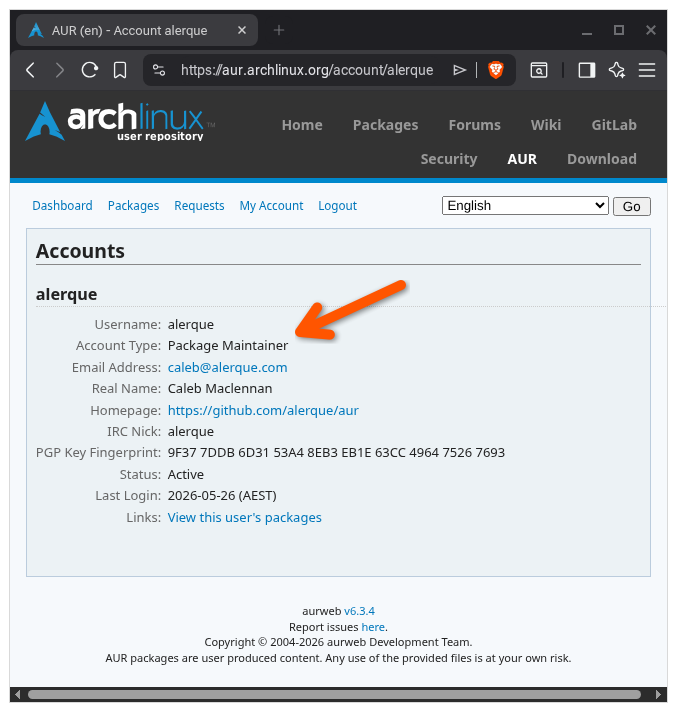
When signed into the AUR, you can click on the maintainers name, and you’ll see their “Account Type” is “Package Maintainer”.

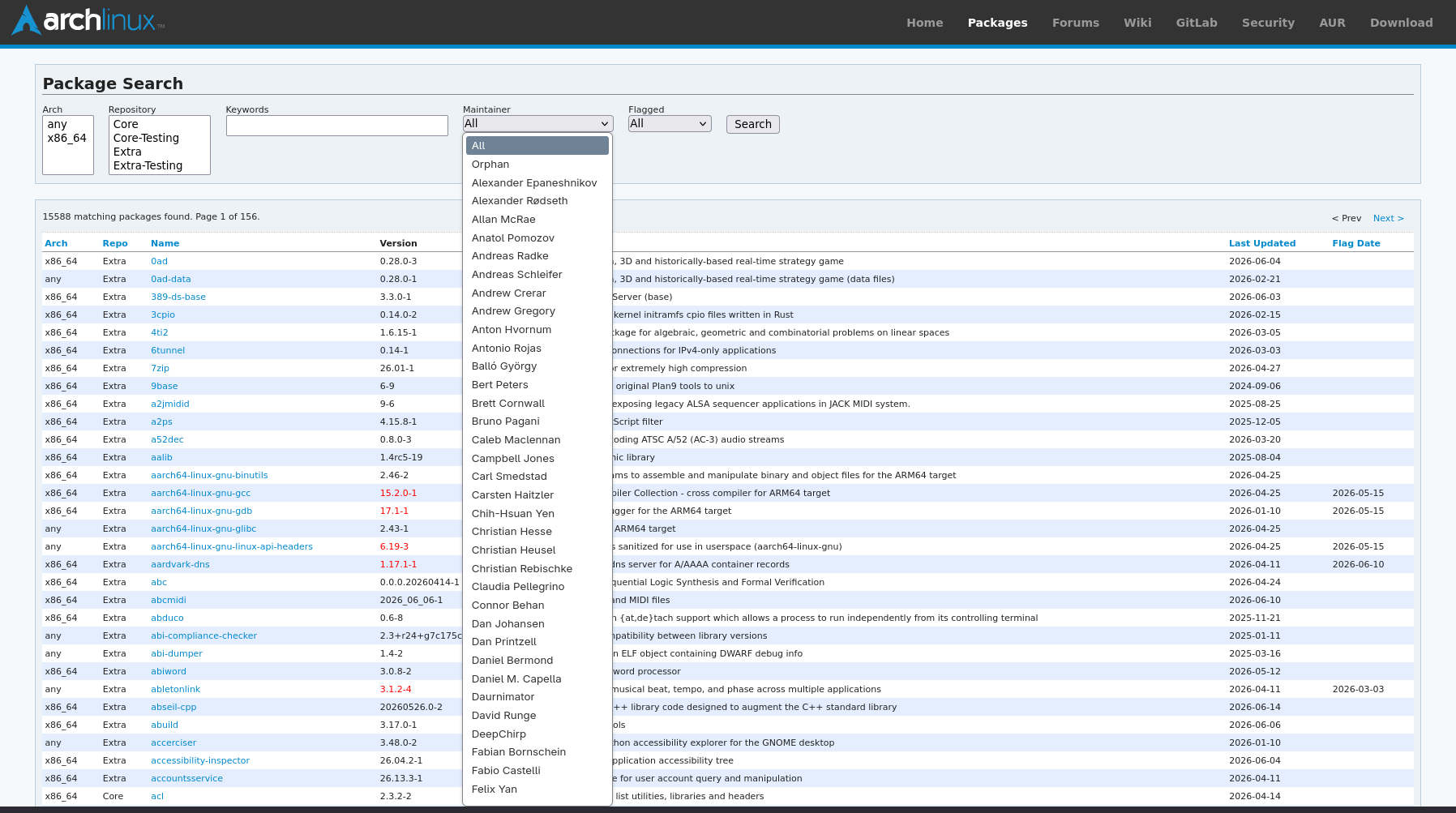
That also cross-references with this list:

I see. Thanks for the clarification. I don’t have an account there so I couldn’t see the relation.

:waving_hand:

It’s perhaps worth noting too, that there are maintainers with higher trust levels operating within the AUR.

As I understand, the AUR still has easy ways for someone else to replace the old package maintainer, no?

It just requires a 2-week wait for the request to be automatically accepted, and I can easily see how even a trusted maintainer, because of some incidents, being sick, on vacation, or whatever else, may lose ownership.

The maintainer is notified when someone issues an orphan request, so it wouldn’t typically go unnoticed. The idea I guess, is if the maintainer hasn’t responded in two weeks, they’re considered AWOL.

It can happen quicker if the package has held an “out-of-date” flag for at least 180 days.

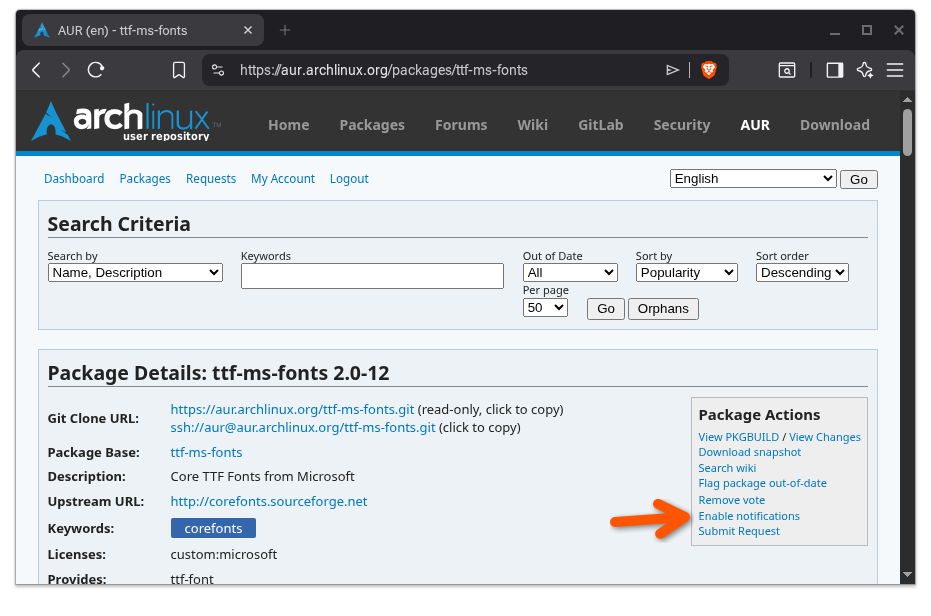
With an AUR account, you can also select to be notified of all package changes, which includes orphan requests and maintainer changes.

The problem is also noticing this email and paying attention to maintainer changes and checking the PKGBUILD for changes.
I sometimes miss my work emails or emails from my accountant, because there’s lots of stuff going into the inbox that’s not spam and could be important. And 10+ AUR package notifications will probably be drowned in the inbox too.

Yeah I understand that’s possible. I have filters that help sort my emails into folders, which makes it easier to glance at a folder quickly and catch anything noteworthy even just from the subject field.

A package being orphaned doesn’t happen all that often, so it’s pretty easy to spot when it does.

Added VS Code installer - https://github.com/MatveyM11/Distro-Agnostic-Electron-Apps-Installer/blob/main/VS%20Code/install-vscode-arch.sh