Missing Fonts

Hello,

I recently installed the Sway edition and I have been enjoying it very much so far. One of the small issues I have been trying to resolve is to get the right fonts so that the default (the once coming with the EndevousOS Sway edition) swaybar symbols work.

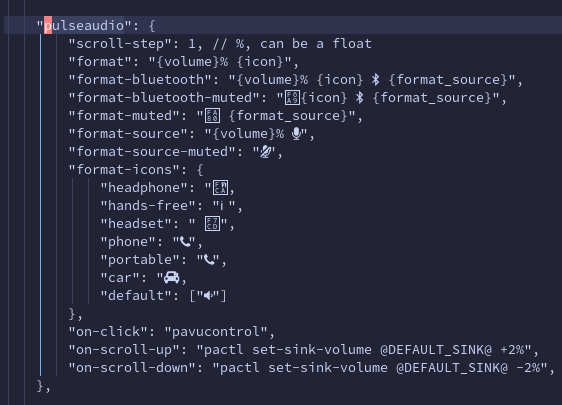
For example, the swaybar pulseautio widget is missing some fonts:

2023-05-29T12:18:46,833691024+01:00

Does anyone have any idea which fonts I need to install to resolve that?

I have tried installing those packages without success:

ttf-nerd-fonts-symbols,
ttf-nerd-fonts-symbols-common,
ttf-nerd-fonts-symbols-mono

Hello @boggogo ,
My bet is:
ttf-font-awesome-5

2 Likes

Yep!

Thank you for your suggestion. I tried installing the ttf-font-awesome-5 package but it did not solve the problem :confused: The symbols are still unrecognised

Maybe you need an older v.4 also.

1 Like

Yes, that did it! Thank you very much!

2 Likes

Just to review what I did. Searched for a similar file as yr picture is less usable to test.
Here you see what font is used
Downloaded the desktop version https://fontawes ome.com/download
Extracted it to ~/.fonts
Relogged again or fc-cache

1 Like

It is why I gave the link to font-awesome cheat-sheet. Once the correct font is installed (usually ttf-font-awesome-4) you can also use the cheat-sheet to just copy and paste the characters into your WM’s corresponding config file. :wink:
2 Likes

Unfortunately, I cannot add it to the package for the install list because it is in the AUR but I’m glad it’s solved!

2 Likes

Yep, I see now. I will take a look at the fonts there. It sounds simple enough :slight_smile:

1 Like

This topic was automatically closed 2 days after the last reply. New replies are no longer allowed.