All the parts have been purchased from them, and all are still under warranty so i wont be paying anything, they cant really rip me off. If anything is faulty, theyll just replace it, it doesnt even cost them anythign. Something probably had a factory defect idk.
So whhatever it is, its not money out of my pocket. Nor theirs really…
Well they still have to diagnose it and spend the time doing that as well as replace what ever is defective. So there is cost but that is the cost of doing business.
They didnt tell me anything about thise kinds of costs and i was assured i have warranty.
So, yeah costs of doing budiness i guess…
Even if i have to pay a small “diagnose” fee, thats fine, as long as they make the computer work.
In any case, i took the computer there yesterday, they probanly wpmr be done today, then its the weekend and if they need to replace something, itll take a while for them to probably order the part if they dont have it there.
So, ill wait and return when i get the computer back.
Hopefully itll work then.
They said everything worked perfectly there, and they couldn’t found the problem.
However, they replaced the memory stick just in case because they said it can sometimes pass the memtest, but still cause issues.
That, or it’s the power at my house causing voltage drops or something.
AND - that, unlikely, but i should take out the bluetooth adapter just to be safe because they noticed how those sometimes cause issues.
So i plugged the computer in another power socket, took out the bluetooth (i never really used it anyway) and got a new memory stick…
Didn’t pay anything.
Now i’ll test it first on windows and live EndeavourOS to see if i get the same problems, and if it doesn’t do anything stupid in that time, i’ll install linux on it again. Fingers crossed.
This gives me hope though, but i don’t want to jinx it lol.
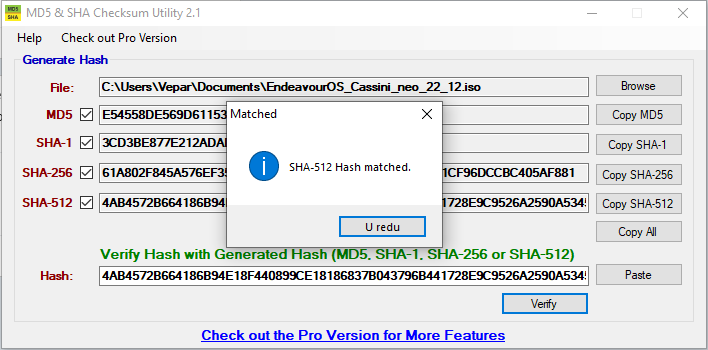
This file always failed the checksum when downloaded to the nvme.
Now it passed.
Meaning - maybe the memory stick did corrupt the data after all…
Or the power drops messed with it, not enough to shut down the computer, but enough to cause data corruption.
I also took out the second RAM stick, i’m gonna order the same one as it is in the computer now. Just to be on the safe side (even though tabs would crash and files get corrupted without that RAM stick in).
They put in the same one. I still have the other RAM stick, so i will order another one, but i can’t be sure which one i’ll get. So i’ll save the other one, just in case i get the double sided one, so i can then use both same ones. Nowhere is it specified which one it is, except the picture, but yeah, the other one had the same picture, and when it arrived it was the same specs, but different construction all the same.
I would perfer the single sided one like i have now of course.
Anyway… Windows didn’t have issues for a few hours i tested it, i made endeavourOS usb now with persistence, i’m on here now, to see if firefox will again start crashing.
They list the specs, but not the construction type…
The memory i bought before is also 16GB 3200 CL22, but i had no idea it would be different.
Shops here don’t always (most of the time don’t) have the best item descriptions…
And if there are stores, stuff is 99% out of stock and they order it from their warehouse anyway so shopping online is easier.
Oh well, i have both now, whichever comes, i can use it haha.
Well, EndeavourOS KDE is installed after live USB didn’t provide any apparent issues…
Fingers crossed.
I’m gonna now get back to the topic, read up on Pipewire and do what @Echoa suggested.
Hopefully i can get low latency audio to work without issues (or a realtime kernel, i don’t need some super high volume audio production).
So one of the reasons why EndeavourOS is my typical and main OS is because of how well it works out of the box for low latency audio both wired and wireless without much to do on my part, in part because Pipewire is default.
Over the last year, I’ve entirely moved to wireless though, and I am using the ATH-M50xBT (version 1 which has AptX support) and it has been flawless for gaming, shooters, high level game play and most importantly audio sync with dialog in games, videos, movies and the sort. I am the type of person that will get bent out of shape if the audio seems wrong, but I really did put away my dacs, amps and everything else because wireless works so well now, and I can’t tell the difference (I can immediately tell if I don’t use AptX).
If I ever bring out all my audio gear back again and my nice wireless headphones, it will be when I get a new disk and different place, but I am happy right now.
Nice! Hopefully i get the same experience.
I need it to record music though, that’s a bit different i think, but still, i don’t see why it wouldn’t work.
I hope it’s less janky than previous linux audio iterations.
That i don’t have to start a “jack server” every time, and bridge pulseaudio to jack in order to hear OS/browser audio while recording or playing, etc…
I didn’t like Fedora much though… Not because of pipewire though, it didn’t have all the packages i need.
Arch does, so…
This is something i recently discovered which while likely doesnt effect your interface @vepar ill leave here for others to note
Most USB interfaces are USB 2.0 (its more than fast enough for audio) even when they have a type C connector. If you plug them into a USB C connector you may encounter problems. My Motu M4 couldnt use anything but 48khz and would encounter Xruns when it shouldnt over type C but over regular usb type A its fine
Really? Interesting!
Yeah, my interface has USB 2.0 (A on one side and B on the other).
I don’t have a lot of USB 2.0 ports, but they’re all compatible, and didn’t really cause issues before, so they probably won’t here either.
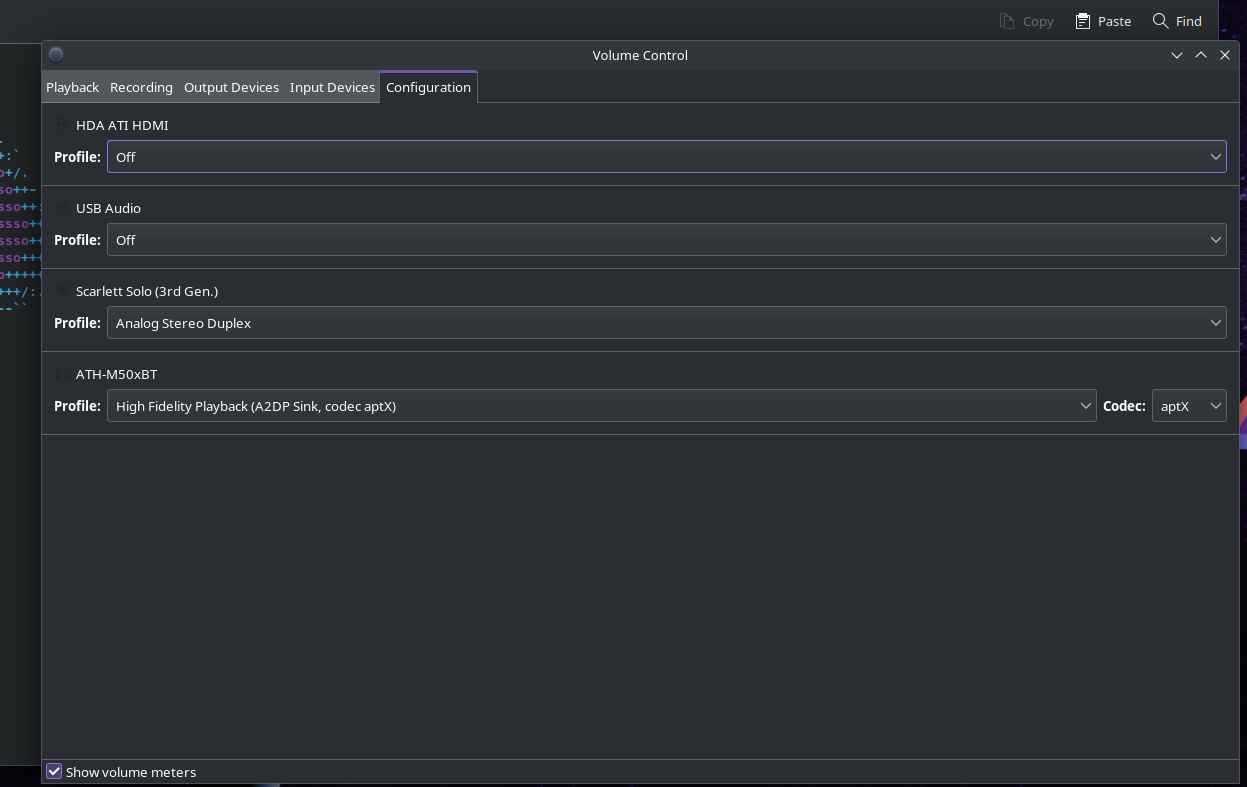
I’ve followed the steps in this thread and the links provided, but i can’t figure this out:
Says i have to configure alsa-monitor.conf, but i don’t have this file…
Also, youtube guides menton i should configure this file, and they have it, but i don’t?
Is this outdated info, does pipewire not use that file anymore? Or do i need to create it?
So far i did all that @Echoa wrote, and even adding 95-pipewire.conf to limits.d, but there’s latency… Not huge, but very noticable nonetheless.
Yes, i wanted to try pipewire.
Pulseaudio works fine, jack doesn’t.
I don’t have any issues with playing normal audio, just when using audio interface inputs.
But will check the links, thanks!
@vepar if youre creating files instead of editing them make sure you read the instructions again as you didnt copy the files youre supposed to and you do not need the 95-pipewire.conf
Yes thats the first thing i did.
Thats explained in the first link i think.
But then the second one talks about thst other file thats supposed to be in (I think) /use/share/pipewire/media.session.d/
And it wasnt there so thr destination folder in .config doesnt have it either.
Im just wondering if that’s supposed to happen.
Cause i did the configuration on the 2 files you said. Didnt have any effect on the latency.
I even did a few different values to test, didnt change for better or worse.
Hey, so, I just want to thank everyone for the help, but I just couldn’t get pipe wire to behave.
Even when I got it to not have latency, it would break seemingly for no reason after an hour of using jack.
Then both jack and pulse audio would get this horrible 3 second latency, even the YouTube sound would lag behind the video…
And I’m kinda done trying to figure out what’s wrong, cause logs don’t show anything wrong with pipe wire. It’s as if it’s working well, but doesn’t. It could be it not working well with my audio interface, idk…
Maybe I’ll try it again in a year or so, see how it is then.
For now, I installed Arch, but with pulse audio and jack, the way I had it set up on Manjaro, and that works great.
I need to have that working, can’t spend more time tinkering with pipe wire unfortunately, I wanna make music…
Anyway… Thank you all! I’ll revisit pipe wire and endeavour in the future… But it just wasn’t working right now.