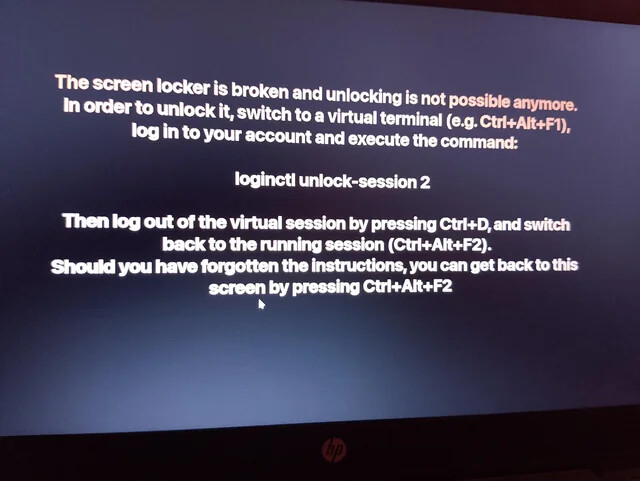
Hello, when I manually lock my screen it locks, flashes black for a few seconds and then comes up with the white text saying it’s broken and I need to ctrl alt f2 and stuff, doing this just gives me a black screen with cursor nothing loads and I have to end up force shutting down the computer to get out of it. I last updated on the 5th of July and its only now happening recently so I don’t think it happens on an automatic lock otherwise I’d have noticed it by now i feel. I restored to a backup I made on the 5th and it was present there so I don’t think this is a new development but could be wrong, happy to provide any logs needed, any help is appreciated, thanks.
What is the exact message that it gives
More than likey switching to a different tty, so reboot from here I think which would be
systemctl reboot
I am sure there is probably a way to do this without rebooting but I do not know exactly how.
As for a fix I am unsure of this also but hopefully someone who is a bit more knowledgable will be able to guide you forward.
Another thing is you should setup RIESUB which can be done from the welcome app
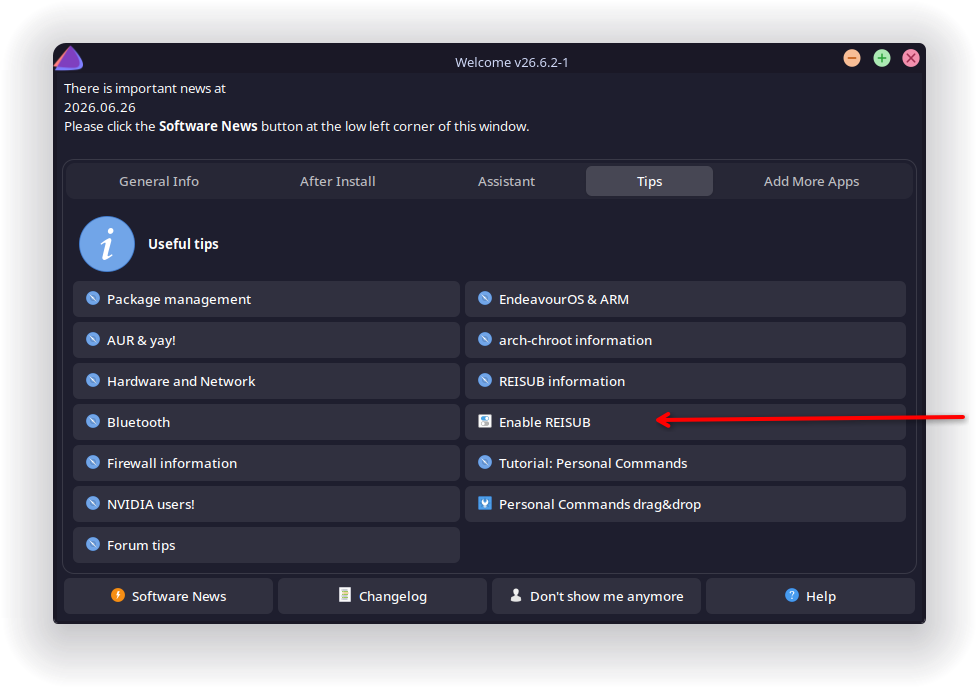
Totally agree with this 
Forcing a shutdown can cause system instability including things like filesystem corruption.
Better to use REISUB and gracefully exit.
Can you please run the following command inxi -S -xxx --za in the terminal and paste the output over here in Preformatted text format.
In KDE Plasma 6.0 if you go KDE Launcher and launch “About this system” or “System info” and provide the value of Plasma Ver, Frameworks Ver, QT Ver, Graphics platform, and other details that would be helpfull.
in KDE Plasma in System Settings > Security & Privacy > Screen locking please try to select the "EndeavourOS` as the image, click on Apply button and check if you face the issue when you lock. If this happens then it implies that the screen saver screen might have some issue.
Finally again in System Settings application > Appearance & Style > Colours & Themes > Global Theme, select either the Breeze or Breeze Dark theme and then check if issue occurs. If it does not occur then the Theme might be causing an issue.
Run loginctl lock-session and study the journals.
yeah its just a black screen i cant type anything, at the moment im just avoiding manually locking my pc, auto locking seems to be fine which is very odd, i have heard of REISUB but never looked into it much, the text is the text that comes up when the lockscreen breaks, exact message that comes up is in the image below
System:
  Kernel: 7.1.2-arch3-1 arch: x86_64 bits: 64 compiler: gcc v: 16.1.1
    clocksource: tsc
  Desktop: KDE Plasma v: 6.7.2 tk: Qt v: N/A wm: kwin_wayland vt: 1 dm: SDDM
    Distro: EndeavourOS base: Arch Linux
Operating System: EndeavourOS
KDE Plasma Version: 6.7.2
KDE Frameworks Version: 6.27.0
Qt Version: 6.11.1
Kernel Version: 7.1.2-arch3-1 (64-bit)
Graphics Platform: Wayland
Processors: 12 × AMD Ryzen 5 3600 6-Core Processor
Memory: 32 GiB of RAM (31.3 GiB usable)
Graphics Processor: NVIDIA GeForce RTX 3060
Manufacturer: Micro-Star International Co., Ltd
Product Name: MS-7B86
System Version: 3.0
before i was using picture of the day so ive switched to this one below and will let you know if it breaks
also im already using breeze dark, desktop is very basic i haven’t customised it much at all
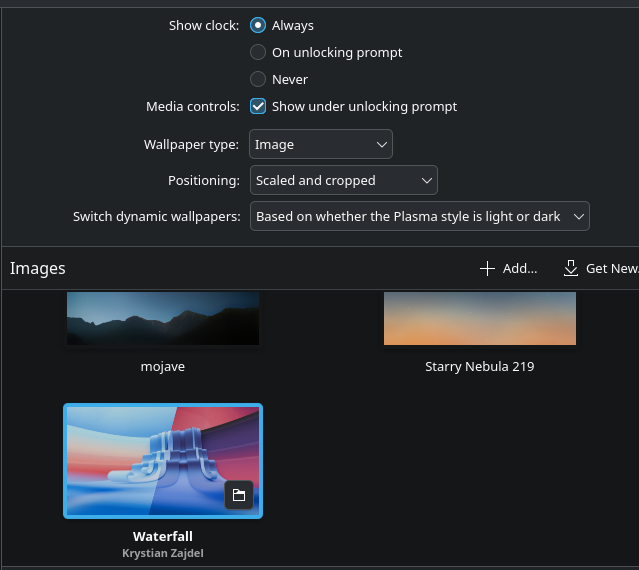
UPDATE: changing this appears to have fixed the issue, i changed it back to what it was as a control and it didnt break this time, so something with picture of the day set to simon stalenhag wallpapers seemed to break something yesterday, odd, my best guess is maybe one of the wallpapers it rotated to didnt play nice with the lockscreen and caused it to crash, as im not having the issue anymore even with the exact settings as before
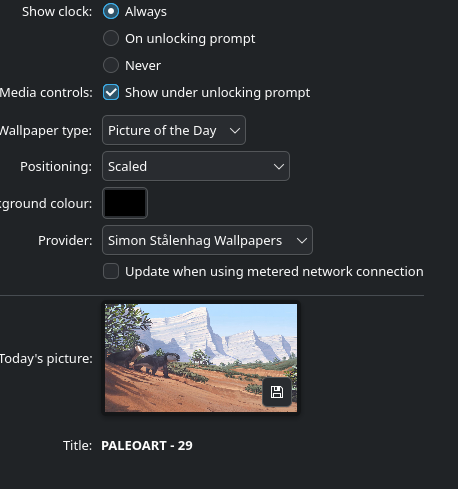
I dont use “Picture of the Day” as Wallpaper. Dont know the providence of the source of those images. Does not mean that you anybody else also ought not to. Good to know that the issue has been identified. Update on how it goes.