do you have anything like alsamixer or pavucontrol?
First thing to check is always pavuconrol
go to configuration tab and disable (set to ff) all unused devices only set the one you want to use to a profile.
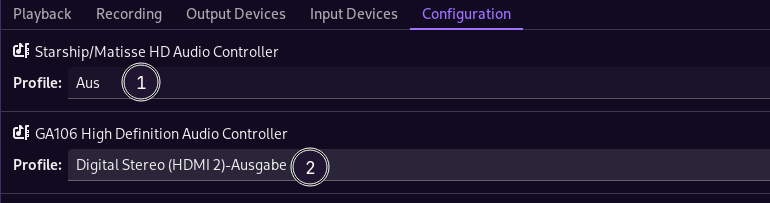
you can also try to output to all devices simultaneously:
pactl load-module module-combine-sink
this only is enabled for the running session to test indeed…
do you have like pulseaudio and pipewire running at the same time?
is installed thats the support wrapper for running pulseaudio things piped to pipewire…
https://discovery.endeavouros.com/audio/pipewire/2021/09/
pactl info
Server Name: PulseAudio (on PipeWire 1.0.7)
In that drop down menu, I only see that I can select (change) the profile - not disable or enable
can you show shot?
and post the output for your pactl info
$ pactl info
Server String: /run/user/1000/pulse/native
Library Protocol Version: 35
Server Protocol Version: 35
Is Local: yes
Client Index: 247
Tile Size: 65472
User Name: htpc
Host Name: HTPC
Server Name: PulseAudio (on PipeWire 1.2.0)
Server Version: 15.0.0
Default Sample Specification: float32le 2ch 48000Hz
Default Channel Map: front-left,front-right
Default Sink: alsa_output.pci-0000_01_00.1.hdmi-stereo
Default Source: alsa_output.pci-0000_01_00.1.hdmi-stereo.monitor
Cookie: 2609:6afb
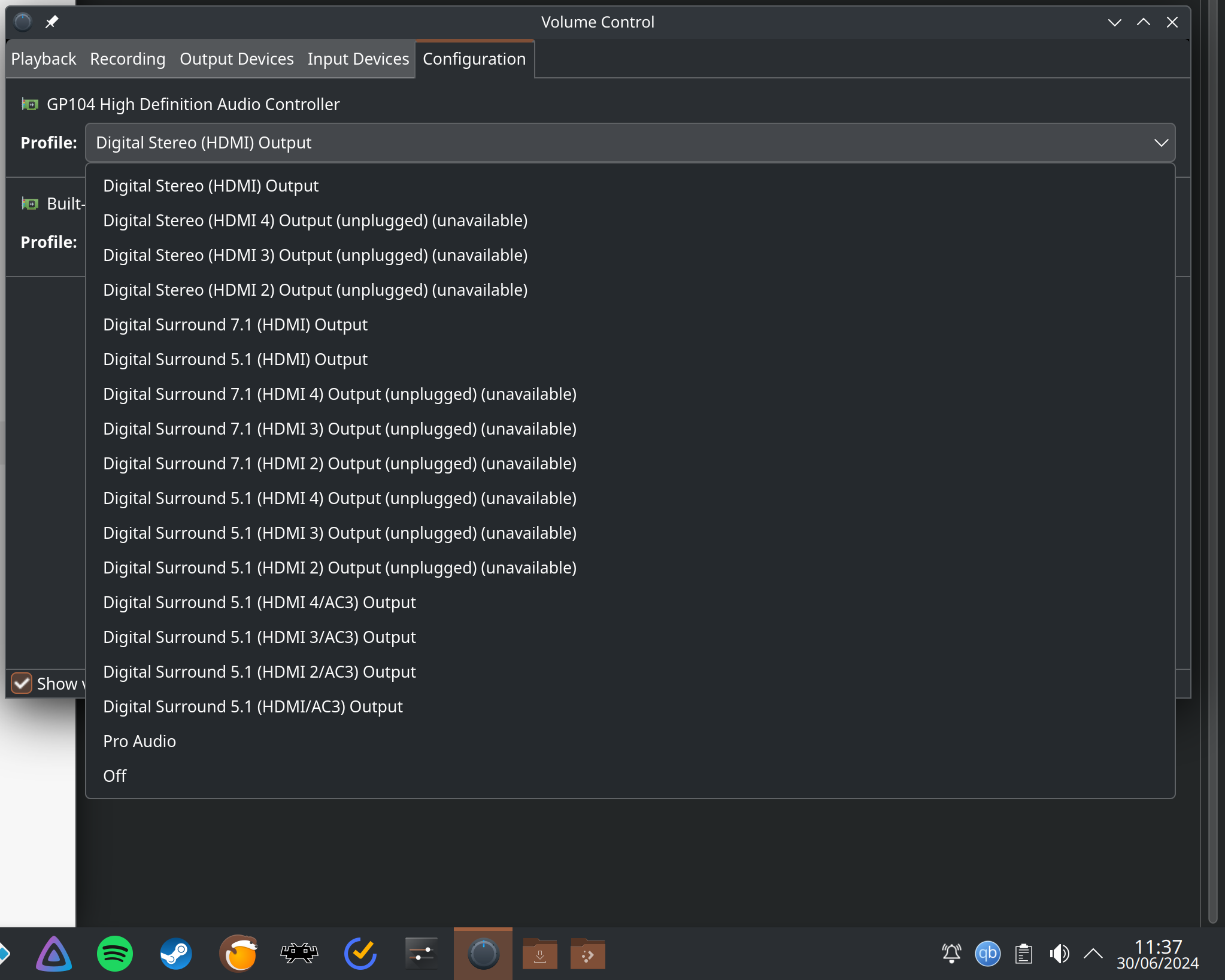
So you want to put out audio to the HDMI audio on a Display ?
If that set the profile to the first profile there: “Digital Stereo (HDMI) Output”
And set the Profile for the Built-In device to “Off”
With you - this was always, and has always been the case.
Apologies, I didn’t understand what you meant.
i would check audio settings ion kodi too it does not use the same as you set in kde per example … but not sure about kodi anway… i can check
and in case check if there are updates we just get nvidia 555 in thats including a lot of changes…
Kodi has Pipewire and whatever I set as my default. I.e. GPU HDMI to display.
Both exhibit the same behaviour I’ve described.
All of these problems began after installation of the 555 drivers.
I don’t know if It was caused by them, or something else that yay updated at the same time.
Same here with Kodi. The problem is clearly a regression (or a misfeature) in getting exclusive access to device in Pipewire 1.2.0.
Possibly related to this:
This sounds very similar to my experience
I’m trying to get back to a stable version of pipewire, but sudo downgrade pipewire won’t let me go back due a libcamera dependency.
Is there a way to successfully downgrade?
I see you are also using Kodi. The recent update to pipewire 1.2.0 introduced massive audio distortion and crackling in general along with complete audio loss after running Kodi on my system as well. After struggling and pulling my hair out for 3 days it seems there is still no fix:
I tried all existing fixes on Arch wiki and tried LTS kernel but no luck. Downgrade also didn’t work for me (which is a first):
sudo downgrade pipwire pipewire-alsa pipewire-audio pipewire-jack pipewire-pulse alsa-card-profiles
Admittedly I left out alsa-card-profiles when I downgraded but maybe it works for someone else. I called it a day and restored to a previous snapshot from 29 June that still had pipewire 1.0.7-2.
Whats going on with all the regressions and other issues surrounding pipewire lately? This is worse than the GRUB issue from a few years ago IMO.
Configuring Kodi to use an external player results in the same audio issues.
https://kodi.wiki/view/External_players#VLC
Playing files directly with VLC works however.
If anyone uses the flatpak version, please say if you also experience same audio issues.
EDIT: Still experiencing distortion and crackling on VLC when playing files directly, however it doesn’t cut out entire system audio like with Kodi.
Hi,
Same here, everything was working, and since the last update (for me yesterday morning) the sound is messed up. I ended up stopping running Kodi automatically at startup, and playing videos with VLC.
The problem that I had: sometimes the PC was competely losing sound and I had to restart. This sometimes was only under Kodi, and notably happened with other apps, for exemple when switching between Kodi and Firefox.
I understand this should be solved by this commit:
How to get it?
Thanks
I had the same issue after update weekend of 6/29/2024. Two separate (older)laptops, 1 with nvidia GPU and the other has integrated graphics. Had to rollback to 6/28 to get audio working normally.
sudo eos-shifttime
If the roll back causes a non-working system, you may have to reinstall