When Alacritty used to work in Cinnamon I could CTRL+N to open a new window. I like to yay and flatpak update simultaneously because I’m a weirdo.
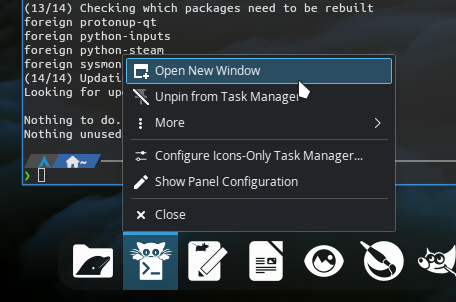
Right-click has no instance for this.
I read (I RTFM  )
) man kitty but nothing there but –single-instance that opens a duplicate for like one second and I don’t know what that is about, etc.
How do I open another, or a second, terminal in Kitty? Append .conf? How?
Muchas gracias por cualquier linterna aquí–
Default keybind to open a new window is Ctrl+Shift+N
Ctrl+Shift+T will open a new tab and Ctrl+Shift+Enter will split the window.
You can also set the shortcuts you want in kitty.conf, here are the shortcuts i use (not actually sure they are different from default) :
# - Window management -
map ctrl+shift+enter new_window
map ctrl+shift+] next_window
map ctrl+shift+[ previous_window
map ctrl+shift+\ close_window

# --- Layout management ---
map ctrl+shift+l next_layout
map ctrl+alt+r goto_layout tall
map ctrl+alt+s toggle_layout stack

# --- Tab management ---
map ctrl+shift+t new_tab
map ctrl+shift+right next_tab
map ctrl+shift+left previous_tab
map ctrl+shift+q close_tab
You can also just type kitty in the terminal or use launch to execute any program in a new instance.
(You can find every keybinds on the wiki : https://sw.kovidgoyal.net/kitty/actions/)
ctrl+shift+N for the win!!
that was way too sensible for me to easily miss.
I didn’t have to map it since Endeavour had my back. Wow thanks for the great cut’n’paste info and also for your response.
Odd. At least in KDE Plasma, right-click icon in panel/task manager and select “open new window.”
opens in Plank, not taskbar (for my config)