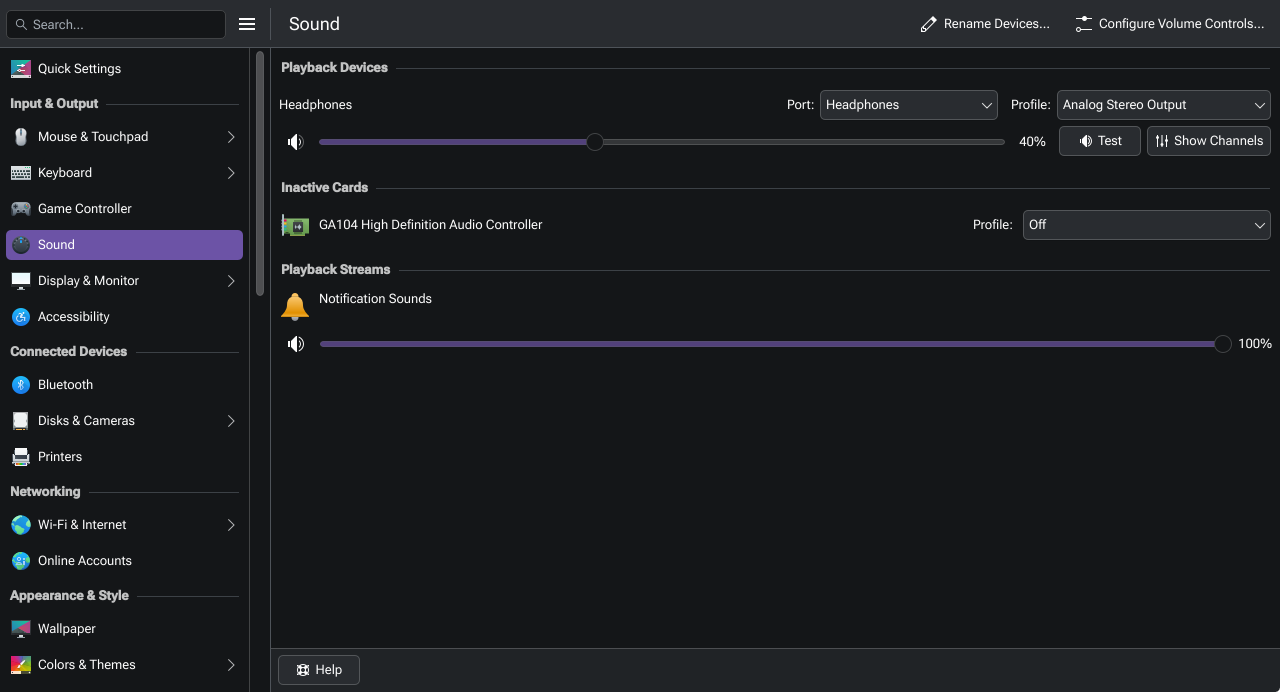
I installed kclock (and some other kde plasma utilities) and noticed that kClock doesn’t make any sounds when an alarm goes off.
Weirdly enough, checking qpwgraph, it outputs the alarm to “GA104 High Definition Audio Controller Pro 8”, which I think is am HDMI audio output, even tho my system default is set to my UMC204HD audio interface.
When I disable the GA104 audio outputs, it shows this in journalctl, when an alarm goes off:
Mär 24 17:35:00 philipp-eos-pc kclockd[1646]: Utilities::wakeupCallback called with cookie: 11
Mär 24 17:35:00 philipp-eos-pc kclockd[1646]: PowerDevilWakeupProvider::wakeupCallback called with cookie: 11
Mär 24 17:35:00 philipp-eos-pc kclockd[1646]: Ringing alarm “” and sending notification…
Mär 24 17:35:00 philipp-eos-pc kclockd[1646]: Alarm sound:  QUrl(“file:///usr/share/sounds/ocean/stereo/alarm-clock-elapsed.oga”)
Mär 24 17:35:00 philipp-eos-pc kclockd[1646]: Scheduled alarm wakeup at “Tue Mar 24 21:30:00 2026” .
Mär 24 17:35:00 philipp-eos-pc kclockd[1646]: Cannot find device:  “alsa_output.pci-0000_2b_00.1.pro-output-3”
Mär 24 17:35:02 philipp-eos-pc kwin_wayland[1214]: :1:13693: Could not resolve property: #linearGradient10962
Mär 24 17:35:02 philipp-eos-pc kclockd[1646]: Alarm “” dismissed
and yesterday it simply said something like “No audio device detected” in journalctl.
All my other audio works perfectly fine, it’s just kClock and I don’t know why
Yes, I disabled the HDMI audio outputs through Plasma’s sound settings.
Okay wait, I just enabled the HDMI audio outputs again for testing and it actually plays the sounds through my monitors speakers now. It didn’t do that yesterday. (Allthough I did reinstall kclock a few times and reset the configs since then)
So at least it is playing some audio, just not through the correct output.
When disabling HDMI outputs again, it says “No audio device detected” in journalctl.
Veery weird.
Okay so I think when a program uses Qt Multimedia for playing audio, which kClock does, it really doesn’t like it when my audio output is set to “Pro Audio” in the system settings. Switching from “Pro audio” (well it was on “Default”, but the default apparently IS Pro audio) to “Direct UMC204HD 192k” fixes the issue!
So in short (for others or my future self):
Go to the KDE Plasma system settings
Click on “Sound”
Change the dropdown next to your playback device from “Pro Audio” (or possibly “Default”) to something else.