@MichelN and @thefrog - added the following to the original post under Miscellaneous:
- CHECK FOR AVAILABLE UPDATES:
checkupdates && yay -Qu
(Repos checked: EndeavourOS, Arch, AUR)
@MichelN and @thefrog - added the following to the original post under Miscellaneous:
checkupdates && yay -Qucheckrebuild as well, specially useful for those of us who use better blur
(You shouldn’t need this one but you never know…)
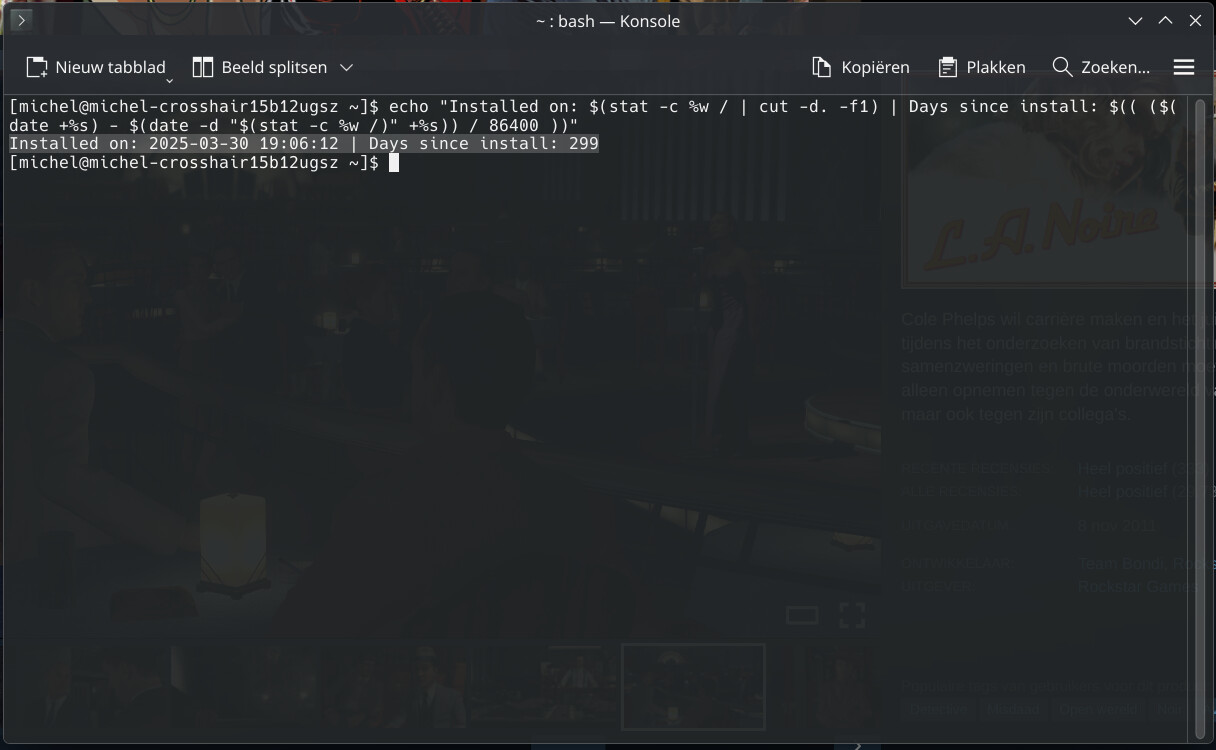
Cleaner way of showing the “Installed on” and “how many days”
echo "Installed on: $(stat -c %w / | cut -d. -f1) | Days since install: $(( ($(date +%s) - $(date -d "$(stat -c %w /)" +%s)) / 86400 ))"
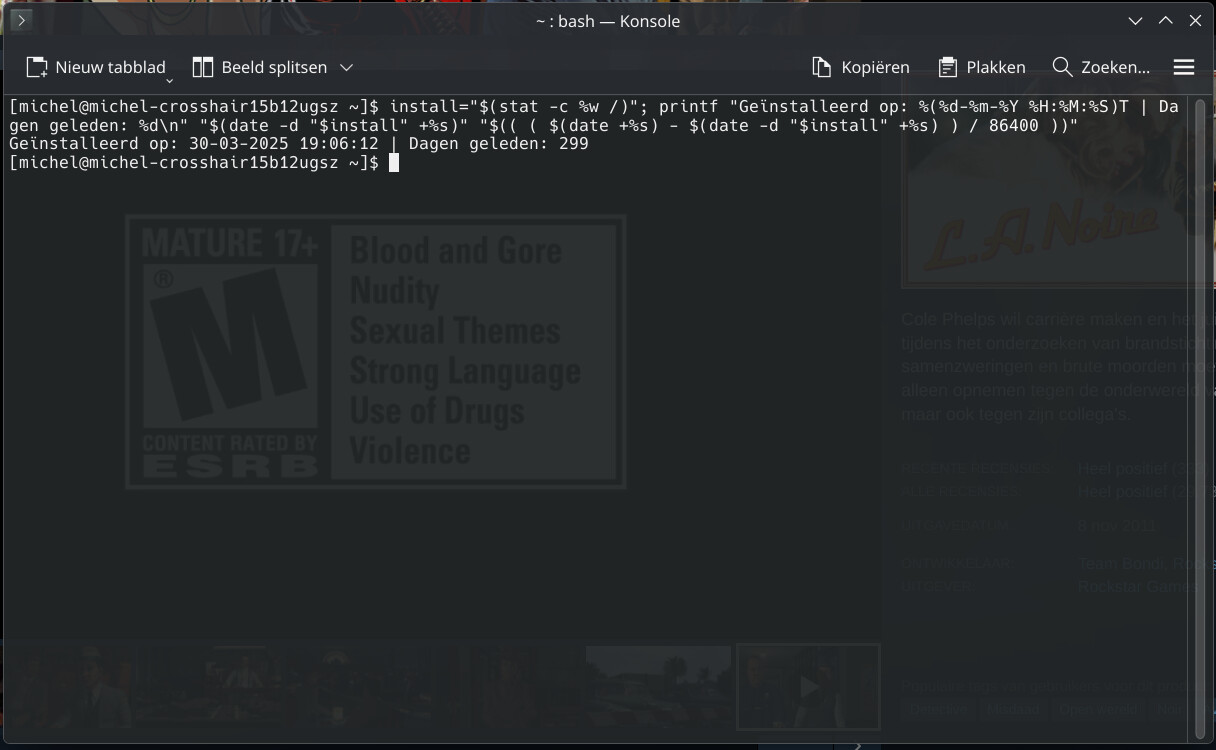
For Dutch users it might be something like this
install="$(stat -c %w /)"; printf "Geïnstalleerd op: %(%d-%m-%Y %H:%M:%S)T | Dagen geleden: %d\n" "$(date -d "$install" +%s)" "$(( ( $(date +%s) - $(date -d "$install" +%s) ) / 86400 ))"
KDE-SPECIFIC -
kinfoOutput:
╰─❯ kinfo
Operating System: EndeavourOS
KDE Plasma Version: 6.6.0
KDE Frameworks Version: 6.23.0
Qt Version: 6.10.2
Kernel Version: 6.18.9-zen1-2-zen (64-bit)
Graphics Platform: Wayland
Processors: 12 × Intel® Core™ i7-8700K CPU @ 3.70GHz
Memory: 32 GiB of RAM (31.3 GiB usable)
Graphics Processor: NVIDIA GeForce RTX 3060 Ti
╰─❯
uname -rdkms statusOutput:
─❯ uname -r
6.19.3-1-cachyos
─❯
─❯ dkms status
nvidia/590.48.01, 6.12.74-1-lts, x86_64: installed
nvidia/590.48.01, 6.18.9-arch1-2, x86_64: installed
nvidia/590.48.01, 6.18.9-zen1-2-zen, x86_64: installed
nvidia/590.48.01, 6.19.3-1-cachyos, x86_64: installed
─❯
Nice one Unc, this is great, thank you. 
Edit: LOL not sure how but I missed it when you originally posted it.
I’m glad that I’ve bookmarked this page. Thanks a lot @UncleSpellbinder 
Added the following to the original post under INXI (System Info) -…
inxi -E (Basic Bluetooth Info)inxi -Eaz (Detailed Bluetooth Info)Thanks, @thefrog.
inxi -aw works for me.
In general, I didn’t know about this thread until today.
Might add to my personal documentation, as it’s extremely helpful.
Thanks!
thefrog@thepad:~ inxi -aw
Weather:
Report: temperature: 20.83 C (69 F) conditions: overcast clouds wind: from
SW at 7.0 m/s (25 km/h, 16 mph). Gusting to 7.0 m/s (25 km/h, 16 mph)
cloud cover: 100% humidity: 56% pressure: 1016 mb (34 in)
Maybe you have another issue that wont let you use this feature 
inxi -aw working here as well…
─❯ inxi -aw
Weather:
  Report: temperature: 19.49 C (67 F) conditions: overcast clouds wind: from
    SW at 5.1 m/s (19 km/h, 12 mph). Gusting to 5.1 m/s (19 km/h, 12 mph)
    cloud cover: 99% humidity: 87% pressure: 1014 mb (34 in)
  Locale: Saint John, IN, Unknown current time: Mon 13 Apr 2026 08:39:50 AM
    CDT (America/Chicago) observation time: Mon 13 Apr 2026 08:39:50 AM CDT
    sunrise: 06:13:06 sunset: 19:27:17 Source: OpenWeatherMap.org
─❯
Added the following to the original post under KERNELS
kernel-install listThanks @swh
You’re most welcome
I tried this command and i get nothing returned. No weather?
Edit: I used curl wttr.in and it works.
Rick, I’m a little confused. What are you referring to?
It’s probably that inxi -aw command stopped returning weather details some time ago.
I ran it for testing purposes just now, it was trying to fetch the weather for 5 minutes, then…
~ ❯ inxi -aw
Weather:
  Message: No current location found. Internet connection working?
I wonder if that’s connected to Geoclue, but I wasn’t able to get it to work anyway and inxi weather Easter egg ran perfectly until… recently.
yeah inxi -aw is just hanging on me. (I only ran as a test) I use wttr.in for weather at the command line anyways. Oh well was nice feature for that rare
Slight update as I was writing this the command did finally finish however the output is the same as @erne.d.98
[Sat May 16 15:04:19]
No Tears Please, its a waste of Good Suffering
thefrog@thepad:~ inxi -aw
Use of uninitialized value $loc_data[0] in split at /usr/bin/inxi line 30063.
Weather:
Message: No current location found. Internet connection working?
[Sat May 16 15:06:42]
Thanx @Canoe 
What @erne.d.98 just posted.
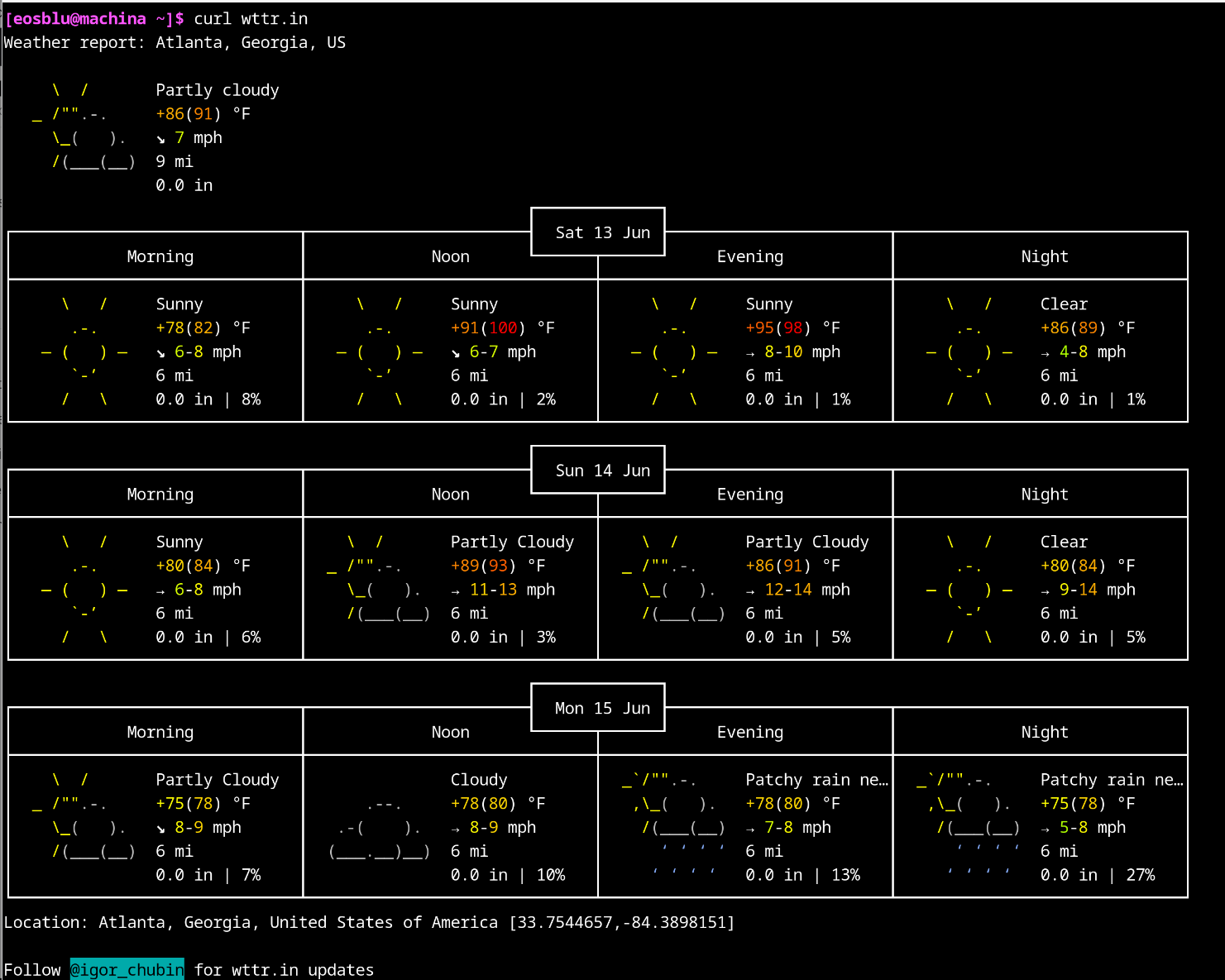
Updated the weather entry in the original post to this: curl wttr.in.
Thanks @ricklinux
inxi -aw works fine for me, instant results. I’m using a VPN.
[eosblu@machina ~]$ inxi -aw
Weather:
  Report: temperature: 33.78 C (93 F) conditions: scattered clouds wind: from
    NE at 0.5 m/s (2 km/h, 1 mph). Gusting to 0.5 m/s (2 km/h, 1 mph)
    cloud cover: 42% humidity: 48% pressure: 1016 mb (34 in)
  Locale: Atlanta, GA, Unknown current time: Sat 13 Jun 2026 02:16:28 PM
    EDT (America/New_York) observation time: Sat 13 Jun 2026 02:12:27 PM EDT
    sunrise: 06:26:31 sunset: 20:48:52 Source: OpenWeatherMap.org
curl wttr.in gives a lot more info though…