Nice, this immediately join the list of useful links
Following @manuel idea, i put everything in a .txt with this format :
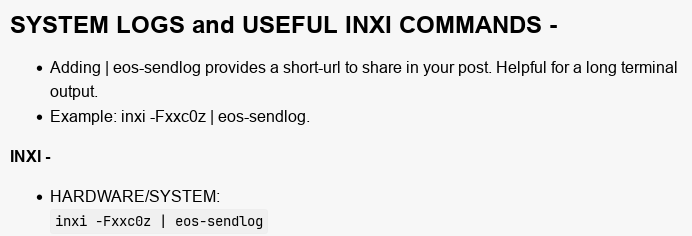
Hardware/System -Fxxc0z
Graphics -Gaz
Audio -Aaz
Drive/Disk -daz
Swap -aj
Partition -paz
Network -Naz
Repo -r
And turned it in a quick function :
hardware() {
  cat ~/path/to/inxi_args.txt | fzf --with-nth 1 --accept-nth 2 | xargs inxi -c
}
This has the same result but looks just a bit nicer
And for those who want a bash script with eos-sendlog option
#!/usr/bin/env bash

set -euo pipefail

selected=$(cat ~/path/to/your/list/inxi_args.txt | fzf --with-nth 1 | awk '{print $2}')

if [[ -z $selected ]]; then
    exit 0
  fi

  read -p "Upload output ? (y/N): " send

  case $send in
    [Yy]* ) inxi "$selected" | eos-sendlog;;
    [Nn]* | * ) inxi "$selected";;
  esac
exit 0
If anyone can make this script cleaner or point my stupid mistakes, i’ll gladly take it
Added this to the list
pacman -Q | grep -i nvidia
Added this to the list
LIST KERNELS INSTALLED ON YOUR SYSTEM: sudo bootctl list | grep titlepacman -Q $(pacman -Qsq linux kernel | grep ^linux | grep -v headers)
What if it was grub?
Edit: Does you second command handle that one?
Edit: Works here!
I’m on the default EOS systemd install…
─❯ sudo bootctl list | grep title
[sudo] password for wombat:
        title: EndeavourOS (6.12.61-1-lts) (default) (not reported/new)
        title: EndeavourOS (6.12.61-1-lts-fallback) (not reported/new)
        title: EndeavourOS (6.17.9-arch1-1)
        title: EndeavourOS (6.17.9-arch1-1-fallback)
        title: EndeavourOS (6.17.9-zen1-1-zen) (selected)
        title: EndeavourOS (6.17.9-zen1-1-zen-fallback)
        title: 2d931179fe4a44b0bcd3ca61f30119b8-6.12.60-1-lts.conf (reported/absent)
        title: 2d931179fe4a44b0bcd3ca61f30119b8-6.12.60-1-lts-fallback.conf (reported/absent)
        title: Reboot Into Firmware Interface
╰─❯
╰─❯ pacman -Q $(pacman -Qsq linux kernel  | grep ^linux | grep -v headers)
linux 6.17.9.arch1-1
linux-lts 6.12.61-1
linux-zen 6.17.9.zen1-1
╰─❯```
manuel
December 7, 2025, 9:59pm
26
Looks like that bootctl thing doesn’t work for grub?
No idea, to be honest. I haven’t used grub in a very long time.
manuel
December 7, 2025, 10:01pm
28
I just tried without success…
Edit: my setup is a special one, that may be the reason. I have another Arch installation (not running now) containing grub for managing the other installations on this machine.
Cleaned up the original post
I thought you were always on grub and btrfs? OMG systemd-boot? That’s just not right!
cactux
December 8, 2025, 2:07am
32
The command line should only work with bootloaders which implement Boot Loader Specification. such as systemd-boot.
I may be wrong but I don’t think that Grub (upstream) does it. Fedora’s Grub2 seems to implement some sort of support for it but that is Fedora’s thing.
This will list all installed systems (and their kernels), not just the current one. This will give a cleaner list:
$ sudo bootctl list | awk -F [":"] '/title/ {print $2}'
 EndeavourOS (Xfce Host) (6.12.60-1-cachyos-lts)
 EndeavourOS (Xfce Host) (6.18.0-1-cachyos) (default) (selected)
 EndeavourOS (Budgie) (6.12.60-1-cachyos-lts)
 EndeavourOS (Budgie) (6.18.0-1-cachyos)
 EndeavourOS (Cinnamon) (6.12.60-1-cachyos-lts)
 EndeavourOS (Cinnamon) (6.18.0-1-cachyos)
 EndeavourOS (Cinnamon Testing) (6.18.0-1-cachyos)
 EndeavourOS (Cinnamon Testing) (6.18.0-arch1-1-x64v3)
 EndeavourOS (COSMIC) (6.12.60-1-cachyos-lts)
 EndeavourOS (COSMIC) (6.18.0-1-cachyos)
 EndeavourOS (KDE Plasma) (6.12.60-1-cachyos-lts)
 EndeavourOS (KDE Plasma) (6.18.0-1-cachyos)
 EndeavourOS (KDE Plasma Testing) (6.18.0-1-cachyos)
 EndeavourOS (KDE Plasma Testing) (6.18.0-arch1-1-x64v3)
On systemd-boot, try this:
$ kernel-install list
VERSION               HAS KERNEL PATH
6.12.60-1-cachyos-lts          ✓ /usr/lib/modules/6.12.60-1-cachyos-lts
6.18.0-1-cachyos               ✓ /usr/lib/modules/6.18.0-1-cachyos
Added this to the list
MOTHERBOARD BIOSinxi -Maz
Output:
╰─❮ inxi -Maz
Machine:
  Type: Desktop System: Micro-Star product: MS-7B58 v: 1.0
    serial: <superuser required>
  Mobo: Micro-Star model: Z370 GAMING M5 (MS-7B58) v: 1.0
    serial: <superuser required> uuid: <superuser required> Firmware: UEFI
    vendor: American Megatrends v: 1.B0 date: 07/10/2024
╰─❮
EDIT: @thefrog from a post in Display error in endeavour KDE - #32 by thefrog
Bookmarked you post. Thanks
@UncleSpellbinder
I would remove the | eos-sendlog parts from the first post.
I also have one to add → stat -c %w /
That one shows the birth of install
Well, it’s explained why it’s there. For extra-long output, a link can be handy…
The user can simply omit | eos-sendlog if they so choose.
Added stat -c %w / under MISCELLANEOUS to the list
This command shows the days after installation.
echo "$(( ($(date +%s) - $(stat -c %W /)) / 86400 )) days"
The last part “days” can be changed to you own language name
echo "$(( ($(date +%s) - $(stat -c %W /)) / 86400 )) dagen" (dutch)
MichelN
January 21, 2026, 4:59pm
39
Another nice one, To check if you have updates write in terminal:
checkupdates
thefrog
January 21, 2026, 5:07pm
40
MichelN:
checkupdates
add && yay -Qu or && paru -Qu for AUR updates