Not sure why it failed, I signed it with the default EndeavourOS key.
What does this show about EndeavourOS:
gpg --list-public-keys
Not sure why it failed, I signed it with the default EndeavourOS key.
What does this show about EndeavourOS:
gpg --list-public-keys
-------------------------------
pub   rsa4096 2014-04-30 [SC]
      7A5A4E80E40097BAF6EAD638449190F3235ABD3B
uid           [ unknown] Brice Goglin <bgoglin@debian.org>
uid           [ unknown] Brice Goglin <bgoglin@free.fr>
uid           [ unknown] Brice Goglin <Brice.Goglin@free.fr>
uid           [ unknown] Brice Goglin <Brice.Goglin@inria.fr>
uid           [ unknown] Brice Goglin <Brice.Goglin@labri.fr>
uid           [ unknown] Brice Goglin <Brice.Goglin@ens-lyon.org>
sub   rsa4096 2014-04-30 [E]

pub   rsa4096 2016-06-09 [SCEA]
      CB9387521E1EE0127DA804843FDBB55084CC5D84
uid           [ unknown] Harald Sitter <sitter@kde.org>
uid           [ unknown] Harald Sitter <apachelogger@ubuntu.com>
uid           [ unknown] Harald Sitter <sitter.harald@gmail.com>
sub   rsa4096 2016-06-09 [SEA]
Then I thought ah! try with sudo that didn’t work either.
Note that you can skip the gpg verify part … 
I will try nvidia-installer-dkms anyways, as I think it is unlikely that anyone has maliciously modded it.
EDIT sadly that fails in the same way,
error: target not found: nvidia-390xx-dkms
warning: libvdpau-1.4-1 is up to date -- reinstalling
error: target not found: nvidia-390xx-settings
error: target not found: lib32-nvidia-390xx-utils
warning: lib32-libvdpau-1.4-1 is up to date -- reinstalling
 core is up to date
 extra is up to date
 community is up to date
 multilib is up to date
 endeavouros is up to date
Maybe sudo pacman-key - -init
OK, that’s because 390 is no more in upstream but in AUR.
So unless you can install it manually, you have to wait until I get to debug this.
But seems strange that it offers the 390 driver and not the latest like it should.
@manuel yeah, no problem. My graphics card is 10+ years old, maybe it’s time to refresh it. Thanks for your help.
I think if you remove then install from the AUR
pacman -Rsc nvidia-390xx nvidia-390xx-utils and then reinstalling nvidia-390xx-dkms
Sure will give that a try. Thanks for your help.
keep nvidia-390xx-utils it’s a dependency of 390xx-dkms
Now I can study this issue a bit more.
To start finding the root cause of the issue, can you show the output of command
lspci -vnn | grep -A11 "GeForce GT 630"
hello,there are several generations of this graphics card
@manuel, apologies for the delayed response, was away from the box for an extended period.
09:00.0 VGA compatible controller [0300]: NVIDIA Corporation GF108 [GeForce GT 630] [10de:0f00] (rev a1) (prog-if 00 [VGA controller])
        Subsystem: Palit Microsystems Inc. Device [1569:0f00]
        Flags: bus master, fast devsel, latency 0, IRQ 87, IOMMU group 15
        Memory at f5000000 (32-bit, non-prefetchable) [size=16M]
        Memory at e8000000 (64-bit, prefetchable) [size=128M]
        Memory at f0000000 (64-bit, prefetchable) [size=32M]
        I/O ports at e000 [size=128]
        Expansion ROM at 000c0000 [virtual] [disabled] [size=128K]
        Capabilities: <access denied>
        Kernel driver in use: nvidia
        Kernel modules: nouveau, nvidia_drm, nvidia
Thanks!
The output verifies that your Nvidia device id is 0f00, and that is supported only by the 390xx series driver, which is available in the AUR nowadays.
However nvidia-installer* programs do not support drivers from the AUR, so currently the only option is to install it by other means, i.e. manually.
To help you do that manually, here’s the relevant output from nvidia-installer-dkms -t on a supported nvidia card (no bumblebee involved):
  [INFO]: yay -Sqy --noconfirm --noprogressbar nvidia-dkms libvdpau nvidia-settings lib32-nvidia-utils lib32-libvdpau
  [INFO]: Unpatching /usr/share/applications/nvidia-settings.desktop...
  [INFO]: /usr/bin/sed -i s|Exec=optirun -b none /usr/bin/nvidia-settings -c :8|Exec=/usr/bin/nvidia-settings| /usr/share/applications/nvidia-settings.desktop
  [INFO]: Creating /etc/X11/xorg.conf.d/20-nvidia.conf file...
So you need to replace e.g. nvidia-dkms with nvidia-390xx-dkms and also some other packages with 390xx versions.
See more about affected packages with command:
yay -Ss nvidia-390xx
and compare them to the yay command above.
Looks like the lines were too long, sorry about that.
Here’s the same info in other fonts:
[INFO]: yay -Sqy --noconfirm --noprogressbar nvidia-dkms libvdpau nvidia-settings lib32-nvidia-utils lib32-libvdpau
[INFO]: Unpatching /usr/share/applications/nvidia-settings.desktop…
[INFO]: /usr/bin/sed -i s|Exec=optirun -b none /usr/bin/nvidia-settings -c :8|Exec=/usr/bin/nvidia-settings| /usr/share/applications/nvidia-settings.desktop
[INFO]: Creating /etc/X11/xorg.conf.d/20-nvidia.conf file…
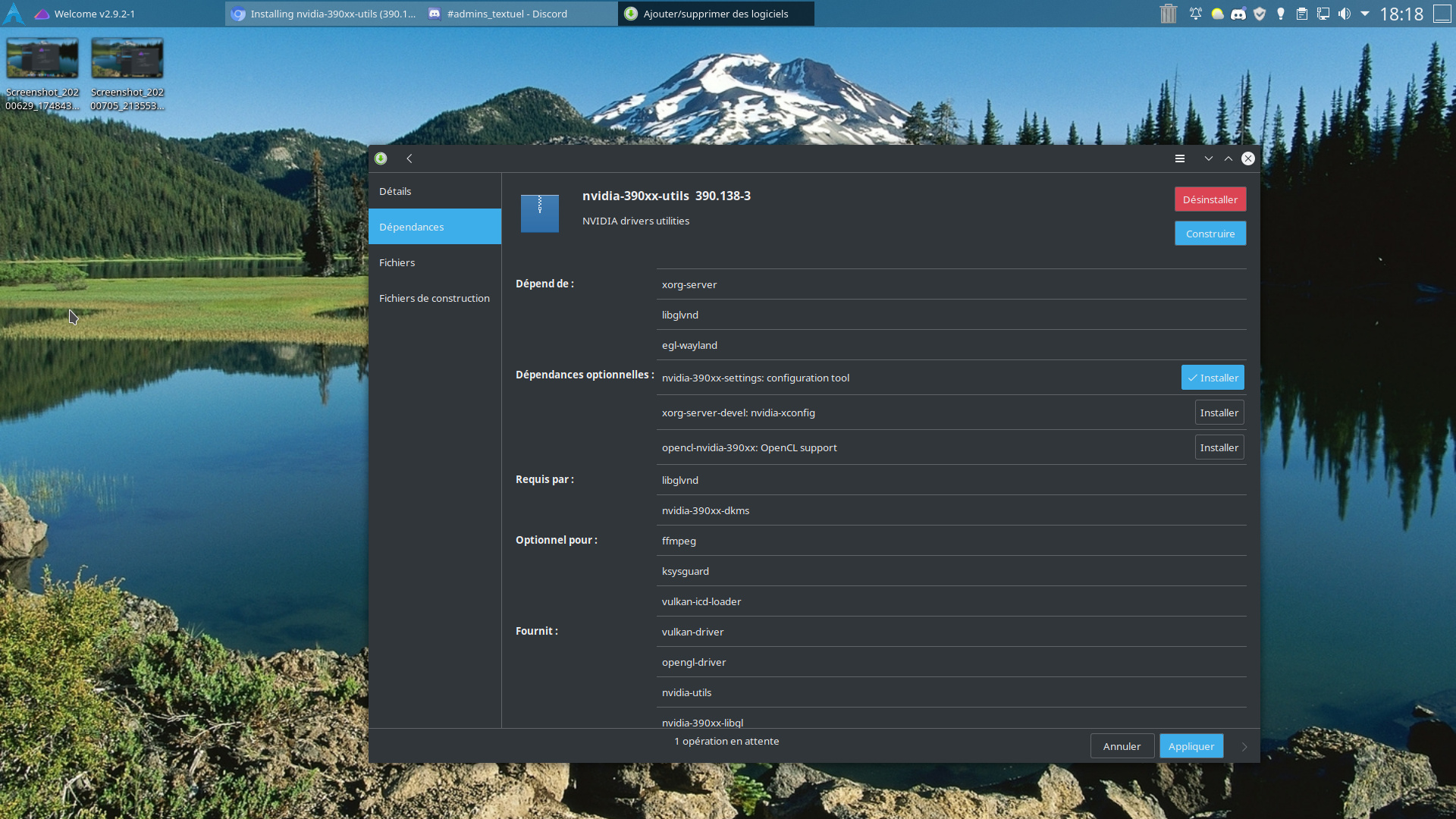 for option
Thanks for investigating further, and yes I have installed nvidia-390xx-dkms,
marked as solved.
@JR29 and @ricklinux thanks for your help too.
Where does the information come from saying only the 390 driver works with this card from device ID 00f0? Where do you find that as Nvidia lists the current driver’s.
read the readme in the nvidia website it lists out all the device id that are supported by particular series of drivers