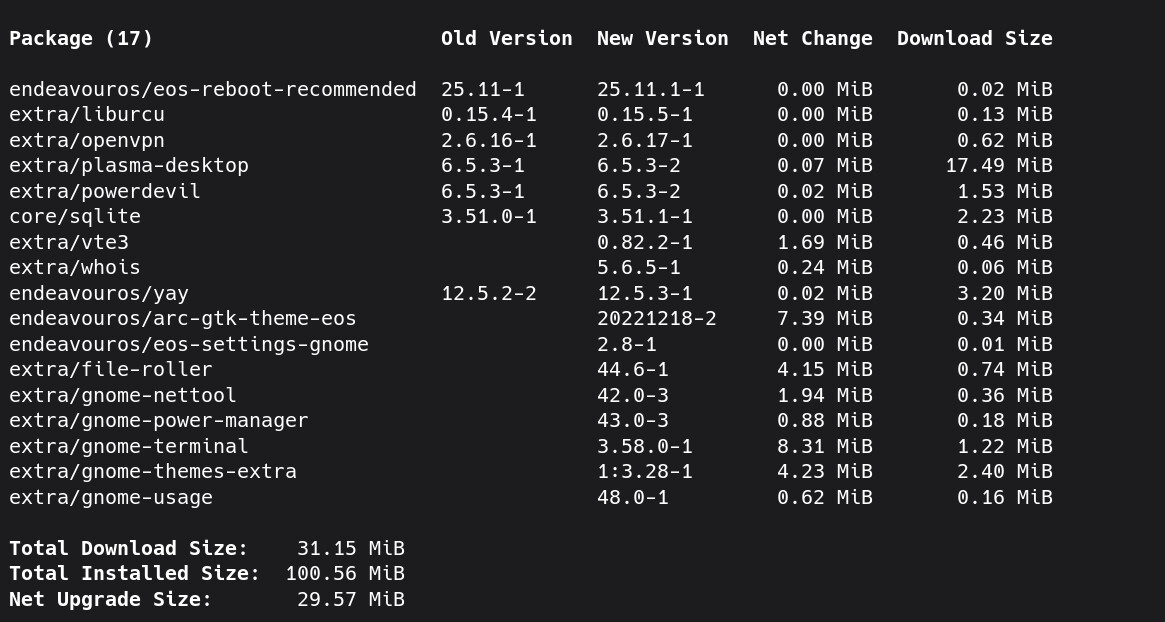
Hi! I’m using endeavouros since ~march 2025, loving it! I’ve used both gnome and KDE with it, but always performing clean installs.
Last week I decided to live more dangerously and installed gnome alongside KDE in my day-use desktop. I was used to deal with multiple DEs, but mostly when using debian, ubuntu etc.
I believe I might be missing some packages or post-install scripts, because I’m now facing some undesired issues:
When I unlock system (using gdm, the dm that came along with kde didn’t open gnome at all), I loose audio conectivity, sometimes ethernet also stops working. Easiest solution is to just reboot.
System dialogs like “are u sure you want to save this file?” are still kde-styled
This one is just funny: The gnome settings top left icon is missing, so a red circle shows up instead. Makes me wonder what else did I missed in my post-install install.
As it has been said, this is more or less asking a load of problems. Although this was on old Ubuntu long time ago, I wanted to try KDE and installed it alongside (or over, I don’t recall anymore) and I had unoperable system on my hands.
So my personal experience is that you should have only one DE installed. But of course there may be ways to circumvent these issues I faced.
Can you post a screenshot of your gnome desktop? From what you’re describing it seems, if there are packages missing. But I’m not exactly sure about this. Did you exclude packages by accident?
“ I’ve already told you how to install a group, in this section I’m going to give you the specific commands you need to enter to install a specific Desktop Environment and also remove an installed Desktop Environment.”
When restoring from lockscreen today I got like 2min to turn the screens on again, keyboard unresponsive for a while, then no sound from displayports and no working ethernet. Had to reboot to not be fighting each issue.
I’ll backup my containers and perform a clean install, guess it’s the best path to go now.