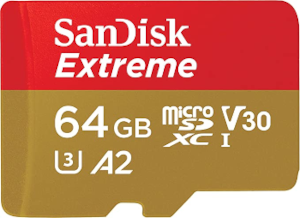
I am having trouble installing KDE on a micro SD(samsung extreme 64gb),
I used a usb to boot into liveuser mode for installation, then selected the microSD. I formatted the MicroSD with MBR & FAT32 before inserting. I selected swap with hibernate. But at the of the installation, it tells me mkdir could cannot create directory and it is read only. The sd isnt read only, since the error occurred after the installation tool repartitioned it.
The CPU is intel 11th gen(tiger lake), x86-64
I am using an microSD, because my organization does not allow me to modify the internal disk.
I did it successfully before with another usb, but the EOS_202212 version. Im trying with an microSD this time, because it has faster read/write speeds.
Again, I assume “another usb” is a USB thumb drive (flash drive) ? If so, a USB 3 Flash Drive will outperform SD cards both in speed and reliability. See the following web site for further information.
I am 72 yrs old. I have been around for a while and I know that " because my organization does not allow me to modify the internal disk." is there for a reason.
Modifying company equipment when told not to is a risky proposition.
Yes, its a USB thumb drive. I dont understand which one in theory is faster, but I payed $15 for a usb thumbdrive(3.1) and microSD each, on read/write test, the microSD is 8 times faster, I dont understand why either. Since im not allowed to modify the internal disk, I am following the rule by installing the OS on an external device, the MicroSD.
I tried again and it returned a different error, here are the details
Online Bootloader: systemd-boot Erase disk: Swap(with hibernation), ext4
Packages:
Desktop Base + Common packages
Firefox and language package
KDE-Desktop Printing Support Support for HP printer/scanner Accessibility tools
Error from installer
Installation Failed
Package Manager error
Details:
The package manager could not make changes to the installed system. The command
This points to a low quality medium.
Maybe try many times until it succeeds, but if the sd card is not of good quality, you might lose your data some time in the future.
It seems (reading the log) that installation starts OK, but in some random (unexplained) point errors out for not able to write. (writing was going on until then)
Not a good sign, as I thought.